

How check-in and no-show work
A missed room check-in does not delete your appointment: My calendar keeps its original times, Management calendar keeps the shortened No show record, and Resource calendar hides it when No show is excluded. The remaining resource time is free. Covers check-in deadlines, release and recurring no-show rules.
Does my booking disappear after a no-show?
No. If a room requires check-in and you miss the deadline, your appointment stays at its original scheduled time. Only the resource reservation is shortened to the moment the room is released; the remaining time becomes available for another booking.
| Calendar | What you see after the no-show |
|---|---|
| My calendar | Your appointment, with its original start and end times |
| Resource calendar | With No show excluded, no block for this booking; the room is free after release |
| Management calendar | The shortened resource reservation, marked No show, from its start to release |
Management calendar keeps the elapsed reservation history. Resource calendar can show it too when No show is included; excluding that status hides the block, not the record. It records time reserved before release, not proof of room use. Cancelling a booking is different — see Cancel a booking.
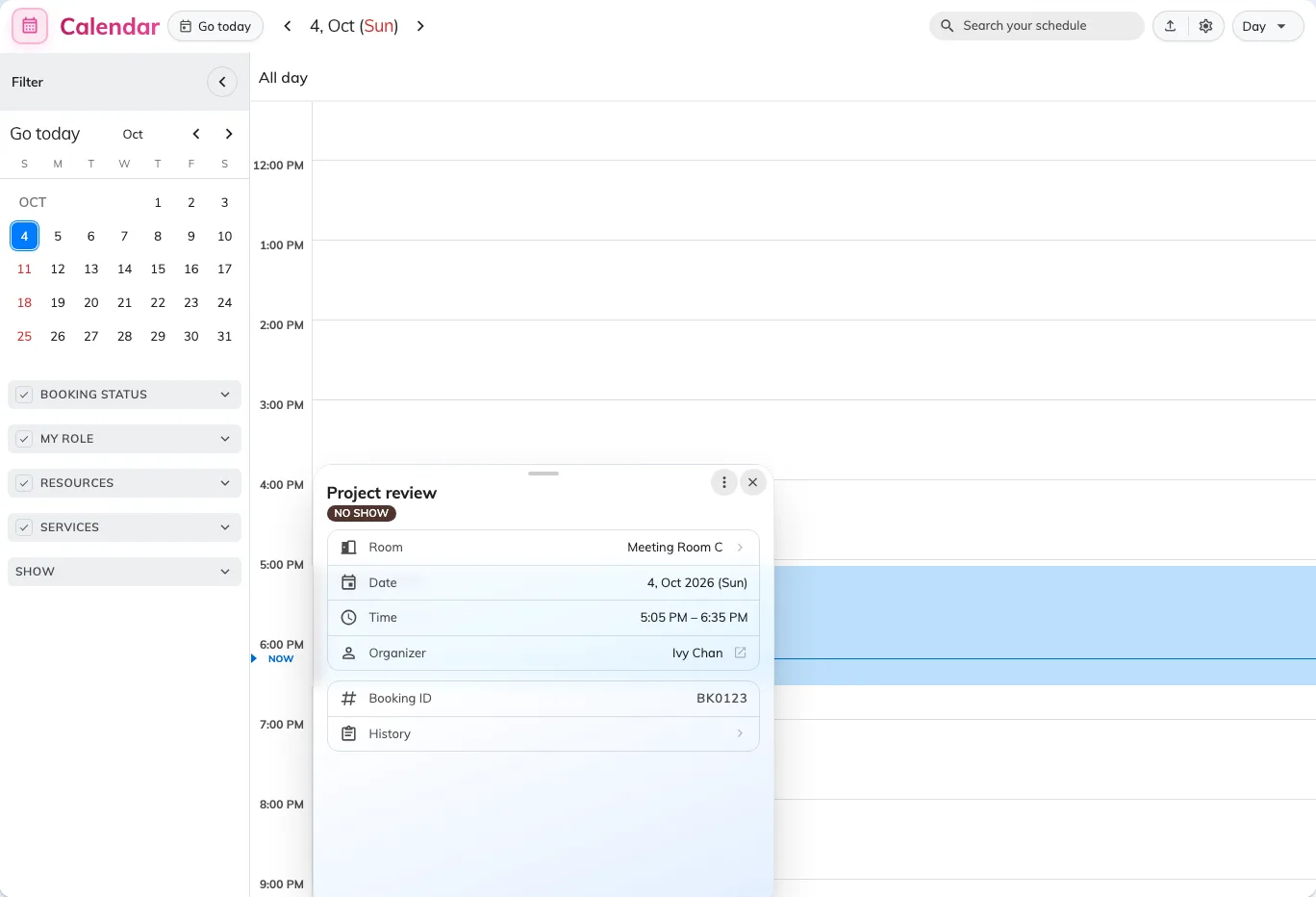
My calendar retains the original appointment time after the no-show.
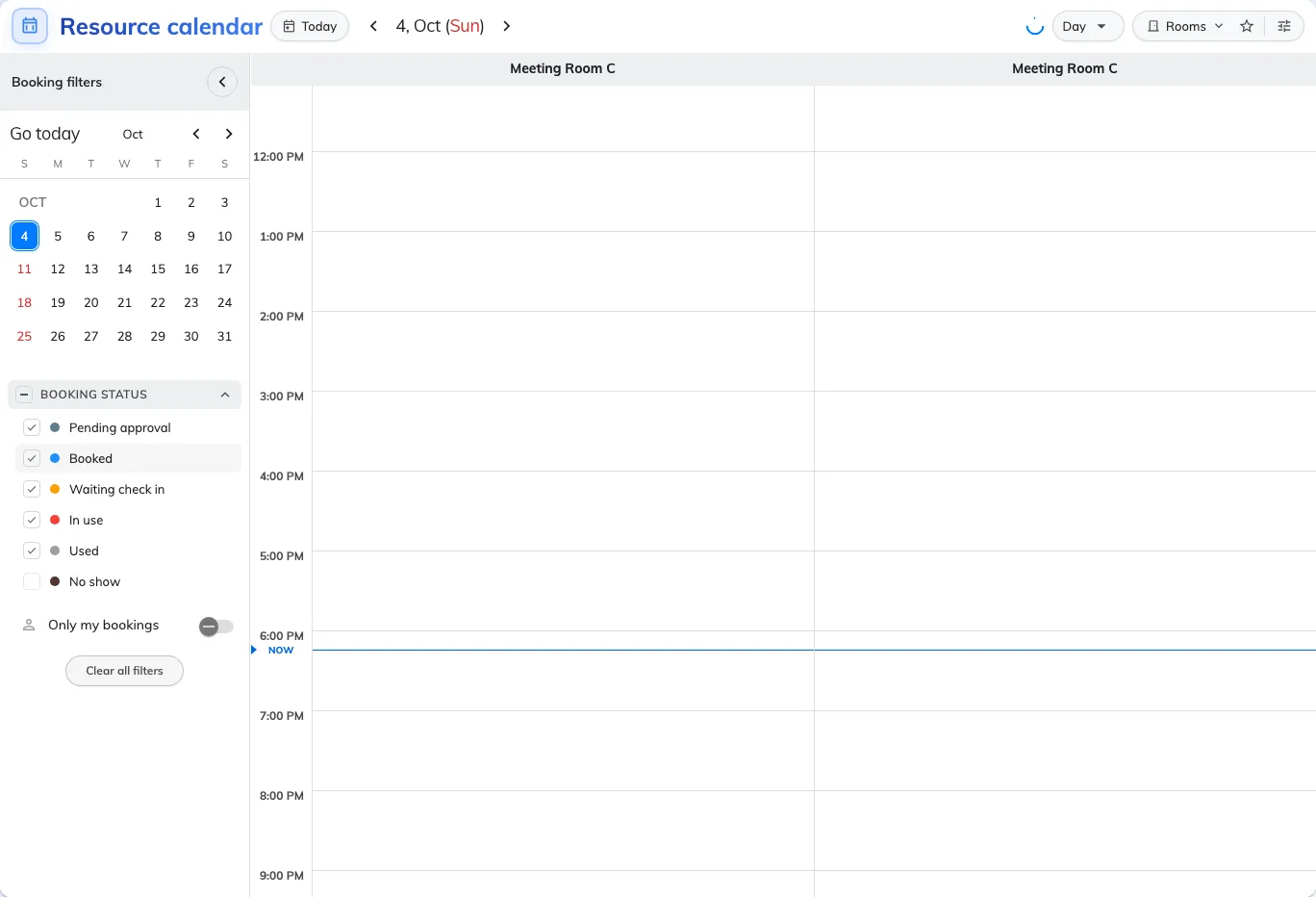
With No show excluded, Resource calendar hides the no-show block; the released time is free.
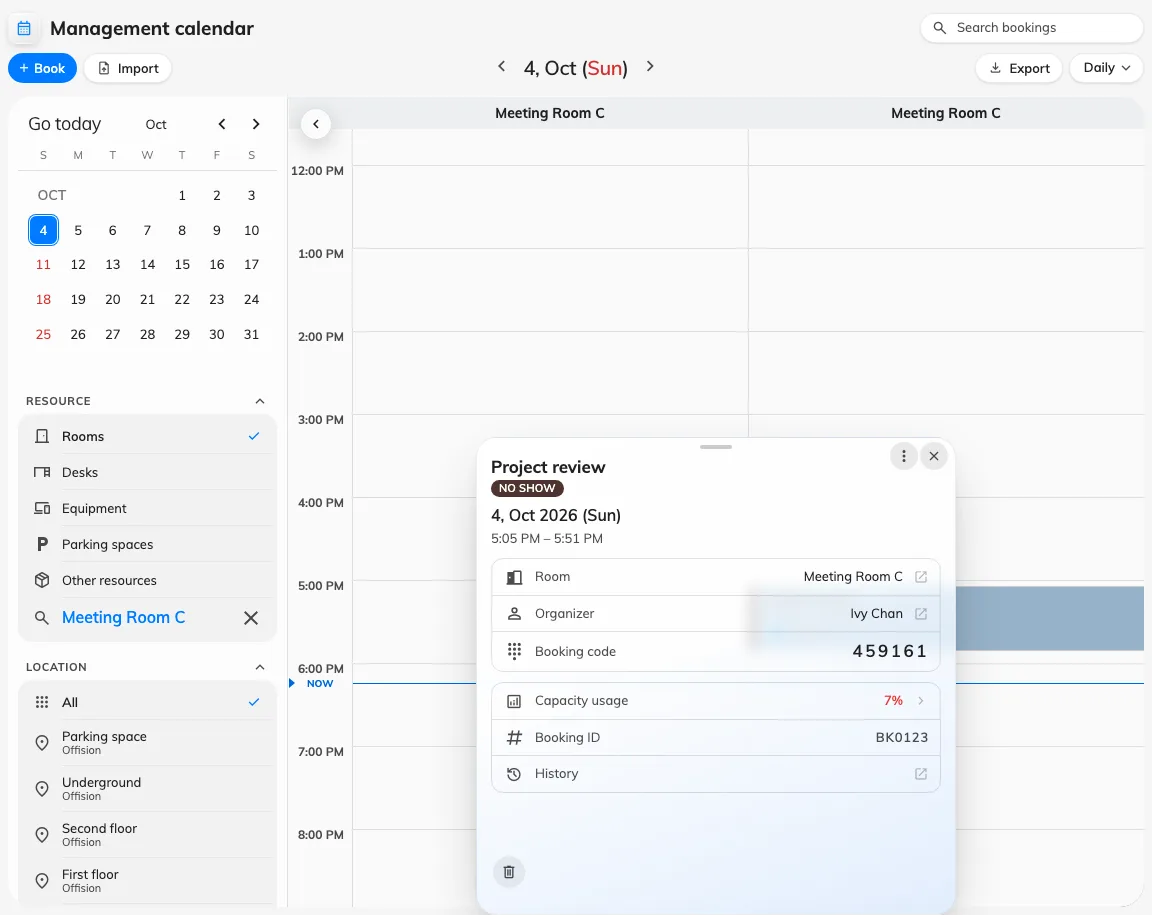
Management calendar shows the same shortened no-show reservation and free remaining time.
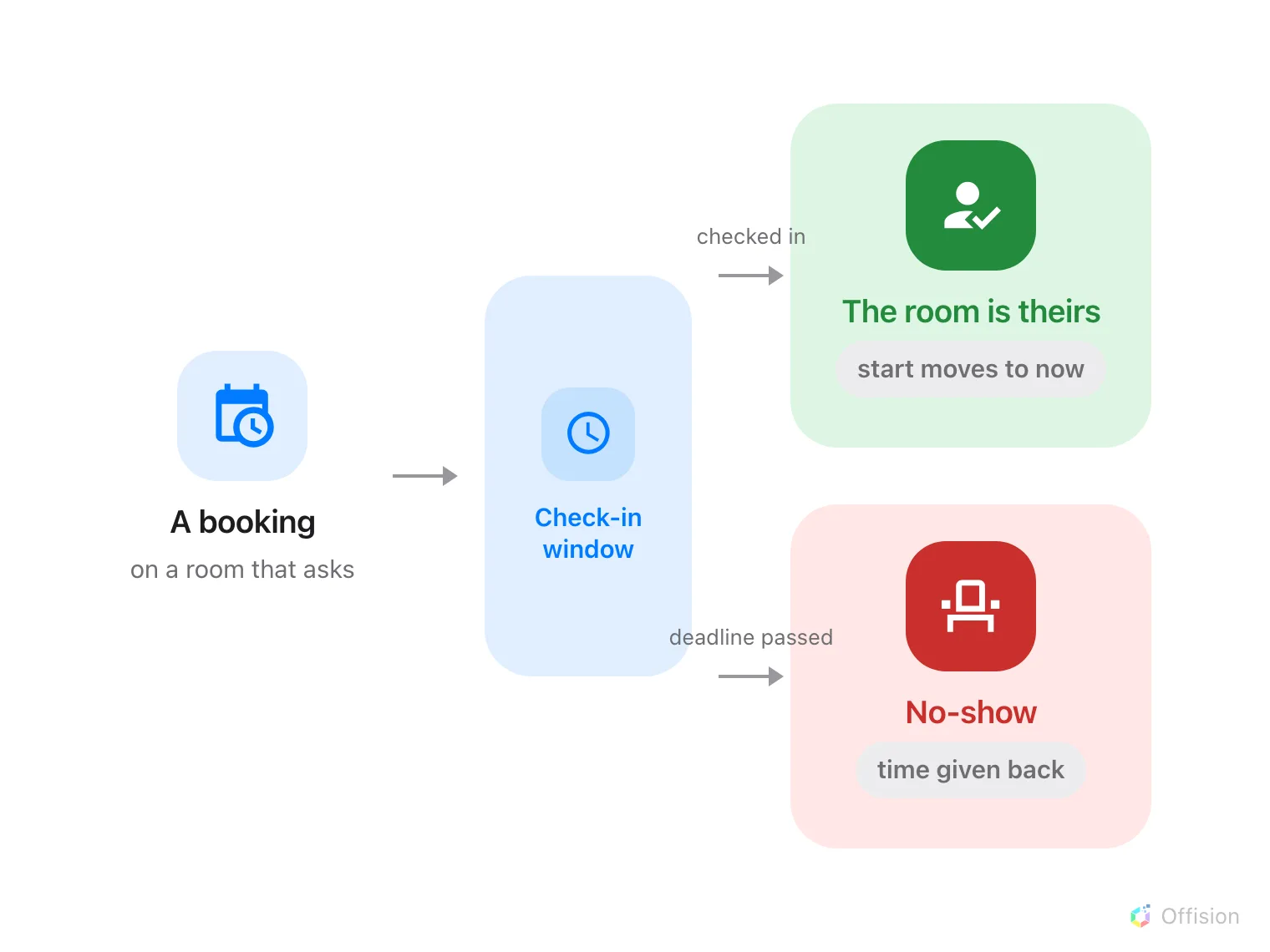
Every booking leaves by one of two doors: somebody checks in and the room is theirs, or nobody does and the room goes back.
Check-in is the step that claims the booked resource. Where a resource requires it, a booking that nobody checks into is recorded as a no-show and the remaining resource time is released.
The timer is not called what you expect
There is no setting named “auto-release”. Can check-in after (in mins), in the resource policy’s Check in/out group, sets both the latest check-in time and the release deadline.
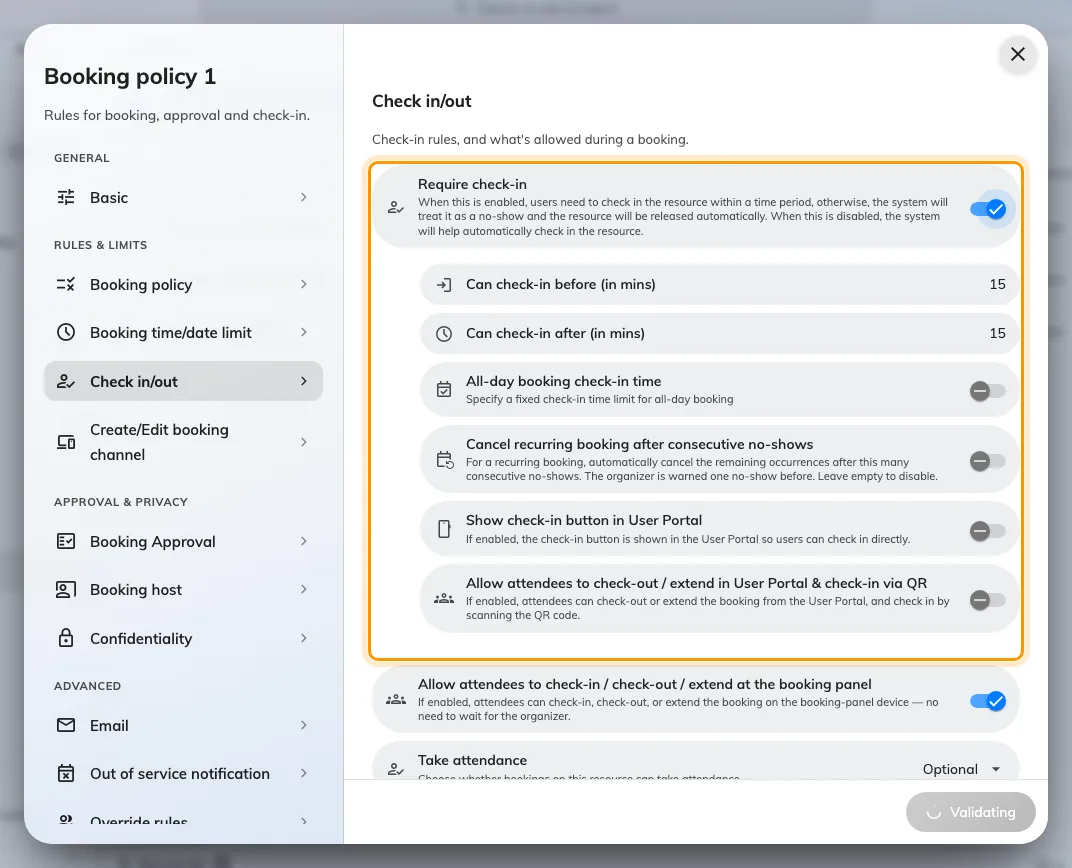
Require check-in, and the two numbers that open and close the window.
With Require check-in off, the system checks in on the organiser’s behalf and holds the room for the full booked period, even if nobody arrives.
The window, and where it closes early
Both numbers are measured from the booking’s start time — one backwards, one forwards.
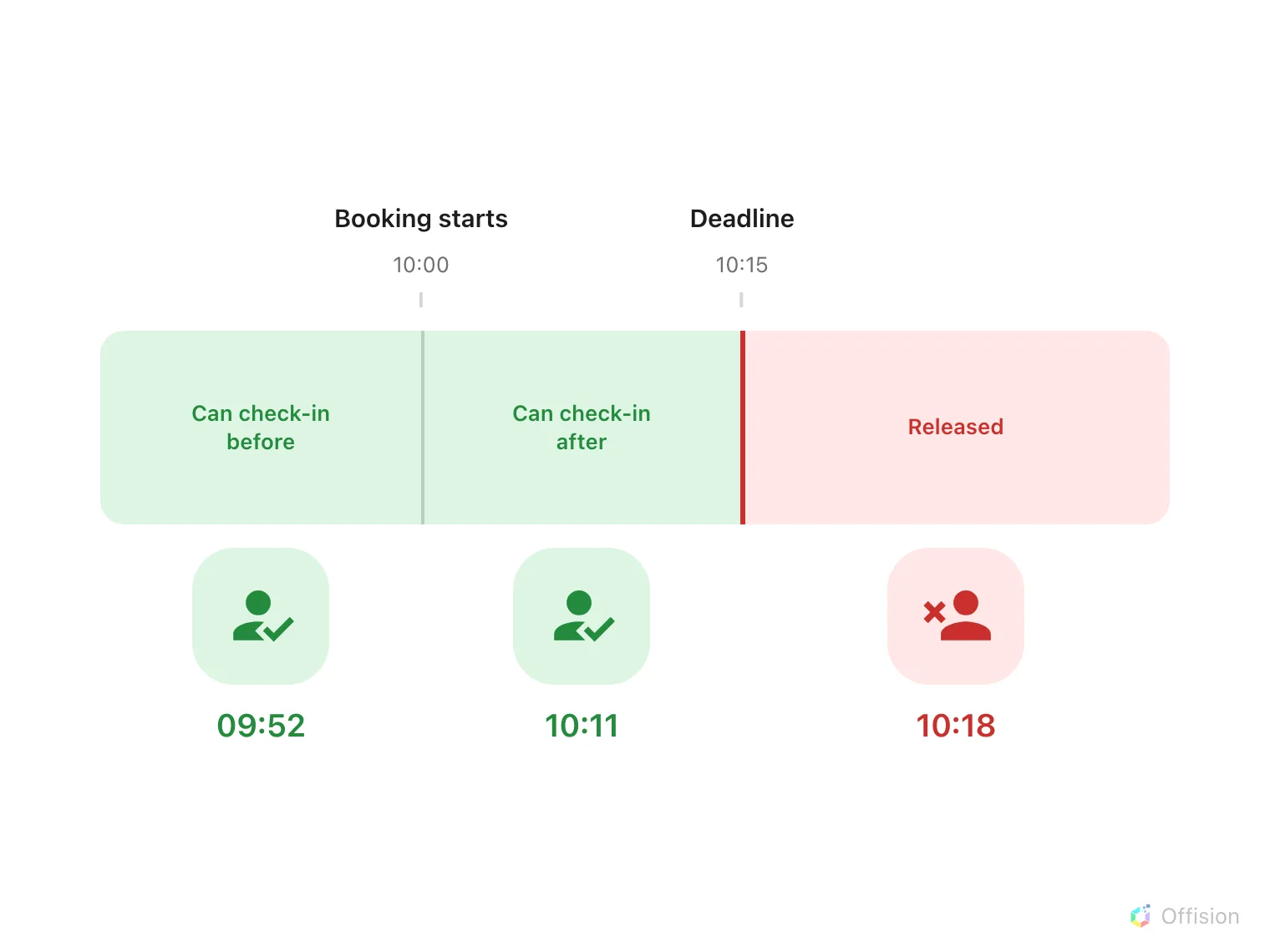
Both ends are counted from the booking's start, and the room is released the moment the right-hand end is reached.
Three things close it earlier than the arithmetic suggests:
- The booking’s own end time wins. A 10-minute booking on a policy with a 15-minute grace has a 10-minute window, not 25.
- All-day bookings ignore the window entirely when All-day booking check-in time is set, and use that clock time as the deadline instead. A midnight start makes a window measured in minutes meaningless.
- A booking on several resources takes the strictest policy. The smallest before and after values across every resource in the booking are the ones that apply.
Releasing is a real release
The released time is free for another resource booking. For rooms synced from Microsoft 365 or Google, the shortened resource period is pushed back to the room’s calendar too; your appointment remains in My calendar.
Check-in moves the resource reservation’s start to now; check-out moves its end to now. These resource times can differ from your appointment’s scheduled times.
You can check in before the booking starts, within the window. If an earlier meeting still holds the room, the resource reservation starts at that meeting’s end. With one free room and another busy until 11:10, it starts at 11:10.
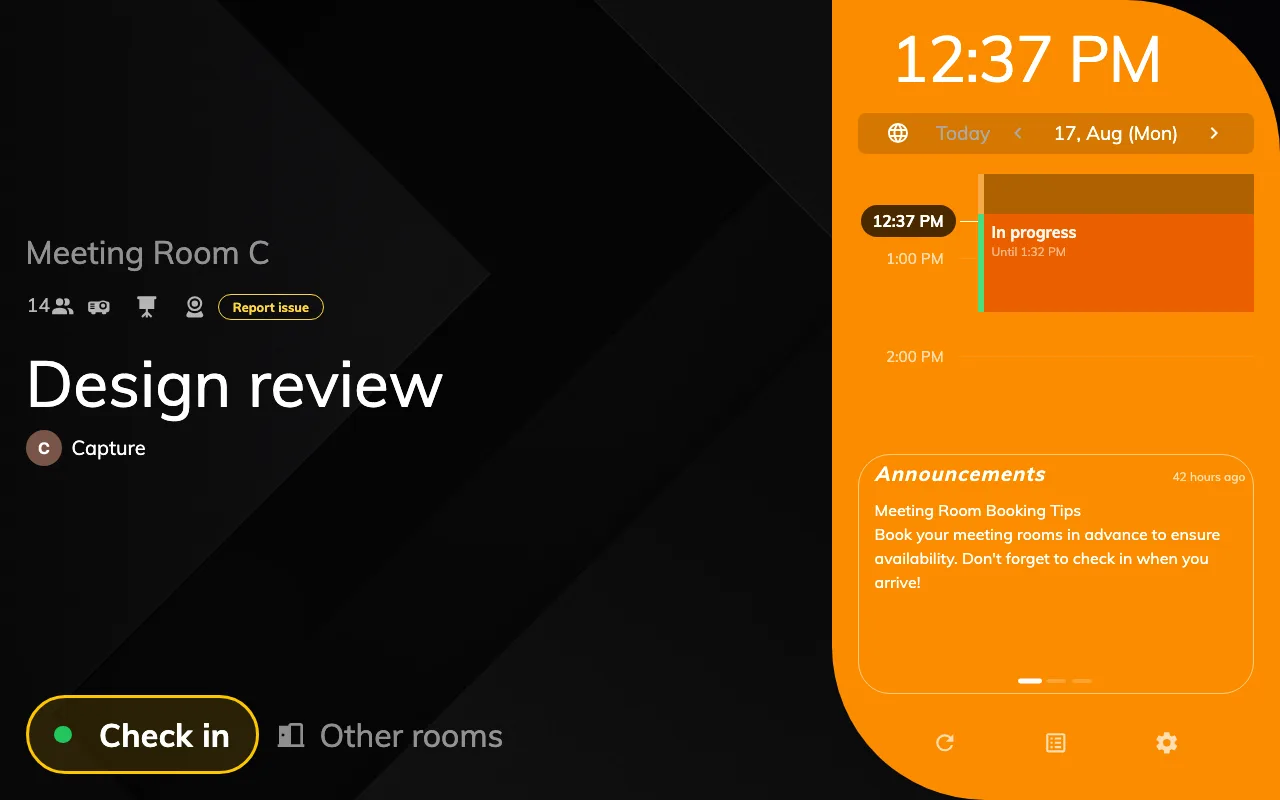
The panel while a booking is waiting: the check-in button, before the deadline passes.
The window is one of three ways a room comes back, and the three are governed by three different settings. Only the middle one reads a sensor.
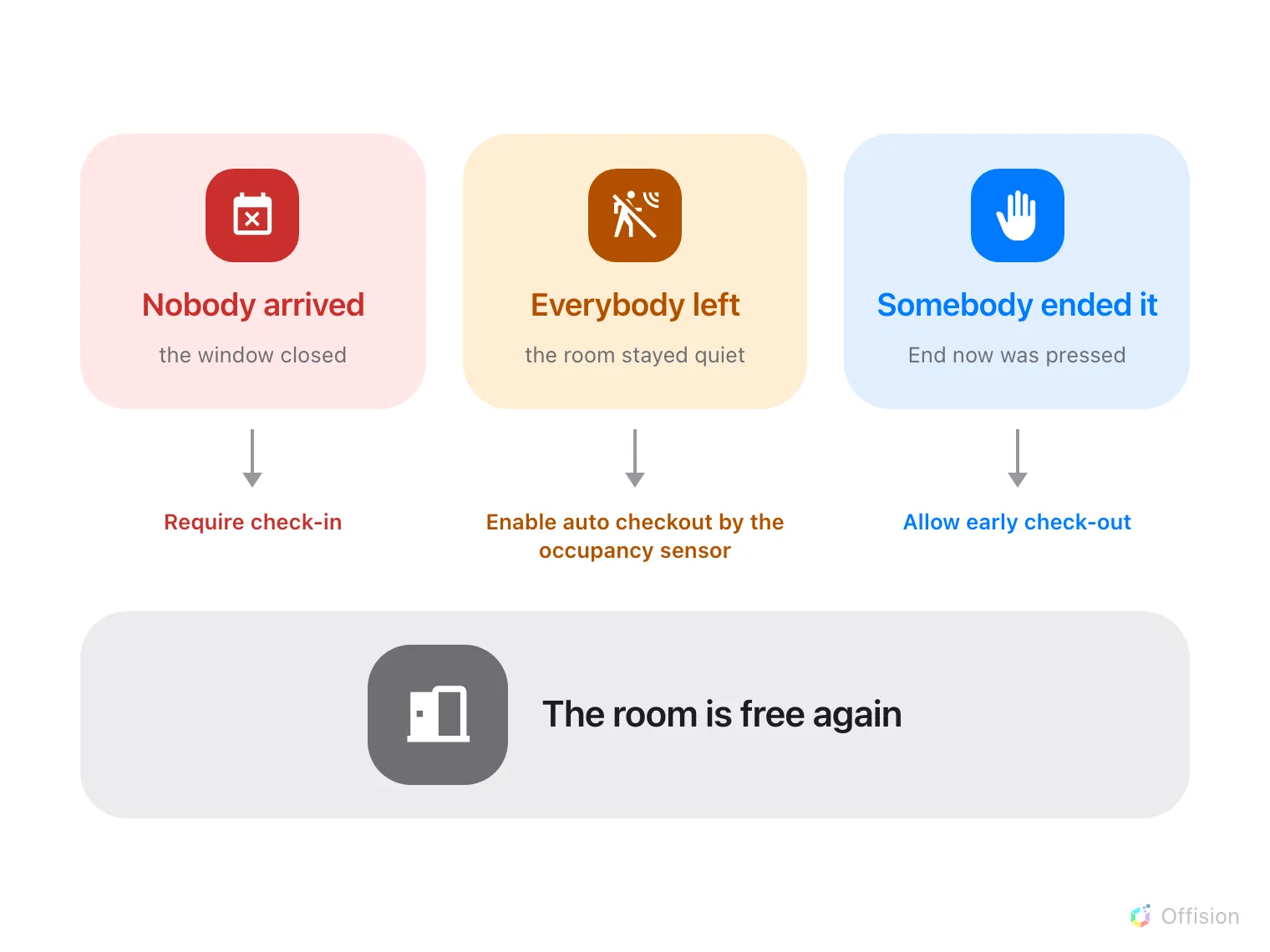
Three different mechanisms, three different settings, the same result.
Nobody has to be watching
The system writes to the organiser at both ends of the window — a Waiting for check-in reminder when the resource becomes available to check into, and a No-show email reminder when it is released — with matching notifications in the app. Both emails can be switched off for the whole organisation; the notifications in the app cannot, and go out either way — Reminders.
Open Email reminder settingsConsider these reminders when choosing the check-in deadline.
Two more behaviours worth knowing
- Walk-in bookings never require check-in. Somebody standing at the panel claiming a free room has already proved they are there.
- A repeating series can cancel itself. Where Cancel recurring booking after consecutive no-shows is on, a series that is abandoned often enough has its remaining occurrences cancelled, and the organiser is warned one no-show before it happens.
- That is the only consequence of repeat no-shows. Offision keeps no personal strike count, booking ban or quota penalty. Each no-show releases that resource reservation. Any office consequences are applied by a person using the no-show report.
What it does not control
- Quota is not refunded by a no-show. The resource is released, the charge is not. Only cancelling returns quota, and only inside the refund deadline — see Booking rules reference.
- The booking release schedule is a different feature. It decides when a future period opens for booking. It has nothing to do with releasing an unattended room, despite the name.
- Early check-out and extend are their own policy settings, and neither is affected by the check-in window.
- Who may press the button is decided per method — at the panel, in the app, by a sensor. Each has its own article, listed below.
Where check-in can happen
- At the booking panel — the only method that proves somebody was at the door.
- By QR code, and GPS — scanning a code, and proving you are near the building.
- By tapping a staff card — one tap at the door, with no second screen.
- With a booking PIN — for attendees from outside the organisation.
- By occupancy sensor — nobody presses anything, and the same sensor can check the room out and extend it again.
- On a desk, by its sticker — a desk has no panel; the sticker on it is scanned from the app.
- Choosing how a hot desk is claimed — sticker, app with GPS, kiosk, e-paper tag or desk panel, compared.
- What counts as a no-show — once it has happened, what the reports say about it.
- Check-in settings reference — every field on the policy, one figure each.