

Charge desks and rooms from separate budgets
A second quota unit gives desks their own budget, so a month of hot-desking cannot eat the meeting-room allowance — and neither can pay for the other.
One budget for everything bookable has an obvious failure: somebody who hot-desks five days a week arrives at the quarter with nothing left for the one meeting that mattered. Giving desks a quota unit of their own fixes it, because units never pay for each other.
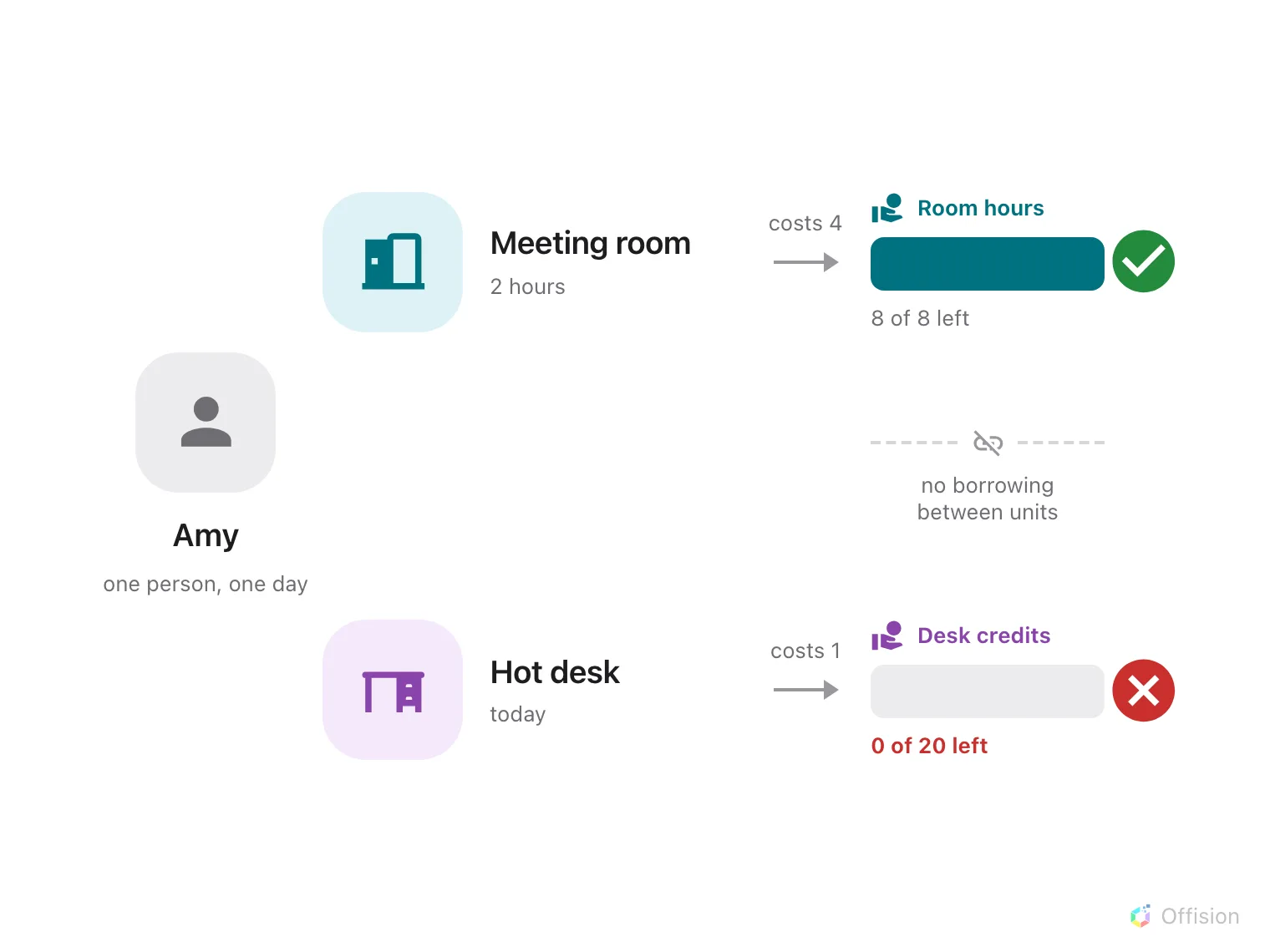
Each quota unit is its own budget — running out of Desk credits stops the desk booking and leaves the Room hours untouched.
A booking has to satisfy every unit it touches. That is what makes this work in both directions: an empty desk budget cannot be topped up from the room budget, and a heavy month of meetings still leaves the desks bookable.
1. Create a unit for each budget
Open Quota settings — under Booking → Settings → Booking rules, choosing Show more if it is not in the sidebar — and go to the Quota unit tab.
Open Quota settingsAdd one unit per budget you want to keep apart. A unit is nothing but a name, so name it after what it counts and how it is counted: Room hours and Desk credits read better in a charge banner than Point 1 and Point 2, and the name is what the person booking sees.
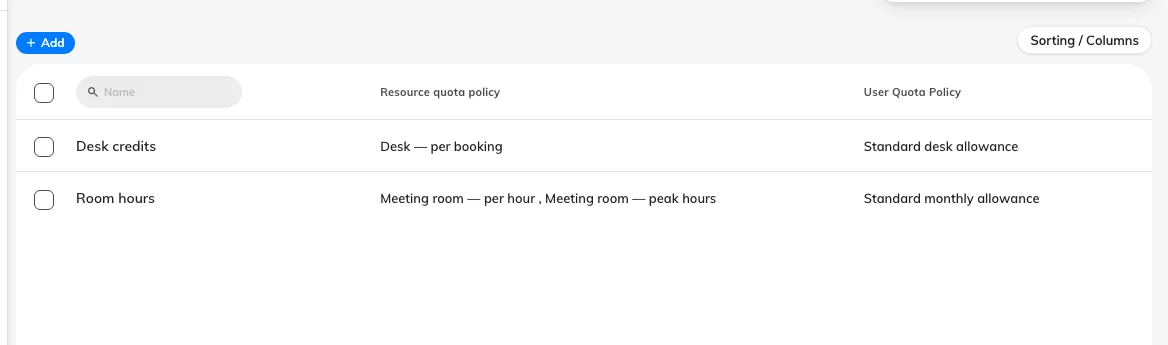
Two units, two budgets. The name is what appears on the booking form.
Two is usually enough. Every extra unit is another balance to grant to every person, and a resource charging in a unit somebody has no policy for simply refuses their booking.
2. Price each resource type in its own unit
On the Resource Quota Policy tab, add one policy per unit:
- Meeting room — per hour, in Room hours, Charge by Per hour. Duration is what you want people to economise on for a room.
- Desk — per booking, in Desk credits, Charge by Per booking. A desk is booked for a day, so what you are rationing is days, not hours.
3. Attach each policy to its resources
Open a policy and use the Assigned resources pages in its left rail — one page per resource type, each with a count. Attach the rooms to the room policy and the desks to the desk policy.
A resource can carry only one quota policy, so a resource cannot be charged in two units at once. If a booking covers a room and a desk, it is charged in both units — one from each resource — and both have to be affordable for it to save.
4. Grant both budgets to each person
On the User Quota Policy tab, add one policy per unit. The unit is chosen here too, and it is fixed here too, so a person who should be able to book both needs two policies — one granting Room hours, one granting Desk credits.
Set each period independently. Desks and rooms rarely want the same rhythm: desk credits usually reset monthly, meeting-room hours quarterly.
5. Check it worked
Open a booking on a room and on a desk. The charge banner lists one row per quota unit, so a booking that touches both shows both, each with its own remaining balance.
Then check the separation actually holds: spend a person’s desk credits down to nothing and confirm they can still book a room. That is the whole reason for doing this, and it is the one thing a single-unit setup would fail.
Open Quota usage historyQuota usage history can be filtered by quota unit, which is how you check one budget’s spending without the other in the way.
Retiring a unit
A quota unit cannot be deleted while any policy still uses it — the console refuses with The quota unit cannot be deleted as it is assigned to some policies. Delete or re-point the resource policies and the user policies first, remembering that re-pointing means re-creating them.