

How booking quota works
Quota is a budget on booking. What a resource costs and what a person has are set separately and only meet through a quota unit — and refunds are off until you switch them on.
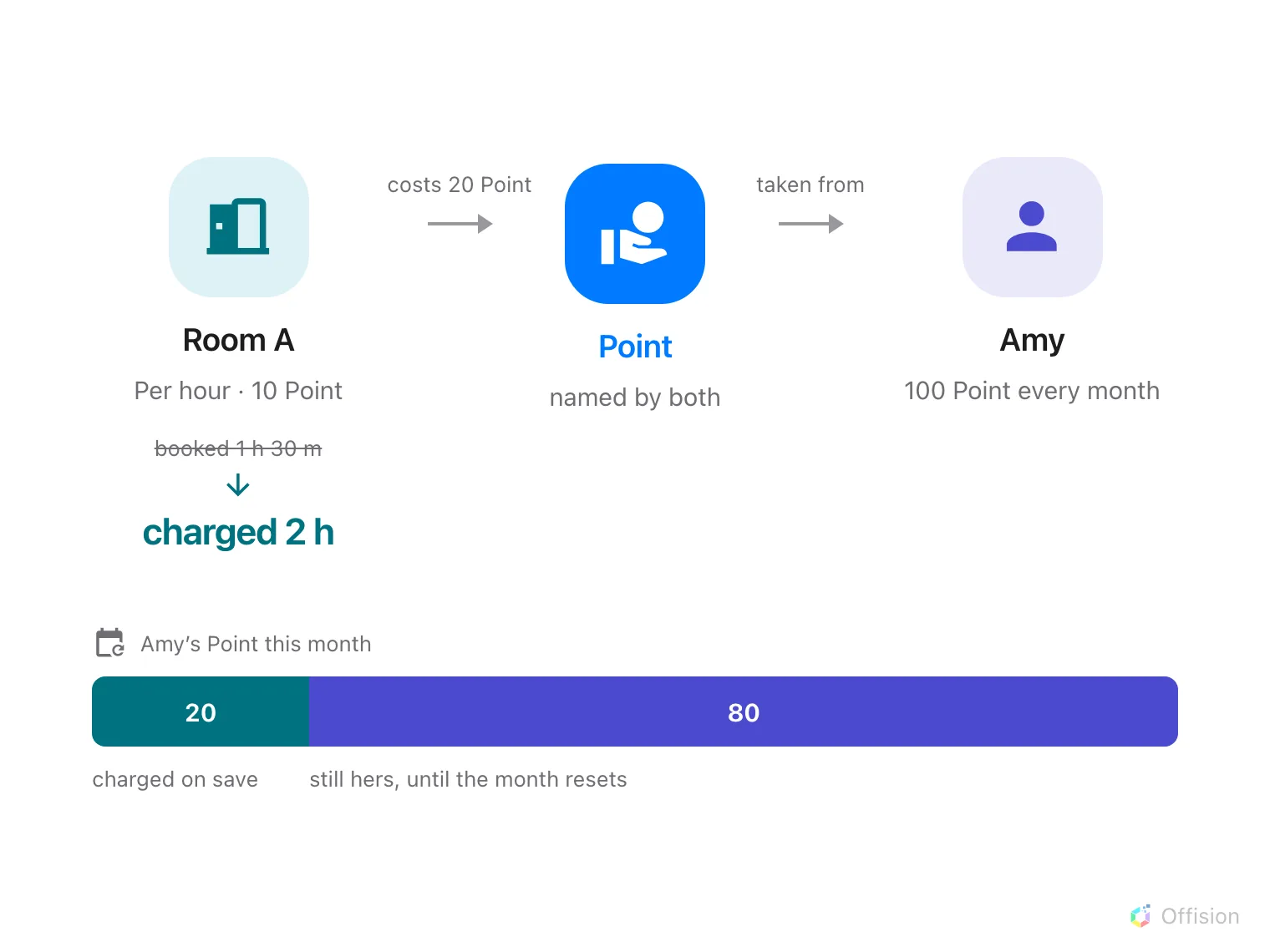
A resource policy says what a booking costs and a user policy says what a person has — the charge only reaches the balance because both are named in the same quota unit.
Quota puts a budget on booking. A resource quota policy decides what booking a resource costs, and a user quota policy decides what a person has to spend. Neither knows about the other. They meet only because both are named in the same quota unit — so the unit is the first thing to set up, and the thing to get right.
Open Quota settings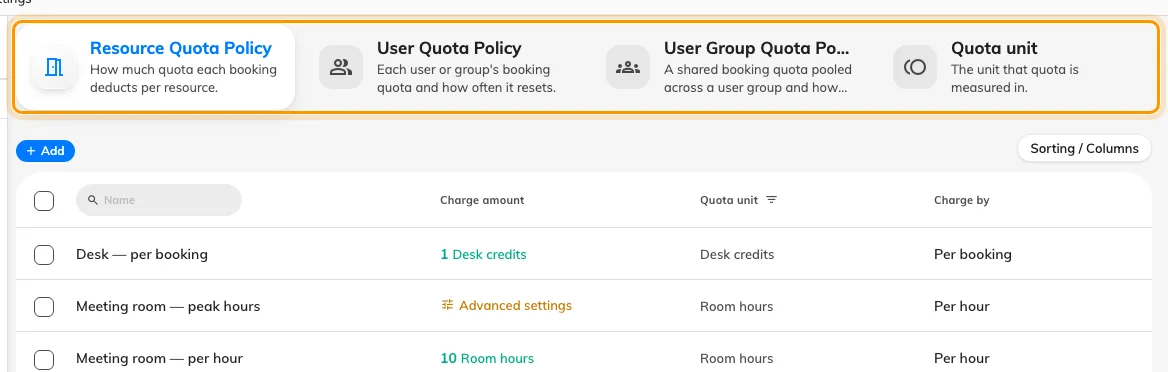
Four tabs: what a booking costs, what people are given, what a group shares, and the unit all three count in.
A metered rate always rounds up
Charge by decides how a resource is priced: Per booking charges once whatever the length, and Per minute(s), Per 15 minutes, Per 30 minutes and Per hour charge by duration. A metered rate rounds the booking up to a whole billing unit — on Per hour, a 70-minute booking costs two hours.
Amounts are whole numbers everywhere: costs, balances and refunds. Pick a scale that leaves you room to be precise later — 10 points an hour rather than 1.
Different units are separate budgets
A quota unit is just a name for what is being counted. Rooms priced in one unit and desks priced in another are two budgets that cannot pay for each other, and a booking has to satisfy every unit it touches. That is the whole technique behind charging desks and rooms separately.
A person’s own balance is spent first
Someone can hold a personal balance and belong to a group that shares a pool. Their own balance is always spent first; the pool is only drawn on once their own runs out. Everything about that is covered in giving a department a shared budget.
Periods are counted from the policy’s Start counting date, so a weekly policy resets on the weekday you picked rather than on a Monday. Monthly hides that field and the form promises the 1st, but the cycle is still counted from the date the policy was created on — see the settings reference. Nothing carries over.
Charged on save, refunded only if you asked for that
Quota is taken when the booking is saved, not when it is approved. So rejecting a request does not give it back — cancelling the booking is what does, and a no-show forfeits it entirely.
And cancelling only gives it back if the resource quota policy says so:
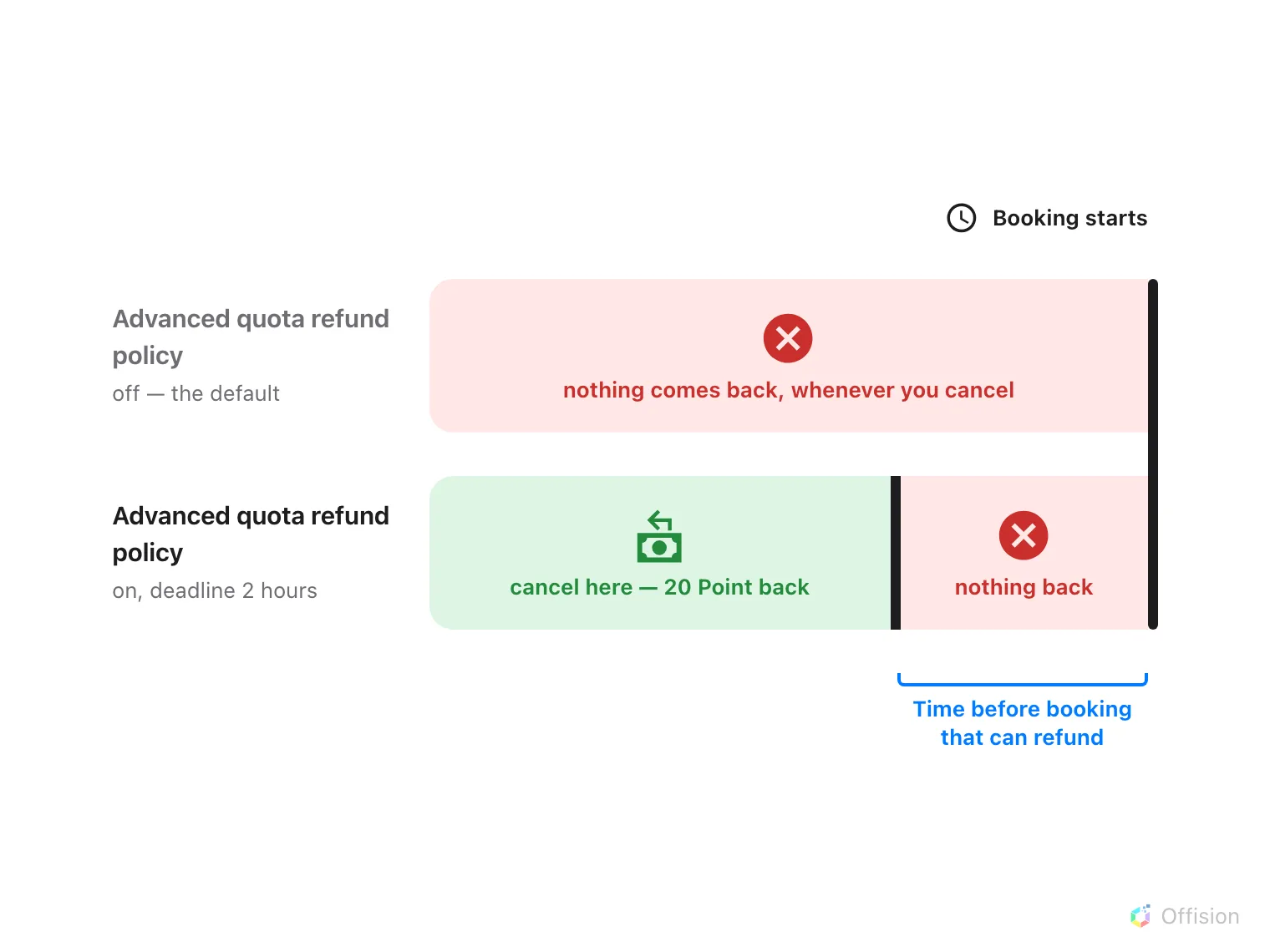
Cancelling returns nothing at all unless the resource policy turns refunds on — and even then, only up to the deadline before the booking starts.
Editing a booking returns what the old one cost and charges the new one, so people see only the difference. Dropping occurrences from a repeating booking counts as cancelling those, so the refund deadline applies to them.
Every charge and refund is listed under Quota usage history, which is also where you find out what somebody’s quota was spent on.
Open Quota usage historyWhat quota does not control
- Who may book a resource. That is the team space, and quota never overrides it. Somebody with a full balance can still be refused a room they have no access to.
- Rooms synced from Microsoft 365 or Google. Bookings on those are never charged.
- Resources with no quota policy. They cost nothing; quota is opt-in per resource.
- Anybody’s exemption. There is no role that bypasses quota — not a booking manager, not an administrator. The way to exempt someone is to give them a policy set to Unlimited quota.
One thing can switch it off, and it is easy to miss: a booking purpose may override the quota policy, and an override left empty means no quota at all rather than falling back to the resource’s own.