

What a booking purpose changes
A booking purpose is the reason a booker picks when they book — and the one they pick can swap the room's booking rules, quota, service items and form. How the setting and its options fit together, what an override does when it is on with nothing chosen, and where the booker meets it.
A booking purpose is the reason a person gives when they book — Team meeting, Training, Interview. The same room is booked for all three, and the purpose is what tells those bookings apart: on the calendar, in the booking log, and on the room panel.
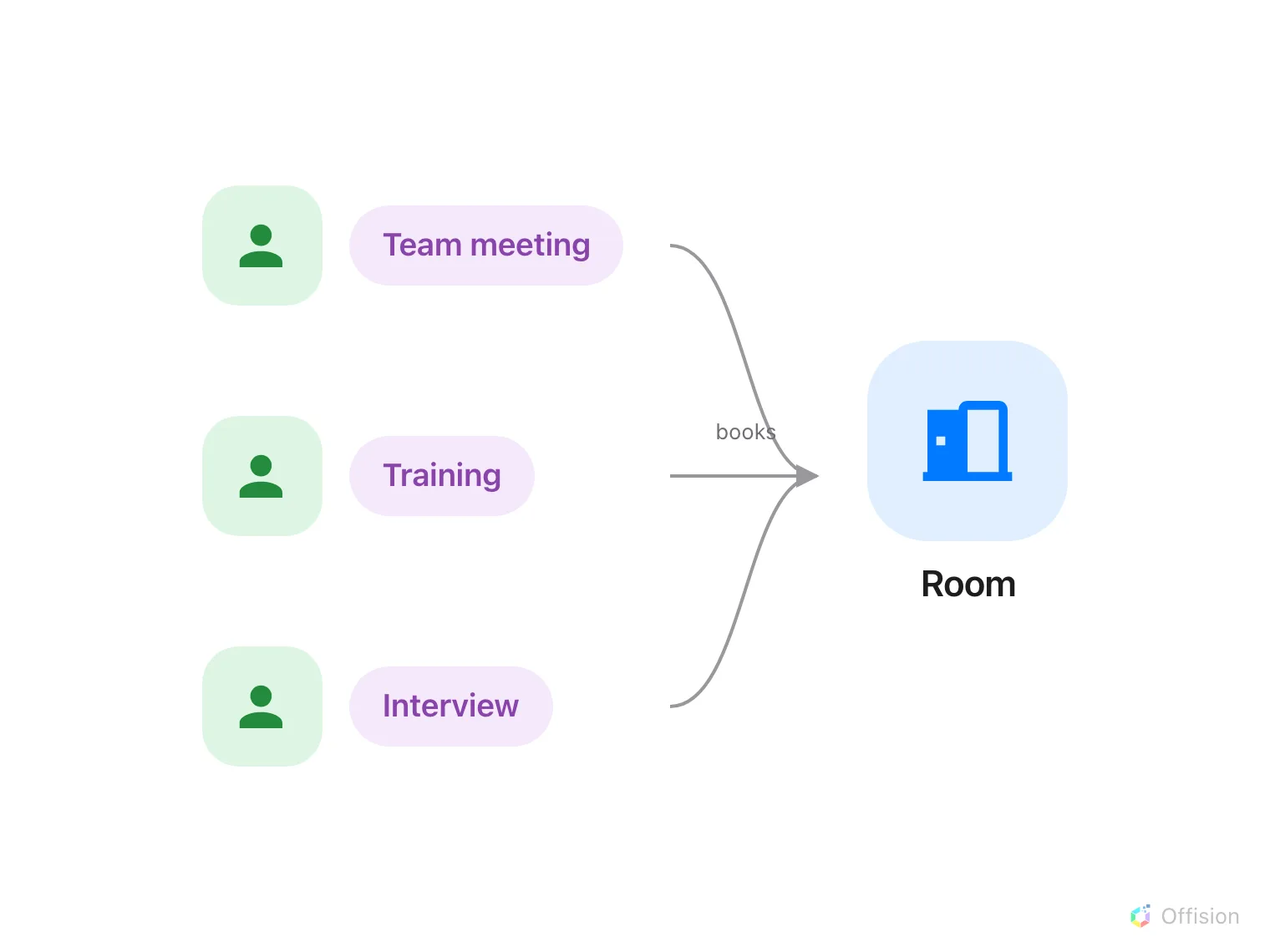
One room, three bookings, three reasons — the purpose is the reason.
Two levels: the setting and its options
A Booking purpose setting is a list of options with a name of its own — Meeting room purposes, say. The setting is what you attach to rooms, desks, parking spaces and equipment, and a resource carries at most one. It also carries Must select, which decides whether the booker has to pick.
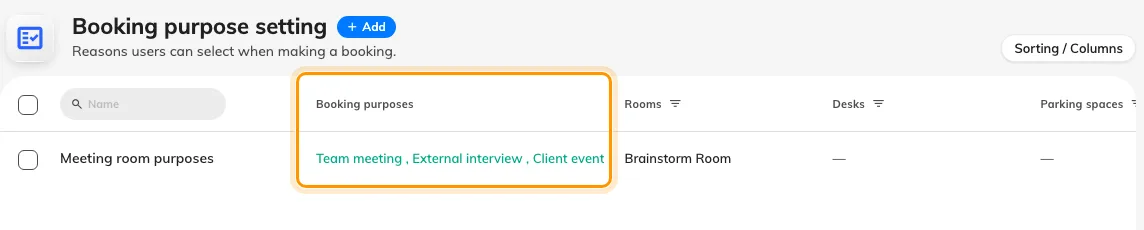
One setting, three options, assigned to the rooms in the columns to the right.
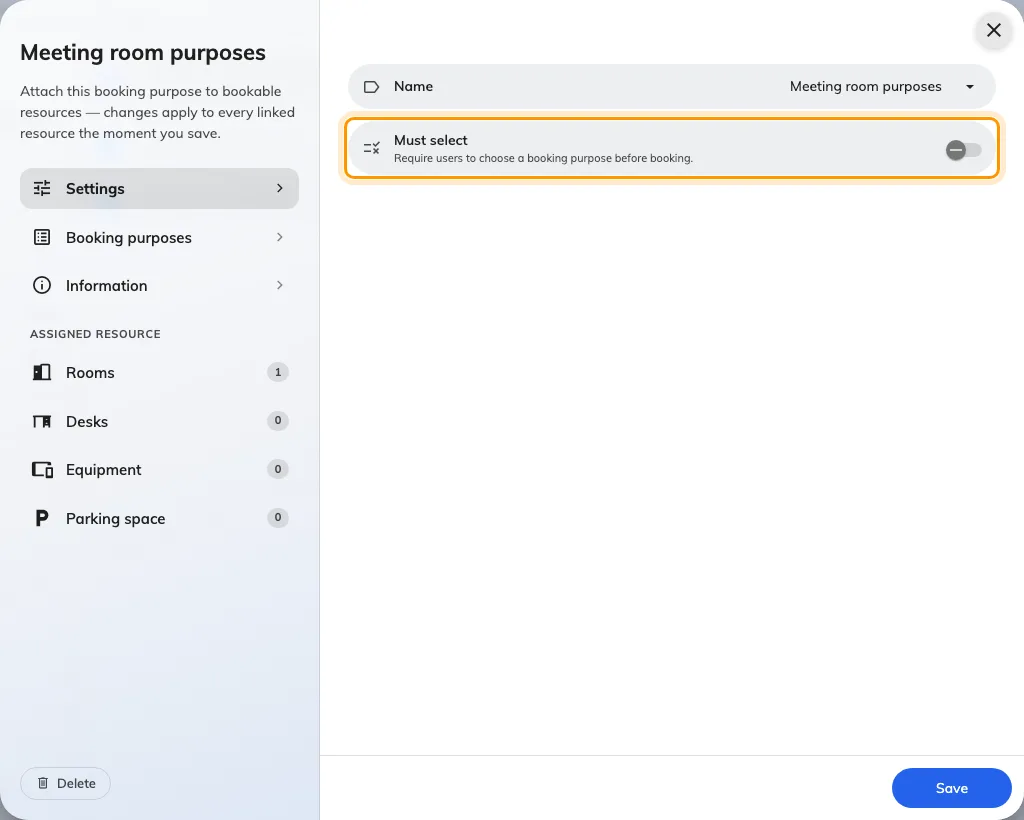
Must select is set once, on the setting, for every resource that carries it.
How the booker sees it
The Booking purpose field appears in the booking form only when a chosen resource carries a setting. If every resource the booker can see shares the same setting, it appears before they have picked anything; if resources disagree, it waits for a selection.
Up to three rows show as pills side by side; four or more become a dropdown, and on a phone it is always a dropdown. With Must select on, the first option is pre-selected and the booking cannot be saved without one. With it off, the list ends with Not specified, which is the default — and counts as a row.
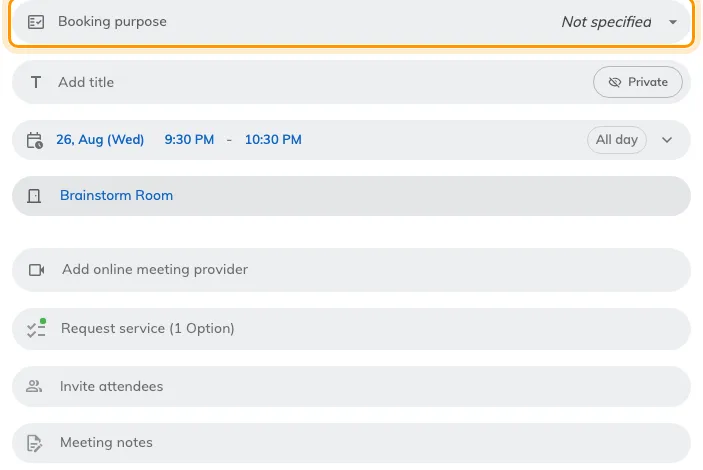
The field, once a room with a setting has been chosen — a dropdown here, because Not specified makes a fourth row.
Change the purpose and the form changes with it: the extra fields and service items are re-read for the new purpose while the dialog is open. A question already answered under one purpose can disappear under the next.
Overrides: a purpose can change the rules
The part that surprises people: an override that is switched on with nothing chosen does not fall back to the room’s own setting. It replaces it with nothing — no policy, no quota, no service items, no extra fields.
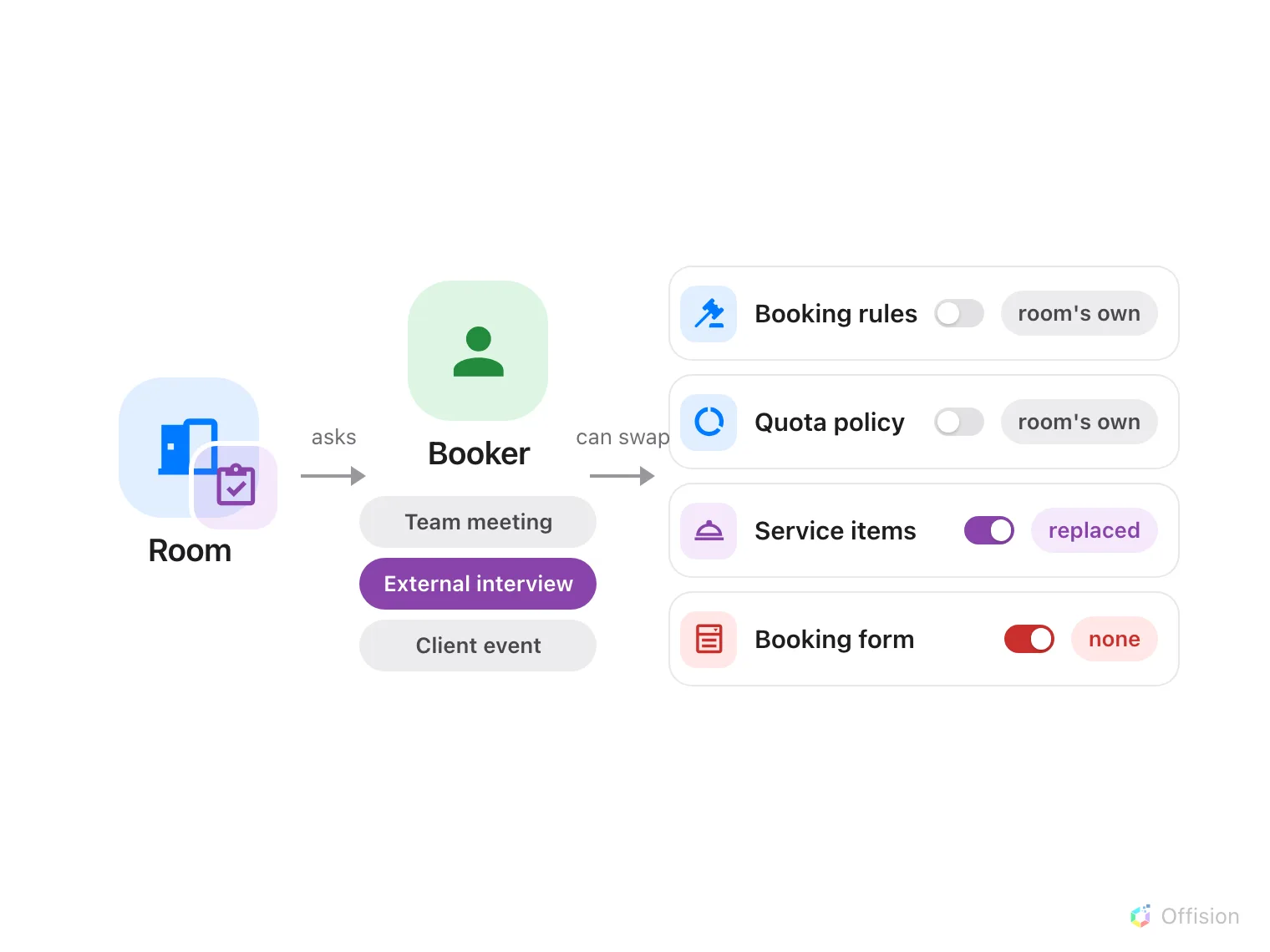
The option the booker picks can swap four of the room's rules — and a switch turned on with nothing chosen leaves that rule empty instead of falling back.
This is the advanced part. Each optionis what the booker actually sees. It has a name, an Import ID for spreadsheet imports, and four overrides, each a switch with a value beside it:
- Override booking policy — the booking rules the booking is checked against.
- Override quota policy — the quota the booking is charged to.
- Override service items — the services the form offers.
- Override booking form — the extra fields the form asks.
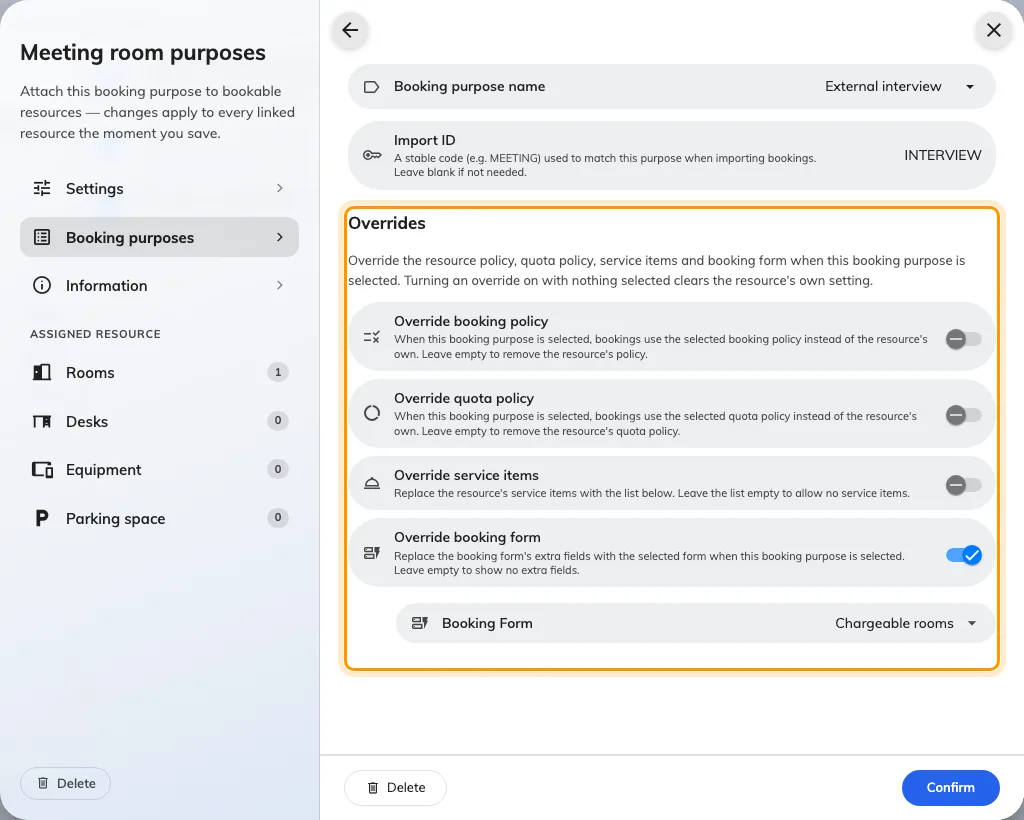
An option's overrides. Off: the resource's own setting applies. On: the value beside it replaces it — even when that value is empty.
Where it shows afterwards
- Calendars and booking cards print the purpose under the title, and each purpose can have its own card colour and its own lines — see Colour-code the calendar by booking purpose.
- A recurring series lists the purpose against every session.
- The booking log records a changed purpose like any other edit.
- A room panel can use a different design per purpose — Design by purpose, in the panel configuration.
What this does not control
- Who may book. A team space is never overridden by a purpose; neither is approval.
- Emails, boards and reports. The purpose is not printed in booking emails, on signage, or in the usage report.
- Which setting a resource uses. A resource has one setting, chosen on the setting’s own Assigned resource pages — not on the resource.