

What the panel's colours mean
A booking panel paints its whole screen one colour, and lights the bar on the device another. Nine states, the order they are decided in, and the two pairs that look alike.
A booking panel is meant to be read from the far end of a corridor, where a word is unreadable and a colour is not. So the panel paints its whole screen, and lights the bar on the device, from one of nine states.
The thing to know first: the colour and the word are not the same signal. Two states share the word Available and differ only by colour. Three states share the colour grey and differ only by word. And one state shows grey with no word at all — which is the only case where the panel cannot tell you what is wrong.
The nine states
| The panel says | Screen | Light bar | What it means |
|---|---|---|---|
| Available | green | green | Nothing is booked now |
| Available | blue | blue | Free, but the next booking starts soon |
| In preparation | purple | purple | A set-up or clear-down period is running |
| Waiting review | orange | orange | A request is holding this time while it waits for approval |
| Wait for check-in | orange | orange | Booked, and nobody has checked in yet |
| In use | red | red | A meeting is running |
| Out of service | grey | red | The room is marked out of service right now |
| Out of business hour | grey | red | The room is closed and its policy forbids booking outside hours |
| (nothing) | grey | off | The device has no valid licence |
Blue and purple are defaults, and both can be changed — see The two colours you choose below. The other seven are fixed.
The two Available states are the pair worth watching, because the word alone does not separate them. On the Center design the panel says how long the room has — Available for 5 minutes, Available for 2+ hours, Available for today — above the next booking, so a room about to be taken does not read the same as an empty one.
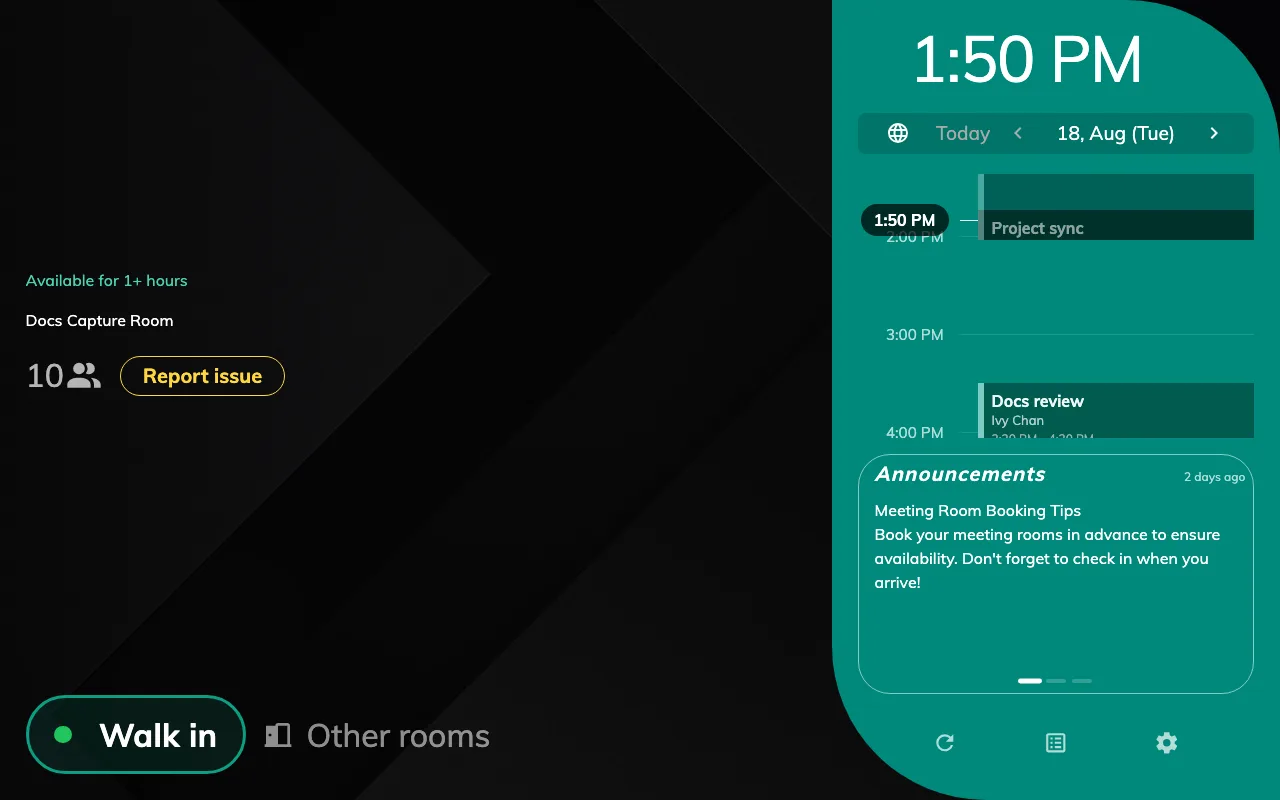
Green: nothing booked, and nothing due soon.
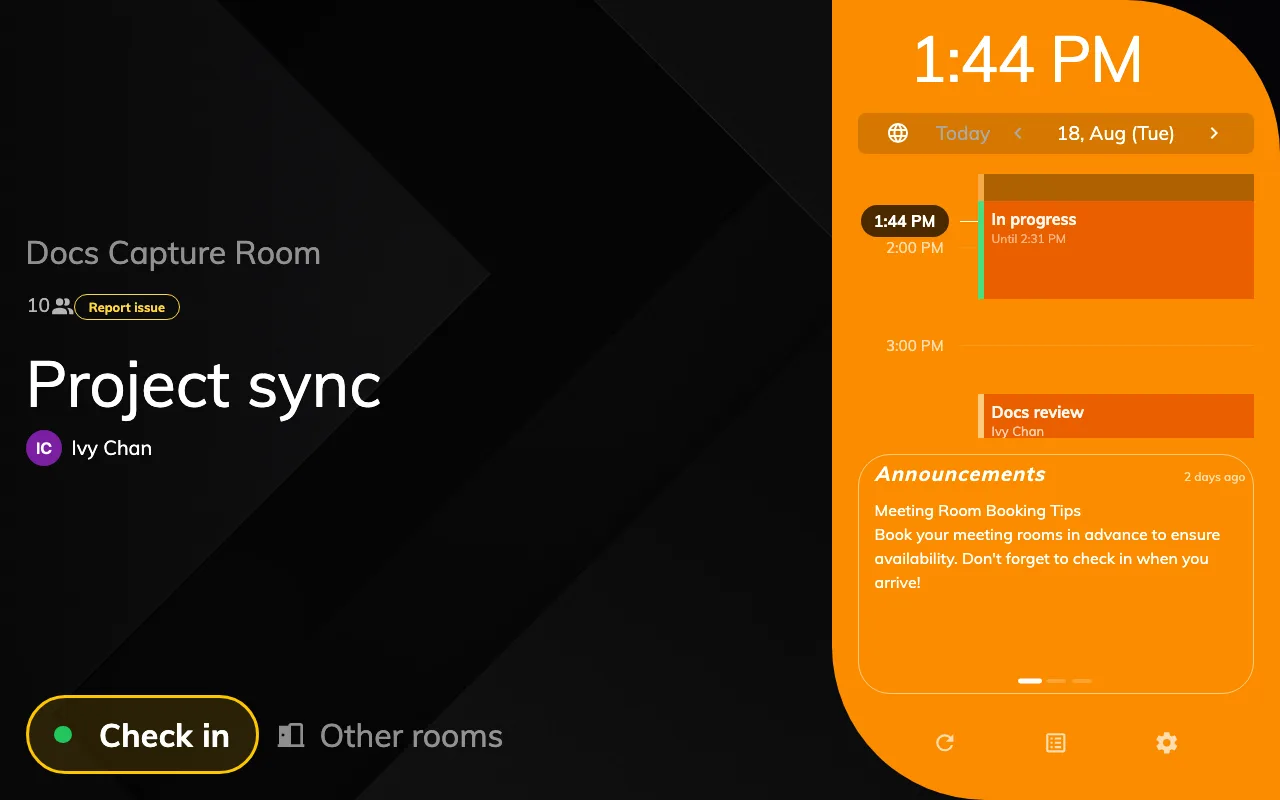
Orange: the meeting has started and nobody has checked in yet.
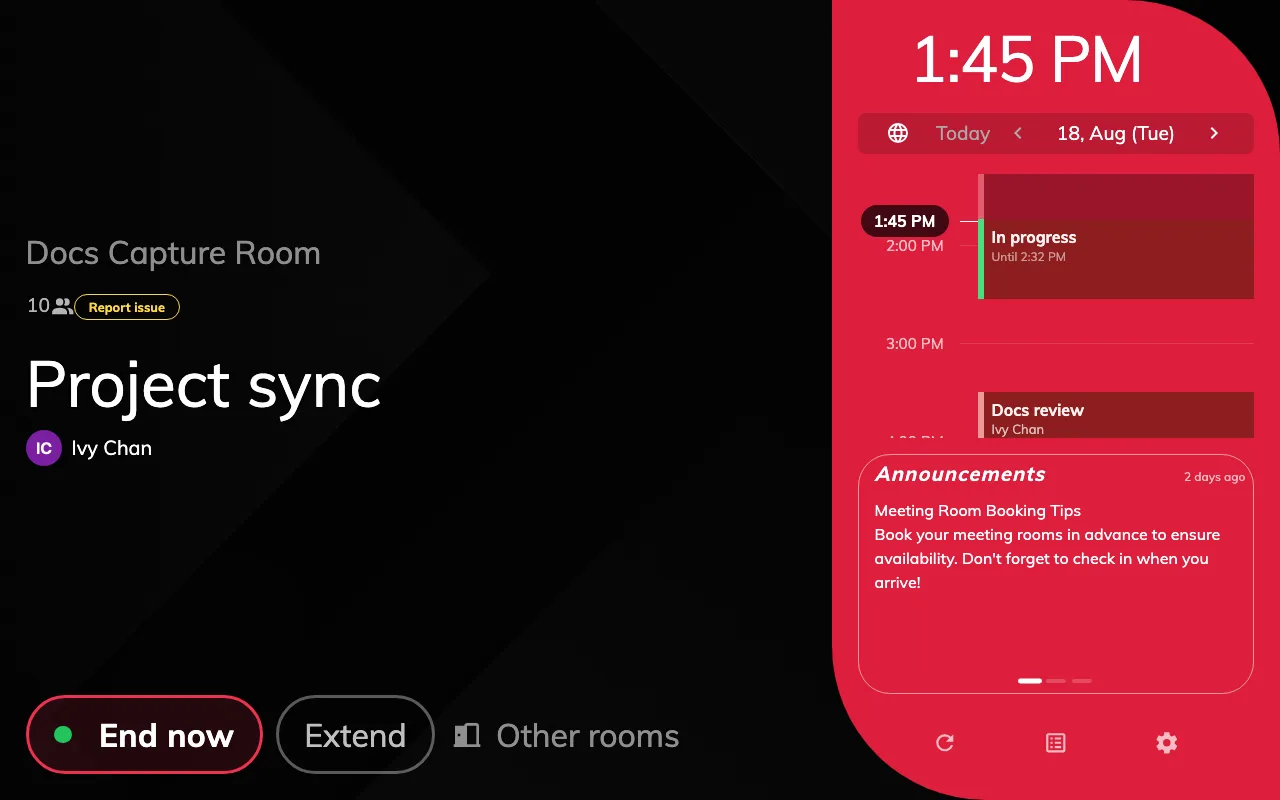
Red: the same booking, one check-in later — now with End now and Extend.
Why a room shows what it shows
The nine states are tested in a fixed order, and the first one that matches wins. That is what decides a room in two states at once — a room that is out of service and booked shows out of service, because the closure is tested first and the booking is never reached.
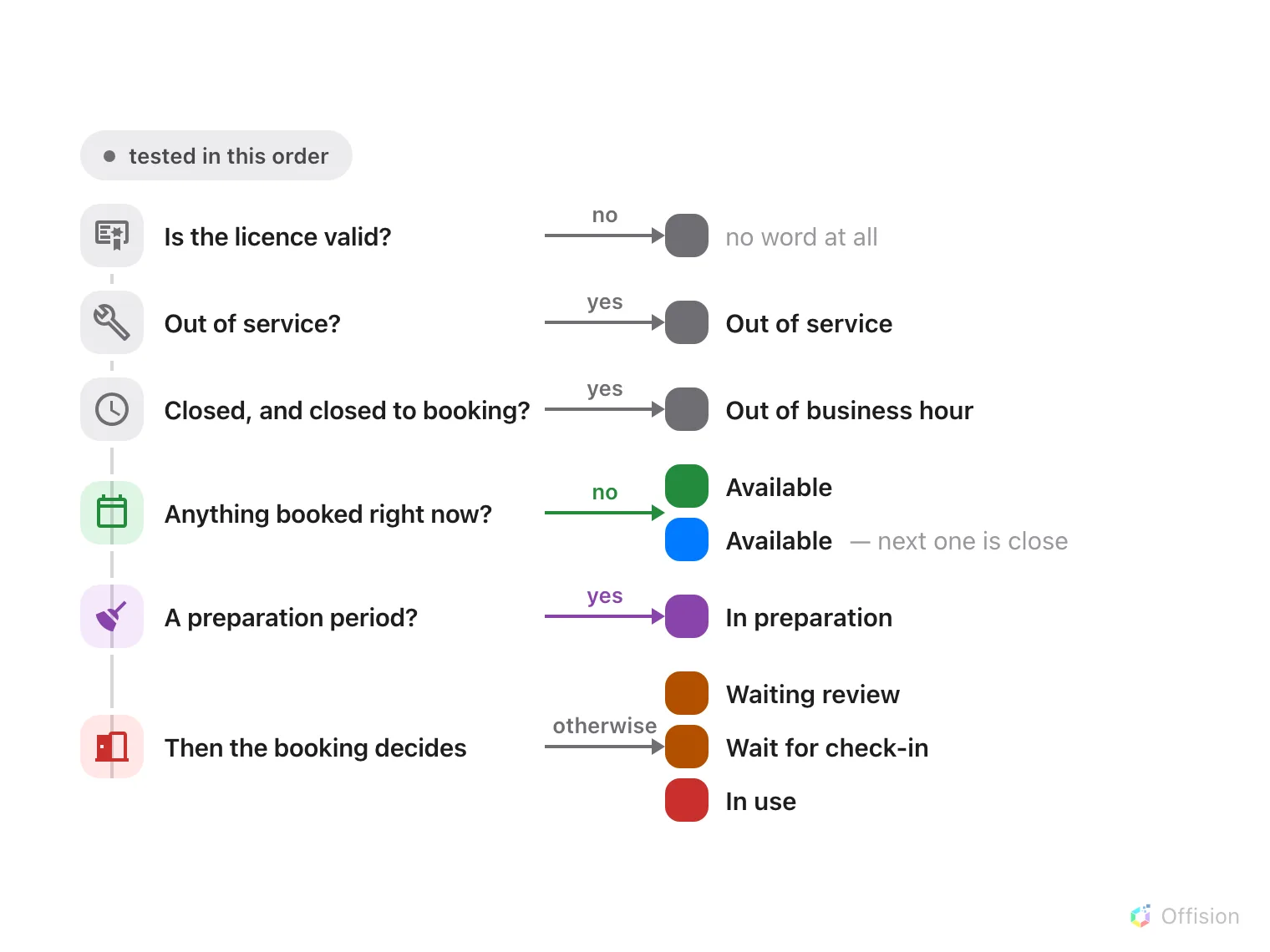
The first test that matches decides the colour, so a room that is both closed and booked shows closed.
Two of those tests are worth spelling out, because they are the ones that surprise people:
Out of business hour needs two things to be true. The room has to be outside its business hours and its booking policy has to forbid booking outside them. A room whose policy allows out-of-hours booking is never grey for this reason — it stays green all night, which is correct, because it can still be booked.
Booked splits on whether check-in is required. A booking that has started shows Wait for check-in where the room requires check-in, and In use where it does not. It is the same booking; the room’s policy decides which of the two colours the corridor sees. See How check-in and no-show work.
The light bar does not always agree with the screen
Most panels carry a bar or ring of light that can be seen from further away than the screen. It follows the same nine states, but not the same colours — the three grey states are exactly where the two channels part company.
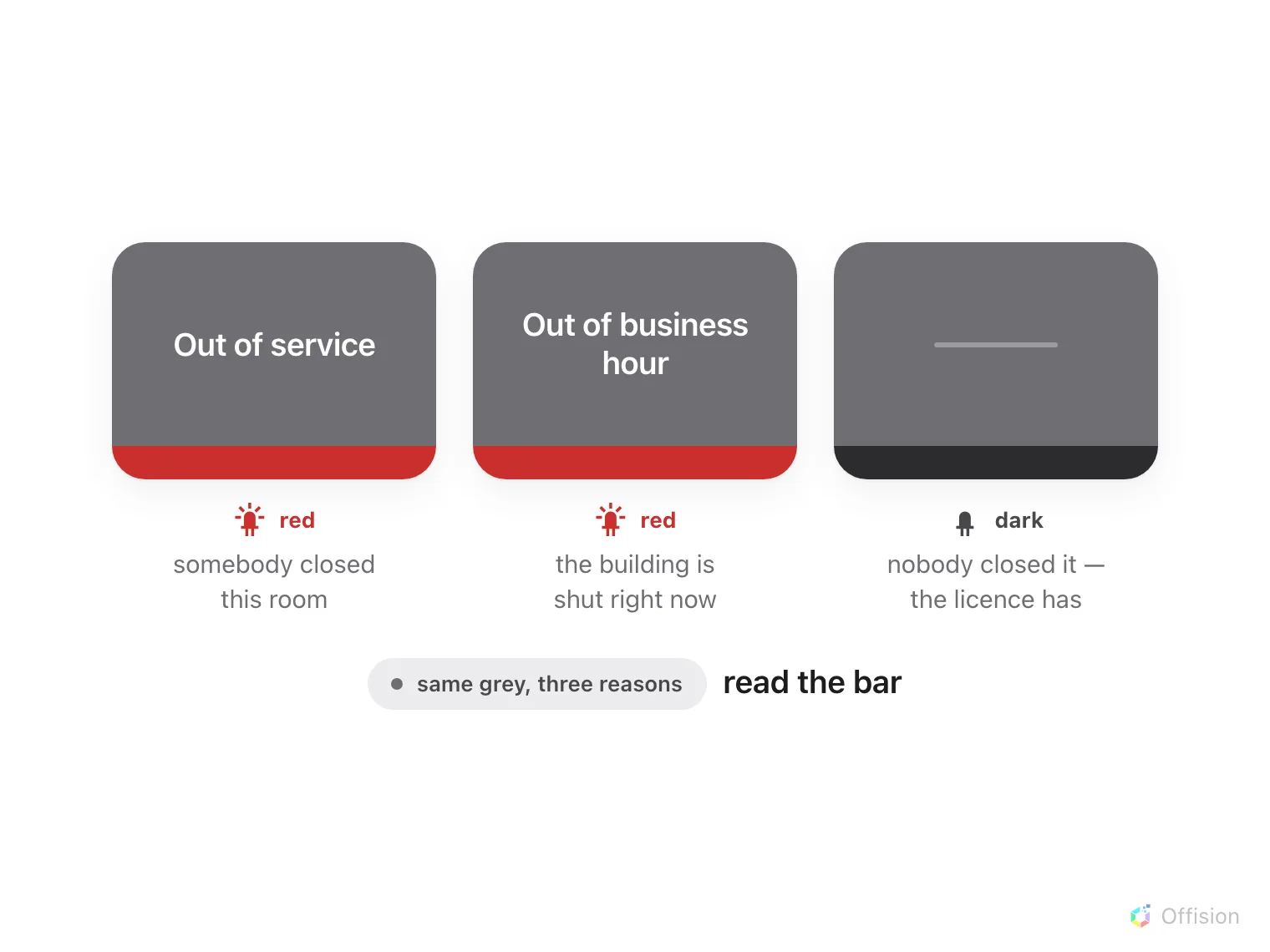
The screen says the room cannot be booked; the light bar says whether that is deliberate.
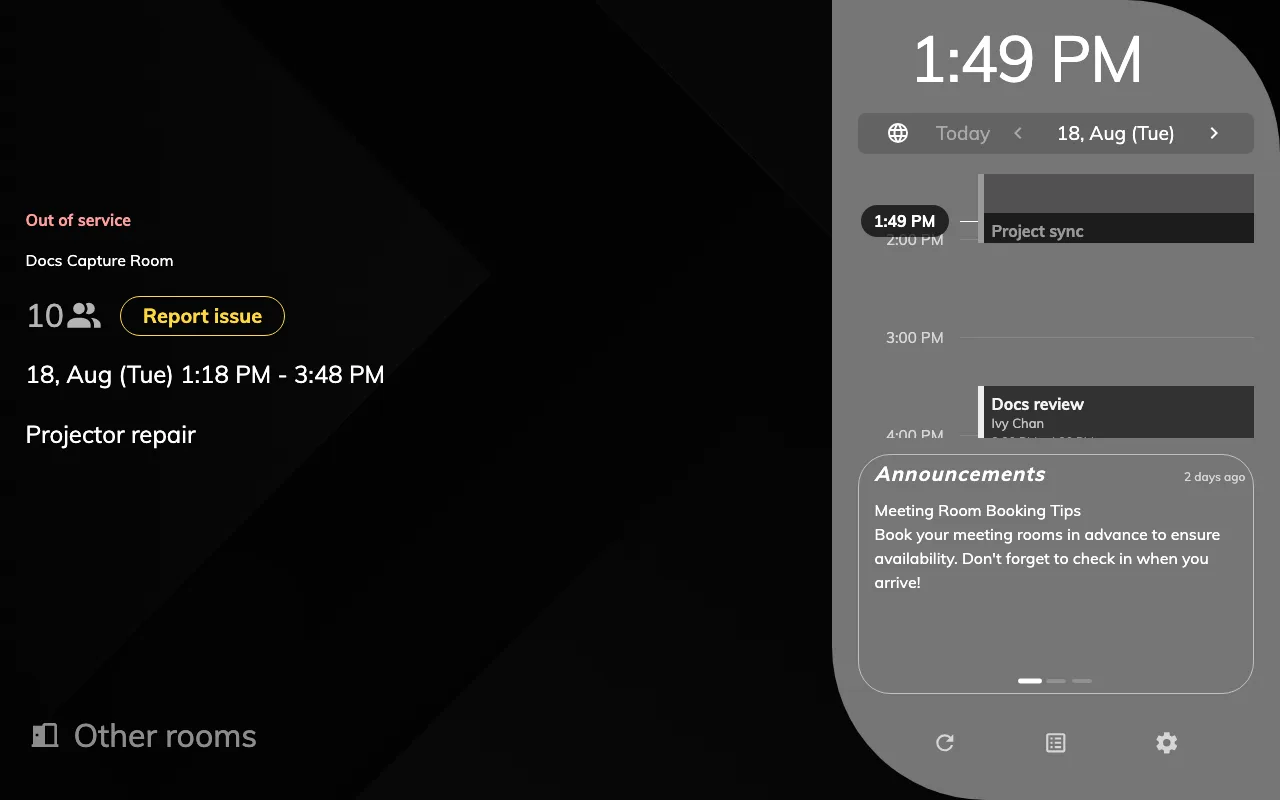
Grey: out of service, with the period it covers and the reason somebody typed.
Grey with a red bar is a room that is deliberately unavailable. Grey with a dark bar is a device with a licence problem — nobody has closed that room, and booking it from anywhere else still works. It is the one state where the panel is the thing that is wrong.
The same colour name also does not reach every device identically. Qbic and IAdea panels reproduce all seven. A Cisco Room Navigator has no orange and shows yellow instead, and no cyan, showing blue. A Neat Pad has only available, busy and a single custom colour, so everything that is not green or red lands on the same light. If a mixed estate looks inconsistent from the end of a corridor, this is why, and there is no setting that changes it.
The two colours you choose
Two of the nine are yours, in the panel configuration’s Status colours group, on its Room booking panel page.
Open Panel configurationsColor for resource in service preparation — purple by default, and also offered in blue, cyan or red. This is the colour of a set-up or clear-down period, and it exists so that a room being turned around does not read as a room in use.
Use a specific color to visually distinguish resources that have short availability windows — off by default. Switching it on reveals two more settings underneath: Set-up the short available time, a window in minutes, and a Color, offered in blue, cyan or purple. Inside that window the panel goes from green to that colour while still saying Available — so somebody walking up with an hour’s work to do can see, without reading anything, that this room is free but not for long.
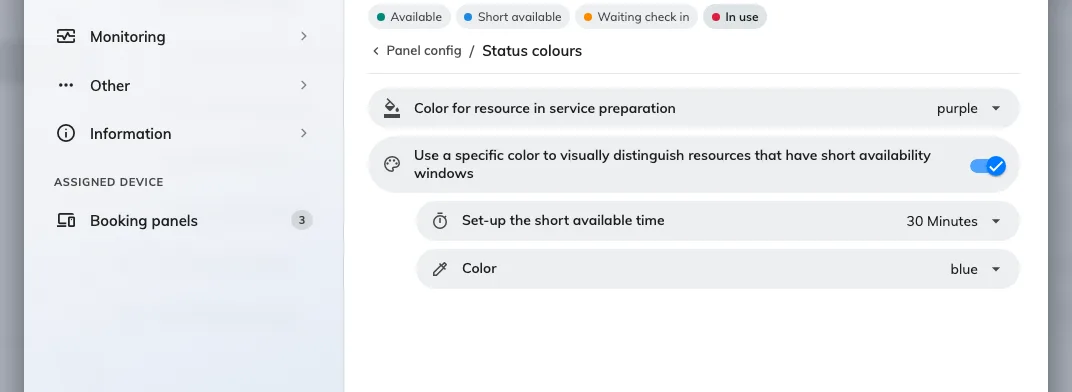
Status colours, with the short-availability colour switched on and its window set to 30 minutes.
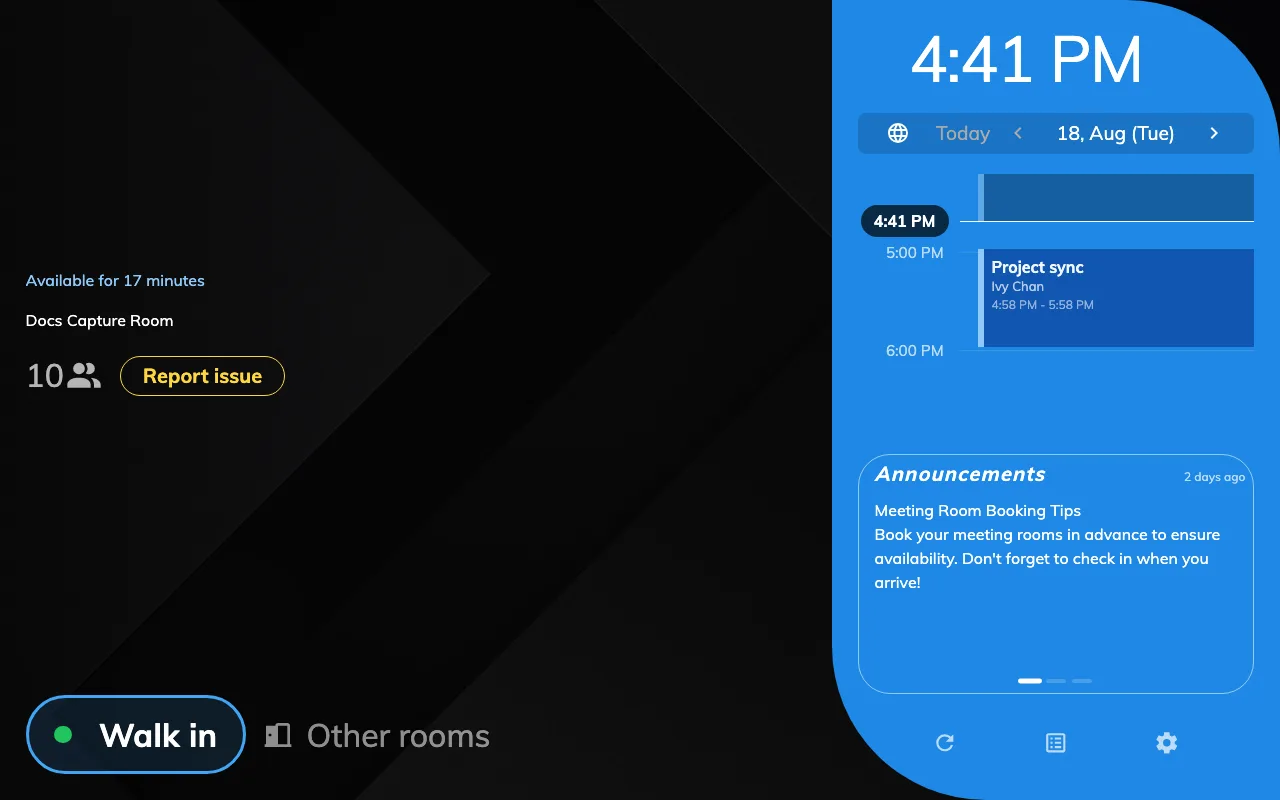
The same word as green, in a different colour: free, but not for long.
Both settings sit on a shared configuration, so changing either reaches every panel that follows it — see How a panel gets its settings.
Dark or light, and how much colour a design uses
Whether the panel is dark or light is now the configuration’s, not the device’s. It used to follow the skin a panel was paired with, so changing it meant re-pairing; the skin now says only which panel a device is, and one configuration can set the colour scheme for twenty rooms at once.
How much of the screen the status colour fills is the design, though. The Scheduling design carries it across the room block; the Center design spends it in exactly two places — the state word and the primary button — on a flat near-black ground. Neither ships a light palette for room booking, so a light scheme applies to the in-room Meeting assistant panel. See Choose a panel design.
What the colour does not tell you
- Whether the panel is working. There is no offline colour: a panel that has lost the server keeps showing whatever it last knew — see A booking panel keeps running when the network drops. Whether a panel is actually connected is a column in Devices › Booking panel › Devices, not something the corridor can see.
- Who booked the room. The colour is about the room’s next few minutes, not about people. Names and organisers are settings on the skin.
- Whether anybody is in there. A red panel means a booking is running, which is not the same as a room being occupied — that is what check-in and auto-release are for. See What counts as a no-show.
- Anything about a desk panel. Desk panels run a different set of states entirely — Away, Coming back, Busy and On seat — and nothing on this page applies to them.