

Why an e-paper tag takes a minute to change
Where the time between a booking and a repainted label actually goes, why one radio channel serves one tag at a time, and why a floor of hot desks feels slower at 09:00 than the same floor does all afternoon.
A tag has no connection of its own and no screen driver. Every change becomes a picture, carried the last few metres by a low-power radio and then painted into electronic ink. Both of those are slow, and neither is a setting.
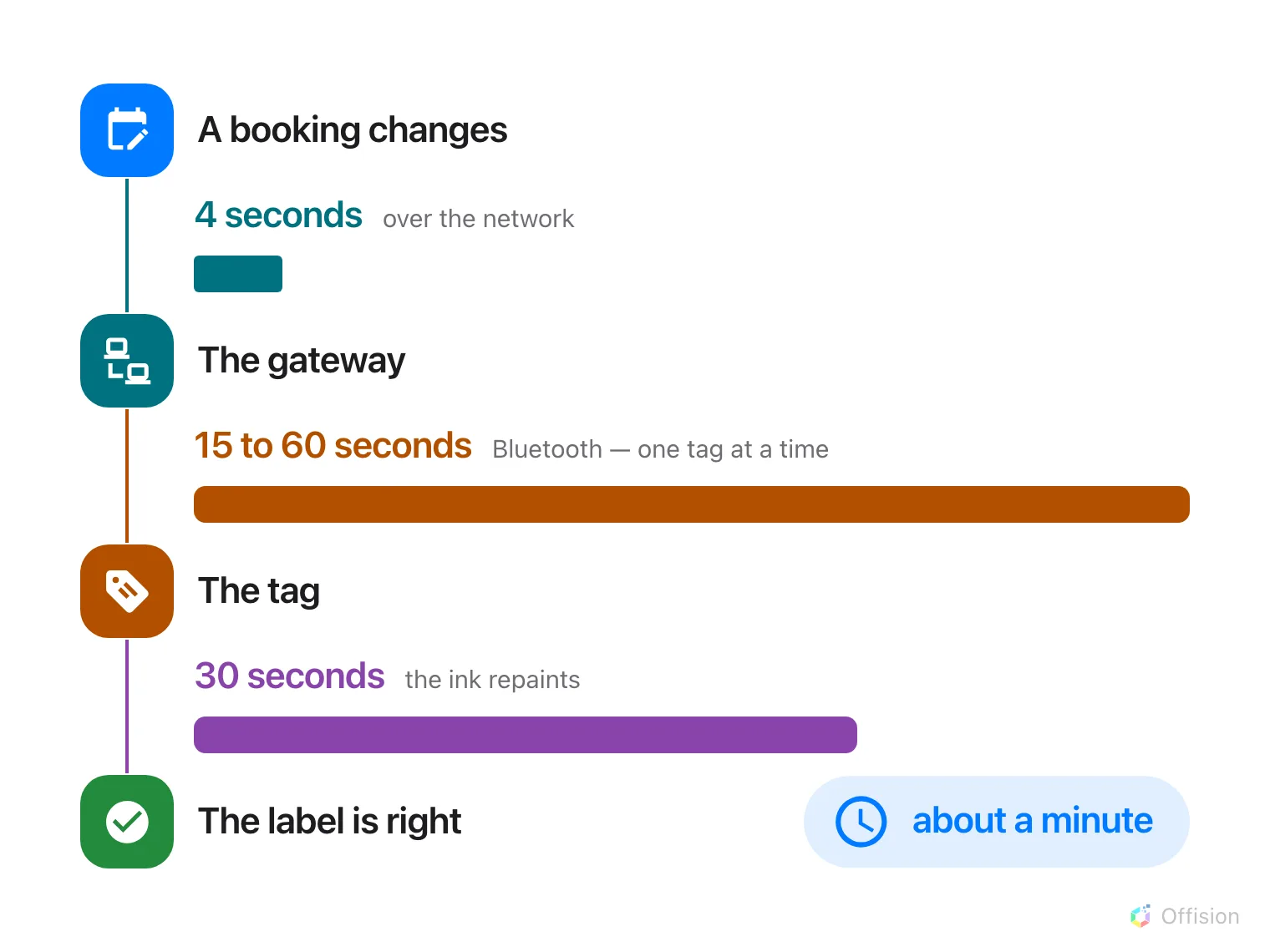
The network part is a stub. The radio and the ink are the minute.
The two slow steps
Bluetooth carries the whole picture, not a line of text — 15 to 60 seconds per tag, by brand and screen size.
Then the ink repaints, about 30 seconds. That is the display’s own speed. Nothing in Offision reaches it.
Everything before that is quick. Offision gathers changes for a few seconds, keeps only the newest picture for each tag, and hands it to the gateway — a Minew server, or a QBIC gateway on your own network, listed in the console under E-paper controller. A booking edited three times in a minute sends one picture, not three.
One channel carries one tag at a time
A gateway reaches its tags over a fixed number of radio channels, and a channel stays busy until the tag it is talking to has the entire picture. Two tags changing together on one channel means the second starts when the first finishes.
How many channels a gateway has is that gateway’s own specification — often one, sometimes several. That number is how many tags it can send at once.
Fine for two. Not fine for forty.
The morning rush is the real problem
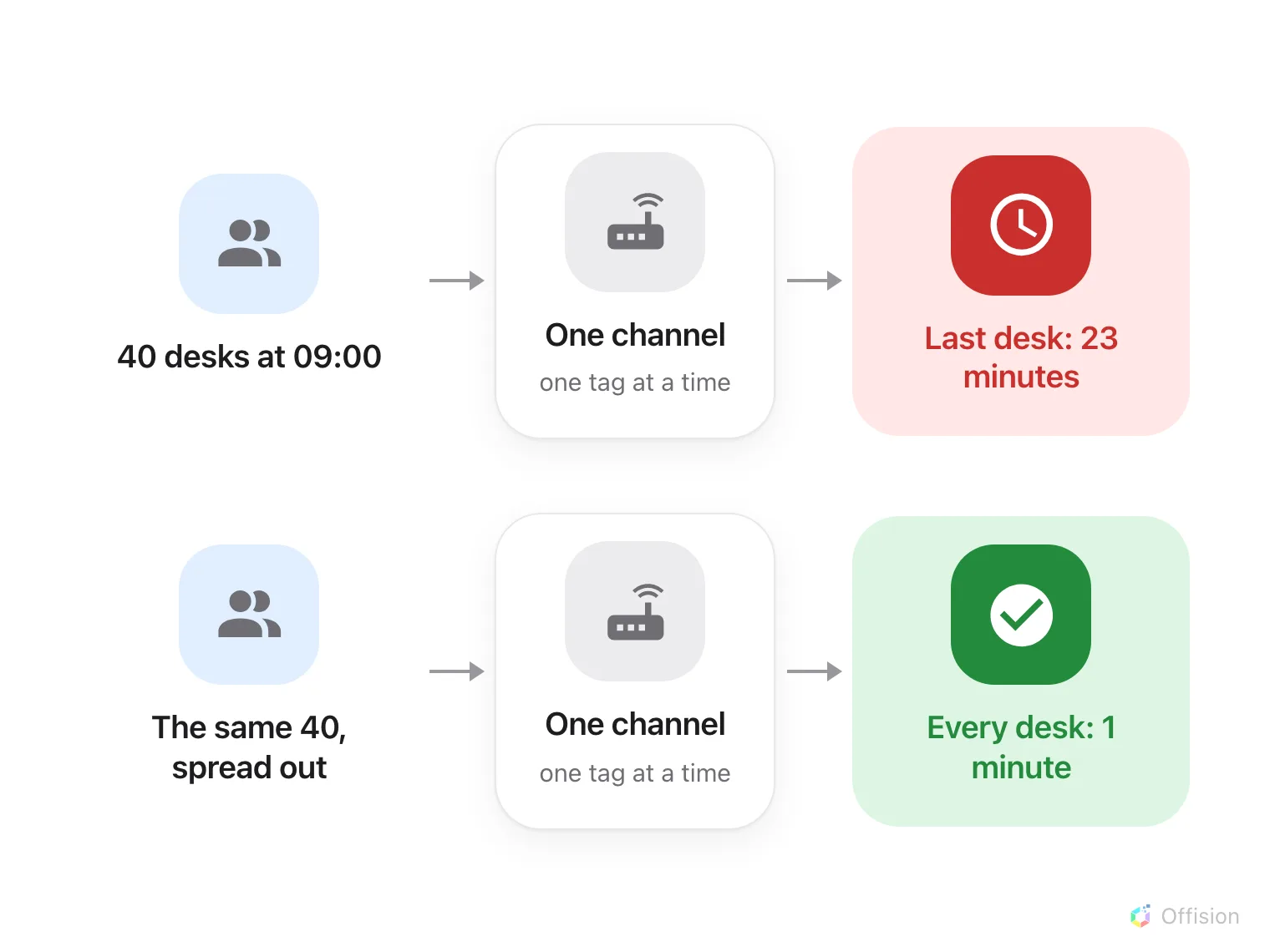
Same desks, same channel. Only the arrival pattern changed.
Hot desks are where this shows. If everybody badges in between 08:55 and 09:05, forty labels change inside ten minutes and go into one queue — and the last person’s desk still shows yesterday twenty minutes later, while they sit in front of it.
The same forty desks and the same channel, with arrivals spread across the morning — sales staff, engineers out on calls, staggered shifts — never build a queue at all. Nobody notices the tags exist.
So the question to ask first is when people actually arrive. Meeting rooms rarely hit this: bookings change all day. Desks, lockers and equipment do.
What helps
Add a gateway. Each one brings its own channels, so two drain a rush in half the time and three in a third. Give each one the tags nearest to it, which fixes coverage in the same move.
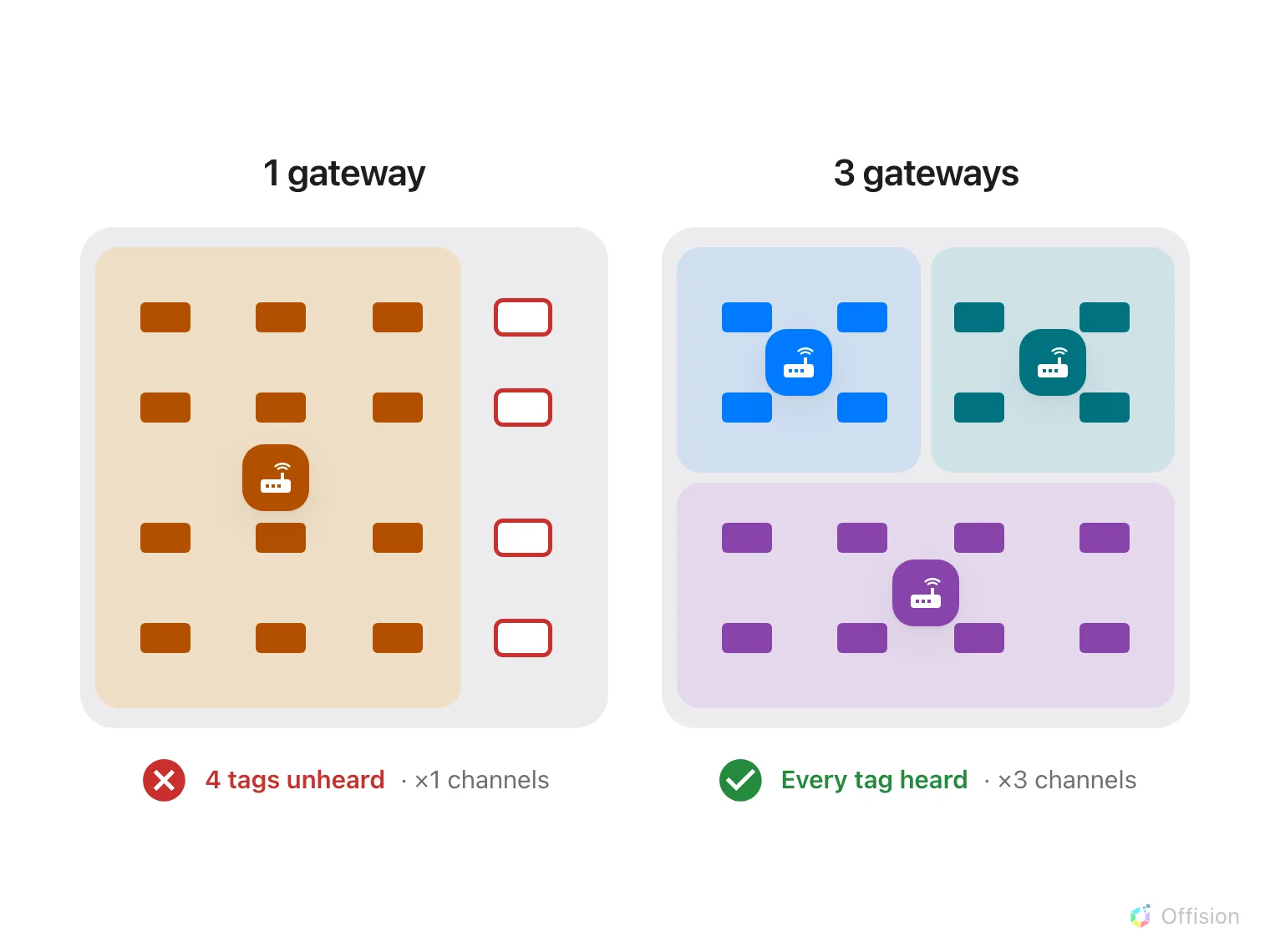
A second gateway brings its own channels, and its own earshot.
Move the rush. A floor whose teams start at 08:30, 09:00 and 09:30 needs a third of the radio time that a floor starting all at once does.
Not worth trying: a faster network, a more frequent push, or a smaller picture. None of them touches the two steps that hold the minute.
What this does not control
- A booking panel is not a tag. The screen by the door has a connection of its own and redraws in about a second.
- Range, not speed. A tag no channel can hear never updates, however many are free.
- Per-brand behaviour. How the queue is ordered, and what a second Bluetooth dongle buys on a Qbic gateway, is in How fast Qbic e-paper tags update.