Set up an AXIS door lock on its own settings page — the three screens to fill in: the MQTT client, the subscription and the four event rules — with the fields that fail silently when they are wrong.
Three screens on the AXIS device’s own settings page, filled in from Config guideline
in Offision — which is where Connect an AXIS door lock
sends you. Every value below has a copy button beside it there.
Do all three. A device that has done only the first reports Connected and still never
opens a door, because nothing is listening for the command.
MQTT client
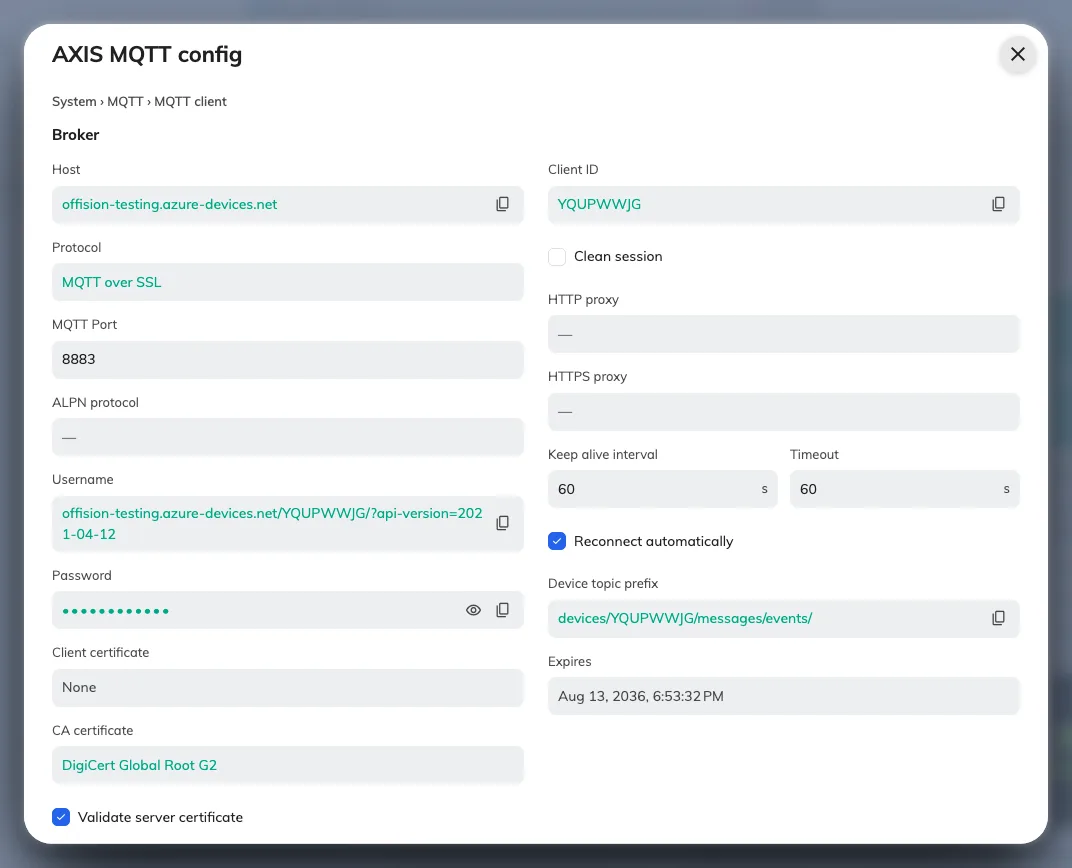
On Config guideline, open step 1, MQTT config. Every value the device needs is on
this one screen, each with a copy button beside it.
MQTT config, as Offision generated it for this device.
Now open the AXIS device’s own settings page in a browser, sign in, go to
System › MQTT › MQTT client, and enter what the screen above shows. Password stays
hidden until you reveal it.
Save, and the device should report Connected.
MQTT subscription
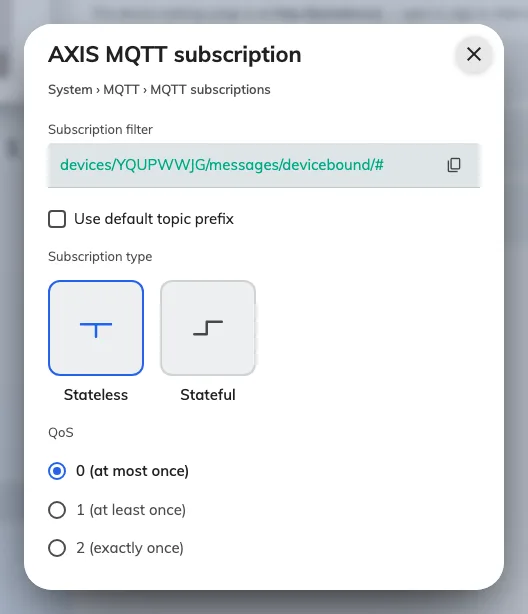
On Config guideline, open step 2, MQTT subscription.
The subscription to add on the device.
On the device, go to System › MQTT › MQTT subscriptions and add one subscription
matching that screen.
Event rules
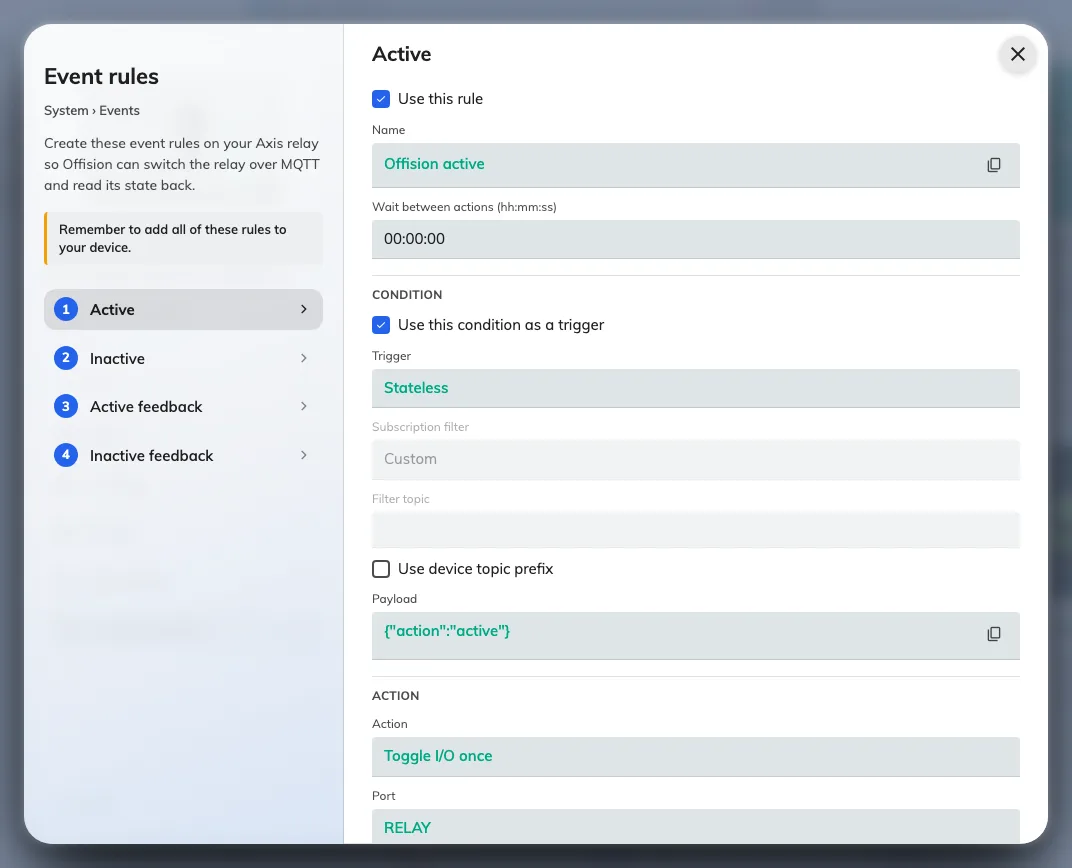
On Config guideline, open step 3, Event rules. There are four rules, one per tab: two of them open and close
the door, and two report the state of the relay back to Offision.
Event rules. Each tab is one rule, field for field.
On the device, go to System › Events and add a rule for each tab, matching the screen
field for field.
The last two rules only report; they never open anything. They are what makes the device’s
tile in Offision show whether the door is currently locked.
What this does not cover
Which door the lock belongs to. Pairing the lock to a room panel is done in Offision
— see Connect an AXIS door lock.
The wiring itself. Offision assumes fail-secure, but which terminals the strike lands
on is the AXIS installation guide’s subject, not this one.
Anything on a different AXIS device. The relay-extender and camera products connect
through a control processor instead.
set up axis door lock. configure axis mqtt. axis door lock settings. axis mqtt client. mqtt subscription. axis event rules. filter topic. use default topic prefix. relay port. duration 00:00:00. fail-secure wiring. axis system events. door never opens. AXIS ドアロックを設定する. AXIS MQTT を設定する. AXIS MQTT クライアント. MQTT サブスクリプション. イベントルール. フィルタートピック. リレーポート. 設定 AXIS 門鎖. 設定 AXIS MQTT. AXIS MQTT 用戶端. MQTT 訂閱. 事件規則. 篩選主題. 繼電器連接埠
Which Offision?
Pick the region your company is on. You can change it any time.