

Both maps
Can a booking panel show the 3D map?
No, and no setting adds one — the map is a signage widget, not a panel design. Why the panel has none, what to put on the wall instead, and which part of that choice is the screen and which is the player behind it.
No. A booking panel never draws a floor, and there is no switch that adds one. The map is a signage widget, so a floor plan outside a room is a second screen playing signage — not a setting on the panel by the door.
Why the panel has none
A booking panel is fixed to one resource, and everything it draws is about that one resource: the status colour, its schedule, the buttons somebody at the door may press. None of the groups in its Design dialog draws a floor, in any design.
The map is the opposite kind of object. Booking status - Map goes on the main stage of a signage content — the largest thing on the screen, and read across a room rather than at arm’s length. That is why its own starting point is a 43-inch wall and not a ten-inch panel.
Put it on a screen instead
Go to Signage › Content, choose Add, and pick the Floor display purpose — Room map & bookings. It builds the map on the main stage with the day’s bookings beside it, and starts on a 43-inch 16:9 landscape screen.
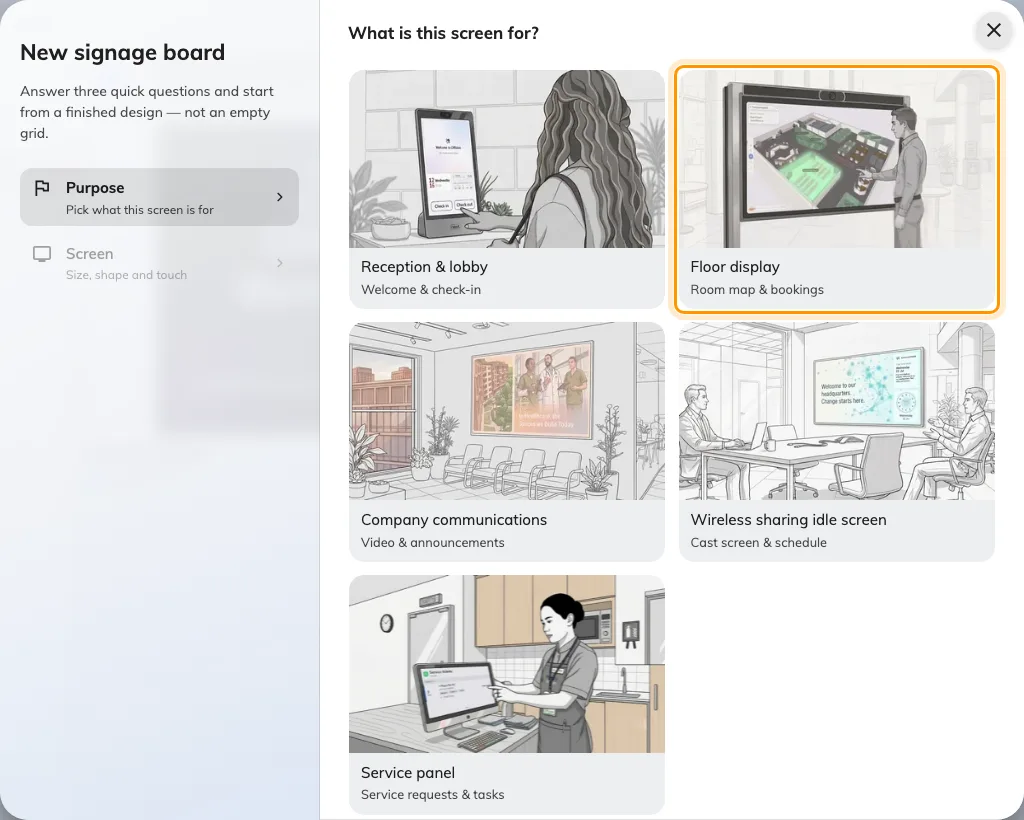
Floor display, the second purpose — the one that starts a design with the floor's map.
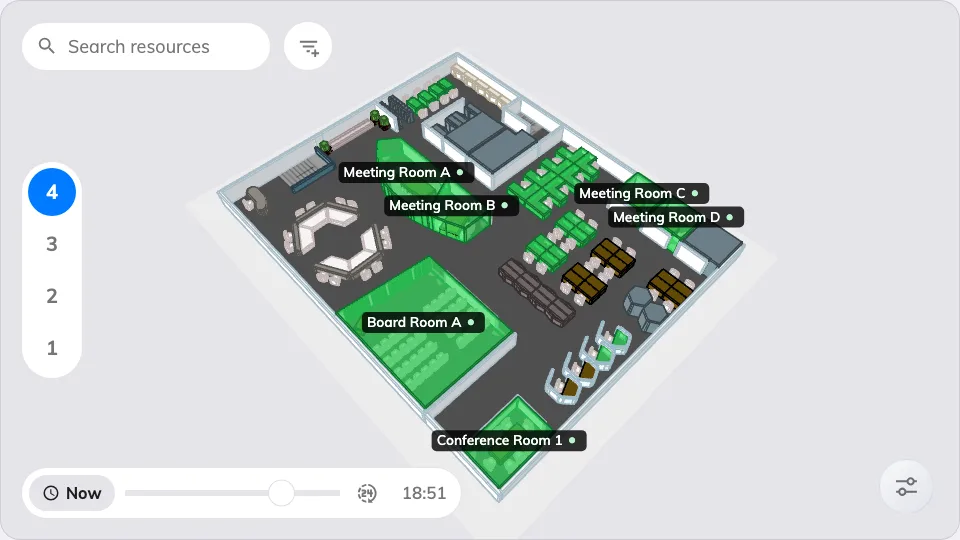
Booking status - Map on the main stage: what a screen gives you instead.
Everything the map itself can do — which floors it loads, what the colours mean, whether people may search, book or take a route away by QR code — is on the widget: see The Booking status - Map widget. Then pair the screen under Devices › Signage › Devices.
Two separate decisions sit behind that screen:
- The display — its size and where it hangs. A map is read across a lobby, not held.
- The player driving it. A live map is redrawn continuously as rooms change rather than shown as a picture, and an entry-level signage player stutters on it. The wizard’s Certified devices grid is where the brand is chosen, and each vendor’s own article says which model to buy for a floor plan.
What the panel answers instead
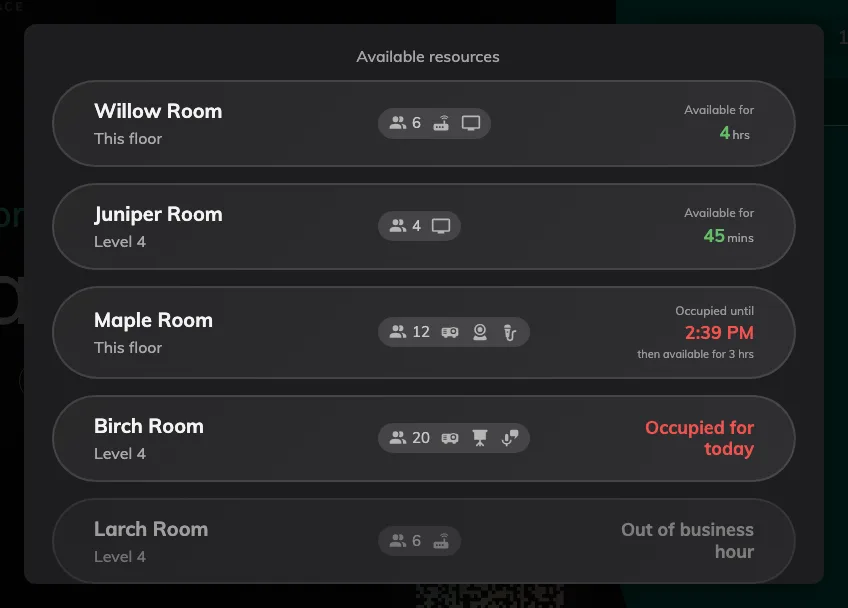
What the panel does answer: free rooms first, this floor ahead of the rest.
The question people usually bring to a map at a busy door — what else is free right now — the panel already answers without one. Other rooms lists every comparable resource in the building and books one in two taps; see Finding another room from the panel.
What this does not change
- The map in the app. People carry the floor plan already, and nothing here affects it.
- The plan itself. A floor can keep a Map 2.0 scene and a Classic drawing. Each supported surface reads the selected family; adding signage does not migrate or synchronize the drawings.