

Replace a panel that has failed
A dead panel is swapped by putting the new hardware on the record the old one was on — disconnect, then Connect device — not by adding a second record. What carries across, what does not, and why a new record goes unwatched.
A panel that has died takes nothing with it. The room it showed, the design it wore, the configuration it followed and the licence it holds all belong to its record in the console, and the record outlives the hardware — so a replacement is not something new to set up. It is the same record, with a different screen on the end of it.
That makes this two actions in one place: release the dead hardware, then Connect device to claim the new. It is the same pair on every kind of device, so a signage screen, a lobby board, a reception kiosk and a desk panel are all replaced exactly this way; only the list you start in is different.
1. Release the dead one
Open the list, select the old record’s row, and take Disconnect device at the foot of the detail. Connection status will already read Offline — a panel that has failed stopped reporting when it failed — and that changes nothing here: Disconnect works on a panel whether or not it can hear about it. Only the actions that need a live screen, Real-time screen, Reboot and Reset passcode, are greyed out.
Open Booking panel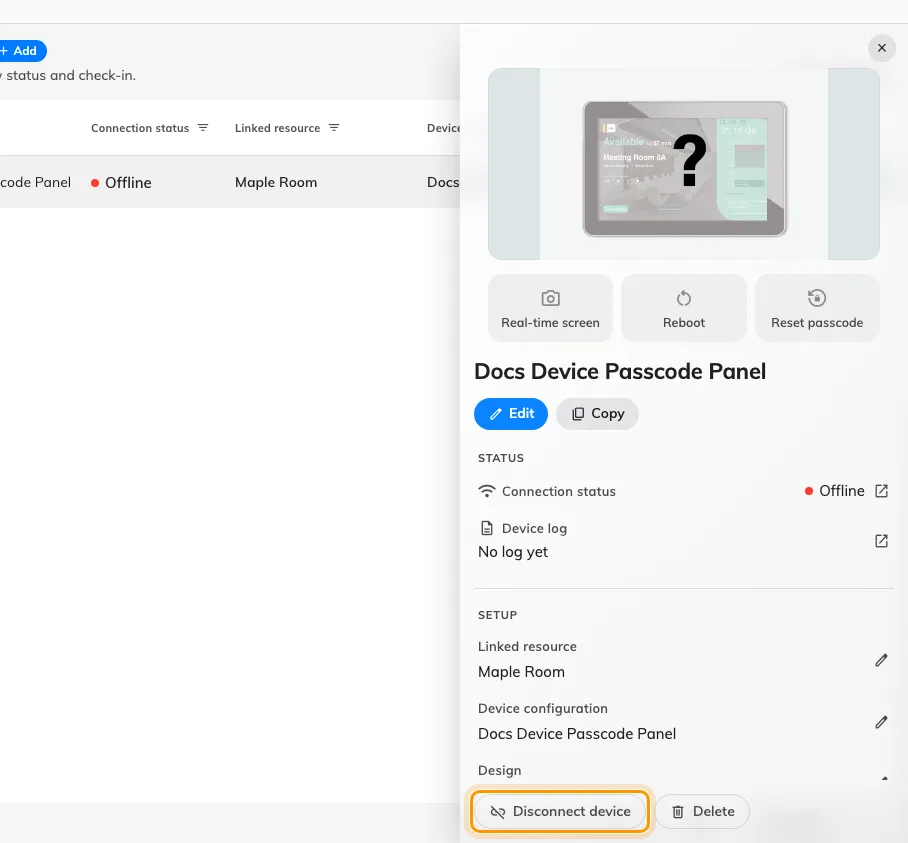
The foot of the device detail on a panel that has gone offline. Disconnect releases the hardware; Delete would take the record with it.
Confirming is what releases it.
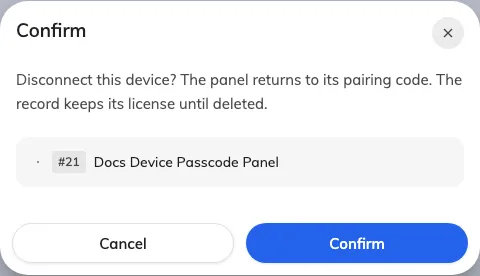
The confirm: the panel goes back to its pairing code, and the record keeps its licence until it is deleted.
The release is recorded whether or not the panel is there to hear it. A working panel is told as it happens and restarts onto a fresh code; a dead one simply never answers, and that costs nothing — if it is ever repaired and powered on again it finds its pairing gone on its next check and wipes itself.
2. Connect the new one to the same record
The record now reads No device assigned, and where Disconnect device was there is a blue Connect device.
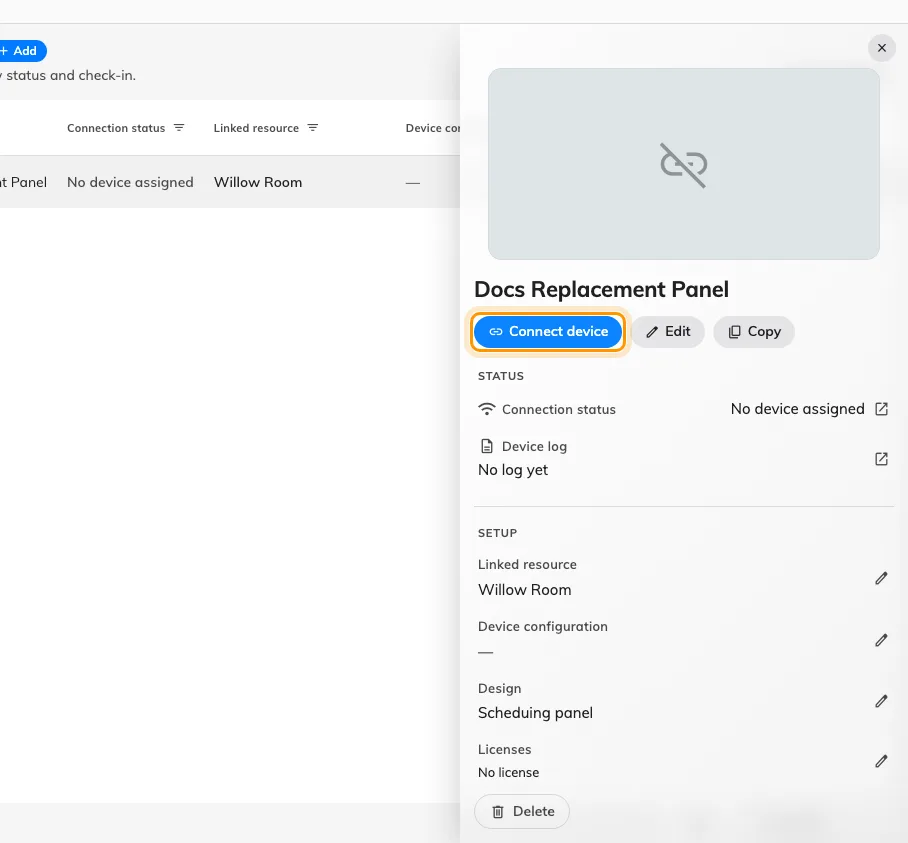
A record between two panels. Connect device is the way back, and it is on the record itself.
It opens a short wizard — Brand, Connect, Done. There is no room step and no design step, because this record already has both.
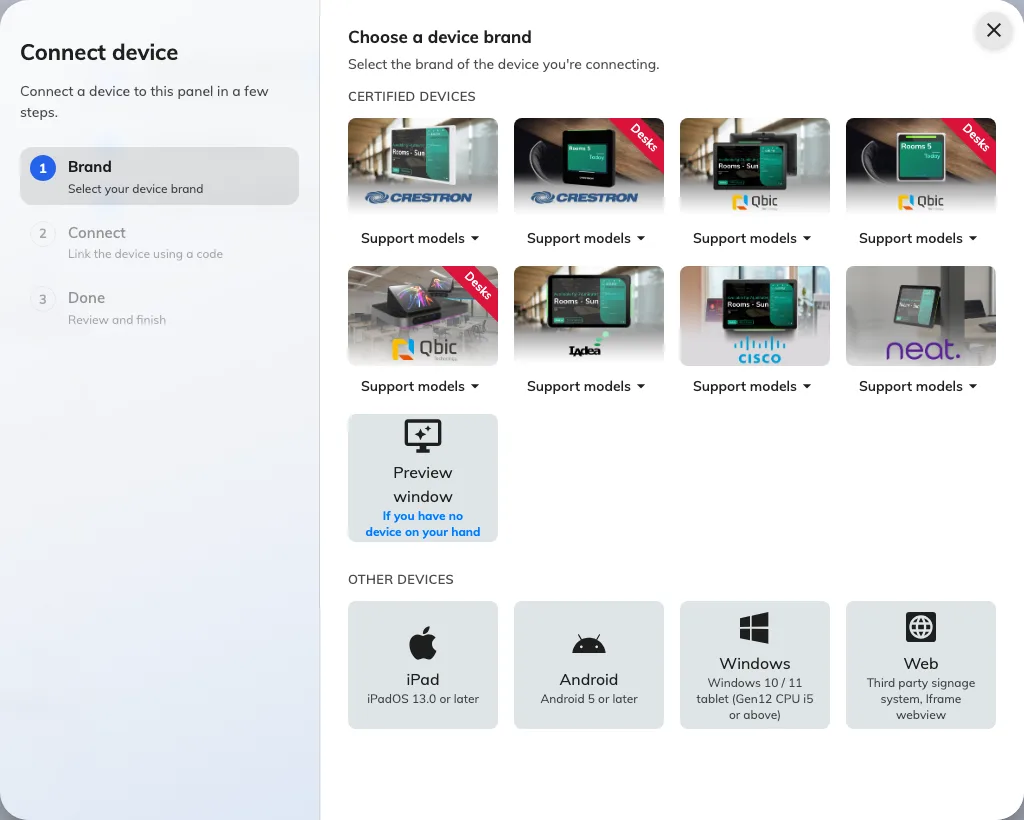
Three steps, not the full set a first install walks. The rail on the left is the whole job.
Choose the brand of the panel in your hand — it need not match the one that failed — then type the six characters the new panel is showing.
3. Check it worked
Connection status on the row should read online within a minute, and the panel should come up already showing the right room — nothing needs choosing again, because none of it was ever on the hardware.
Then prove it rather than trusting the row: book the room and watch the panel change while you are standing at it. If people check in with a card here, tap one too — a replacement is the likeliest moment for a reader to have been ordered in the wrong variant. See Which booking panel hardware Offision supports.
Why not just add a new record
Because the alerting goes quiet on both halves. A record with no hardware on it is not monitored at all — it is not watched for going offline, and it does not appear in Device monitoring, which lists paired devices only. So a fresh record for the replacement is invisible from the moment it is made, while the old record carries on being watched and mailing people about a panel that is in a drawer. See No offline email arrived.
It also needs a device licence of its own while the old record still holds one, and it leaves the history, the placement and the settings of that position split across two rows.
What this does not do
- It does not clear the old hardware’s details. The model, serial and system information under Device information are the last thing that reported them, and they stay on the record until the replacement reports its own.
- It does not carry the panel’s own settings across. Language, scale and the pass code live on the device, not the record, so a new panel arrives on 0000. Set it before the panel goes up — Set the pass code that unlocks a panel’s settings.
- It does not require the same model. Nothing checks the brand, and the brand step only decides which installation guideline you are shown. Swapping a discontinued model for its successor is an ordinary replacement.
- It does not free a licence. A record holds its device licence until the record is deleted — so delete the old row only if that position is going away, never as part of a swap.
- It is not how a working panel moves to another job. That is a different record, and a different page — Reuse a panel that was set up for something else.