

The meeting assistant panel, inside the room
The panel on the table inside the room — what it shows during a meeting, how it differs from the booking panel by the door, and when a room wants both.
A meeting assistant panel looks like the booking panel by the door, but it answers a different person. The panel by the door talks to people outside the room — is it free, whose meeting is next, check me in. The meeting assistant sits on the table and talks to the people already meeting — which is why it shows no free/busy colour and keeps its light bar dark: nothing on it is meant to be read from the corridor.
What the people in the room see
Most of the screen is the time you have left — a countdown that turns amber fifteen minutes before the end and red at five, so a meeting running over is noticed before the next group is at the door. Beside it, the rest of the room’s day. Along the bottom, a dock of the things people otherwise get up and leave the room for: Controls for the room’s lights and AV, Service, and Report. Each appears only where the room has something behind it — a controllable device, in-use services, problem reporting — so a room with none of them shows a shorter dock, and a room with a door on it also offers Open door. A QR code in the corner puts the same controls on an attendee’s own phone, where control by phone is enabled.
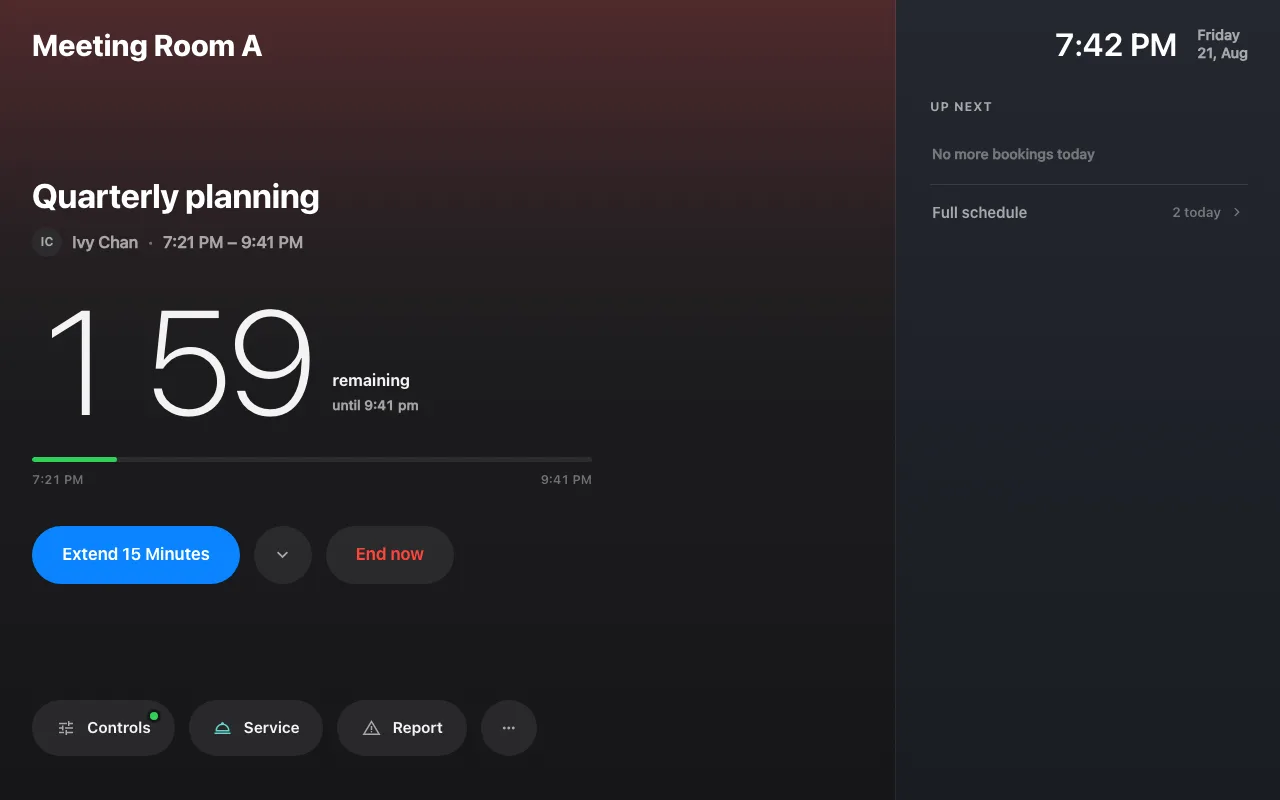
A meeting in progress: the countdown, the day ahead, and the dock.
The buttons on the booking itself cover the rest of a meeting’s life: Extend 15 Minutes when the discussion is running over, End now when it finished early — the room is released for the next person straight away — Move to Other Room and Rooms nearby when this one turns out to be wrong — both governed by Show other rooms button, under Use a booking on this page — and Take attendance where attendance is taken. Between meetings the panel offers Use Room Now, the same walk-in the door panel has.
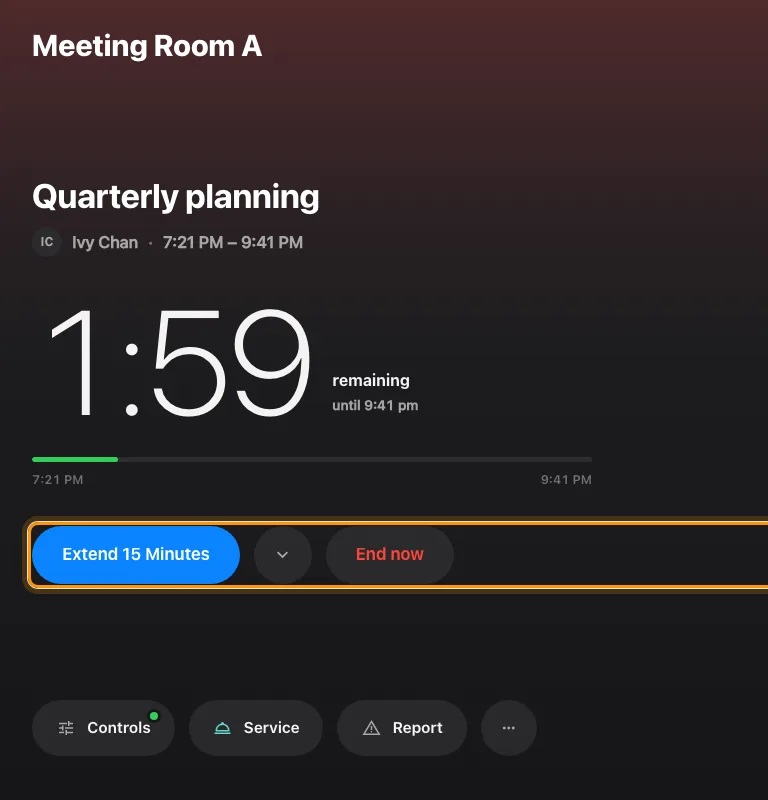
The booking's own buttons, under the countdown.
Fifteen minutes is the quick answer, not the only one — the chevron beside Extend 15 Minutes opens a sheet with the longer options, and everything the panel asks follows in a sheet on the same screen: nothing on it opens a second page or needs a phone.
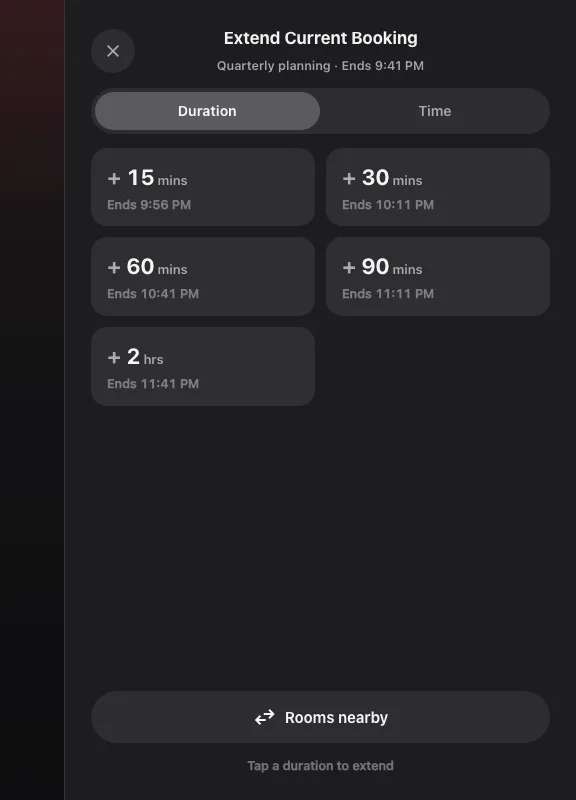
The extend options, in a sheet beside the meeting.
Not a different device
There is nothing extra to buy or connect. In the connect wizard, the Design step’s Meeting assistant panel choice is all that makes one, and a room panel can be turned into one afterwards from the Design row on its record — it is the same panel, drawn differently. A room can carry both: the booking panel by the door for the people trying to get in, the meeting assistant on the table for the people already in.
It can say the meeting is nearly over
The countdown is already the loudest thing on the screen, but nobody in a meeting is looking at the panel — so the room runs over and the next group waits outside. Two switches let the panel speak instead, on Door & extras of the In-room panel page:
- Before meeting ends — the panel speaks a few minutes ahead. How long before offers 1, 2, 3, 5, 10 or 15 minutes, and starts at 3.
- When meeting ends — it speaks again at the end time.
Either works without the other, and both are off until you turn them on, including on configurations saved before this existed. Nothing is added to the screen: this adds the voice and only the voice.
What it says is deliberately thin. The panel speaks its own display language, and it never says the meeting’s subject or who booked it — anyone within earshot is in the room already, but a panel that reads out titles is a panel somebody has to think about before putting it in a boardroom.
Only Meeting assistant designs speak. A room running one of the other panel designs has the switches but no voice behind them.
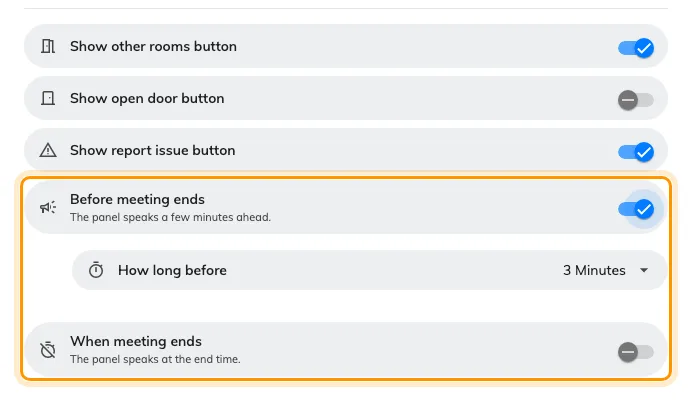
Door & extras on the In-room panel page. How long before appears once the first switch is on.
It has a page of its own on the configuration
One booking-panel configuration drives two different panels, and since 4.5.11 they no longer share one set of settings. In-room panel is its own page on the rail, holding only what this screen actually draws:
- Background & logo, Status colours, Booking details
- Use a booking and Door & extras — the buttons under the countdown, and the two announcement switches below
- Check-in method
- Idle — including whether the screen goes off, which used to sit inside the door panel’s screen-saver settings
Dark or light is set here too. It used to be decided by which skin a device was paired with, so changing it meant re-pairing; it now belongs to the configuration, which is what lets one configuration set it for twenty rooms at once.
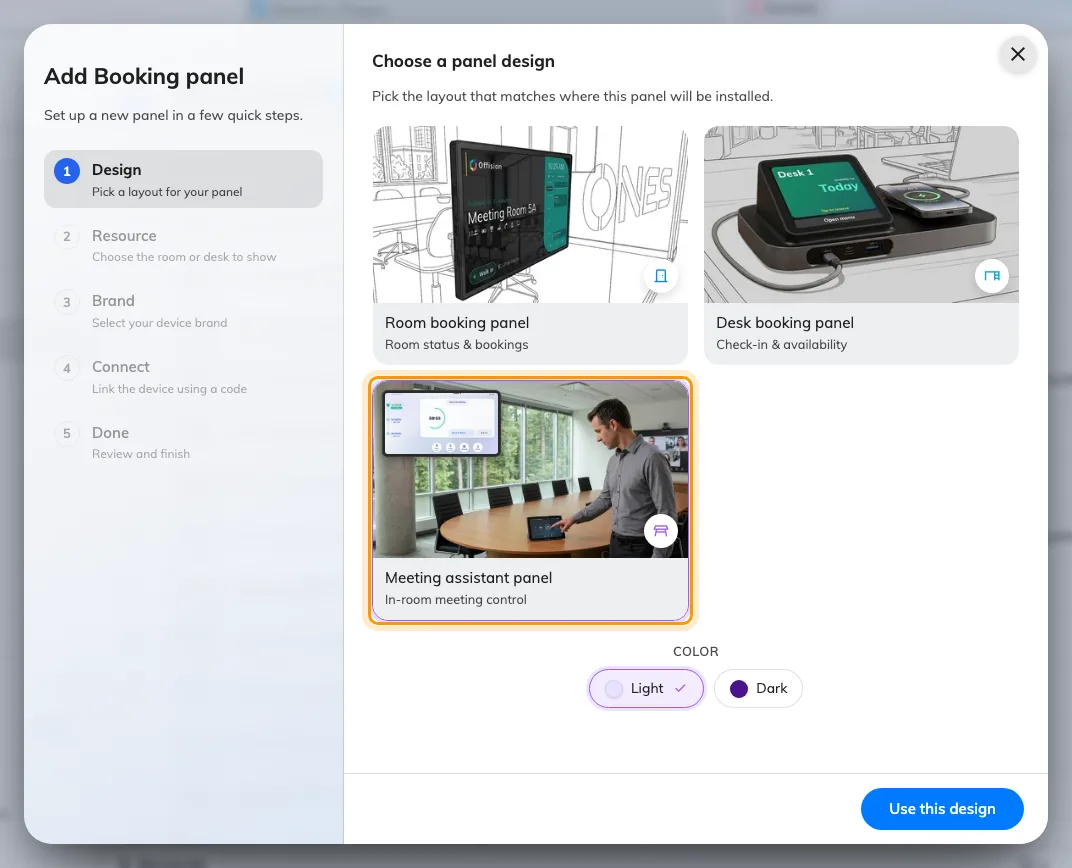
The wizard's kind step, with Meeting assistant panel picked.
What this does not control
Check-in windows, walk-in rules and energy saving follow the same panel configuration and booking policy as every other panel; the one in-room-specific sleep rule is covered in Save energy on room panels. Service only appears where the room has in-use services, and Report only where problem reporting is set up. And how it spends its status colour is in What the panel colours mean.