

Reuse a panel that was set up for something else
A panel already showing signage, a lobby board or a kiosk cannot be added as a booking panel on top of that. What an edit still covers, what has to be released first, and what the old record goes on holding until it is deleted.
The hardware and the job it does are two different things here. The screen on the wall is one device; the row in the console is a record, and that record was created to do one job — show a room, play a board, greet a visitor. A panel can be claimed by one record at a time, and the job was settled by the wizard that claimed it.
That is why no row offers to change it. What a panel is can be read on its record and never edited there, so moving hardware from one job to another is not an edit at all: it is a release and a fresh pairing.
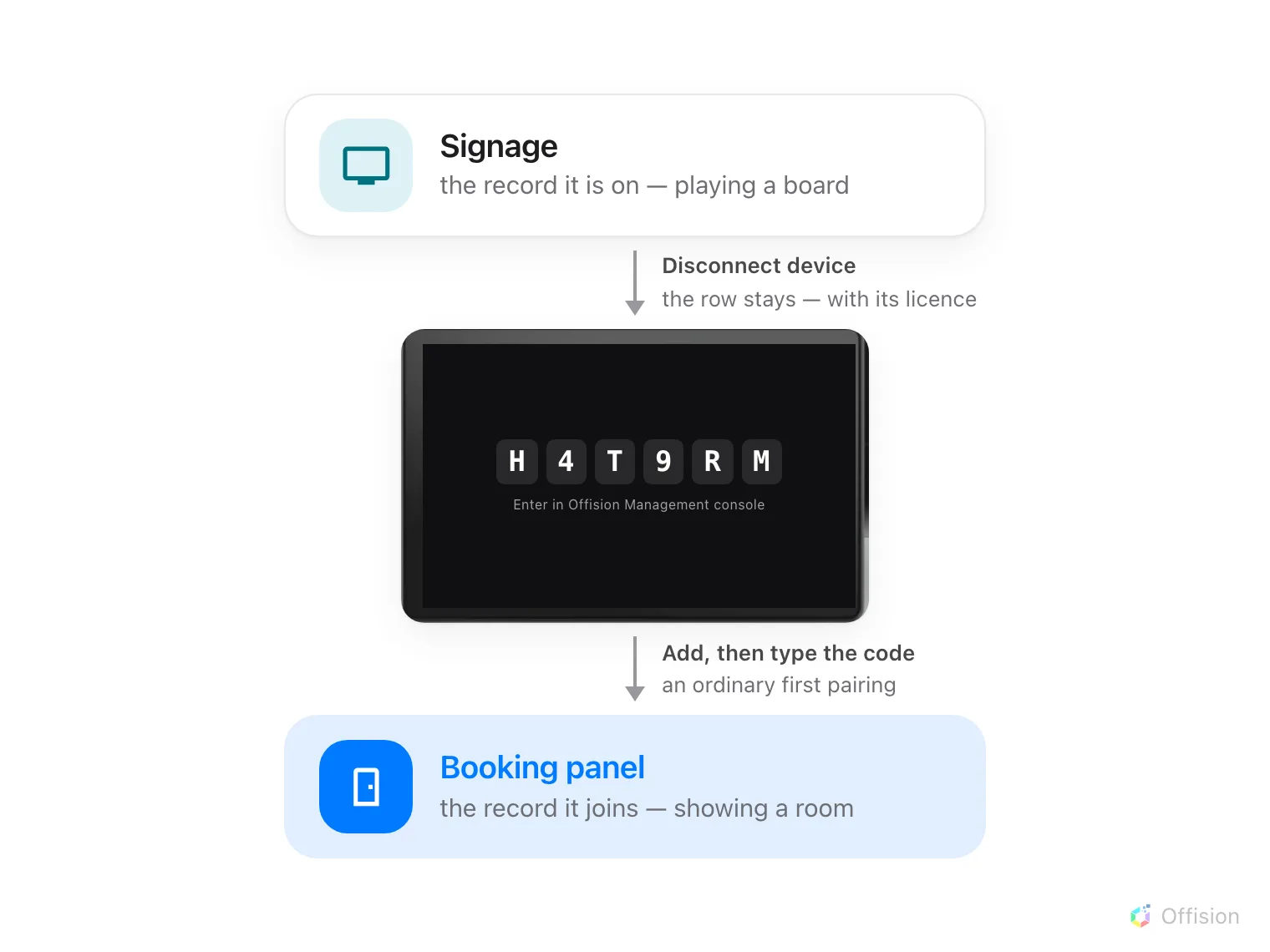
One panel, two records. Nothing passes between them — it is released back to a code, then claimed again.
Can I just add it as a booking panel?
No. Adding a panel means typing the six characters it is showing into a wizard, and a claimed panel is not showing them — it is showing its room, or its board. Release it and the code comes back, usually within a few seconds.
What an edit already covers
Two changes look like this one and are not. Neither goes near the hardware.
- Another room. Change Linked resource on the panel’s row. The panel follows within seconds; it does not need to be paired again.
- Room booking panel, or meeting assistant. Both are the same room panel wearing a different design, so this is the Design row on the record — see The meeting assistant panel, inside the room.
That Design dialog also carries a Desk booking panel tile, and on an existing panel it is the one choice there that does nothing: what makes a panel a desk panel is the desk it was paired to, not the design.
What has to be released
Everything else, because it means a different record:
- a signage screen, lobby board or reception kiosk becoming a booking panel, or a booking panel becoming any of those — they are added in different places and never share a record
- a room booking panel becoming a desk booking panel, and the reverse
1. Release it
Open the record the panel is on now, select its row, and take Disconnect device at the foot of the detail.
Open Booking panel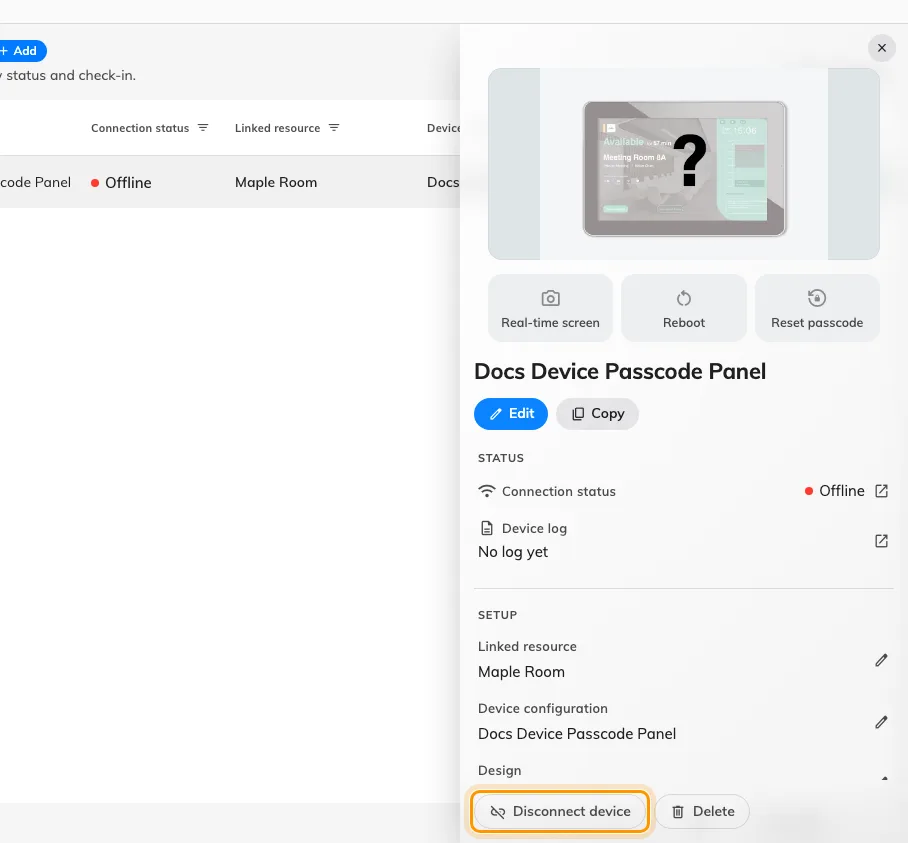
The foot of the device detail. Disconnect releases the hardware; Delete removes the record with it.
The panel wipes its pairing by itself, restarts, and comes back on a fresh six-character code. The record stays where it was, now with no hardware on it.
2. Pair it where it is going
From here it is an ordinary first pairing. Go to the list this panel is joining, choose Add, answer the wizard, and type the six characters at the end of it — Connect a booking panel to Offision walks the booking-panel wizard, and the signage wizard asks for the content instead of the room.
Read the code off the panel now rather than reusing one noted before the release. The panel has restarted since, and a restarted panel shows a different one.
3. Check it worked
The panel has a row in its new list, and Connection status should read online within a minute. The old record, if you kept it, now shows no device against it.
Then prove it end to end rather than trusting the row: book the room and watch the panel change while you are standing at it.
What this does not do
- It does not free the licence. A record with no hardware still holds its device licence. That is released when the record is deleted, not when it is disconnected — so delete the old row unless the panel is going back to that job.
- It does not move any settings with the panel. The configuration, the content and the room belong to records, not to hardware, and the new record starts with whatever the wizard gave it.
- It does not touch the panel’s own settings. Released from the console, a panel keeps its language, its scale and the pass code it was given. Released by Unpair device at the panel, it keeps none of them — that route clears the device’s storage, so the pass code is back on 0000 and worth setting again the moment it pairs. See Set the pass code that unlocks a panel’s settings.