

Both maps
The Booking status - Map widget
The floor plan live — every room and desk coloured by its availability, in 3D or flat from above. Every setting, grouped as the editor groups them: view, status, labels, interaction and location.
The floor plan itself, live: every room and desk drawn where it stands and coloured by whether it is free, according to the bookings in Booking. On a touch screen it is also a place to search, book and take a route away by QR code.
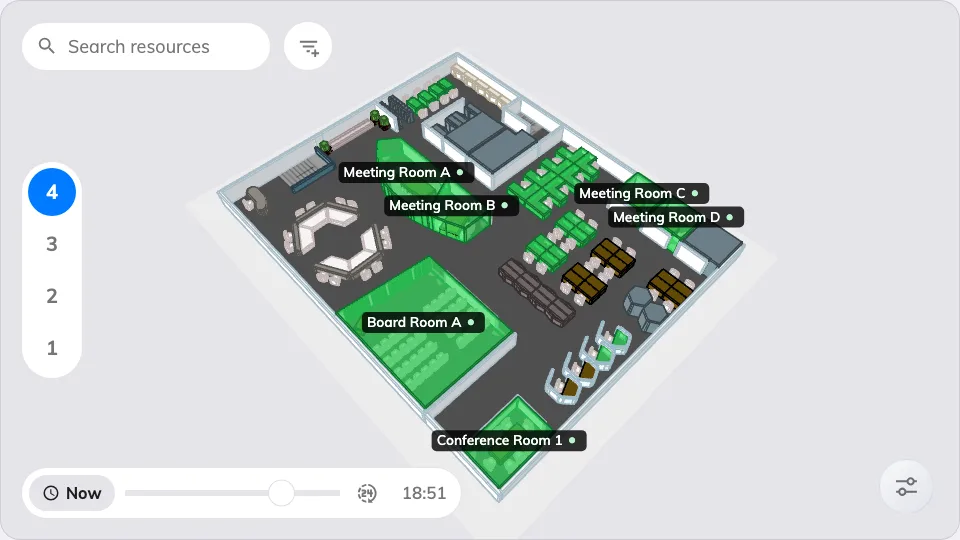
The map on the main stage.
Can go on: Main stage
Map 2.0 and Classic use their own drawings and assignments. The screenshots below show Classic; the widget reads the selected family for each floor. Maintain the drawing in Map and the bookable resources in Booking. The widget’s view settings do not edit the drawing.
Settings
The rail folds them into five groups; each is a page of its own.
Map view
The group opens with a card rather than a row. Its title is View mode, and it holds two pictures of the same plan: 3D and 2D top-down. A design with nothing stored plays in 3D, so a screen already on the wall is unchanged until somebody chooses — see Show the floor plan flat, in 2D.
Under it are the tiles for what a drag cannot say, and they differ per mode. In 3D they are starting poses for the framing — Top down, Tilted, Turn left, Turn right and Recenter — and the camera itself is framed by dragging the map in the editor’s preview, floor by floor. In 2D there is no camera to orbit: Turn left and Turn right move the flat map one quarter turn each and are stored with the widget, while Recenter re-fits the whole plan in the frame. Reset to default, at the foot of the card, clears the framing and the turns and returns the widget to 3D.
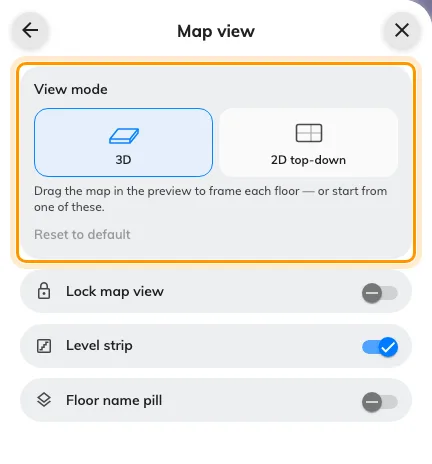
View mode, at the top of Map view: 3D, or 2D top-down.
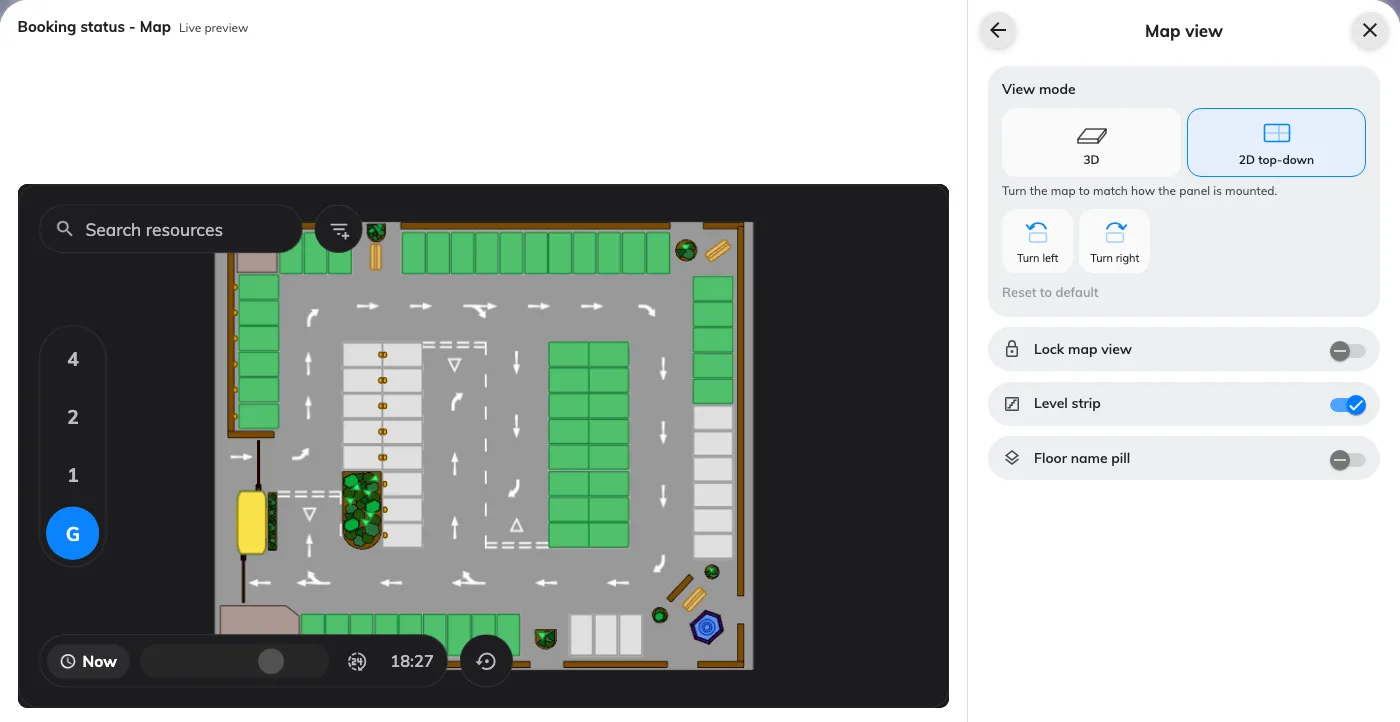
The same floor drawn flat in the live preview, with Turn left and Turn right in place of the 3D framing presets.
The rest of the group is switches.
| Setting | What it does | When to change it |
|---|---|---|
| Lock map view | Freezes the view where you framed or turned it | The screen must never wander off the pose you chose |
| Level strip | The floor switcher along the map’s edge | Off when the map shows a single floor anyway |
| Floor name pill | Names the current floor on the map | On when the level strip is off and the audience still needs to know which floor this is |
Resource status
| Setting | What it does | When to change it |
|---|---|---|
| Show remaining time | How long a busy resource stays busy | Off where the colour alone is the message |
| Show organizer | Who holds the current booking — with Organizer photo and Organizer name as separate switches once on | A staff-facing map; keep it off on a public screen |
| Availability legend | A key explaining the colours | A lobby audience that has never seen the map before |
| Short-available color | A third colour for rooms free only briefly, with Short-available threshold (minutes) and the colour to use | “Free but not for long” matters — walk-in meetings near the next booking |
| In-preparation color | Its own colour while a resource is being made ready, and which colour | Rooms with a service or cleaning gap between bookings |
| Waiting-check-in color | Its own colour while a booking waits for check-in | Check-in is enforced and the difference between reserved and arrived matters — see how check-in and no-show work |
Labels
| Setting | What it does | When to change it |
|---|---|---|
| Room labels | Whether rooms are named on the plan: Always show, Show when hover or Hidden | A dense plan where every name at once is unreadable |
| Desk labels | The same, for desks | Desk farms label better by zone than by desk |
| Equipment labels | The same, for equipment | — |
| Parking labels | The same, for parking spaces | — |
| Other resource labels | The same, for everything else | — |
| Label by access ID | Labels each resource with its access ID instead of its name; resources without one keep their name | The audience navigates by numbers — desk codes, lot numbers |
Interaction
| Setting | What it does | When to change it |
|---|---|---|
| Touch interaction | Whether the map responds to touch at all | Off for a display behind glass; the three switches below apply only while this is on |
| Resource search | A search box for finding a resource by name | On wherever people arrive not knowing where their room is |
| Show filter bar | On-screen filtering by resource type | A mixed plan where someone only wants desks |
| Time slider | Scrubs the map to a future time | People planning ahead, not just looking now |
| Scan-to-go QR on route | A QR code on a drawn route, to take the directions away on a phone | Works with or without touch — on a non-touch screen it is the only way to take a route along |
| Allow booking from map | Booking a free resource straight from its pop-up | The map is a booking kiosk, not just a status display |
| Require check-in | Booking from the map also demands check-in | Your booking policy expects it everywhere else too |
Location
| Setting | What it does | When to change it |
|---|---|---|
| Floors on the map | Which floors load: Follow device location, All resources, By building or By floor, with a matching picker | The screen should show its own building rather than every site |
| Type | Narrows the plotted resources by type; empty means Any resource type | Rooms only, on a plan that also holds desks |
| Auto-cycle floors | Steps through the floors on its own, at the Cycle interval (seconds) | A display covering several floors with nobody there to switch them |
What this does not control
- The plan itself. The drawing is authored in Map. Booking creates the resources; their assignments link them to that drawing. This widget displays their status.
- The widget background. This widget ignores the design-wide widget background — the plan is its own surface. Everything else in Widgets and the places they go applies.