

Find and share your booking code
The six digits that belong to your booking rather than to you — the one code you can give to a guest with no Offision account. Where to read it off the booking, where it sits in every email, and what to do when it is not there.
Every code Offision gives you identifies you — your password, your passcode, the QR code on your phone. The booking code is the one that does not. It identifies the booking, which is why it is the only one you can pass to somebody else.
Six digits, generated when you book, different for every booking you make. Anyone holding it can check that booking in at the room panel — a client, a contractor, an auditor, somebody who has never heard of Offision and has nothing installed. You do not have to arrive first to let them in.
1. Read it off the booking
Open the booking — from My calendar, or wherever you can see it — and its details open as a card. Booking code is one of the rows, in teal, with the digits large enough to read out over a phone.
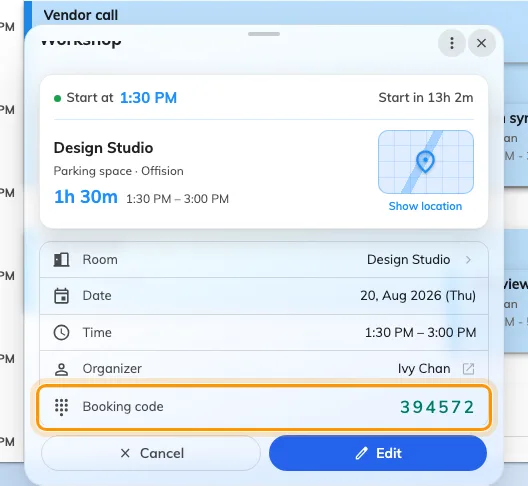
The Booking code row on the booking itself. Six digits, and they never change.
This is the fastest place to find it, and the one that works when you are standing in a corridor with somebody waiting.
2. Or take it out of the email
You do not have to go looking. Every booking email carries the code, printed large under the line “You may use the following code to check in booking”:
- the Booking created mail you got when you booked, and Booking edited when anything about it changes
- the Meeting invitation your attendees got, and Meeting update after an edit
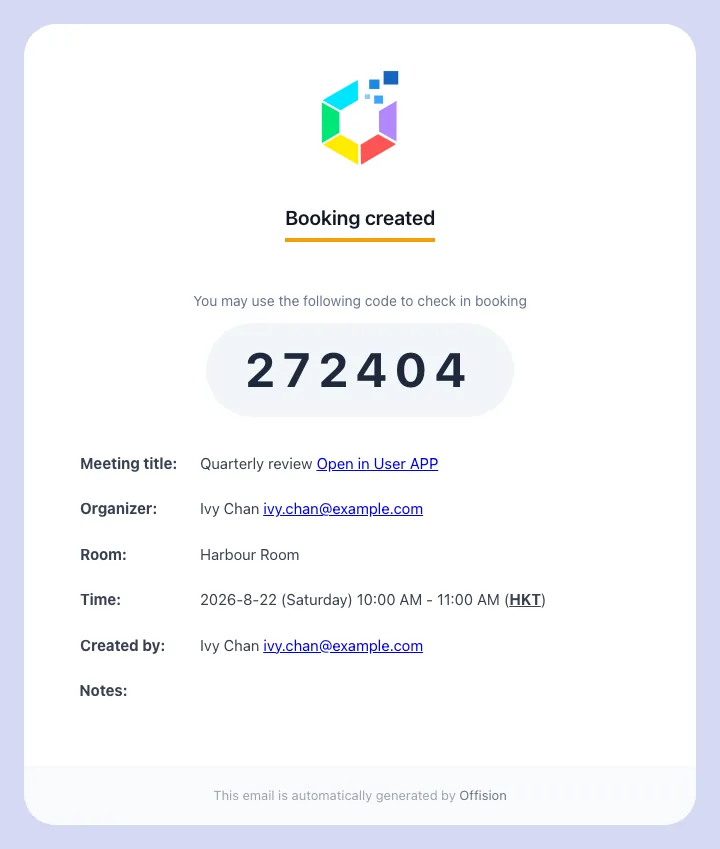
Your own confirmation. The same six digits your attendees were sent.
So a guest who was invited by email already has it — usually before they ask you for it.
3. Give it to whoever needs it
Read it out, or forward the mail. There is nothing to set up on their side and no account for them to create.
At the room they tap Check in, choose Booking pin if the panel offers a choice, and type the six digits.
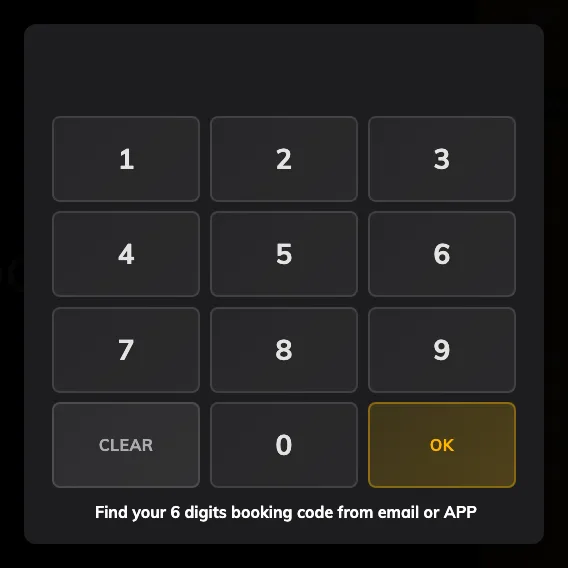
The number pad, with a reminder of where the code is found.
The same code also checks out and extends. Somebody who needs another twenty minutes can take them at the panel without finding you first.
If the code is not there
Four things hide the row, and they are worth checking in this order.
The booking is finished or was cancelled. The code shows on bookings that are still ahead of you or running now — not on ones that are over.
Your company has not turned it on. Booking pin is one of several ways a panel can identify somebody, and an organisation that uses cards or QR codes may have left it off. Nothing you can do from your side; ask whoever manages the rooms.
It is somebody else’s booking and you are only an attendee. Whether attendees see the code is decided per room, by the same setting that decides whether they may check in at all. Where it is off, only the organiser gets it — ask them.
What this does not cover
- Signing in. The booking code is not a password and gets nobody into Offision. See Sign in to Offision.
- Identifying yourself. For you at a panel — any booking, or none — that is a user passcode, which is yours and which nobody else should ever have.
- Who the panel credits. The code identifies the booking, so the attendance record names you as the organiser whoever actually stood there and typed it.
- A repeating booking. Every occurrence of a series shares one code, not one each — so a code given out for last Tuesday still opens next Tuesday.
- Signing a guest in at reception. A code gets someone into a room. A badge, a front desk and a record of when they arrived is a visit — see Invite a visitor with a booking.