

Download your attendance record as a PDF
Save a month of your own clock-ins and clock-outs as a PDF you can print, file or send on — what the document contains, which month you get, and why it carries your name and the date it was produced.
Your own attendance is yours to keep. A month of records downloads as a PDF from the app — the document a landlord, an accountant or an HR form usually wants, without having to ask anyone for it.
1. Open your records
On the home screen, choose Attendance, then Records. The panel lists every punch you have made, grouped by month and newest first.
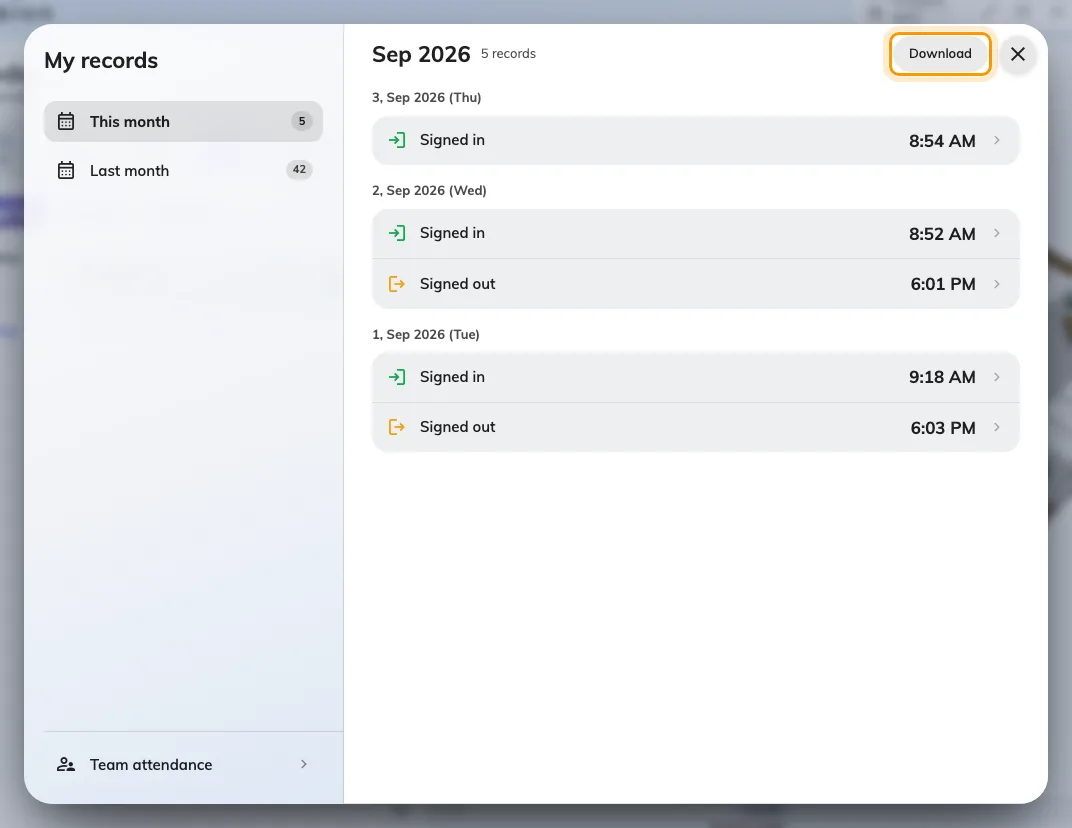
Your own records for the chosen month. Download saves exactly what is listed.
2. Choose the month
The list on the left names This month and Last month, then any earlier months you have records in, with Older for anything further back. Each one carries its own record count. Pick a month and the list beside it reloads.
The download follows the month you are looking at. There is no month picker inside the document and no way to export a range — one month, one PDF. Pick the month first, then download, and repeat for each month you need.
3. Download it
Choose Download. The PDF is built in your browser and saved the way your browser saves any file, named for you and the month. The button greys out while the document is being produced; on a long month this takes a moment.
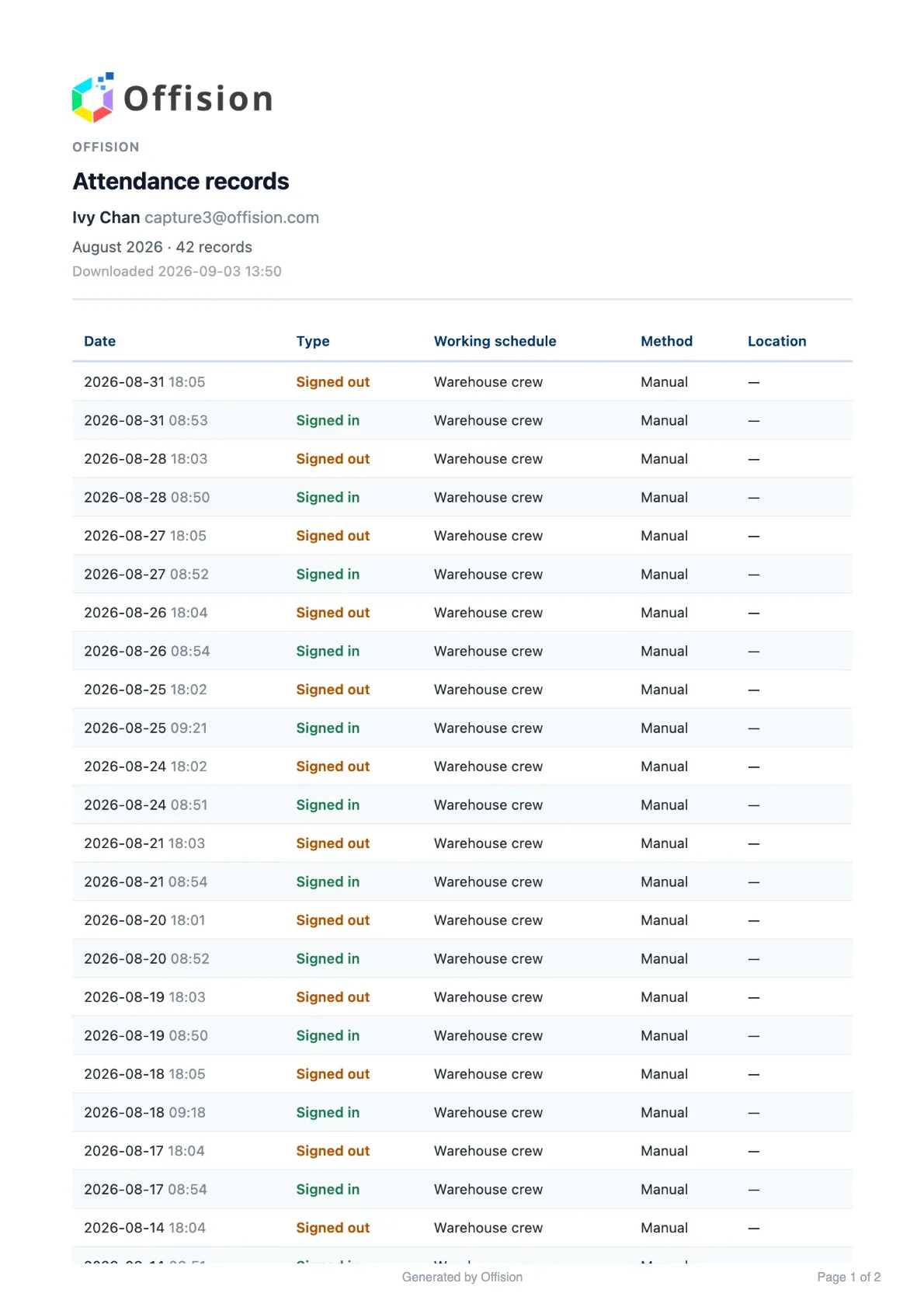
The first page of the download: who it belongs to, the month, and every punch in it.
What the document contains
A heading identifying whose record it is — your name, your email address, your organization’s name — then the month, how many records it holds, and the date and time the file was produced. Under that, one row per punch: the Date, the Type (signed in or signed out), the Working schedule it counted against, the Method, and the Location where one was recorded. Long months run to several pages, each numbered.
The date it was produced is on the document deliberately. A record downloaded today and one downloaded next month are different documents, and the reader of a printed copy has no other way to tell which is which.
What it does not do
It is a copy, not an authority — correcting a wrong punch is still your administrator’s job, and a PDF you downloaded before the correction keeps the old figure. Download it again afterwards. It also covers only your own attendance: a manager who needs the whole team’s month exports it from the team view instead.