

Reset a forgotten password
Getting back into your account with the Forgot password link — asking for the reset email, setting a new password from it, and what to do when the link has expired or the email never arrives.
Offision does not send you your old password — nobody has it. It emails you a one-time link, and you set a new one from there.
1. Choose Forgot password
It sits beside Remember me on the password step of the sign-in card. Your email address is carried across, so you do not have to type it again.
2. Ask for the link
The page is titled Recover your password — “Enter your account email and we’ll send you a link to reset your password.” Check the address and choose Send reset link.
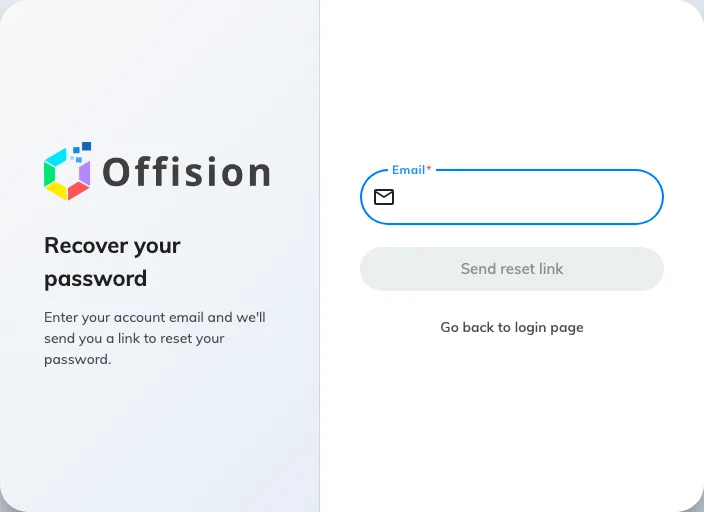
Recover your password. One address, one button.
The answer is always the same: “If an account with that email exists, we’ve sent password reset instructions”. That is on purpose — it does not confirm whether the address is on Offision, so nobody can use this page to find out who has an account. It is not a confirmation that your address was right. If no email arrives, see the bottom of this page.
Go back to the login page returns you to the card.
3. Open the link in your email
The message arrives at the address on your account. Open the link in it — it opens Offision on a page of its own, already knowing which account it is for.
The link is single-use and it expires. Use the newest email if you asked more than once.
4. Set the new password
Fill in New password and Confirm password. The requirement is your company’s, and the list under the fields ticks off each rule as you type; Submit stays unavailable until they all pass. “The confirm password does not equal to password.” under the second field means the two do not match yet.
Choose Submit and you are signed in — no need to go back to the sign-in card.
If the link has expired
Offision says so and offers to fix it: “The link is expired, do you want to resend a new link to your email address”. Accept, and a fresh email is on its way. This is the normal outcome of coming back to an old message a few days later.
If no email arrives
In the order worth checking:
- Your junk or spam folder. It is an automated message from a system your mail server may not have seen before.
- The address. The reset goes to the address on the account, which is not necessarily the one you typed. A typo produces exactly the same reassuring message as a correct address.
- Your company signs you in with Microsoft 365 or Google Workspace. Then there is no Offision password to reset, and this page has nothing to send. Your password is the one for that account.
- Nothing after all of that — ask your administrator. They can set a password on your account directly, which does not depend on email at all.