

Sort the room list
The room list and the resource calendar are sorted, not fixed — the Order control in the filter decides by what, your pick is remembered, and the order you started from is your workspace's default.
The room list is not in a fixed order, and you cannot drag rooms into one — it is sorted, and you choose by what. The control is called Order, and it sits at the top of the filter panel.
1. Open the filter
On the room list and the resource calendar, the filter button in the header opens the filter panel; Order is the first control in it. On a phone, the list has an Order button of its own in the header.
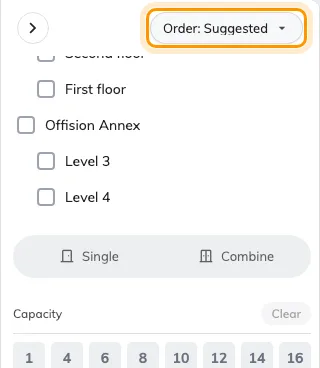
Order, at the top of the filter panel — it decides the sort, the rest of the panel decides what shows.
The booking form has the same thing: open the filter beside the room search and Order by is at the top — see Book a meeting room for the rest of that filter.
2. Pick an order
- Suggested — the rooms your workspace promotes first.
- My favourite — the rooms you have starred, first.
- Recent booked — what you booked lately, first.
- Location — grouped by building and floor.
- Name — alphabetical.
- Capacity — smallest room first; offered when you are looking at rooms.
- Availability — free rooms first; offered on the list, not on the calendar.
3. It stays until you change it
Your pick is remembered in this browser, so the list opens sorted your way next time. The order you had before touching anything is your workspace’s default, chosen by an admin — it is the first option offered in the menu, so picking that puts things back. If your rooms look ordered differently from a colleague’s, compare your Order settings before reporting it.