

Find an event to join
Where events live in the app, the two tabs you will use, and how to tell at a glance whether you can still get in.
Your company’s events live on the Event list page in the app. It shows what is coming up, what you have already joined, and how much room is left in each.
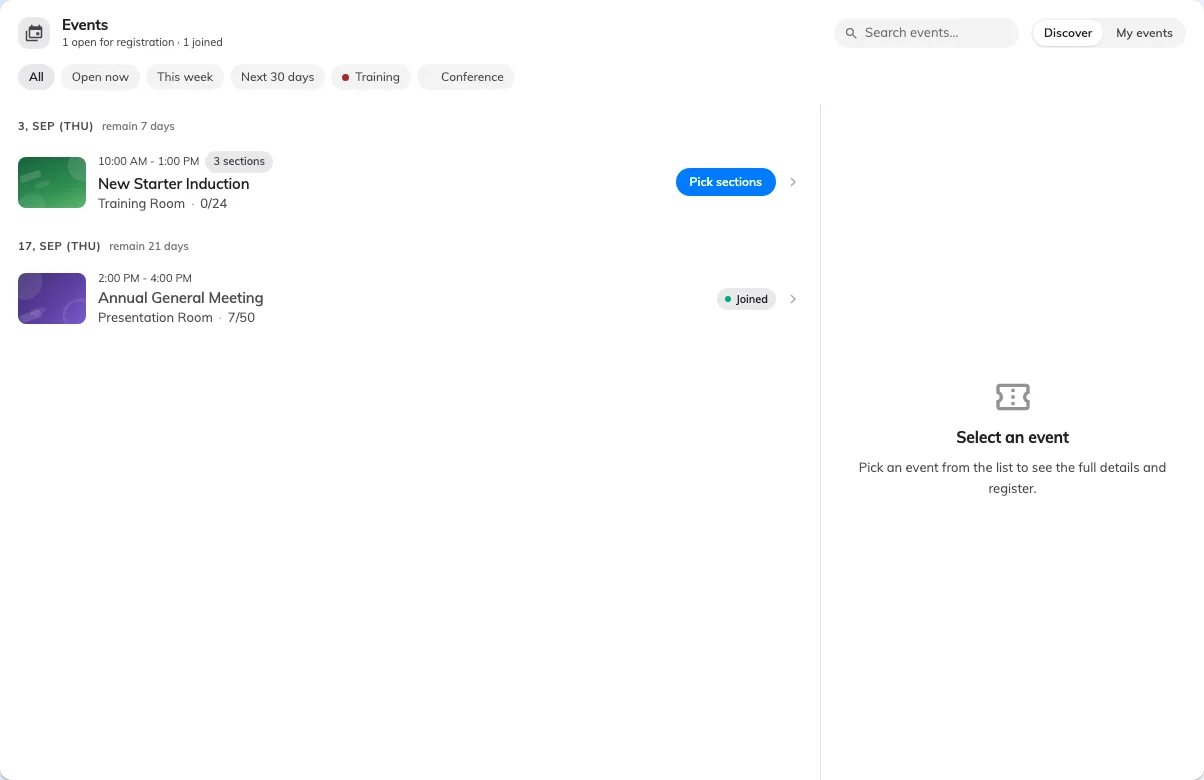
The Events page: Discover for what is on, My events for what you have joined.
Two tabs
Discover is everything open to you. My events is what you have signed up for, and it is also where your ticket lives once you have.
The count beside the heading — N joined — is a quick check that a sign-up actually took.
Narrowing it down
The filters along the top are the fastest way through a long list:
- All, or Open now for the ones still taking sign-ups
- This week and Next 30 days
- The category chips, if your company uses them
When several events start within a fortnight, a Happening soon row appears above the list. That is the one worth scanning first.
Reading a row
Each event shows its poster, its category, where it is, and — where the organiser has published it — N places left. A series event also shows how many sections it has, so you can tell a one-off from a course before opening it.