

Which visitor report answers which question
A map from the question you are asking — how many visitors came, who is on site now, who never showed up, which day's records to hand to security — to the one page that answers it, with what each page filters by and which of them can export.
Half a dozen pages in the Visitor module look like “the visitor report”, and none of them is. Each answers a different question, so start from the question and open the page built for it. Dashboard is the front door; the day-to-day lists sit beside it in the menu, and Email report lives under Settings.
Open Visitor Dashboard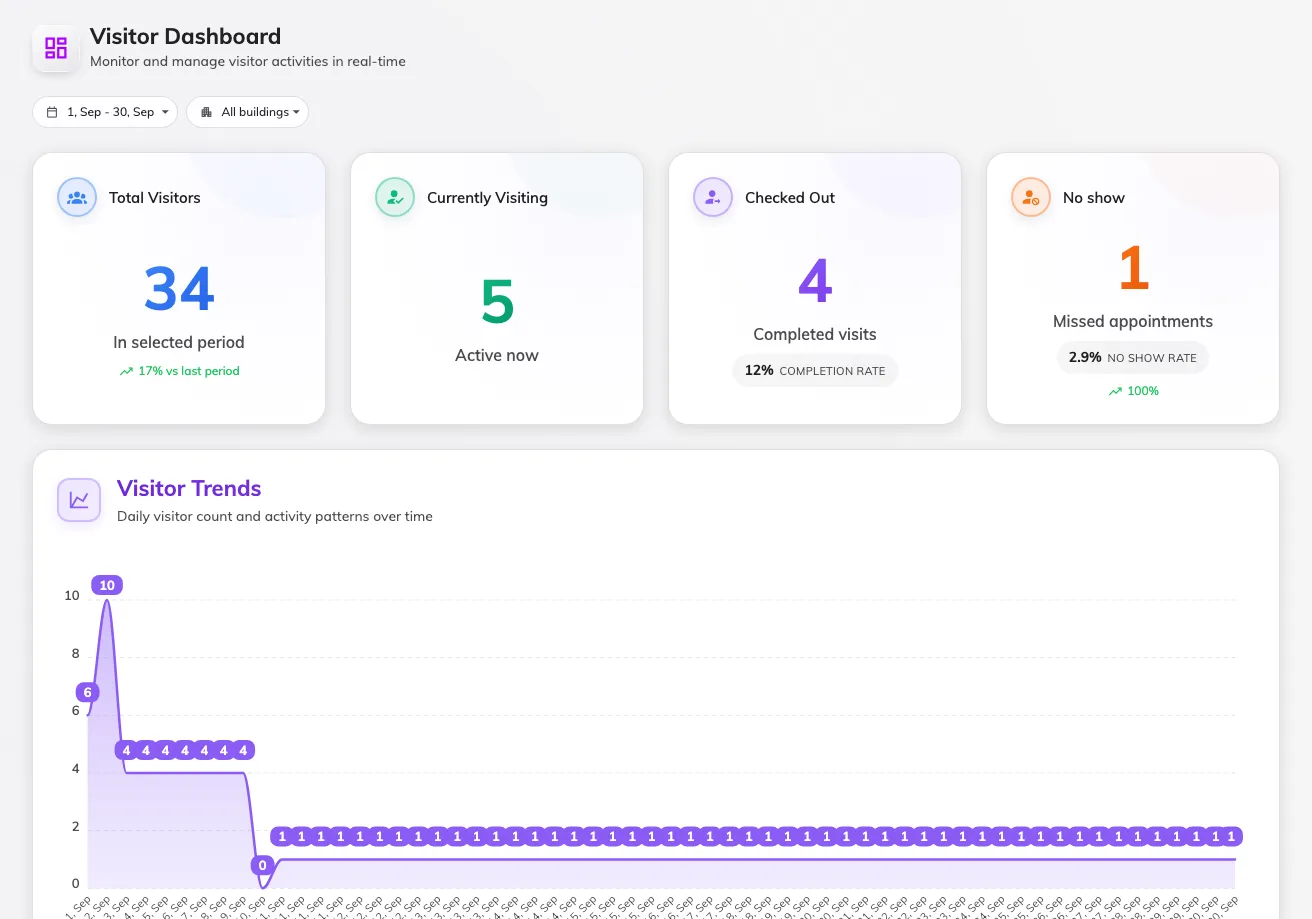
Dashboard — four numbers, then the charts.
| The question you have | Open | What it gives you |
|---|---|---|
| How did visiting go this period? | Dashboard | Four numbers — total, on site, checked out, no-shows — with rates and a trend against the previous period, then charts: visits per day, a building breakdown, top visitors and hosts, purposes, invited vs walk-in. No export. |
| I need one day’s visitor list as a file. | Visiting daily report | Every visitor of one day as a table — times, status, check-in and check-out, host, purpose — with Download as Excel or PDF. |
| What is happening right now? | Overview | The quick-view cards: who is on site (and overstaying), today’s meter, this period’s summary, long-term badges about to expire. |
| I need the raw visit records, searched and filtered. | Visitor badge | The list behind everything above — one row per badge, batch actions, and an Excel export. See Find a visitor’s record. |
| I just want the visits themselves, as a spreadsheet. | Visiting calendar › Export | Not a report: the visits on screen, grouped by building, room or visit, a column per field you pick, as XLSX or CSV. |
| Who did what to a visit, and when? | Log | Every action on every visit. Pick a date range and download it as Excel — the file follows the columns you have showing. |
| Send me the numbers, I will not log in. | Email report | Not a viewer: a subscription that emails an upcoming-visitor forecast daily, weekly or monthly. |
| How is today going, while I work the calendar? | Invitation | The calendar’s own strip of tiles — Expected, On site, Left, Needs attention — which also filter the calendar below. |
The reception desk has its own view of the day — and the one-click export of everyone currently in the building — on the receptionist’s home page. That is covered in the Receptionist guide.
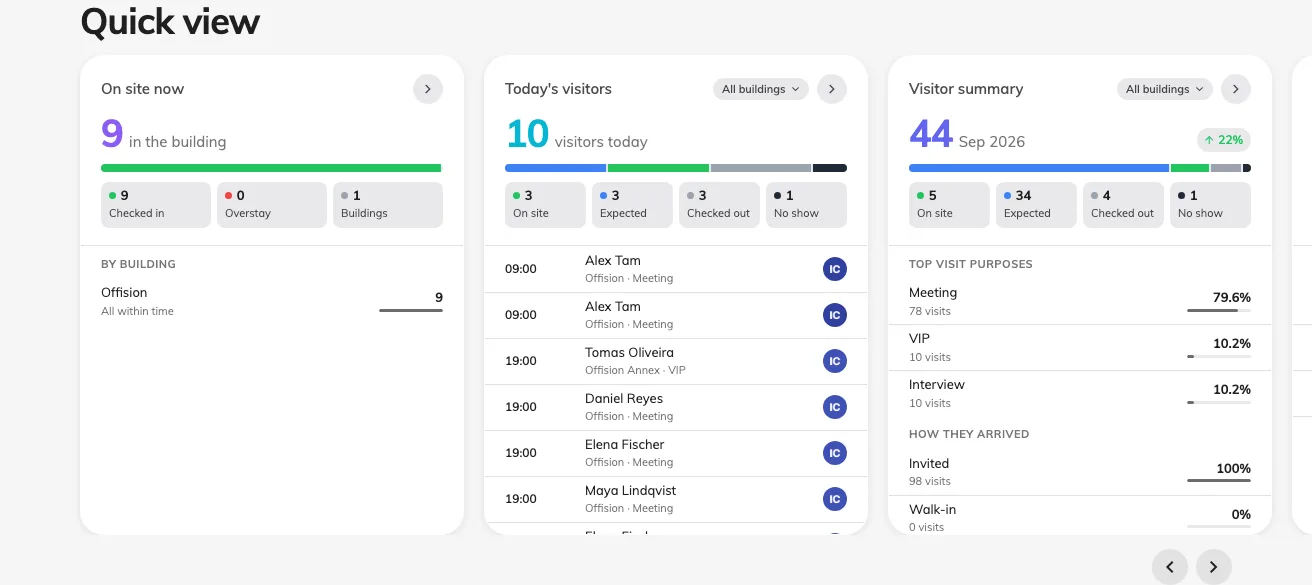
Overview — the quick-view cards are the "right now" report.
How the filters differ
Visitor pages filter by building, not by floor — a visitor belongs to the building they were invited to. The Dashboard adds a date range (it opens on the current month); the Daily report is deliberately one day at a time. When a number looks wrong, check the period first, then whether a building filter is still applied from last time.
The numbers all read the visitor badge — the same states the calendar colours by. Visiting and Overstay are people on site, Left is a completed visit, and No show is an invitation nobody checked in on, marked automatically once its time has passed — where the visiting policy has that change turned on. With it off, missed visits stay Await and the no-show figures read zero.
What none of them show
- An export of the Dashboard. The charts are view-only. The same records leave the system through the Daily report (one day, Excel or PDF), the Visitor badge list (any period, Excel), or the Log.
- Visits still in progress are not “completed”. Rates settle only after the day ends, so this month’s completion rate is always lower mid-month.
- Other companies’ visitors. Every page here shows your tenant only, and only the buildings enabled for visiting.