

Visiting policy settings
One reusable rule set governing how visitors are invited, approved and registered at a location — every field on the policy's four pages, including whether the host is told when their visitor arrives, plus the buildings and rooms it applies to and what happens when a visit is governed by two policies at once.
A visiting policy is one reusable rule set, attached to buildings and rooms. It decides how far ahead a visit may be booked, whether it needs approving, who may invite, and whether the host is told when their guest arrives.
The policy’s name is the rail title, not a form row. It is edited in place at the top left of the dialog, so a reader hunting for a Name field will not find one.
Open Visiting policy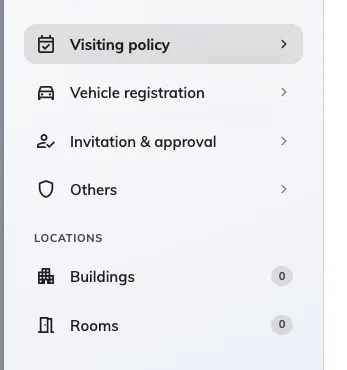
Four pages of rules, then the buildings and rooms they apply to, each with a count of what is selected.
Visiting policy
What a host may book, and what happens to a badge nobody used.
| Setting | What it does | When to change it |
|---|---|---|
| Allow recurrence visit | Lets a host invite a guest on a repeating schedule | Turn off where every visit should be booked a day at a time |
| Allow all day visit | Lets a visit be booked without start and end times | Turn off where the gate log needs a real arrival window |
| Allow cross day visit | Lets one visit run past midnight into the next day | Turn on for overnight contractors |
| Allow non-business hour visit | Lets a visit fall outside the building’s business hours | Turn off where nobody is at the desk then |
| Limit the visiting date range | From and To, in days from today — 0 is today, 30 a month out | Stops invitations being written a year ahead |
| Limit the visiting time range | A minimum and a maximum length, in minutes | Set a maximum where visits are expected to be short |
| Automatic badge status change | Change to no show and Change to left move a badge nobody used, at a time of day you set | Both are covered in full by Check visitors out automatically |
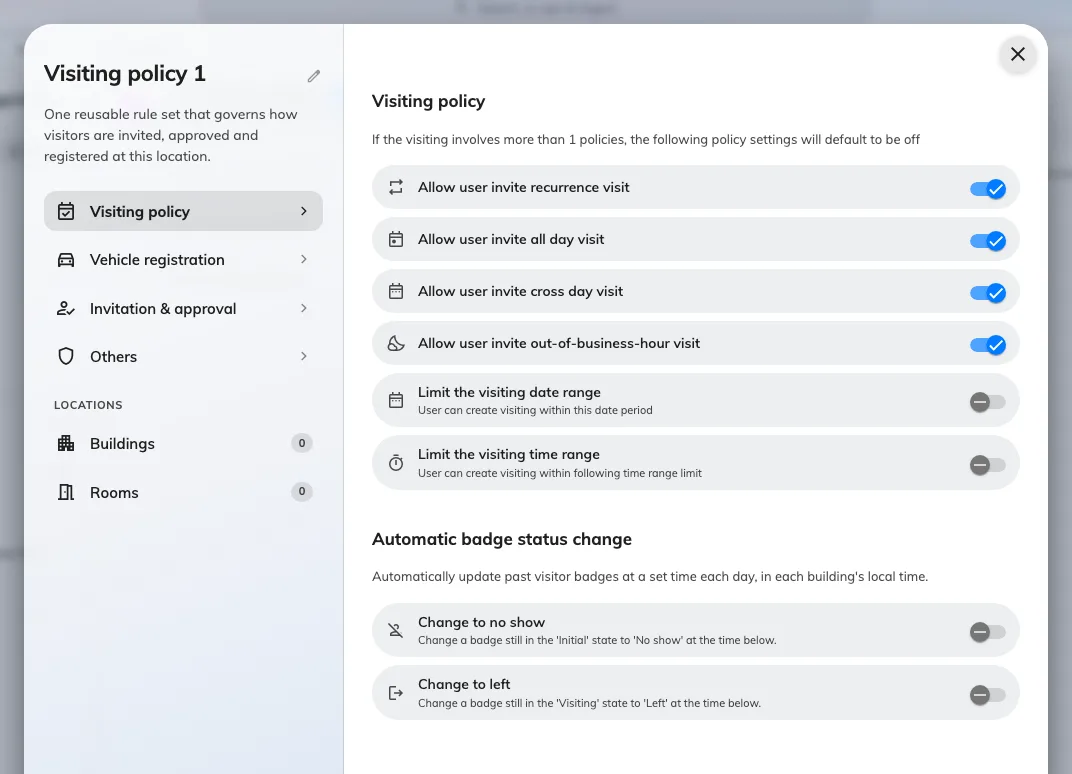
The first page: what a host may book, and the two automatic badge state changes.
Vehicle registration
Two switches: Allow invited visitors to register vehicle, and Allow visitor self-service walk-in to register vehicle for a guest registering themselves at a screen or on their phone. Both are covered in full by Register a visitor’s vehicle.
Invitation & approval
Three groups: who may invite, who signs it off, and what the host is told.
| Setting | What it does | When to change it |
|---|---|---|
| Only allow selected users to invite visitors | Restricts inviting to the users and groups listed under it | For a building where only a named team may bring guests. Left on with nobody added, nobody can invite here |
| Visitor need approval | Every visit waits for one of the named approvers before an invitation is sent. See Require approval | Turn on for a secure floor |
| Send the host a copy of the invitation | The host gets their own confirmation whenever a visit they host is created, changed or cancelled. Independent of the visitor’s own invitation email | Turn off where hosts do not want the copy |
| Notify host when a walk-in visitor arrives | The host is emailed when a walk-in guest is admitted | See Tell the host their visitor arrived |
| Notify host when an invited visitor arrives | The same, for a guest who was invited beforehand | Same page. Both are on until you turn them off |
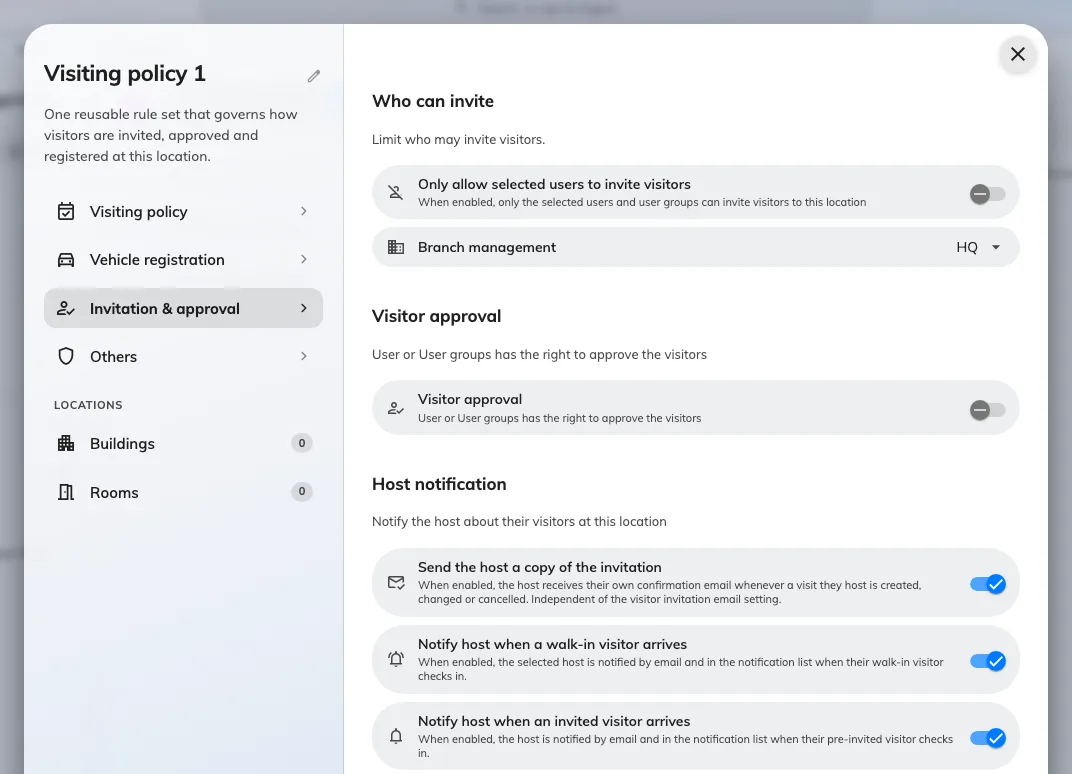
Who may invite, who approves, and the Host notification group that decides whether the host hears about an arrival.
Others
| Setting | What it does | When to change it |
|---|---|---|
| Restrict to business email | Refuses public email domains on an invitation | Turn on where guests must be invited at a company address |
| Use Offision’s default public email list | The 6000+ entry list of public and junk domains it refuses | Leave on, and add your own below it |
| Custom restricted domains | Extra domains refused on top of that list | Add a provider the default list misses |
| Require external badge code | Badges wait for another system to supply the code instead of generating one — see Issue visitor badge codes from your own system | Turn on where the building’s gate system owns the code |
| Show external badge code | Off removes the visitor code from the badge email, image, mobile pass and pass page — the QR stays. Only applies while the row above is on | See Show or hide the visitor code |
| Hide QR code on visitor badge | For buildings whose own gates issue a QR. Visitors then check in at reception with the visitor code | Turn on where two QR codes on one badge confuse the reader |
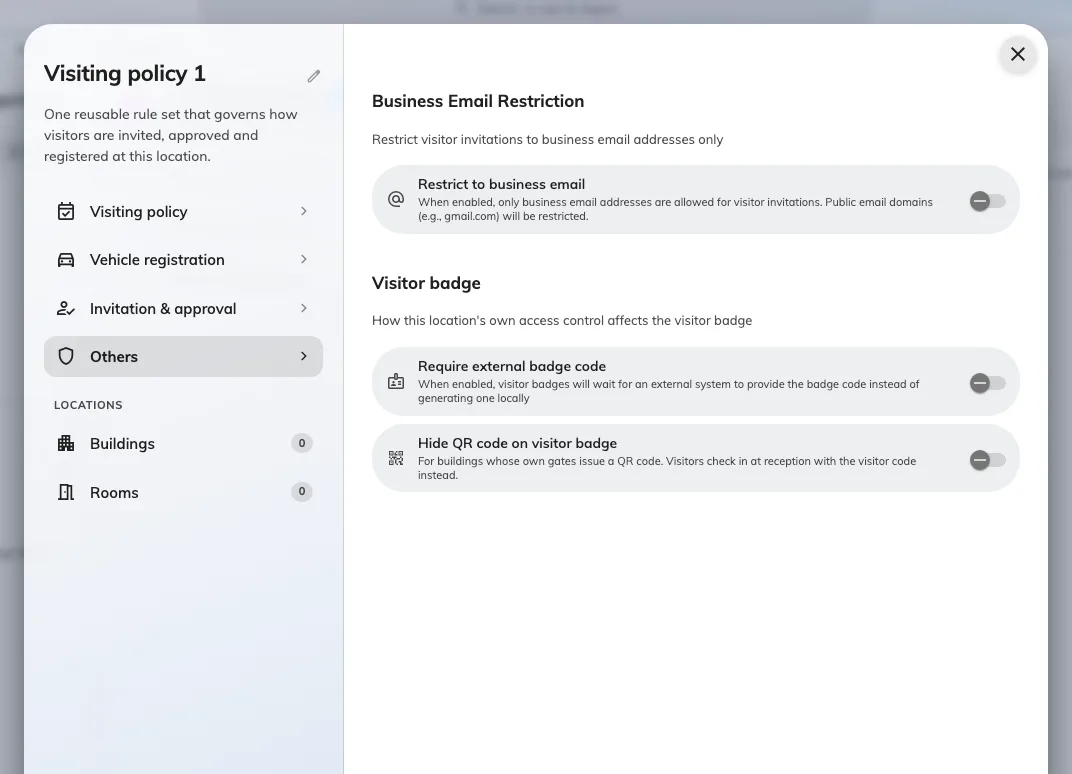
Email restriction, the external badge code, and hiding the QR for a building whose own gates issue one.
Where the policy applies
The Buildings and Rooms pages carry the selection, each with a count in the rail. A building or room belongs to one policy at a time, and the list names the policy a row already belongs to, so moving one is visible before you save.
A single visit can be governed by more than one policy — its room, that room’s floor and its building can each carry one. When they disagree, the rules on the first page default to off. Host notification works the other way round: the host is notified unless every governing policy has turned it off.
What this does not control
- What the visitor is asked for — the visiting purpose and the visiting form.
- What the badge looks like — set once for the whole company, in Visitor badge settings.
- Whether a building accepts visitors at all — Open a building to visitors.
- Who may work the reception desk. A permission on the user, not a policy.