

Export the people on site
Getting the list of everyone currently in the building out of Offision as a spreadsheet — the On-site people dialog, one Excel file per building, and the admin console's export when the desk is not enough.
Who is in the building right now is a question the desk gets at fire drills, at the end of the day, and whenever security asks — and it has one answer: On-site people, which lists every visitor currently inside and hands each building’s list over as a spreadsheet.
1. Open On-site people
On the Reception page, open More actions at the top of the list — On-site people is the first entry.
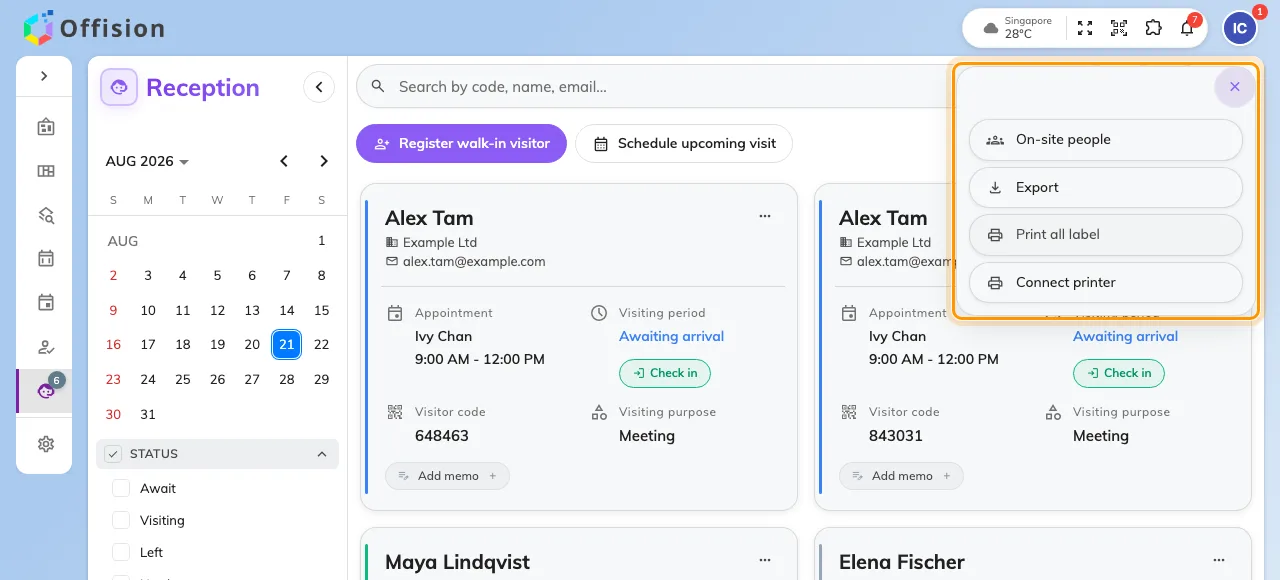
More actions, with On-site people at the top.
2. Read the list
The dialog shows everyone on site, grouped by building, with a count beside the title and a live clock beside that — so a printout or a screenshot carries the moment it was true. Each row is one visitor: name, email, phone number, company.
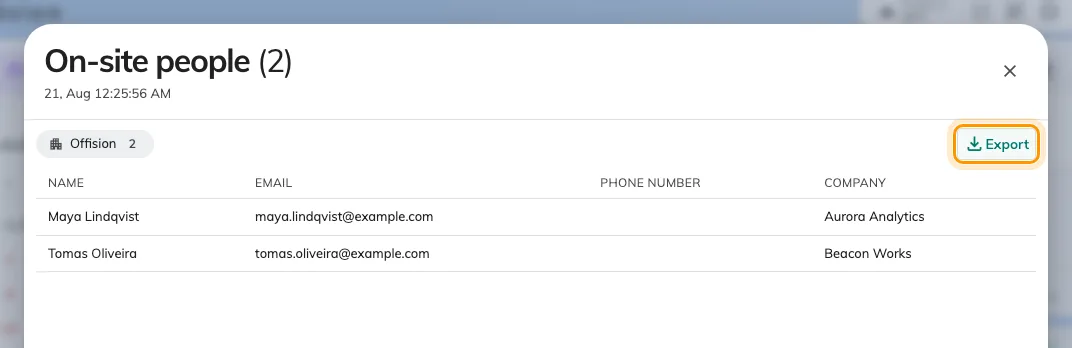
On-site people, grouped by building, with Export on each group.
3. Export a building
Export on a building’s header downloads that building’s list as an Excel file — the same four columns as the dialog, named after the building and the moment of export, so successive exports never overwrite each other. Each building exports separately; for two buildings, click twice and you have one file per muster point, which is usually what an evacuation wants anyway.
4. Check it worked
Open the file: the sheet carries the building’s name and one row per person who was in the dialog’s group. If a row you expected is missing, the visitor was not checked in — their card on the Reception page still says Await.
From the admin console
Administrators have the same answer without a desk: the visitor badge list can be filtered to state Visiting and exported with Export all, which respects the filter. It covers every building at once, but it is an admin console page — the Receptionist permission alone cannot open it.
Open Visitor badgeFor a whole day’s records rather than the snapshot of now — everyone who came, when they checked in and out — the admin console’s Visiting daily report downloads one day as Excel or PDF.