

What a visiting location is
A visiting location is not a separate thing you create — it is one of your buildings with visiting switched on, and the floors, rooms and parking under it opened one by one. What a location carries: its visiting policy, its opening hour and time zone, its receptionists and its monthly visitor count — and how a lobby screen knows which location it greets.
A visiting location is not a separate thing you create. It is one of your buildings, with visiting switched on. The Visiting location page lists every building in the company; the ones enabled there are your visiting locations, and a guest can only ever be invited to one of them. A company with ten buildings might open three — the other seven simply never appear when somebody invites a visitor.
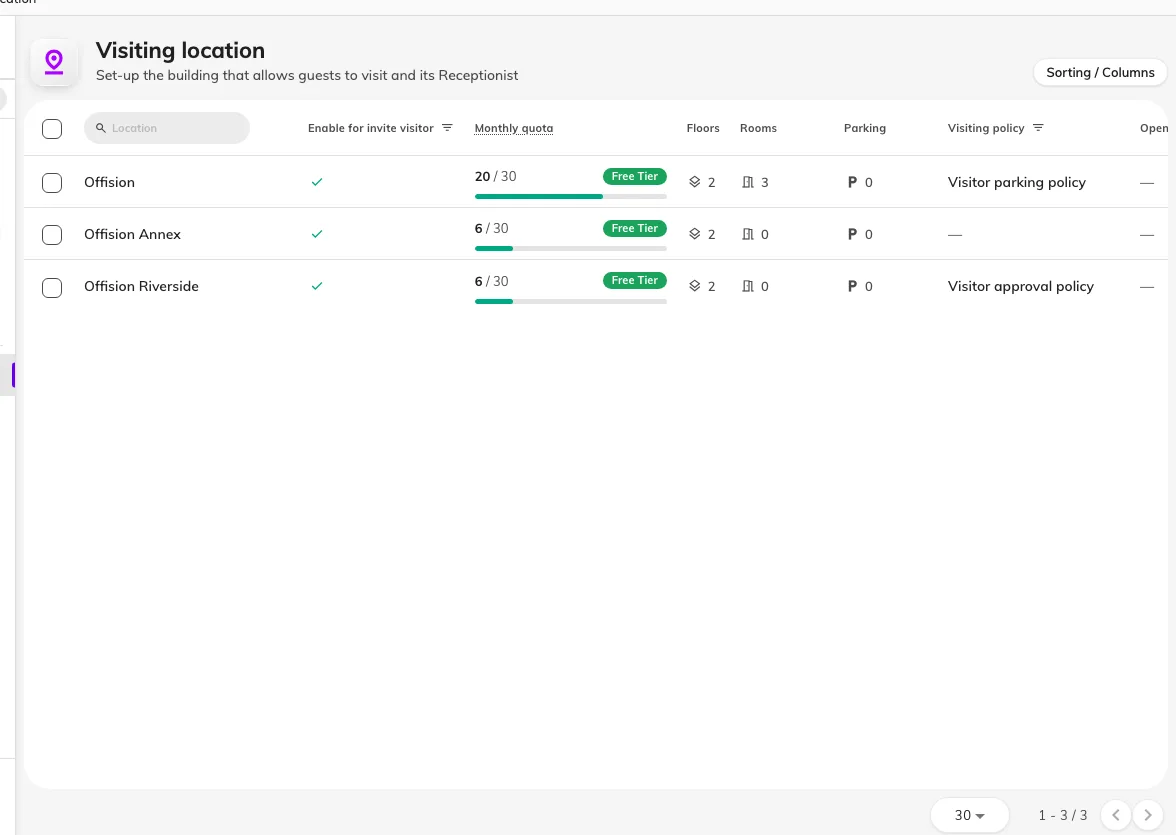
The Visiting location page is your building list — each row showing whether it is enabled, this month's quota, its floors, rooms and parking, and its visiting policy.
A location is as precise as you open it
Under a building sit its floors, and under those its rooms and parking — each opened to visitors one by one. The invite form drills exactly as deep as you opened: a building alone is a complete answer, a floor narrows it, a room says precisely where the visit is. A room chosen as the visiting location is where the visit happens, not a reservation of the room.
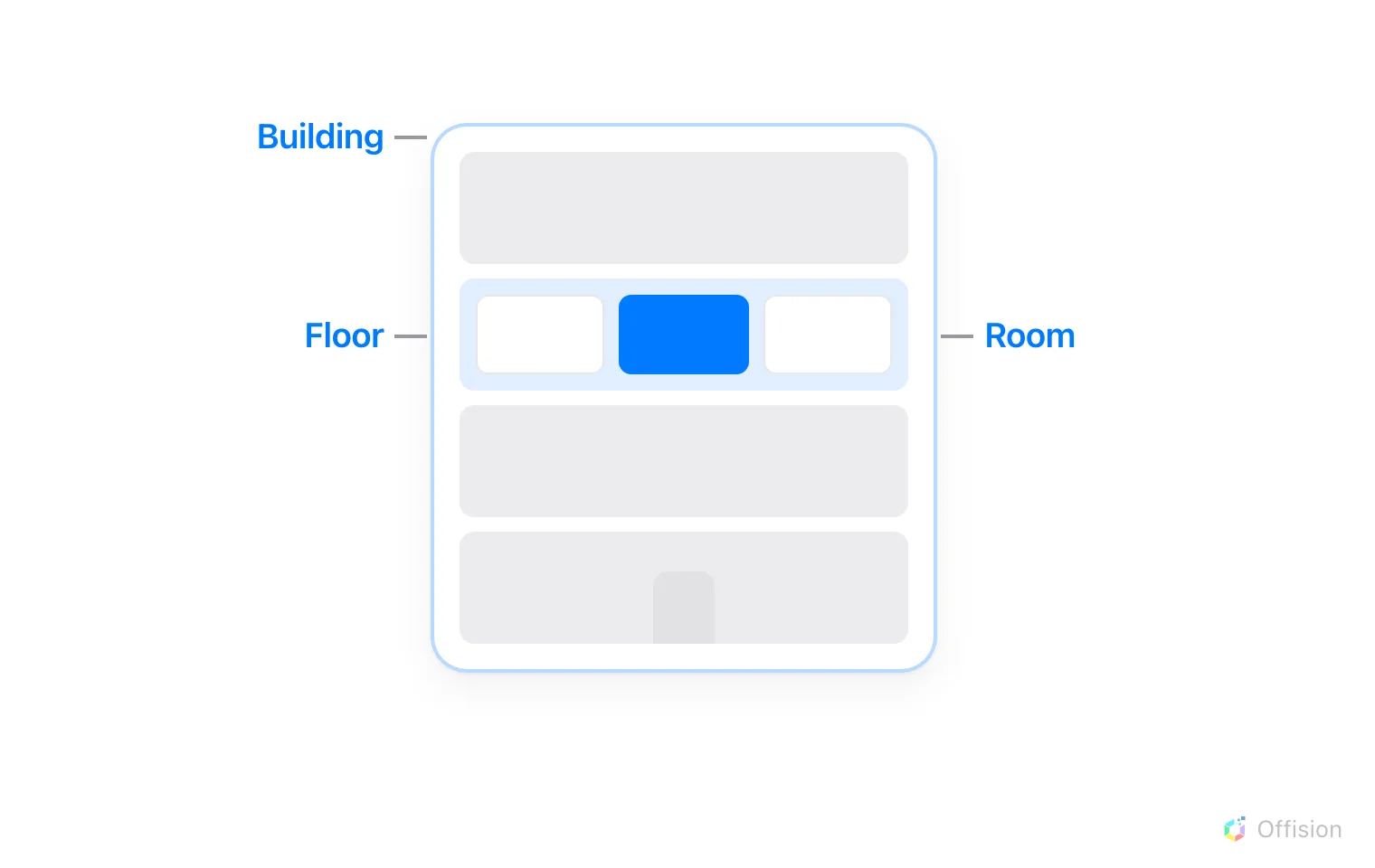
A visiting location can be the whole building, one of its floors, or one room on a floor — as precise as the visit actually is.
Several locations can be selected
A visit is not limited to one location — different places can be selected for it, even across buildings. The visit then belongs to each of them: it appears at each building’s reception, and each place’s rules apply to it.
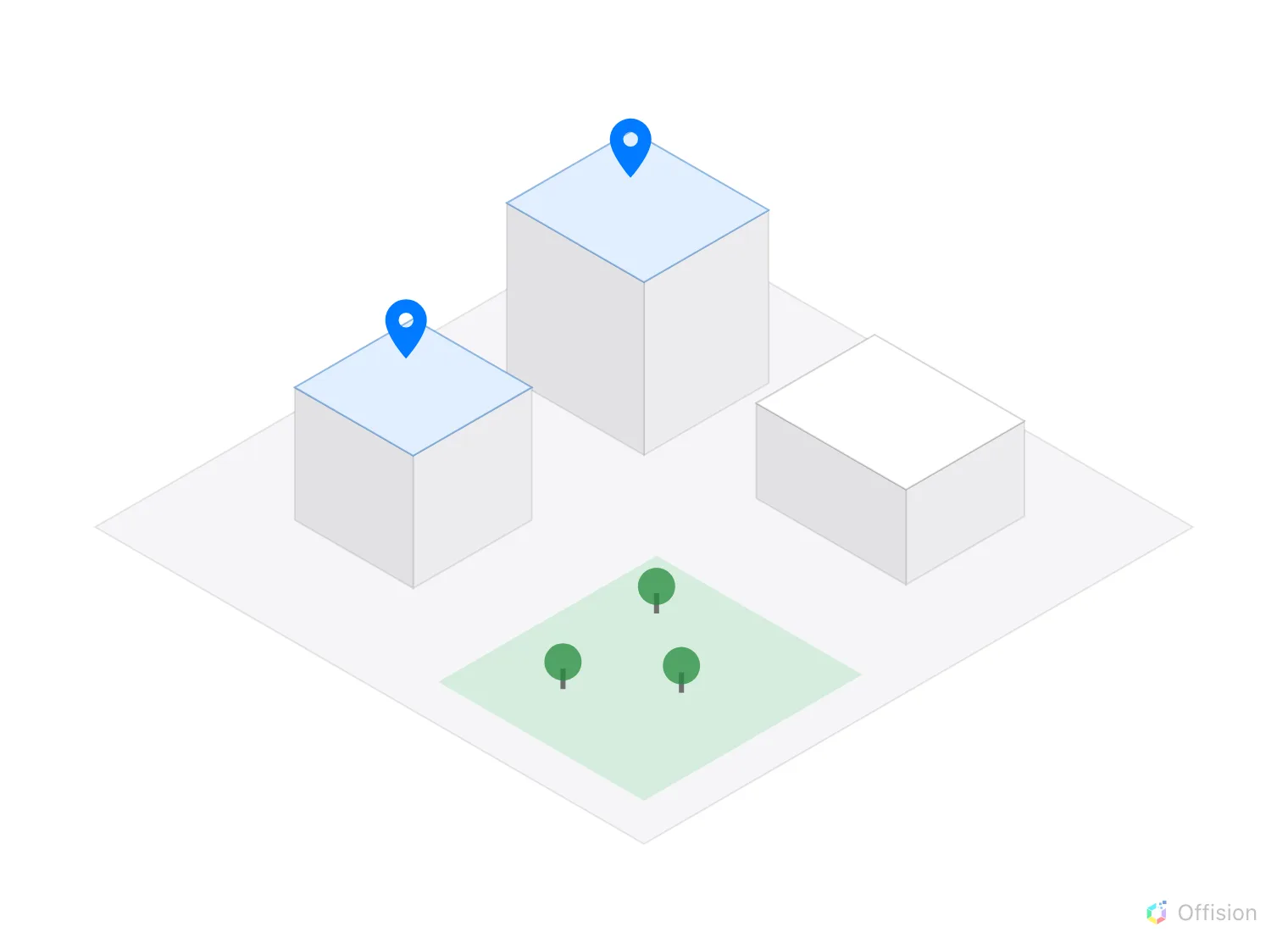
Different locations selected for visiting — two of the estate's buildings are pinned, the third is not.
What one location carries
Select a building’s row and its panel shows everything the location decides:
- Visiting policy — the rules of a visit here: approval, vehicles, what the badge code does, and whether the host is told when their visitor arrives. A policy attaches to a building, a floor or a room, and the most specific one wins. Every field is in Visiting policy settings.
- Opening hour and time zone — when visitors may be on site, and which clock that is measured on.
- Receptionist — who staffs this building’s desk. A receptionist sees only the visitors of their own buildings, so a location with nobody named here has a desk nobody can open.
- This month’s visitor count — visitors are counted per location, each badge created counting once against its building’s monthly limit.
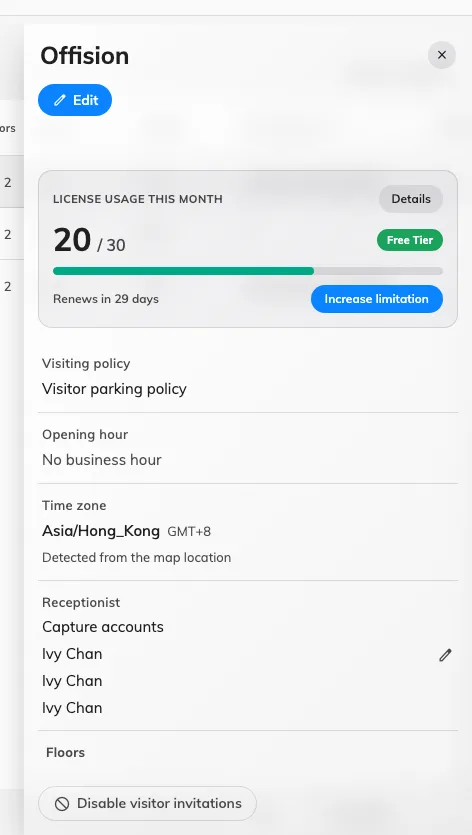
One location's panel: its visitor count for the month, visiting policy, opening hour, time zone, receptionists, and the floors, rooms and parking open under it.
Where its visitors are met
A location can meet visitors at any of three surfaces: a reception desk staffed by its receptionists, a lobby screen guests use themselves, and the panel outside a room. A lobby screen names the buildings it serves in its own visitor widget — left unset, it greets every visiting location, so on a multi-building site set it. The screen’s position on the floor plan is a different setting and has no effect on which visitors it greets.
What a location does not decide
- What a visitor is asked for. The questions, the photo and the survey come from the visiting purpose, not the place.
- What the badge looks like. Badge design is set once for the whole company.
- The country codes on the invite form. Those are company-wide too.