

Both maps
What happens when a visitor checks in
The three places a visitor can be admitted — the reception desk, a lobby screen or kiosk, and their own phone — and what each one does at the moment they arrive: whether the guest is shown the room they are going to, and whether the host is told. The panel outside the room is not one of them.
A visitor can be admitted in three places, and the panel outside the room is not one of them. A room booking panel can let a visitor who is already checked in take a free room, and it can open a door for them, but nothing on a panel admits anybody to the building. That is worth saying first, because it is where most people look.
The three that do admit a visitor are the reception desk, a lobby screen or kiosk, and the visitor’s own phone. They create the same record. They do not show the guest the same thing.
What each surface does
| Where they check in | Shown the room | Floor plan | You are here | Host told |
|---|---|---|---|---|
| Reception desk — a receptionist scans their code | no | no | no | yes |
| Lobby screen or kiosk — the guest checks themselves in | yes, when the visit names a room | yes, that room lit up | when the screen is placed on a plan | yes |
| The visitor’s own phone — from a link or a QR on the screen | no | no | no | yes |
| Room booking panel | cannot check a visitor in at all |
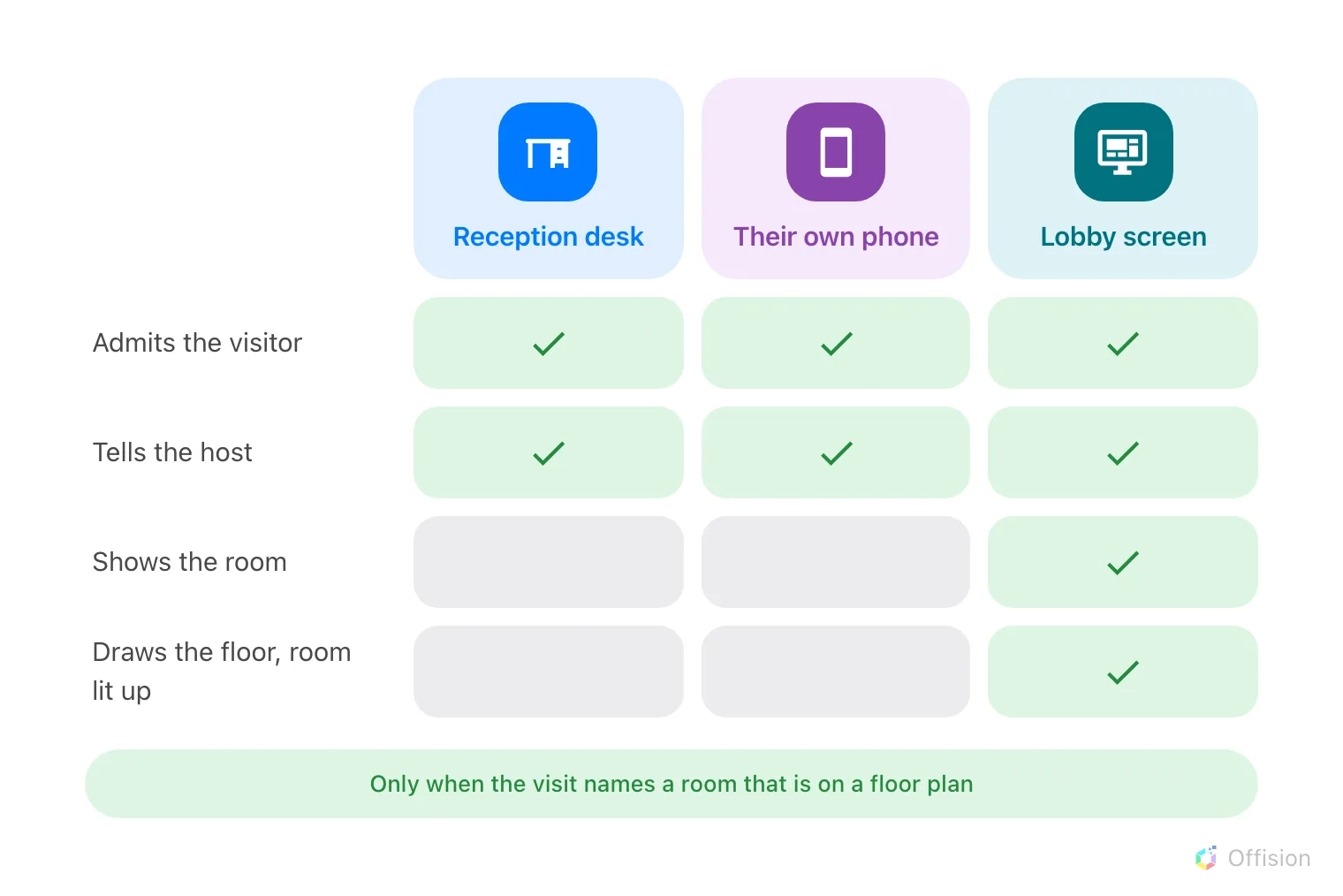
Wherever a visitor is admitted, the host is told. Only the lobby screen also shows the guest the room they are going to.
The guest who is shown the room
At a lobby screen, a successful check-in interrupts the welcome content with the destination: the room’s name, its floor and its building, and a plan of that floor with the room lit up. Where the screen itself has been placed on a floor plan, the guest also gets a You are here pin and can see both ends of the walk. It closes itself after a minute.
It is not unconditional. The visit has to name a room that is open to visitors, and that room needs a floor and a position on the floor plan; without those the guest gets a plain confirmation instead. The four conditions, and what to check when the map does not appear, are in Show a visitor the way to the room they are visiting.
The reception desk’s own check-in wizard shows no plan — the receptionist is standing next to the guest, and the room is on the visitor’s badge. A guest checking in on their own phone is told to collect that badge at reception.
The host who is told
Every surface tells the host, and it is on out of the box. The moment the badge is admitted the host gets an email, a push notification where they use the mobile app, and a Teams message where Teams is connected. The host is whoever invited them — for a visit created from a booking, that is the booking’s organiser.
The message names the visitor, not the room. Turning it off is a policy setting per location, and a visit governed by two locations keeps the notification until both have turned it off. Both facts are in Tell the host their visitor arrived.
What this does not decide
- Whether the guest is admitted at all. A visit awaiting approval has sent no invitation and has no code to check in with — see Require approval.
- What the badge says, which is set once for the whole company.
- Whether a door physically unlocks. Checking in at a screen can trigger the doors linked to that screen; everything else about a lock is access control.
- Who works the desk. That is the Receptionist permission, and the desk has a guide of its own.