

Show or hide the visitor code
The visiting policy can remove the QR code or the six-digit visitor code from everything the visitor receives — but the code only hides on badges whose code came from an external system, and every location on the visit must agree.
A visitor’s badge carries two credentials: the QR code reception scans, and the six-digit visitor code they can read out at the desk. Two settings decide which of the two the visitor actually sees — on the badge email and text message, the printed badge, the wallet pass, and the badge page on their phone.
Both live on the Visiting policy attached to the location, in the visitor badge group on its Others page. They are per location: a policy governs the buildings and floors it is attached to, and nothing else.
Open Visiting policy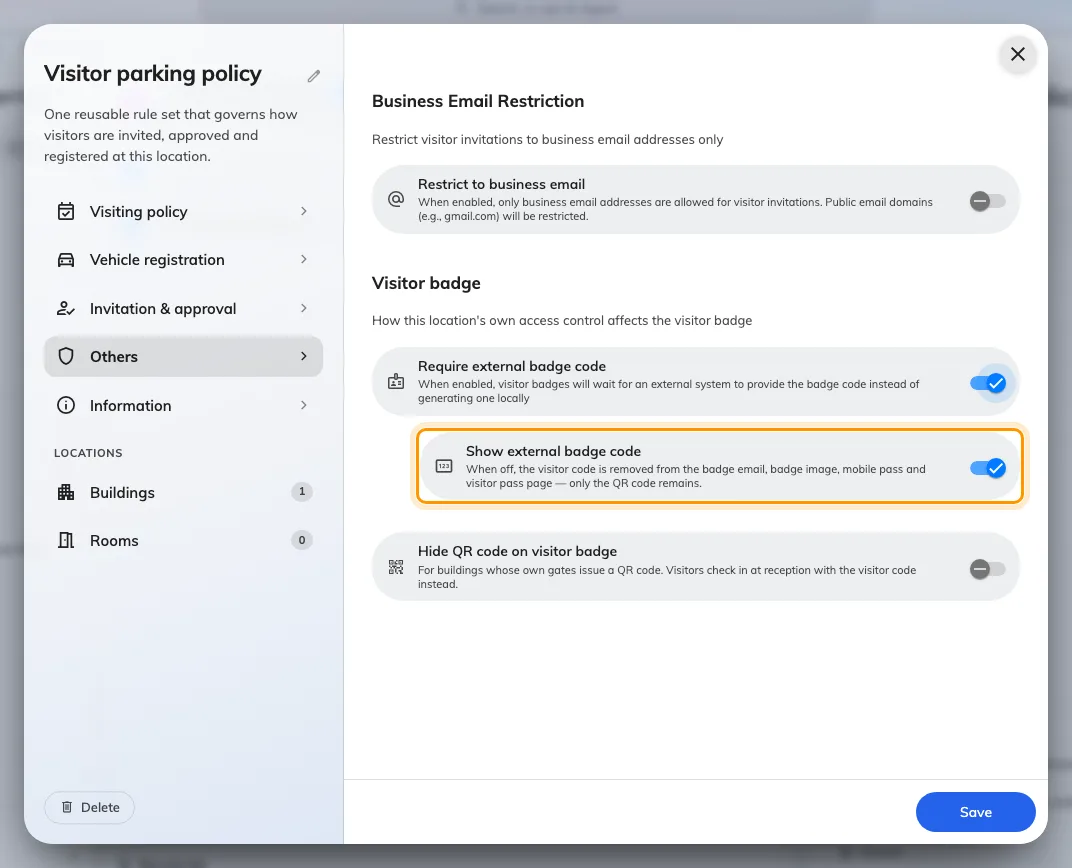
The visitor badge group on a policy's Others page. Show external badge code appears once Require external badge code is on.
Hiding the QR code
Hide QR code on visitor badge removes the QR from everything the visitor receives. It exists for buildings whose own gates issue a QR of their own — two codes on one badge and visitors present the wrong one. The visitor checks in at reception with the visitor code instead.
Hiding the visitor code
Show external badge code, turned off, removes the code the same way and leaves only the QR. But it is a sub-setting of Require external badge code, and that is the part that catches people out: it only applies to badges whose code was issued by your own visitor management system — see Let your own system issue the visitor badge code.
An Offision-generated code cannot be hidden. On an ordinary badge the six digits are the check-in credential — the QR encodes a badge id reception cannot read out — so removing them would leave the visitor with nothing to say at the desk. The toggle does not even appear on the policy form until Require external badge code is on, and a value saved earlier has no effect while it is off.
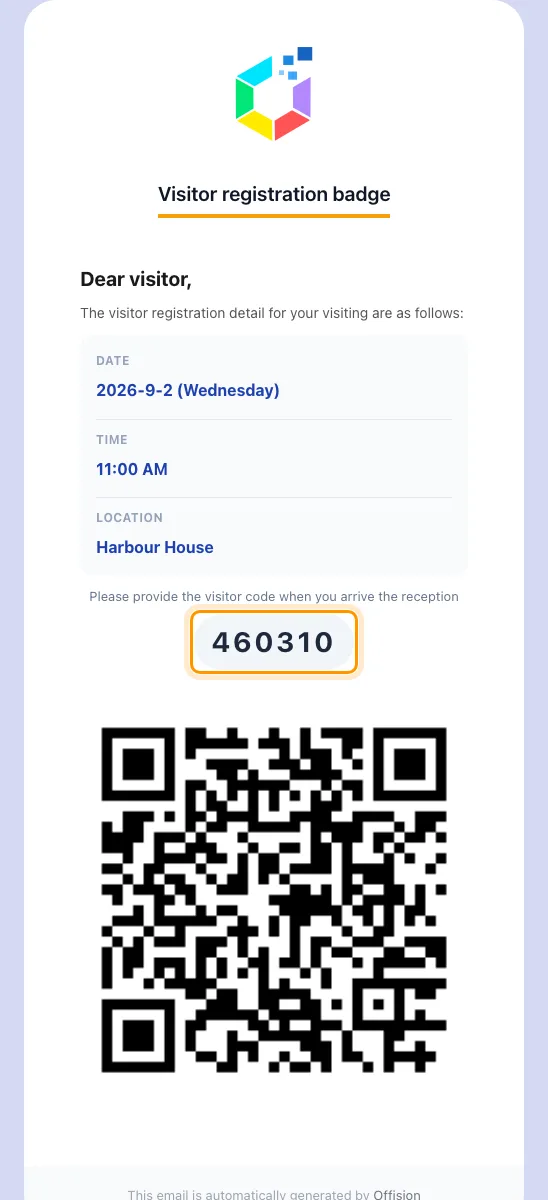
The badge email as most visitors get it: the visitor code, then the QR.
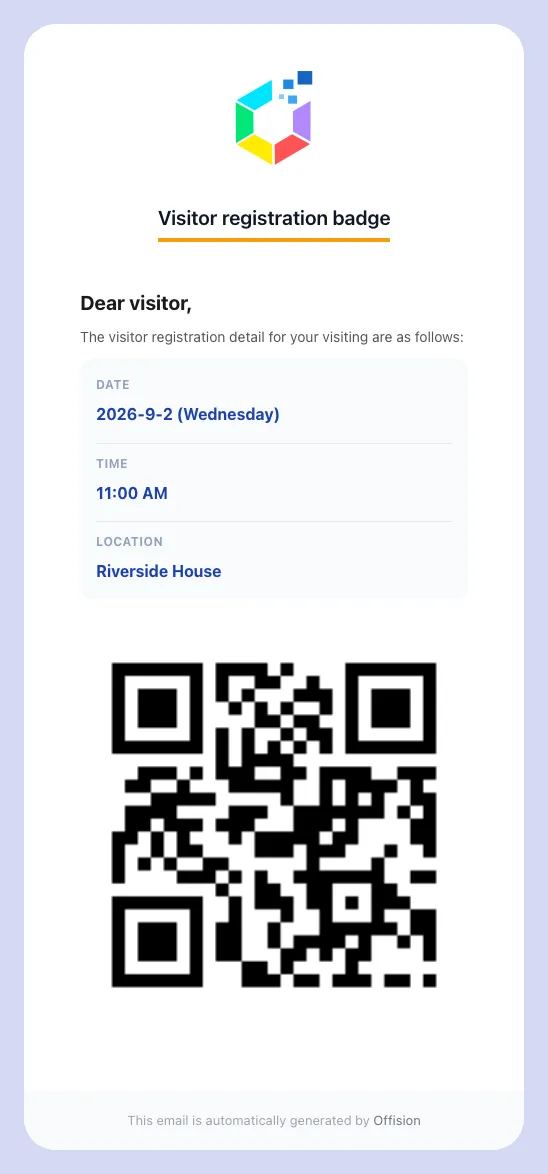
The same email with Show external badge code off: QR only.
Every location must agree
A visit can span buildings, and one badge covers all of them. The code — or the QR — disappears only when every location on the visit says so: each one governed by a policy, and every one of those policies opted out. One location with no policy, or one whose policy still shows the code, keeps it on the whole badge.
One thing can never happen: a badge with neither credential. If the two settings between them would remove both, the code stays.
If the code still shows
- Require external badge code is off on the policy — the usual cause. The code is Offision’s own, and an Offision-generated code always shows.
- Another location on the visit is not opted out, or has no visiting policy at all.
These settings change what the visitor sees. Reception still sees the code on the visit record, and a hidden code also stops the visitor’s lost-code resend — there is nothing to resend.