

How Offision knows two visits are the same person
One record per visitor, not one per visit — and a key on each visiting purpose decides which. What each of the five keys matches on, why changing it later does not merge anybody, and what a legacy purpose does instead.
Offision keeps one record per visitor, not one per visit. So when somebody arrives for the third time this year, something has to decide that all three were the same person — and that is the key for storing visitors, set on each visiting purpose.
Get it right and a returning visitor’s history, their long-term badge and their past surveys follow them. Get it wrong and the same person becomes two strangers who happen to share a name, which is what most “why are there two of him” questions turn out to be.
The key is one of five, and a purpose uses exactly one:
| Key | Two visits are the same person when | Suits |
|---|---|---|
| Email address | the address matches | Most organisations — an address belongs to one person |
| Mobile number | the number matches | Visitors who arrive without a work address |
| Company + full name | both the company and the name match | Sites where visitors give a company but rarely an address |
| Full name | the name matches | Small sites where a repeated name is not a real risk |
| Customize key | a value you ask for matches | Anywhere an outside number already identifies people — a contractor number, an agency staff ID |
Choosing Customize key adds Customize key name beside it. Fill it in with whatever the visitor should be asked for, in each language — Contractor number — because that text is the question they see. Left blank, the field still works but is unlabelled.
A key is always collected. You cannot identify people by something you never ask for, so picking one takes its field out of the inviter’s hands. Where the key is the email address, the mobile number or the company, that row on the fields page is fixed at Required when inviting and cannot be moved, captioned Identity key — always asked for when inviting: the host supplies it when they invite, and the visitor is asked for it again on their own form.
Full name is collected on every form already, and a Customize key has no row of its own — neither pins anything on the fields page.
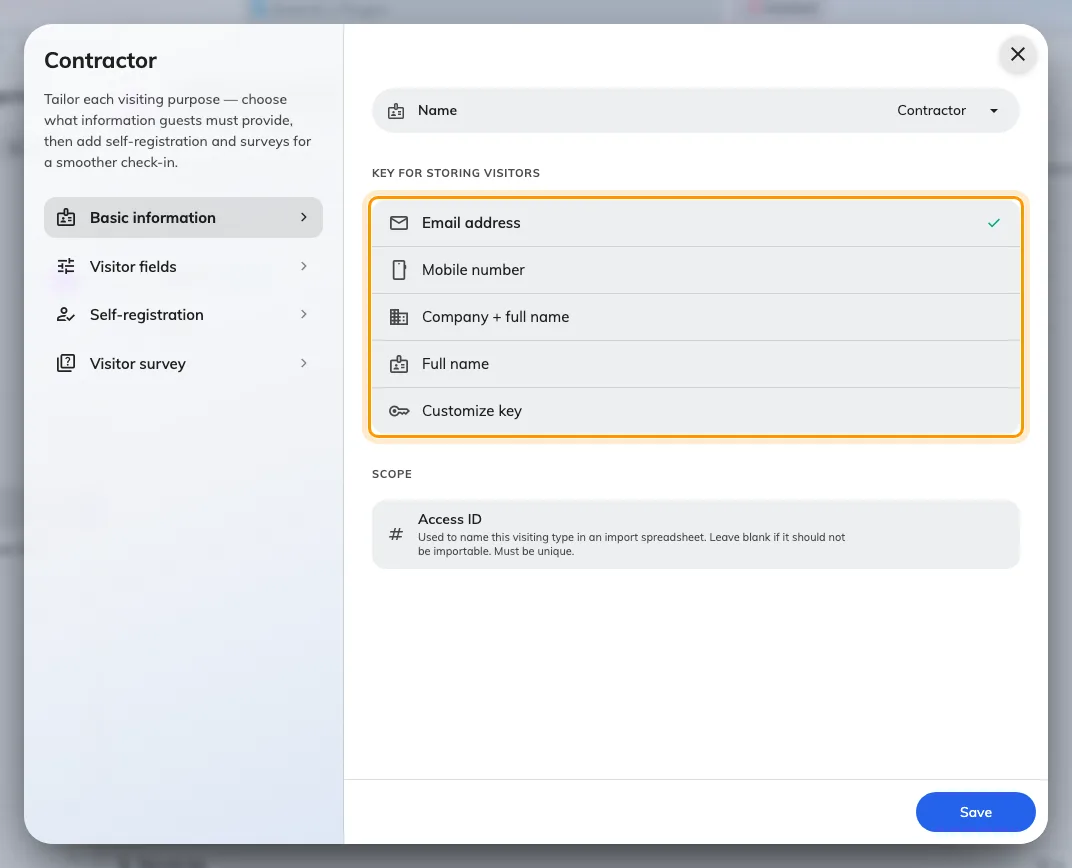
Basic information. A new purpose starts on Email address.
Changing the key does not merge anybody
The key is read when a visit is created. Switching a purpose from Email address to Mobile number changes how visitors are matched from that moment on; it does not go back and join up the records that were already made under the old key.
So decide it when the purpose is created, on the first visit rather than the hundredth.
What the key does not decide
- Which fields the visitor is asked for. The key fixes its own row; everything else is chosen on the purpose’s fields page — see Set up a visiting purpose.
- Who the visitor is allowed to be. Nothing here restricts who may be invited, or from which email domains. That is the visiting policy.
- Anything across purposes. Where one badge spans visits with different purposes, the key is applied only where every purpose involved agrees on it.