

The Clock widget
A clock for one place — five faces from analog to a date-first Today card — for an info card or an action tile. What each design shows, and where it fits.
The time, in the screen’s own time zone. It is the quiet corner of a design — the card or tile that makes a lobby screen read as alive without asking for attention.
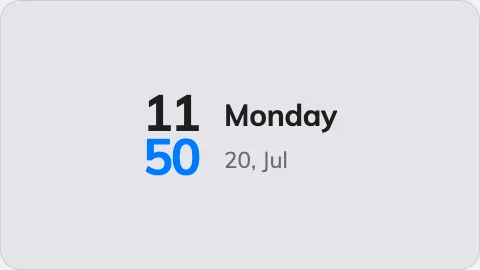
The Clock on an info card.
Can go on: Info cards · Action buttons
Settings
| Setting | What it does | When to change it |
|---|---|---|
| Design | The face: Duo, Digital, Analog, X-Large or Today | Duo pairs the dial with the date, Today leads with the date and weekday, X-Large is the time alone at maximum size — pick what the reader at that distance needs first |
On an action button the clock always shows its Duo face, whatever the card design says — a 3:4 tile has room for exactly that one.
What this does not control
- Whether it reads 12-hour or 24-hour. Boards show 24-hour time, always. There is no setting, and a room panel’s 12/24-hour choice does not reach them. It is deliberate: the digital faces carry no AM/PM marker, so 8pm on a 12-hour board was indistinguishable from 8am.
- Which time it shows. The clock has no time-zone setting of its own — it shows the screen’s own time. Several cities at once is the World clocks widget.
- Its size and colour. The whole design’s font size, appearance and widget background apply here like everywhere else — see Widgets and the places they go.