

The Resource list - for booking widget
Rooms and desks as a browsable list with their live availability — which resources it offers, and the floors it draws them from.
The bookable resources themselves — rooms, desks, whatever you offer — as a list with their live availability, drawn from Booking. Where the Booking status - Map answers “where”, this answers “which one”.
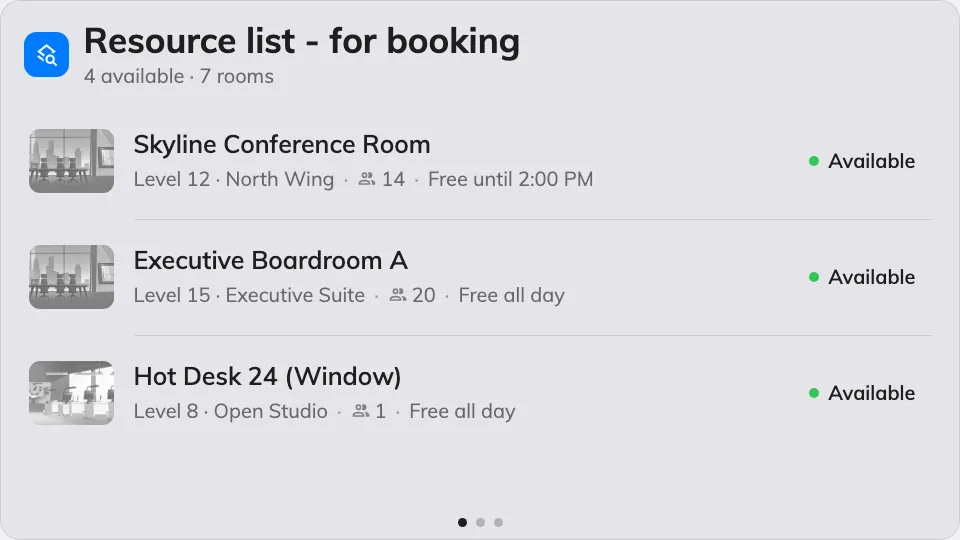
The resource list on the main stage.
Can go on: Main stage · Side widgets
Settings
| Setting | What it does | When to change it |
|---|---|---|
| Resources | Which resources the list offers: Follow device location, All resources, By building, By floor or Specific resources, with a matching picker | The screen serves one team’s rooms, or should follow whichever device it plays on |
| Type | Narrows to certain resource types; empty means Any resource type | Desks only, on a hot-desking floor |
| Location | Limits the list to particular floors | The list should stay on the floors around the screen, whatever the selection above resolves to |
What this does not control
- Which resources exist, and their details. Names, photos, capacity and rules live on the resource in Booking — start at add a room.
- Its size and colour. Font size, appearance and widget background come from the whole design — see Widgets and the places they go.