

The Support ticket list widget
The open tickets, grouped by floor, with a waiting-time number that escalates amber to red — which resources it watches, which statuses it lists, and what the two minute thresholds do.
Every open ticket from Ticketing, grouped by the floor it was reported on. The room is the headline, the colour is the status, and the big number is how long the ticket has waited — turning amber and then red as it ages. It is made for the screen in a facilities or support office, where the question is always “what is oldest”.
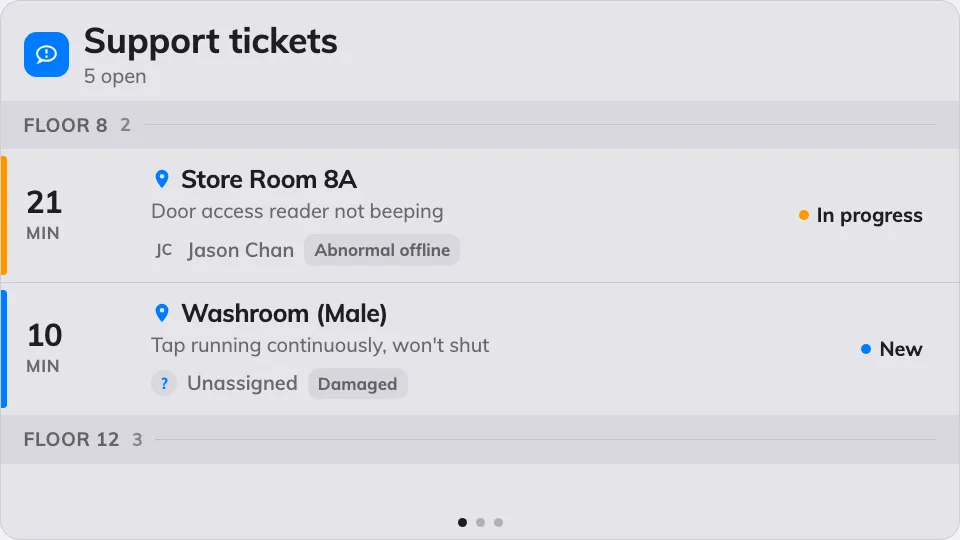
The ticket queue, grouped by floor, oldest wait in red.
Can go on: Main stage · Side widgets · Action buttons
Settings
| Setting | What it does | When to change it |
|---|---|---|
| Resources | Which rooms and desks the queue covers: Follow device location, All resources, By building, By floor or Specific resources — the last three add a matching picker, and the first adds an Auto scope row (Smart, This room, This floor, This building) | One screen per site: leave it following the device. A head-office screen watching everything: All resources |
| Type | Narrows those resources by type; empty means Any resource type | The team only services rooms, not desks |
| Show active | Lists tickets nobody has picked up yet | Almost never off — these are the queue |
| Show in progress | Lists tickets being worked on | Off when the screen should only show what still needs an owner |
| Show resolved | Lists recently resolved tickets | On when the team wants to see work land, off to keep the queue short |
| Show closed | Lists closed tickets | Rarely on — closed is finished |
| Show assignee | Each row names the member of staff it is assigned to | Off on a public screen |
| Show reason | Each row carries the reported problem type | Off when the room and the wait are enough |
| Seconds per page | How long each page holds when the list overflows | More tickets than fit, read from further away |
| Warn after (min) | The waiting time at which a ticket’s number turns amber; 0 turns the step off | Match it to the team’s response target |
| Overdue after (min) | The waiting time at which it turns red; 0 turns the step off | The point at which a wait becomes an escalation |
| Announce new ticket | A chime and a spoken phrase when a ticket arrives. Needs the board’s own Voice announcements switch on as well | A support desk that should hear a report rather than watch for it |
On a touch screen, tapping a ticket opens its details, where support staff can move it to its next status on the spot. On an action button the widget shrinks to a small tile that counts the open queue.
What this does not control
- Where tickets come from. They are reported in the app or at a room panel — that is Ticketing’s job. The screen shows the queue, it never creates or assigns anything by itself.
- Requests for service — tea, cleaning, setup — are the Service request list widget, not this one.
- Its size and colour. The design’s font size, appearance and widget background apply here like everywhere else — see Widgets and the places they go.