

Both maps
The QR code tiles
The five built-in codes a screen can put on the wall — a link of your own, guest Wi-Fi, visitor registration, wayfinding and room control — with each one's settings and where it may sit.
A code on the wall is the touchless path: nobody presses anything, and whatever the tile is for happens on the visitor’s own phone instead. Five of these are built in, each wired to one thing. The tiles you press are in Buttons on a screen, and the places themselves are in Widgets and the places they go.
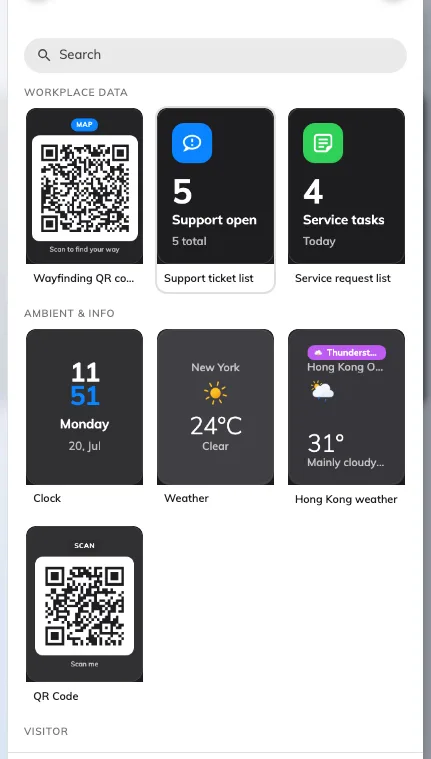
The widget picker: the five codes sit in it like any other tile.
QR Code
A code of your own — a feedback form, a menu, a survey link. The tile renders whatever you give it as a scannable code.
A code of your own on an action tile.
Can go on: Action buttons
| Setting | What it does | When to change it |
|---|---|---|
| QR code content | The text or link the code encodes | The code should point somewhere new |
Visitor registration QR code
The touchless walk-in: the guest scans and registers on their own phone instead of touching the screen. It is also what Visitor self service buttons silently becomes on a screen without touch. The full lobby build around this widget — and why Location matters there — is Set up a lobby screen for visitors.

The walk-in registration code on an action tile.
Can go on: Action buttons
| Setting | What it does | When to change it |
|---|---|---|
| QR action | Whether scanning registers the visitor only (Register only) or registers and checks them in (Register and check in) | Register and check in where nobody staffs the desk |
| Check in directly | Skips the confirmation the visitor would otherwise tap through. Refused unless the code carries a valid access key, so it is not independent of the next setting | The shortest possible path matters more than a confirmation step |
| Access key type | How often the code behind the QR is replaced — Daily, Hourly or Every 3 minutes. New widgets start on Every 3 minutes; a widget already set to Daily keeps it | A code on a public wall should rotate fast; a code behind a reception desk need not |
| Print visitor badge label | A badge label is printed for the guest | A label printer is connected at this screen |
| Location | Which building the registration belongs to — Follow device location, All buildings or Choose… | Leave it on Follow device location |
A guest who scanned a code moments before it rotated is not turned away: the server keeps the previous code working for a short grace period, which is why the faster window costs nothing.
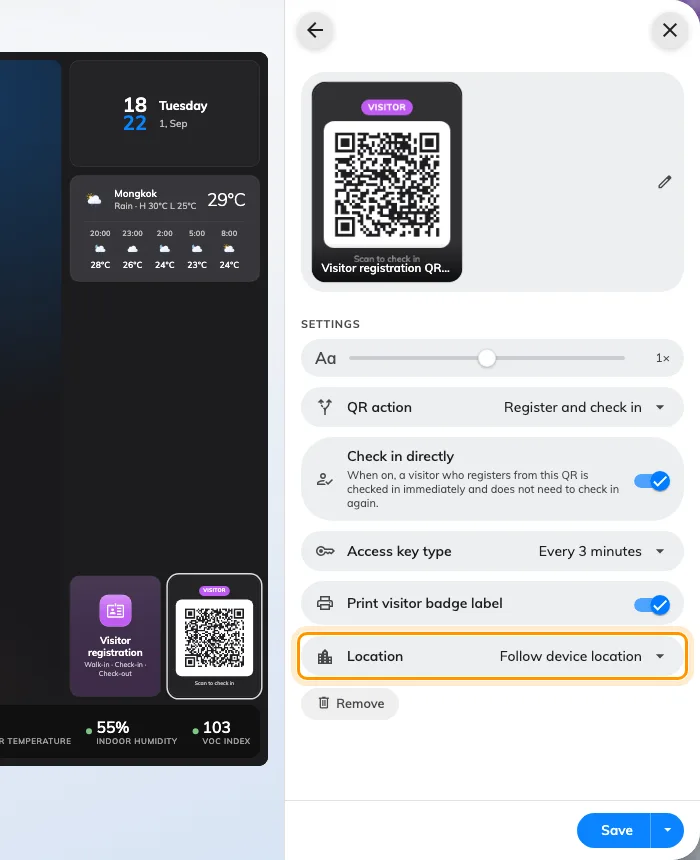
The walk-in code's settings. Location is the one to leave following the device.
Wi-Fi QR Code
The guest network as a scannable code — a phone that scans it joins the network without typing anything.
The Wi-Fi QR Code on an action tile.
Can go on: Action buttons
| Setting | What it does | When to change it |
|---|---|---|
| Network name (SSID) | The network the code joins | The guest network changes |
| Password | The password the code carries | Rotating the guest password — the code updates itself |
| Security | The network’s protection, WPA or WEP | Only if the network is not WPA |
| Description | The caption under the code while the credentials are hidden; empty, the tile just says to scan | Saying which network it is, or who it is for |
| Hidden network | Marks the network as hidden, so a phone can still find it after scanning | The SSID is not broadcast |
| Show SSID and password | Replaces the caption with the name and password, for typing them in by hand | Guests whose phones cannot join from a code |
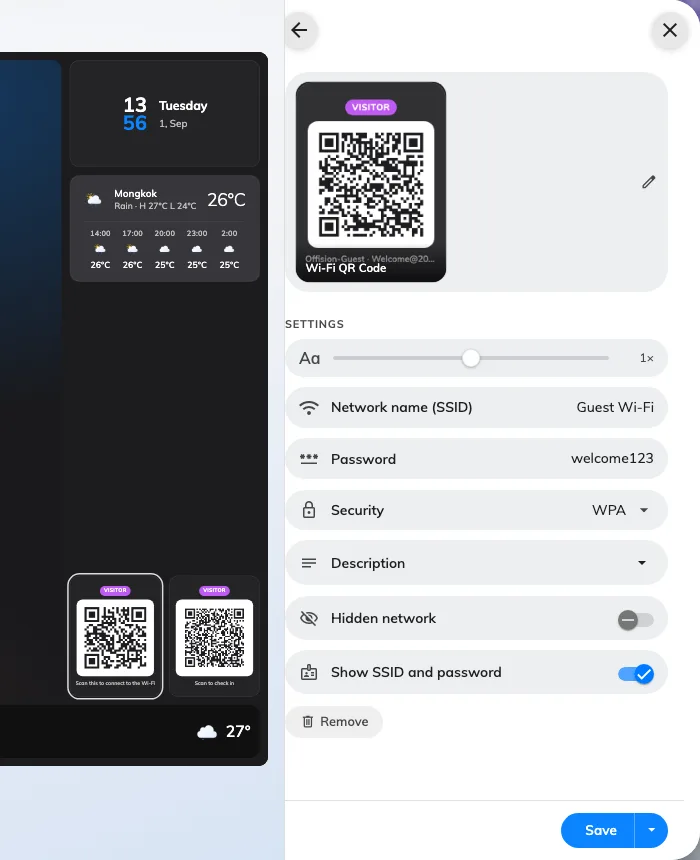
The Wi-Fi code's settings: the network the code joins, and what the tile says under it.
Wayfinding QR code
Scan it and the floor opens on the reader’s own phone, at the spot this screen stands — for anyone in the building, not just visitors. The code carries no destination, so the phone arrives with a search field and the reader picks the room, then gets the walk one step at a time. It has no settings of its own beyond the shared ones.
The wayfinding code on an action tile.
Can go on: Action buttons
Room control QR code
During a booking, the code lets the people in the room control its equipment from their own phone. The code is itself the touchless path, so this tile stays on screens without touch. It has no settings of its own beyond the shared ones.
The room control code on an action tile.
Can go on: Action buttons
What these do not control
- What the code points at. Wi-Fi credentials come from the visitor Wi-Fi settings, registration from the Visiting module, and a route from the floor plan. The tile renders a code; it does not create the thing behind it.
- Their size and colour. The design-wide font size, appearance and widget background apply to these like every other tile — see Widgets and the places they go.
- A code somebody handed you. A payment code, or one issued by a bank or a landlord, is a picture rather than a link — see Show your own QR code on a screen.