

The Visitor welcome widget
The full-stage greeting: a guest's name while somebody is arriving, a company welcome in between. Its four designs, the idle screen's logo and clock, and the settings that pick which guests it greets.
The screen that says a guest’s name. While a visitor is arriving it fills the stage with their name and company; in between guests it is a designed company welcome — logo, greeting, and optionally a clock — never a “no data” screen. It is also what the visitor-arrival takeover shows when it interrupts the stage.
Each guest’s card carries the room they are going to, where their visit names one. And when a guest checks in at this screen, the screen hands them the floor that room sits on before it returns to the welcome — see Show a visitor the way to the room they are visiting.
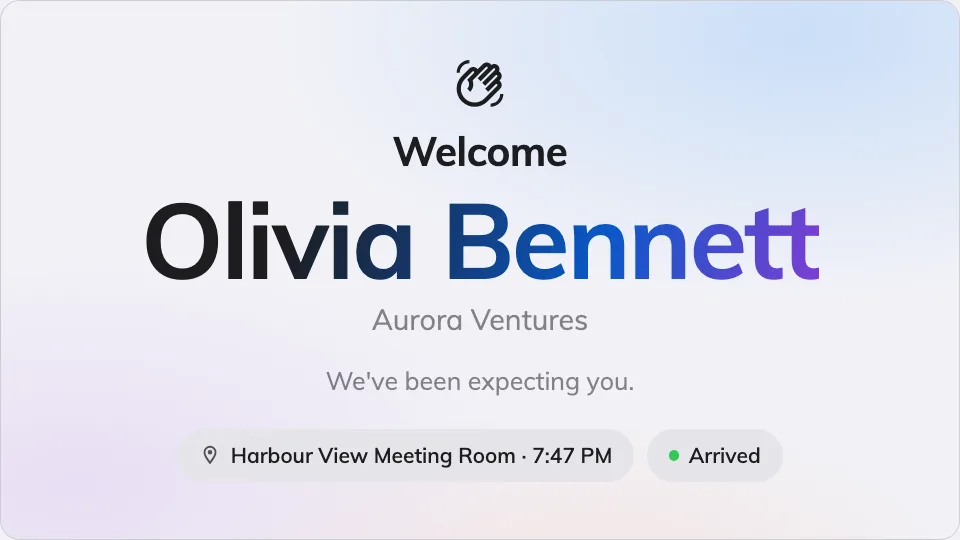
A guest greeted by name on the stage.
Can go on: Main stage
Settings
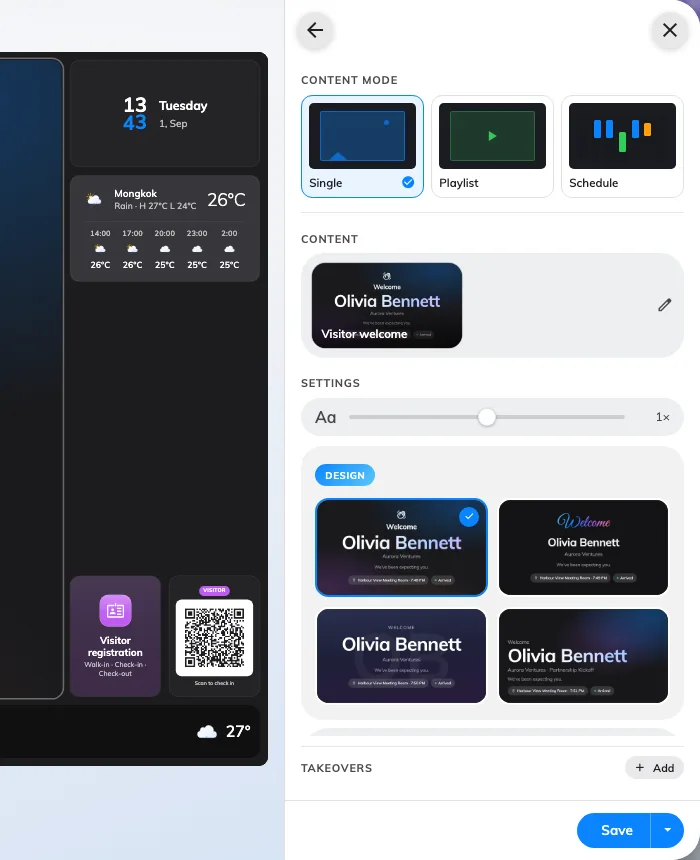
The four designs, on the widget's own page — Ambient aurora is the default.
Both are on the widget’s own page; Message and Visitors are pages under it.
| Setting | What it does | When to change it |
|---|---|---|
| Design | The look: Ambient aurora, Hello script, Contact poster or Editorial | Match the lobby — script for warmth, poster for a portrait-led greeting, editorial for restraint |
| Welcome title | The headline, in every display language; empty falls back to the built-in greeting | The company has its own words for hello |
| Welcome message | The line under it | A house style, or directions for the guest |
| Multilingual welcome | Adds a strip of greetings in several languages to the idle screen | An international lobby |
| Company logo | What the idle screen carries: None, System logo or Custom upload | Custom upload when this screen needs different branding from the console |
| Logo image | The uploaded file — appears once Custom upload is chosen | — |
| Show clock | Time and date on the idle screen | Off when the design should stay pure branding |
| Show | Checked-in visitors or Upcoming visitors — who gets greeted | A screen behind the reception desk shows who has arrived; a screen at the door shows who is expected |
| Show minutes before appointment / Show minutes after appointment | With Upcoming visitors: the window around the appointment time a guest is shown in | Guests habitually early, or habitually late |
| Keep showing seconds after check-in | With Checked-in visitors: how long the greeting holds after a guest checks in | Longer where the walk past the screen is longer |
| Greet | Only when the widget runs as the takeover: All visitors — every check-in across this screen’s buildings — or This board only, the guests who scanned this screen’s own QR code | Several screens in one lobby, each greeting only its own arrivals |
| Seconds per visitor | How long each guest holds the stage when several qualify at once | A busy reception where arrivals bunch |
| Location | Whose visitors count: Follow device location, All buildings or Choose… | Leave it following the device — see the note below |
| Limit visiting types | On, plus a Visiting purpose picker: only visits of those purposes are greeted | Contractors should not be welcomed like clients |
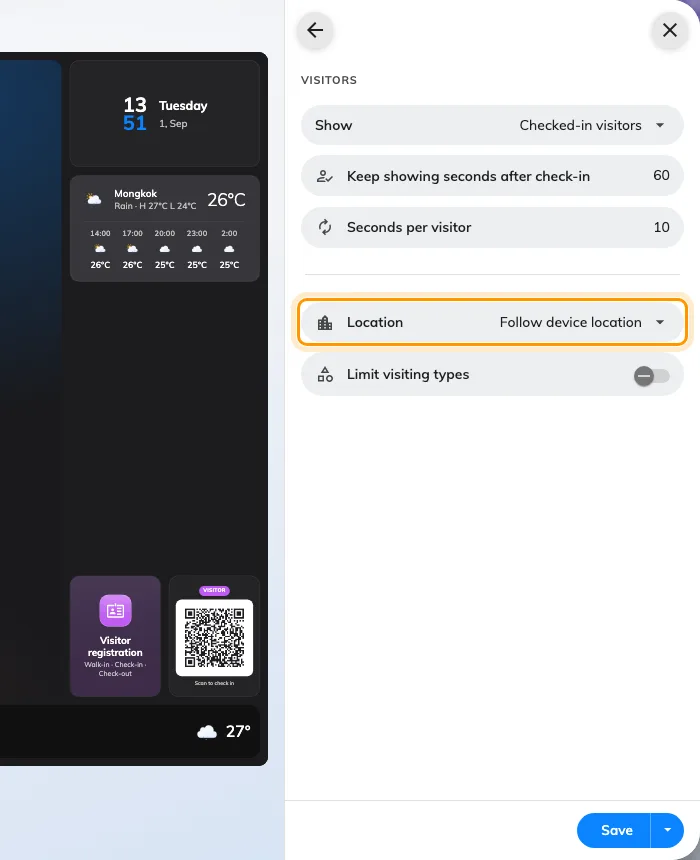
The Visitors page: who gets greeted, and whose visitors count.
A new arrival always jumps the queue — the rotation is for the guests already on screen, not a delay on greeting.
What this does not control
- Who counts as a visitor. Invitations, check-in and the visitor flow are Visiting’s job — the screen greets what that module records.
- When it interrupts the stage. Placed on the stage it simply plays; arriving over other content is the visitor-arrival takeover.
- Where the screen thinks it is. Follow device location reads the device’s location — the whole lobby setup, location included, is in Set up a lobby screen for visitors.