

The World clocks widget
Several cities' local time at once — rows beside a globe on the stage, compact rows in the side column, dials or numeral columns on a card. The cities, the paging, and the card style.
The local time in the cities you name — for the lobby of a company whose mornings happen in three of them. Each row carries the offset from the screen’s own time, so nobody does the arithmetic.
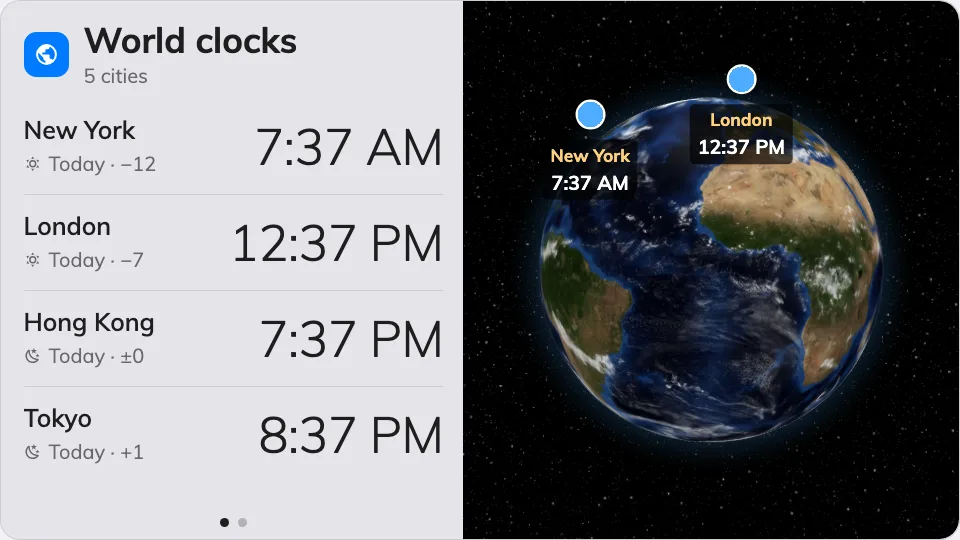
World clocks on the main stage — the rows beside the globe.
Can go on: Main stage · Side widgets · Info cards
Settings
| Setting | What it does | When to change it |
|---|---|---|
| Cities | Which cities appear, in the order you add them | Put the office people actually call first |
| Seconds per city | How long each page of cities holds before the next | More cities than fit at once — give the far pages time to be read |
| Card style | How the 16:9 card draws them: Day/night dials or Digital times | Dials say day-or-night at a glance; digital times are for reading the exact hour. Only the info-card placement uses this |
The widget redraws itself for each place: rows beside a globe on the stage, compact stacked rows in the side column, and the card style above on an info card.
What this does not control
- The screen’s own clock. One place’s time, without the globe, is the Clock widget.
- Its size and colour. The design’s font size, appearance and widget background apply here like everywhere else — see Widgets and the places they go.