

Get booking and usage data into your BI tool
Pull bookings, room usage and occupancy figures into Power BI, Tableau or any other BI tool: which analytics calls return usage counts, minutes and percentages, which one streams the same bookings as a spreadsheet, the read scopes a reporting client needs, and the paging, date-window and row caps on each — plus where the Excel and CSV buttons are when a downloaded file is all you need.
Booking and usage data leaves Offision two ways: as a file somebody downloads from a report screen, or over the REST API, which returns the same bookings as rows and the usage figures already aggregated. Power BI, Tableau and every other reporting tool use one or the other.
Take the file, or call the API
Take the file when somebody needs a number this afternoon. Every list and report screen exports itself as Excel or CSV; where all the export buttons are lists them, and which report answers which question says what each report holds. The one download built for onward analysis is the booking analytics pivot table, how much your rooms are used, whose workbook carries a Raw data sheet — one flat row per combination, the shape a PivotTable expects.
Call the API when the extract has to repeat without anyone present, cross a period longer than a screen will show, or land somewhere other than a spreadsheet.
What a call needs
An integration client, created on API authentication under Marketplace, as either a long-lived Access token or an OAuth2 client exchanging its secret for a daily bearer token. Connect your own systems covers both and the guards around them.
Open API authenticationA reporting client only ever reads, so grant it booking.read, analyze.read,
bookableResource.read, building.read, user.read, userGroup.read and
dashboard.read rather than all.read — a token can ask for less than its client holds,
never more.
The calls a report makes
| What you want | The call | What comes back |
|---|---|---|
| Every booking, as rows | Resource appointments | One row per booking, paged. Narrow by date, resource, resource type, organiser, booking state or free text |
| The same bookings as a spreadsheet | Booking export | An .xlsx stream, in the time zone you name, optionally one email domain |
| How much each room was used | Booking by resource | Per resource: booking count, minutes used, percentage used |
| How that moves over time | Booking by time | The same three figures per bucket — five minutes up to monthly |
| What the sensors saw, not what was booked | Occupancy by resource, and a by-time twin | The same two shapes, measured rather than booked |
| Visitor counts for one day | Visitor badge statistics | That date’s expected, on site, left, no-show and over-staying counts |
| The names behind the ids | Resources and buildings, users and their groups | What you join the figures against. There is no department call — a user group is the nearest thing |
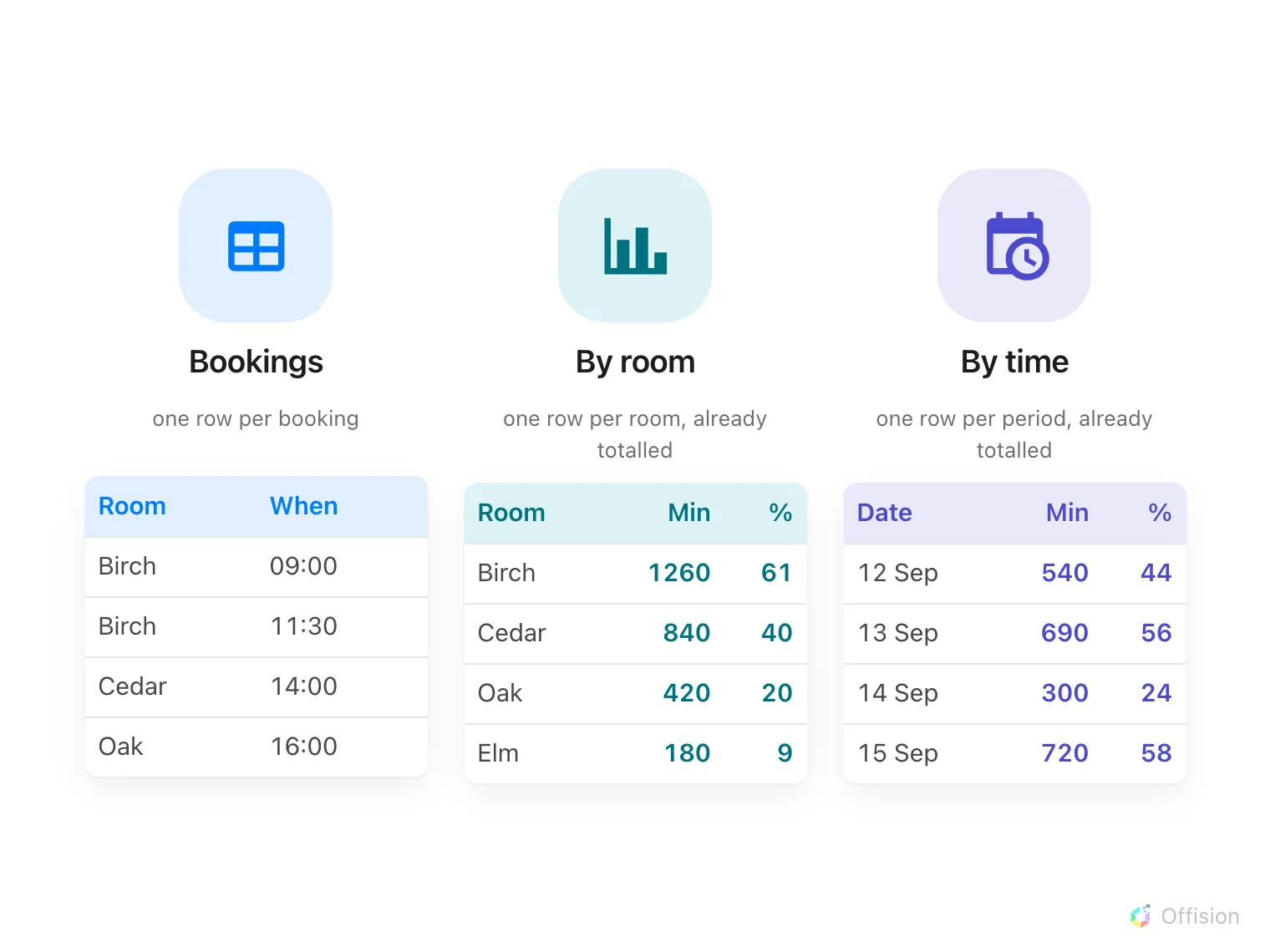
What the three calls return, side by side: one row per booking, or rows already totalled by room and by period.
Windows, paging and the caps
- Always send
fromandtoto an analytics call. Left out, both default to the current moment, and the call returns an empty window rather than everything. - Booking rows are paged, thirty to a page unless you ask for more, with the total beside the data so you know how far to walk.
- Usage by resource is not paged and stops at 9,999 rows. Estates larger than that have to be fetched a floor at a time.
- The spreadsheet call takes two months at a time. The JSON calls have no such limit, so a year-long extract is a loop over the rows, not over the export.
- A thousand requests every five seconds, per token. Past that the call returns 429
with a
Retry-Aftertelling you how long to wait.
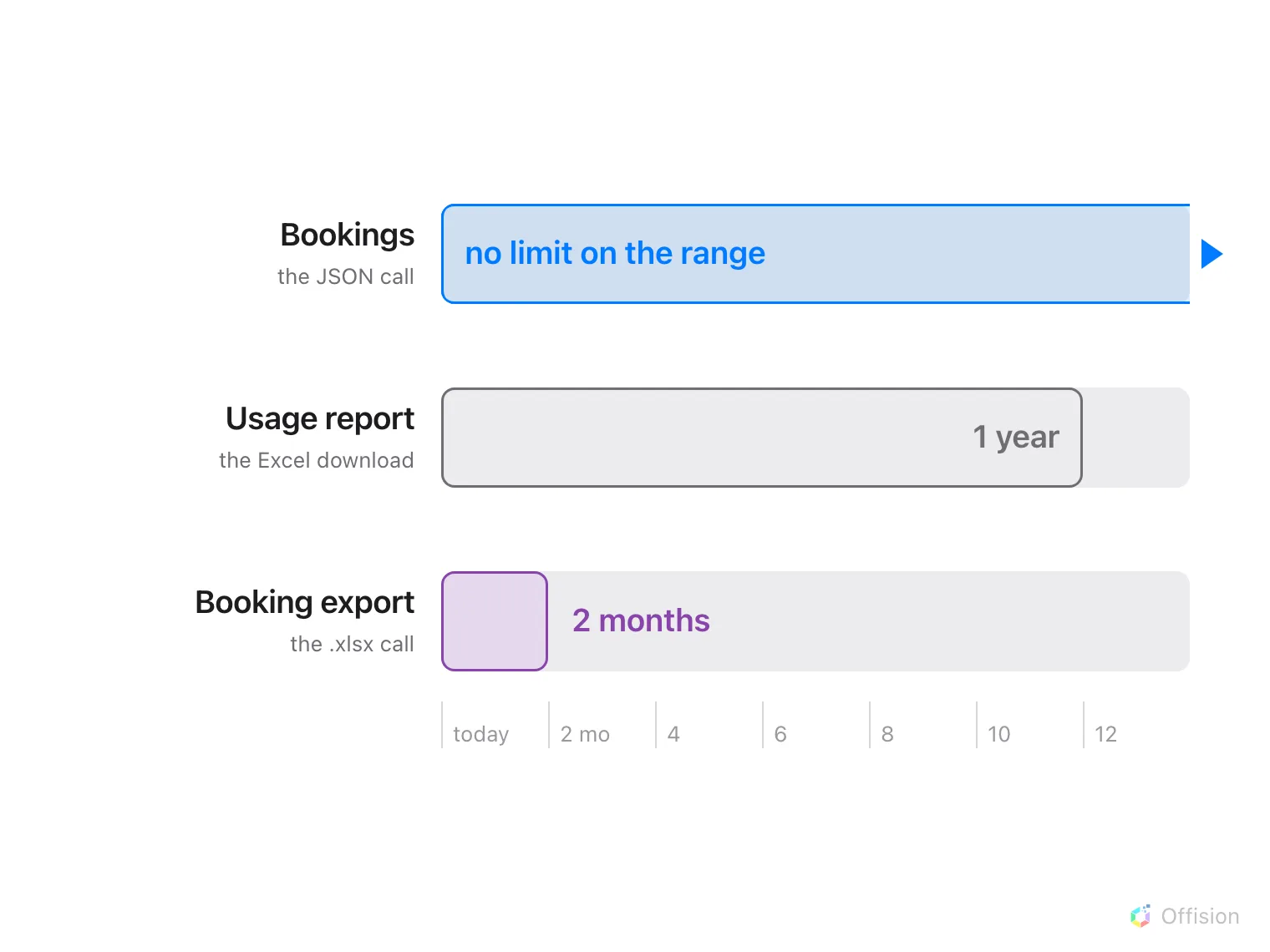
How far back each route reaches: the JSON call has no range limit, the usage download stops at a year, the spreadsheet call at two months.
Keeping an extract fresh
Most reporting runs on a schedule — re-read a moving window each night and let the
warehouse deduplicate. For sooner, a client holding bookableResource.readwrite can
register a callback URL against named resources, and Offision posts to it when a booking
on one of them changes.
What there is no way to do
- No database access. There is no ODBC or JDBC driver and no direct connection to the data; everything goes through the exports or the API above.
- No connector to install. Power BI, Tableau, Zapier and Power Automate all reach Offision as a plain REST caller or by reading an exported file.
- Nothing pushes an extract out. The closest thing is the emailed booking summary, which attaches a spreadsheet on a schedule.
- The audit trail is not on the API. It downloads from its own screen only — see the audit trail.
- An oversized export is refused rather than truncated, with a message asking you to narrow the range or the filters. Do that, or switch to the API.