

A meeting booked in Outlook never appears in Offision
Offision mirrors the room's own calendar, so a meeting the room declined — or never answered — leaves no booking at all. How to tell that apart from a stopped sync or an unconnected room.
Offision mirrors the room’s own calendar. A meeting reaches Offision only after the room has accepted the invitation and it is sitting on that calendar. A meeting the room declined never lands there — so there is nothing to mirror, and Offision has no record of it at all. That is not a lost booking; it is a booking that never existed on the room.
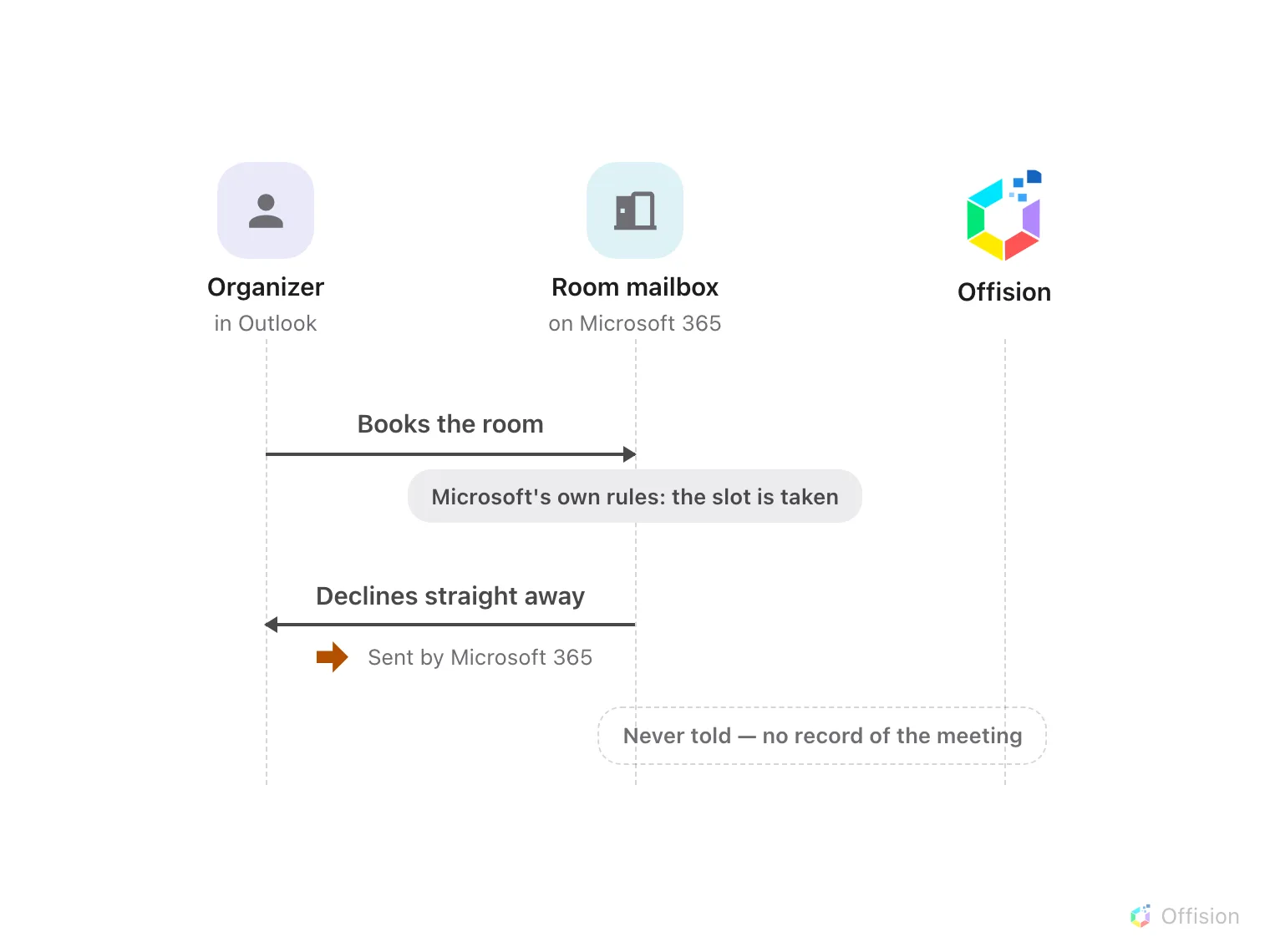
A declined meeting never reaches the room's calendar, so nothing syncs — Offision is never told, and there is no booking record.
The room declined the meeting
Most commonThe slot was already taken, so the room’s mailbox declined the invitation and the meeting never reached its calendar. The proof is in the organizer’s inbox: a decline reply ending in Sent by Microsoft 365 — see The rejection email says it was sent by Microsoft 365.
Book again at a free time, or in Offision, where the conflict is shown before you confirm.
The sync is behind or stopped
CommonThe room accepted — the meeting is on its calendar in Outlook — but it still does not show. New meetings normally arrive within a minute; if nothing has crossed over for hours, the connection’s sign-in has usually lapsed. See Bookings stopped syncing with the calendar.
That room isn't connected to Offision
Less commonOnly rooms added to the Microsoft 365 connection are mirrored. If the room is missing from the connection — or was deactivated — its meetings stay in Outlook only. See Sync rooms from Microsoft 365.
The room never answered
RareNo decline reply and no acceptance either: the room’s mailbox is not processing invitations, or a person moderates its requests and hasn’t acted. Offision waits for the room’s answer, so the meeting stays invisible until one arrives. Check the room mailbox’s booking settings in Microsoft 365.