

See Neat sensor data around Offision
Every place a synced Neat device's readings surface — the device, its space, the history chart, device monitoring, the booking calendar and the signage in the room — plus the two controls Offision has over the device itself.
Once a Neat device is synced, its readings stop belonging to the device. They land on the space it sits in, roll up to the room and floor, and from there surface in six places — each answering a different question.
Open IntegrationsOn the device — is it healthy right now
The device’s own page in the Neat Pulse dialog shows the live picture: online state, when it last reported, and a Sensor data tile per reading that model has. This is the page for this sensor is acting strangely — everything else below is about the room, not the hardware.
On the space — what the room is reporting
Open Spaces in the same dialog and pick one. Its page shows the latest readings for the room as a whole, Devices in this space, and — the row that matters — Linked resource: which bookable room these readings feed. The link actions live here too: Link to a bookable resource, Change linked resource, Unlink.
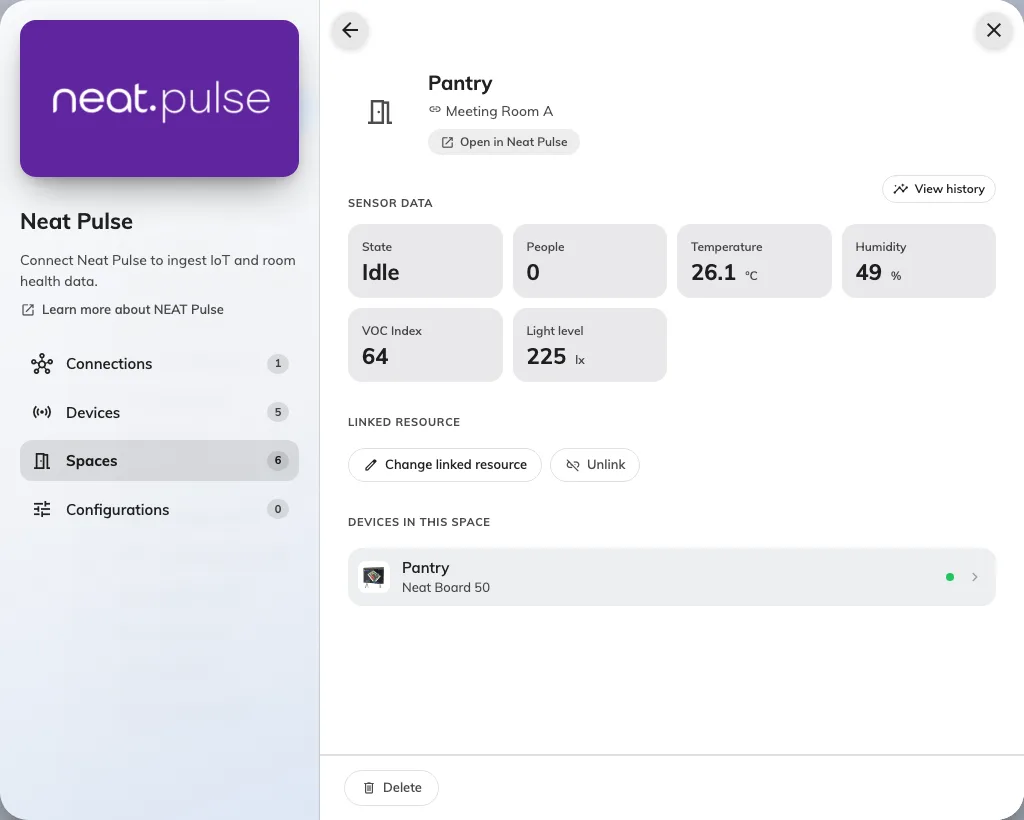
A Neat room as a space: latest readings, its devices, and the bookable resource it feeds.
Back in time — View history
Every sensor-data section carries View history, which opens the same chart dialog everywhere: pick a reading, pick a range, and see how it moved. This is where a stuffy 3 pm meeting room stops being an anecdote and becomes a CO2 curve that peaks every afternoon.
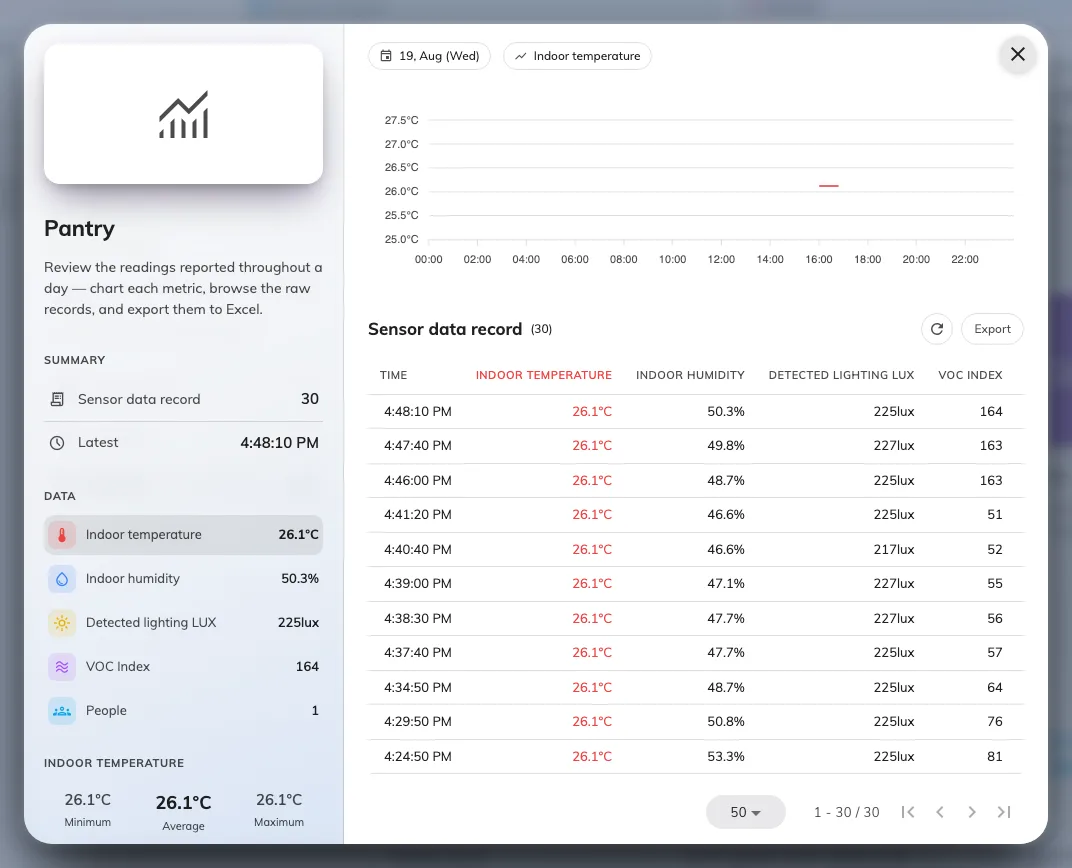
The history chart: one reading over time, for the device or the space.
Across the estate — Device monitoring
Devices › Device monitoring lists Neat devices alongside every other device family, with the same sensor readings and controls inline. This is the page for the morning sweep — is anything offline anywhere — rather than for one room’s story.
Open Device monitoringOn the booking calendar — how the room was used
This is what the Bookable resource link is for. On the booking calendar, a finished meeting’s pop-up grows a Usage summary: Actual usage against the booked slot, Peak people detected against the room’s capacity, and a People over time curve under Capacity usage — the difference between a booked room and a used one, measured rather than argued.
Open Management calendarThe same people count can go further: booking policies can auto check-in, auto-extend or release a room from the occupancy the sensor reports.
On signage
A board can carry the readings live — the info bar’s people count and air-quality chips, and the environment and occupancy widgets. The board reads the floor and room its screen is bound to, so a linked Neat room’s numbers appear on whatever screen stands there.
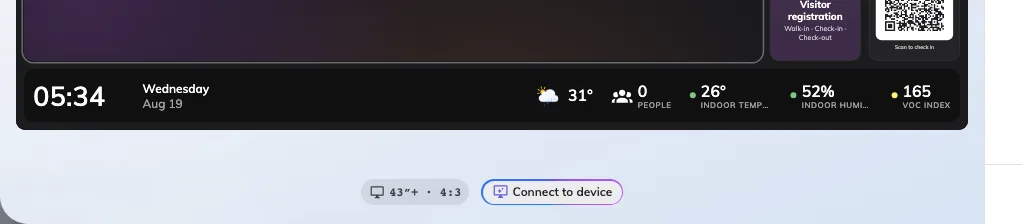
A bottom band carrying the info bar: clock and date left, live people count and air-quality chips right.
That screen does not have to be the one doing the measuring. The display the room already has can be the signage: a Crestron AirMedia sharing screen’s starting board carries the info bar in its footer, and a Microsoft Teams Rooms or Zoom Rooms display is a certified signage device like any other — the Neat device senses, the screen in front of people shows it.
Setting up the bar and the widgets is a signage article: The Info bar widget.
The two controls, and the one schedule
Offision deliberately controls a Neat device only two ways, both on the device’s page under Controls:
| Control | What it does | When to use it |
|---|---|---|
| Reboot device | Restarts the device; it is briefly offline | A device online but visibly stuck |
| Resync data | Re-pulls the latest sample now, outside the poll cycle | Verifying a fix without waiting an interval |
For the fleet, a device configuration of type Neat Pulse adds a Daily reboot — every device on that configuration restarts once a day at the time you set, in the time zone you choose. Overnight reboots are the cheap insurance against the slow degradation room devices are prone to.