

Choose which websites may embed Offision
Turn embedding from open to a named list: what the three choices stop, what an entry in Allowed websites may look like — wildcards, ports, and the plaintext address of a portal on your own network — and what a rejected entry does to the save.
A tenant that has never opened Security setting lets any site in the world hold the user app and the visitor app in a frame. That is rarely wrong on its own — a page held in a frame still asks whoever is looking at it to sign in, and still shows them only what their permissions allow — but it does mean anyone can present Offision as part of their own site. Naming the sites you actually embed into closes that.
Open Security settingPick the choice, per app
Can be embedded in carries three, and the two apps are set separately.
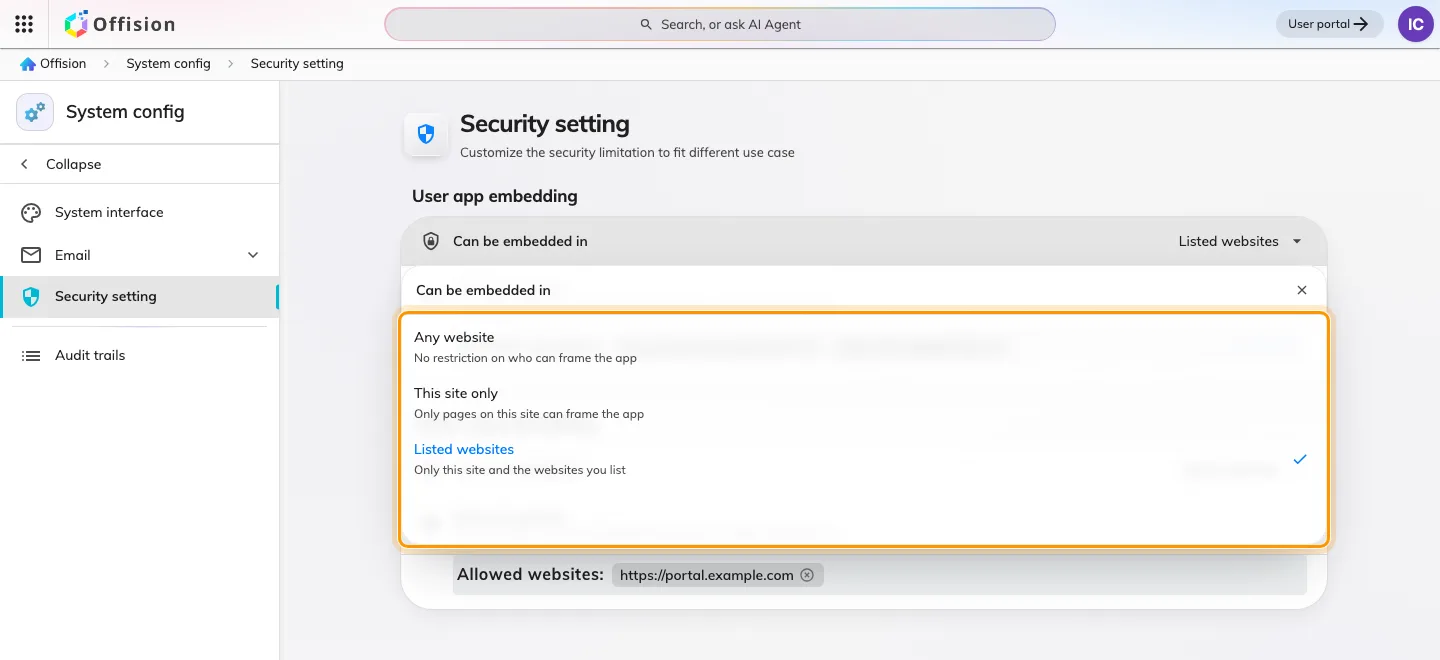
Any website, this site only, or the websites you list.
| Choice | Who may hold the app | Choose it when |
|---|---|---|
| Any website | anyone | nobody embeds Offision, and you have not thought about it yet |
| This site only | Offision’s own address, and Microsoft Teams and Office | nobody embeds Offision, and you want that enforced |
| Listed websites | the above, plus the sites you name | you embed into a portal of your own |
Microsoft Teams and the Office surfaces are allowed under all three, so you never list them yourself and no choice here can break a Teams deployment.
Name the sites
Listed websites reveals Allowed websites — one address per row, up to 32 per app.
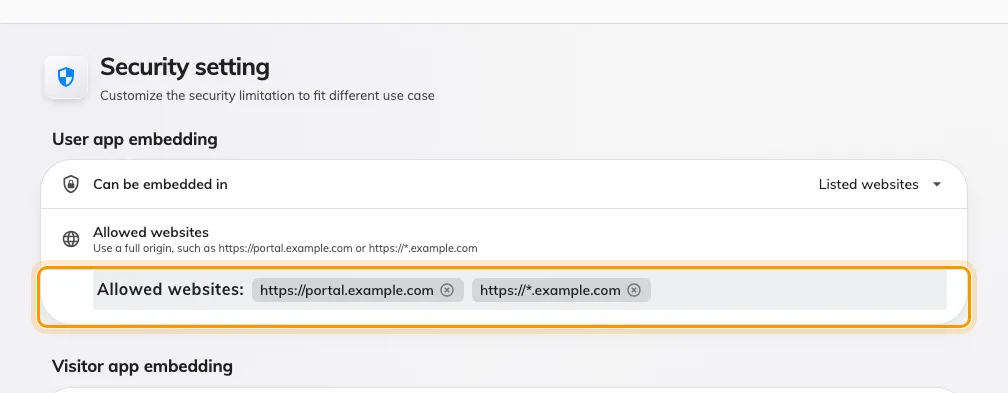
Allowed websites: the portals permitted to hold the user app.
Each row is an origin — where the page comes from, not which page it is:
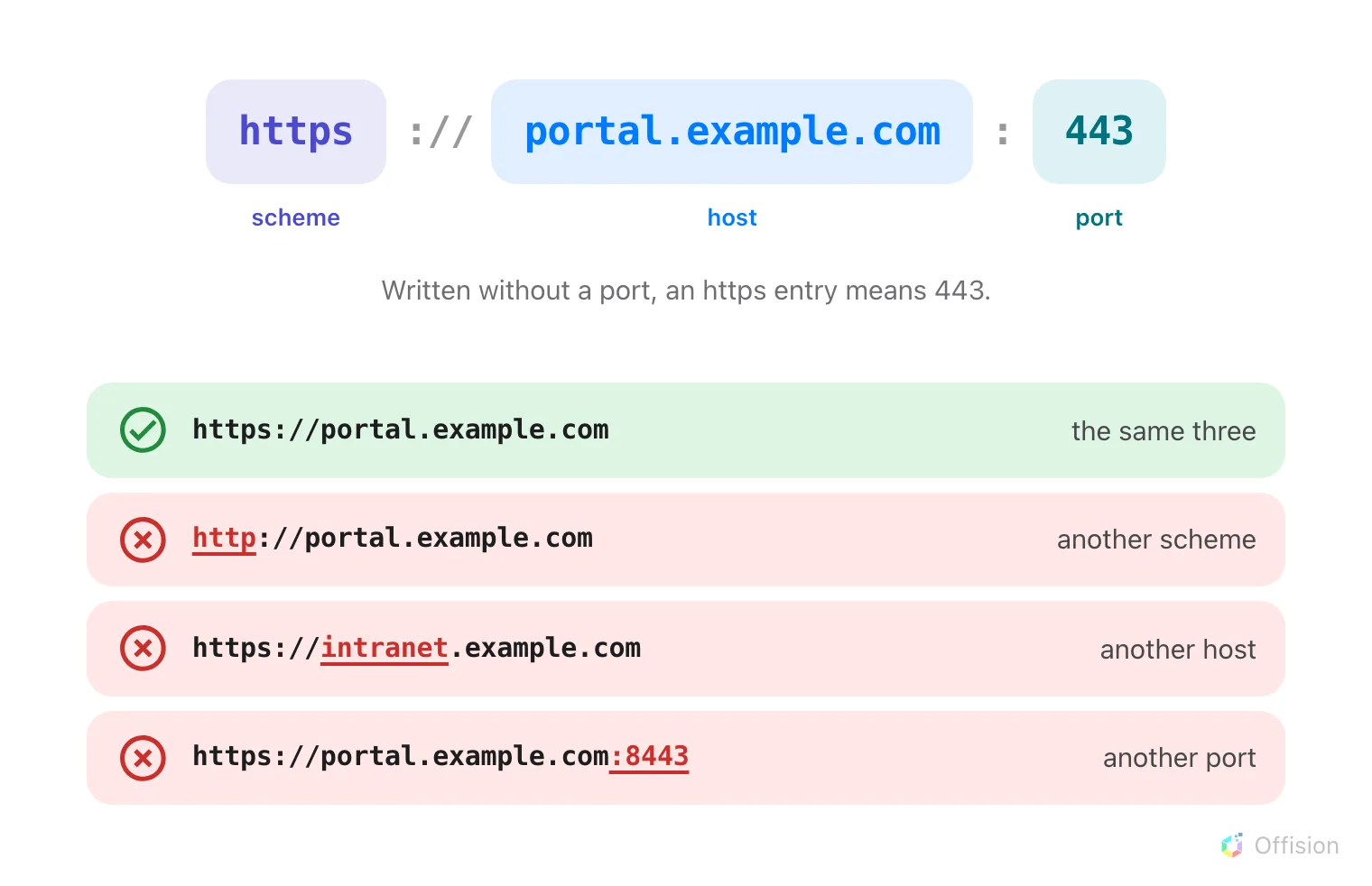
All three parts are compared. Change any one and the page is refused.
| What you enter | What happens |
|---|---|
portal.example.com | accepted, and stored as https://portal.example.com |
https://*.example.com | accepted — any host one level under example.com |
https://portal.example.com:8443 | accepted — that port and no other |
http://192.168.10.20 | accepted — a plain address on your own network |
http://intranet | accepted — a single-word intranet name |
http://portal.example.com | rejected — plaintext on a public domain |
https://portal.example.com/rooms | rejected — a page, not a site |
* | rejected |
https://a.*.example.com | rejected — a wildcard is the whole first label or nothing |
So a portal that lives only on the office network is listed by its own
address — http://10.4.0.9, http://192.168.10.20:8080 — and nothing outside
that network can reach it anyway. Anything with a public name must be https.
After you save
The list applies to the next page load, not to a frame already open — reload the portal page to see it. Removing a row takes effect the same way, so a site dropped from the list stops working on its next load.
Setting Visitor app embedding does nothing to the user app, and the reverse. A portal that embeds both needs its address in both lists.
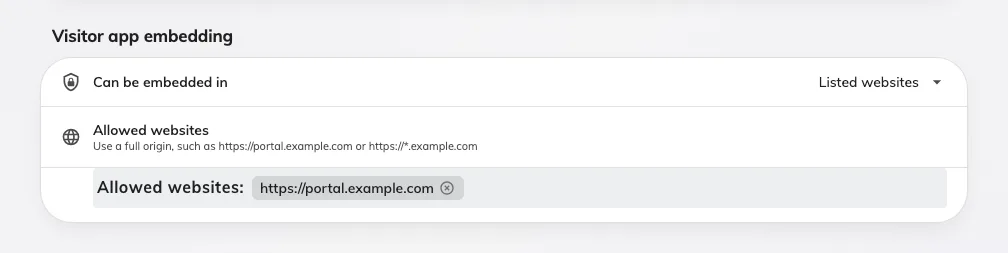
Visitor app embedding: its own choice, and its own list.