

What the staff name card is, and who can see it
A public contact page for every staff member, turned on once by the company and published one person at a time. What a card carries, which line the company sets, and why that line is not the company's address.
The name card is a Marketplace add-on that gives every staff member a public page carrying their work contact details — one they hand over by letting somebody scan a QR code off their phone.
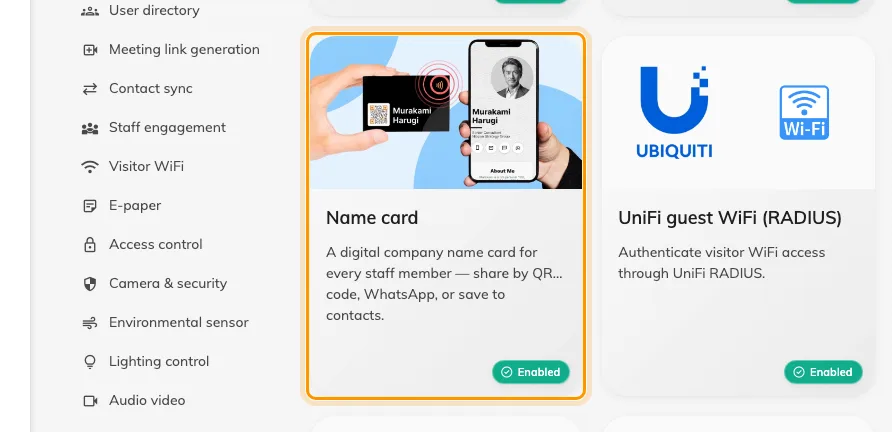
The Name card tile, under Staff engagement in the Marketplace.
Two switches stand between a card and anybody seeing it, and they belong to different people. The company turns the plugin on once, here in the Marketplace. Each member of staff then turns on Publish my name card for their own card. Until both are on, the link opens a page saying the card isn’t available.
That split is the part worth understanding first: turning the plugin on publishes nobody. It gives everyone the ability to publish and no more, so no one’s details go public because an administrator flipped a switch.
Open IntegrationsWhat a card carries
The company logo and company name, then the person’s photo, display name, title and department, and rows for their mobile, email, website, LinkedIn, office address and a short bio.
A person can replace all of that with a Card image of their own — a front, and optionally a back. Where they have, that image is the card everywhere the card appears, including the preview that unfurls when the link is pasted into a chat.
The company’s line — and the address it is not
Company info, in the plugin’s own dialog, holds Company address and Company website. These are two fields belonging to this plugin: one line, printed on every card.
They are not where Offision keeps the company’s address. Nothing else reads them — not visiting emails, not printed badges, not the map link a visitor is sent. Each site’s address is on its building, under Directory › Locations, and that is the address Offision uses everywhere else. See Where your company’s name, address and logo are set.
Fields staff can edit then decides which fields a person may replace with their own value. A field the company keeps to itself shows as Locked on the staff form, carrying the company’s value.
What this does not control
- It publishes nobody’s card. Each person publishes their own, and can unpublish it again whenever they like.
- An override is card-only. Someone changing their title on their card does not change their user record or their directory entry.
- It does not reach building addresses, visiting emails or printed badges. Those carry the building’s address and the company name, and are set elsewhere.
- The recipient gets a page, not an account. The public card is read-only and opens without signing in; there is nothing on it to reply to beyond the contact rows themselves.