

Add Google Meet links to bookings
Turn on the Google Meet extension so bookings carry a meeting link. Rooms get one from Google itself; everything else needs the person to connect their own account once.
Google Meet is a separate extension from the Google Workspace integration, and it can be turned on without one. What the integration changes is how much of it happens by itself.
What to have ready
- A decision on whether meeting links belong on your bookings at all
- For your own OAuth app: the
meet-callbackredirect URI already added to the OAuth client
1. Turn on the extension
Open IntegrationsFind the Google Meet tile in the marketplace and turn it on. It is a plain switch — there is nothing to configure, because the Meet application is Offision’s own. The same switch appears on the Extensions page if you prefer to work there.
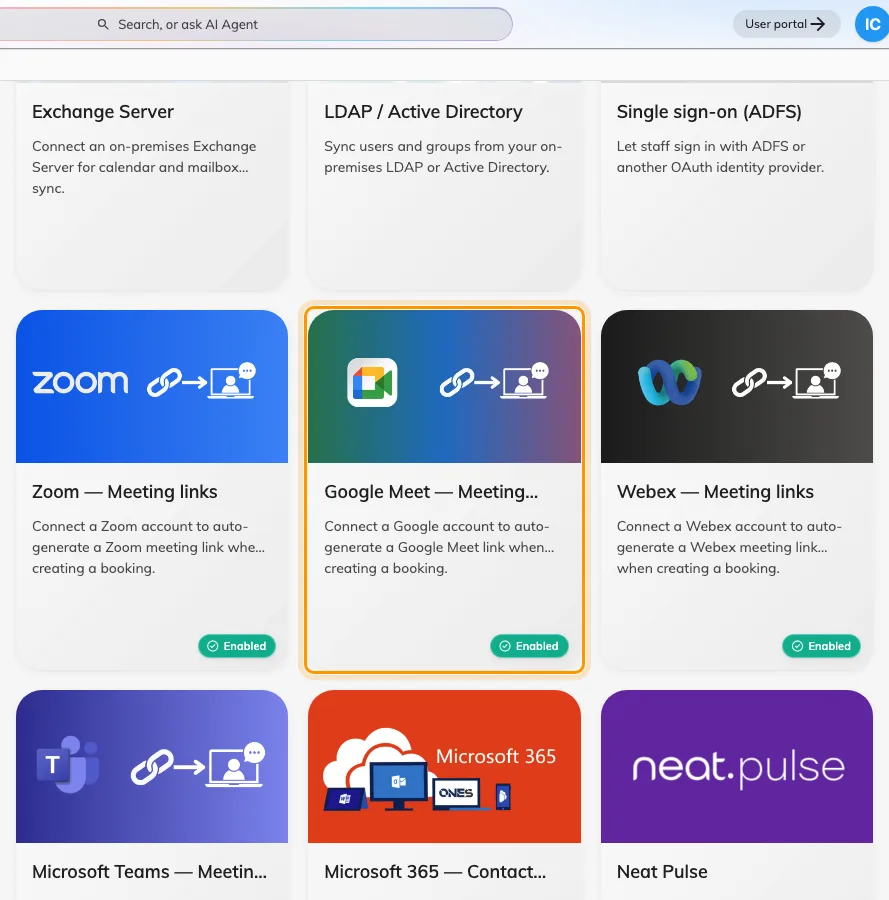
Google Meet under Meeting link generation in the Integrations gallery.
2. Know which bookings get a link by themselves
This is the part worth reading twice, because the two cases behave differently.
| Booking | Where the link comes from | Anyone to connect? |
|---|---|---|
| A room connected from Google Workspace | Google, when it creates the event | no |
| A desk, an event, or a non-Google room | The booker’s own Google account | yes, once |
A room booking that reaches a Google resource calendar gets its Meet link from Google as part of creating the event. Nothing else is involved, and nobody has to connect anything.
Everything else has no Google event to hang a link on, so Offision asks Google to create a meeting space — and Google will only do that on behalf of a signed-in person.
3. Have people connect their account
In the user app, under Linked services, each person finds Google Workspace with a Google Meet link switch. Turning it on sends them through a Google sign-in once, after which their bookings carry a Meet link.
Someone whose account already signs in through Google Workspace sees calendar sync and room-booking Meet links listed as already included — the switch there covers only the extra cases in the table above.
4. Check it worked
- Book a Google-connected room and confirm the booking carries a Meet link
- Have someone who has connected their account book a desk, and confirm that booking carries one too
- Open one of the links and confirm it opens a real meeting
When it goes wrong
| What you see | Usual cause |
|---|---|
| No Google Meet link switch in the user app | The extension is off, or the licence does not include it |
| Room bookings get a link, desk bookings do not | The person booking has not connected their own Google account |
| Connecting the account fails on the Google screen | The meet-callback redirect URI is missing from your own OAuth client |
| It worked, then stopped for one person | Their Google access lapsed. They connect again from Linked services |
| The link is there but the room booking is not in Google | A Meet link and a synced calendar are separate things — check the room’s connection |