

What Neat Pulse syncs into Offision
What the Neat Pulse connection pulls across — rooms, devices and which sensor readings each Neat model actually has, so a room with a Neat device already in it reports occupancy with no sensor added — and what it deliberately leaves alone.
Neat Pulse is Neat’s own management cloud — every Neat bar, board and pad in the building already reports to it. The Offision connection reads that cloud with an API key, on a schedule you set, and turns what it finds into rooms and sensors Offision can use. Nothing is installed on the devices, and Offision never talks to them directly.
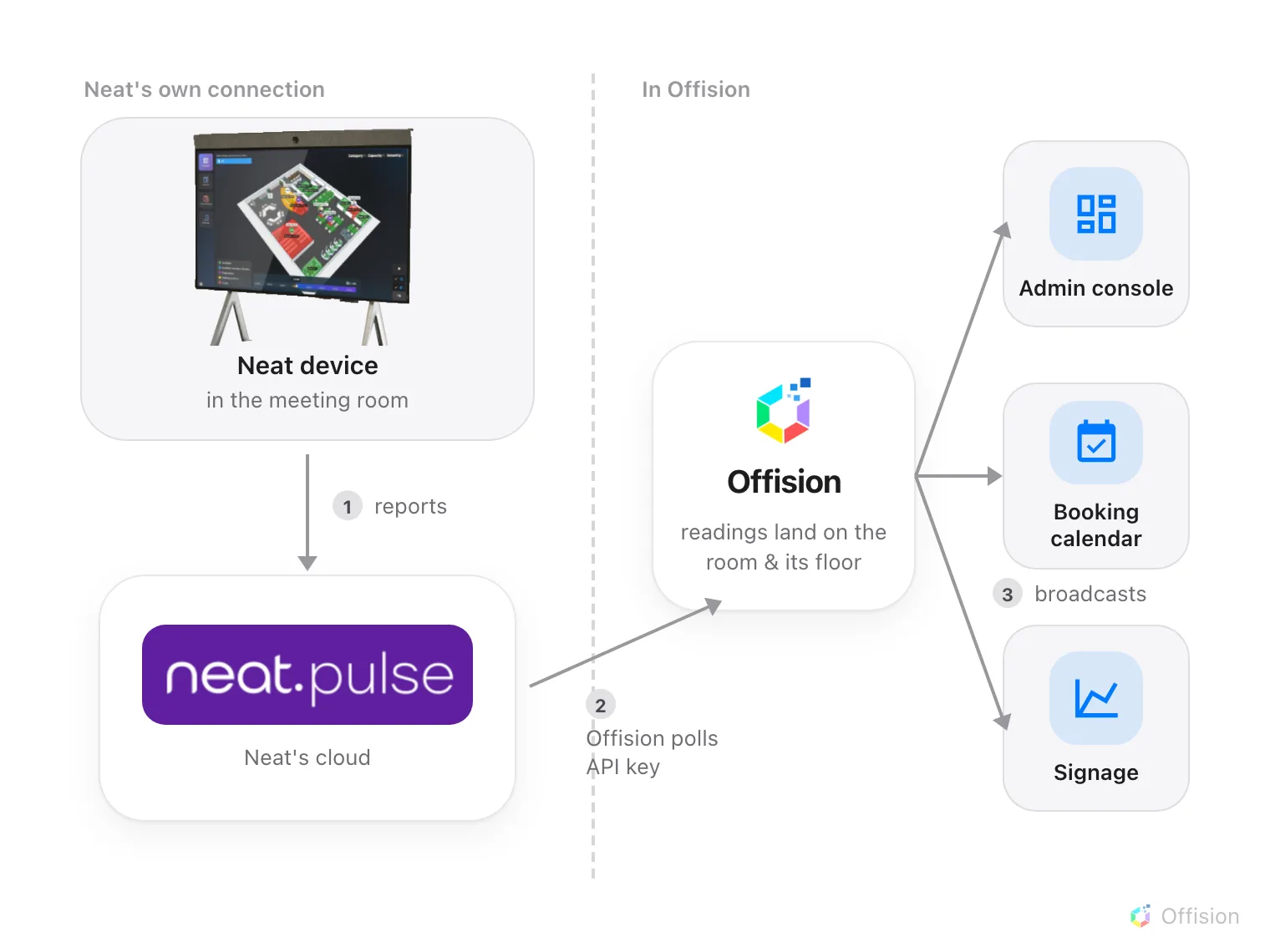
Offision polls Neat Pulse on your interval. The readings land on the room, and every surface reads them from there.
Rooms come first, devices follow
Neat’s world is organised into rooms, and the sync keeps that shape: each Neat room you check becomes an IoT space in Offision. A device only syncs when its room does — an endpoint whose room is left unchecked is skipped, and the sync says so.
What makes a space useful is what you link it to. In the sync dialog every room carries a Link to choice: New space keeps it standalone, Existing space merges it into a space you already have, and Bookable resource wires it straight to one of your rooms — which is the option that makes the readings appear on the booking calendar, the room’s panel and its signage. Unchecking a room later removes only what this connection created; a space that another platform also feeds stays.
Each device arrives with its network identity too: Sync and Resync write its IP and MAC address, taking the address Neat reports the device on — so the device list’s IP address column is filled in without anybody visiting the room. The readings’ own 60-second poll does not touch them.
Each model brings a different sensor suite
Every synced endpoint appears as a Neat Device, and its tiles show only what that model can measure — a tile that would always read zero is not shown at all.
| Neat model | Readings |
|---|---|
| Neat Pad, Neat Pad Pro | Temperature, humidity, CO2, TVOC |
| Neat Bar, Neat Board | Temperature, humidity, CO2, TVOC, light level, people count, occupancy |
| Neat Bar Pro, Neat Frame, Neat Board 50, Neat Board Pro, Neat Board 32 | Temperature, humidity, VOC index, light level, people count, occupancy |
| Neat Bar Gen 2 | Light level, people count, occupancy |
| Neat Center | People count, occupancy |
Two of those rows are easy to misread. The newer models report a VOC index rather than absolute CO2 and TVOC values — a different number with a different scale, not a worse one. And occupancy is derived: Neat reports how many people its camera sees, and Offision treats the room as occupied whenever that count is above zero.
How fresh the numbers are
The connection polls on the Poll interval you set when connecting — every few minutes is typical. Every reading in Offision is at most one poll old, which is the right freshness for room health and occupancy, and the reason a reading never changes the second something happens in the room.
What this does not sync
A Neat room is not a calendar. The connection moves no bookings, no meetings and no people — rooms and calendars come from Microsoft 365 or Google Workspace, and Neat Pulse only adds sensing to rooms you already have. Control is deliberately thin too: Offision can reboot a Neat device and ask it to resync, and nothing else — the device’s own configuration stays in Neat Pulse.