

Which Offision apps can be embedded in another site
Offision can be put inside your own portal page in an iframe. One screen names the two apps that may be embedded and who is allowed to hold them, the refusal comes from the reader's browser rather than from Offision, and permissions are unchanged inside the frame.
One screen decides who may put an Offision page inside their own page: Security setting, under System config. It names two apps — the user app, where people book rooms and desks, and the visitor app — and each carries its own choice, set independently.
Open Security setting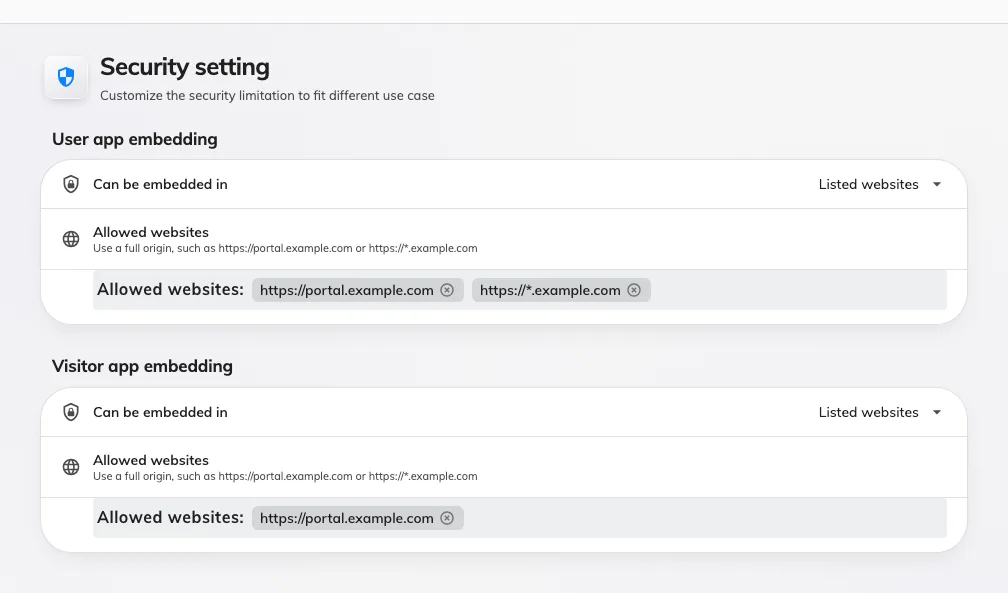
Security setting: one embedding choice per app.
The three choices
Can be embedded in offers the same three on both:
- Any website — no restriction; any page anywhere may hold the app. This is what a tenant that has never opened this screen has.
- This site only — only pages on Offision’s own address. Everything else is refused.
- Listed websites — Offision’s own address, plus the websites you name. This is the choice for an embed into a company portal, and the only one that shows the Allowed websites list.
Whichever you pick, Microsoft Teams and the Office surfaces are always allowed to hold these two apps. Turning on Listed websites cannot break a Teams deployment you already have, and you do not have to list Microsoft yourself.
The refusal comes from the browser
This is the part that surprises people. Offision does not block anything. It answers the page request with the list of sites allowed to hold it, and the reader’s browser compares its own address against that list and decides.
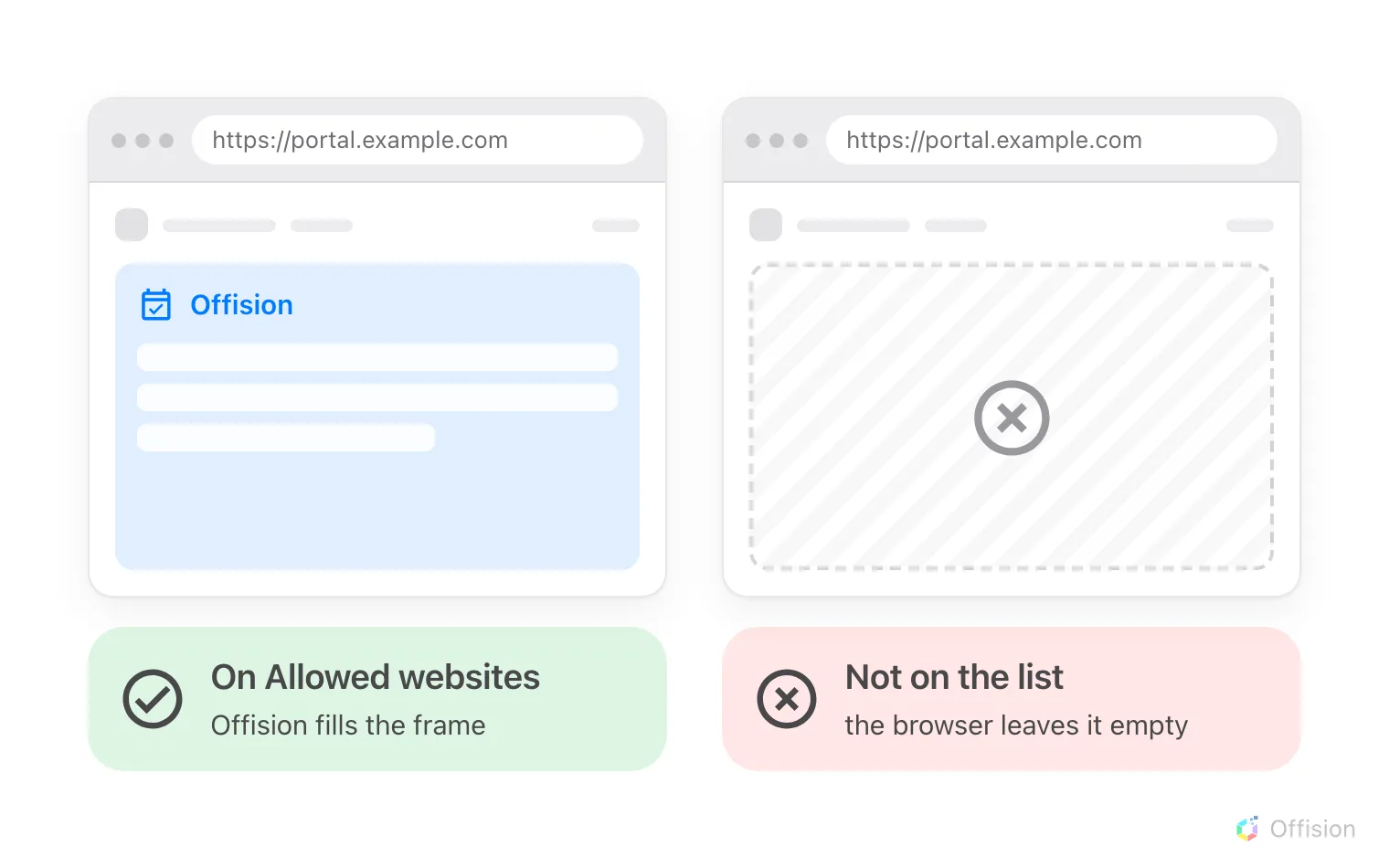
The same portal page, with its address on the list and without it.
Two things follow:
- A change lands on the next page load. A frame already open keeps whatever it was given.
- A refusal is silent on the Offision side. The frame stays empty and the browser writes the reason into its own developer console — nothing appears in Offision, because Offision was never asked a second time.
What this does not control
- Who may sign in, or what they see. Permissions, groups and booking policies are exactly as they are in a browser tab. Embedding grants nobody anything.
- Whether people stay signed in. That is the browser’s own handling of cookies inside a frame — see people are asked to sign in again.
- The admin console. It is refused by every site but its own, and nothing on this page reaches it: the admin console will not open inside our own site.
- Which kinds of client a person may use at all. That is their security profile, in how sign-in security works.