

Name card settings
Every field in the name card's Marketplace dialog — the company line, the eleven switches deciding what staff may change, and the two share channels — with what each one does and when to change it.
The Name card tile in Integrations › Marketplace opens one dialog, and everything the company decides about staff name cards is in it.
Open IntegrationsTurning it on and off
| Setting | What it does | When to change it |
|---|---|---|
| Turn on name card | Gives every member of staff the ability to publish a card. Publishes none of them | Once, when the company adopts the feature |
| Disable feature | Takes every published card offline at once. The links stop resolving and each person’s own settings are kept | Withdrawing the feature, or pausing it while the company line is wrong |
The settings below appear only while the feature is on; with it off, the dialog shows the description and the button alone.
Company info
One line for the whole company, printed on every card.
| Setting | What it does | When to change it |
|---|---|---|
| Company address | The office address printed on every card, shown as its Office row and linked to a map | The company moves, or the cards should carry the head office rather than a site |
| Company website | The address the card’s Website row points at | A rebrand, or a landing page meant for people who scan a card |
Both start empty, and an empty field simply does not appear on the card.
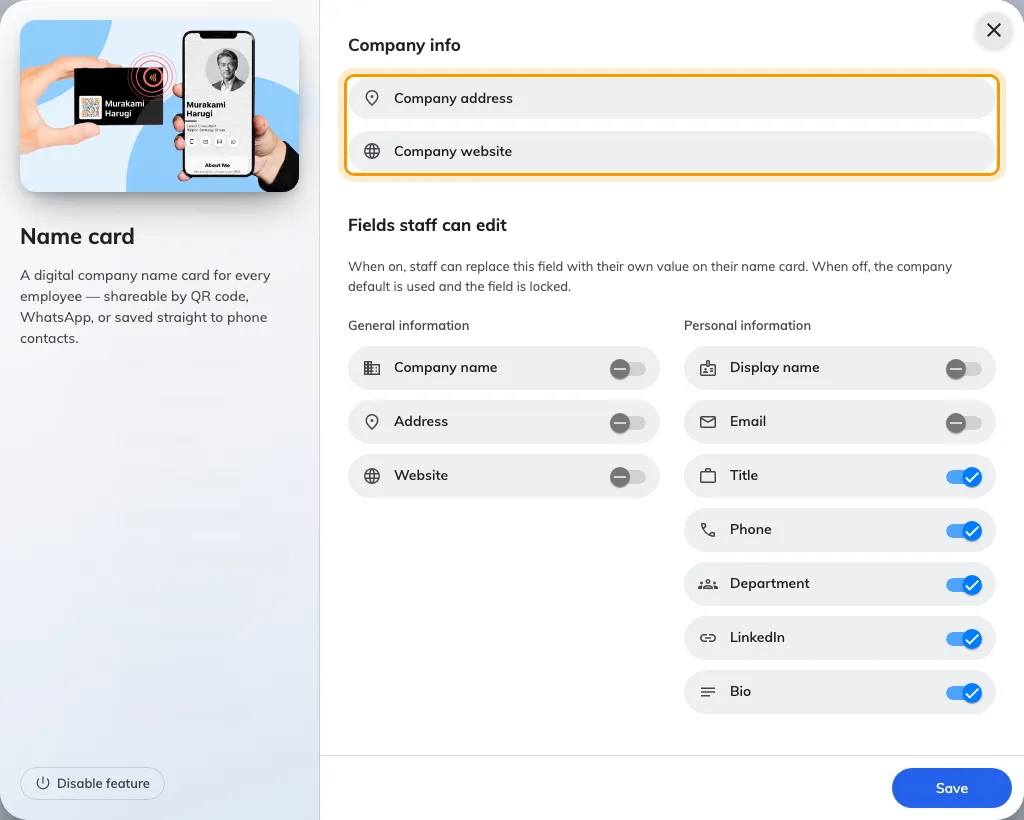
Company info holds the company address and website.
Fields staff can edit
Each switch decides one field. On, a person may replace it on their own card; off, the company’s value is used and the field shows as Locked on their form.
General information
| Setting | What it does | When to change it |
|---|---|---|
| Company name | Lets a person print a different company name from the account’s | Off by default. Turn it on for a group trading under more than one name |
| Address | Lets a person replace the company address with their own office | Staff sit in several offices and the card should say which |
| Website | Lets a person point the website row somewhere else | A team with its own site or portfolio |
Personal information
| Setting | What it does | When to change it |
|---|---|---|
| Display name | Lets a person set the name on the card | Off by default. On where people use a preferred or romanised name |
| Lets a person publish an address other than their sign-in one | A shared or role address is what customers should reach | |
| Title | Lets a person write their own job title | On by default; off where titles are governed by HR |
| Phone | Lets a person set the number on the card | On by default — and required for a WhatsApp QR, which is built from it |
| Department | Lets a person write their own department | On by default; off where the directory is the source of truth |
| Lets a person add a LinkedIn profile | On by default; off where personal profiles are not for customers | |
| Bio | Lets a person write a short bio | On by default; off where cards should stay uniform |
Share channels
Which targets the QR toggle on a staff card offers. Contact, which saves the person to the scanner’s phone, is always there and is not a setting.
| Setting | What it does | When to change it |
|---|---|---|
| Offers a QR that opens a WhatsApp chat with the person. On by default | Off where WhatsApp is not how the company talks to customers | |
| LINE | Offers a QR that adds the person on LINE. Off by default | On in markets where LINE is the norm |
A channel being on is only half of it — the tab is hidden for anyone who has not entered the detail it addresses: a phone number for WhatsApp, a LINE id for LINE.
What this does not control
- The company’s address of record. Company address here is printed on cards and read by nothing else. Each site’s address is on its building, under Directory › Locations.
- Whether anybody’s card is public. Each person turns on Publish my name card for themselves.
- The user record. A field a person overrides changes their card only, never their directory entry.
- Emails and printed badges. Those carry the building’s address and the account name, and are set on their own pages.