

Connect more than one directory
Yes — Offision connects to as many directories as you need: a second Microsoft 365 organisation, Google Workspace beside Microsoft 365, more Exchange servers, LDAP and ADFS. A plant, subsidiary or acquired company on its own domain or tenant is a second connection; its room mailboxes sync through that connection, and head office books them through its booking agent account. Each connection keeps its own sign-in, people, rooms and agent account.
Two Active Directories? Yes — and it is not a special mode. Every directory connection in Offision is a card in a list, and under the last card sits a button that says exactly what it does: Connect to another Microsoft 365 Directory.
So one Offision tenant can hold a second Microsoft 365 (Entra ID) organisation, Google Workspace running beside Microsoft 365, more than one Exchange server, an LDAP or on-premises Active Directory, and an ADFS sign-in — in any mix, all at the same time. Companies that merge, share a building, or run regional organisations connect each directory as its own card and stop there.
When you need this
- A plant, factory, warehouse or branch on its own domain — its own Microsoft 365 tenant or Google Workspace, with the room mailboxes living there. Connect that tenant as a second directory: its room mailboxes sync through their own connection, and head-office staff book those rooms through the connection’s booking agent account, corporate calendar and all.
- A subsidiary or an acquired company that keeps its own directory and mail domain for now. Nothing has to be migrated first.
- Two companies sharing one building, or a co-working space with a directory per member company.
- Google Workspace in one region beside Microsoft 365 in another.
None of these needs the domains to trust each other, a shared tenant, or a mailbox move. The one thing every connection with rooms needs is its own booking agent account, below.
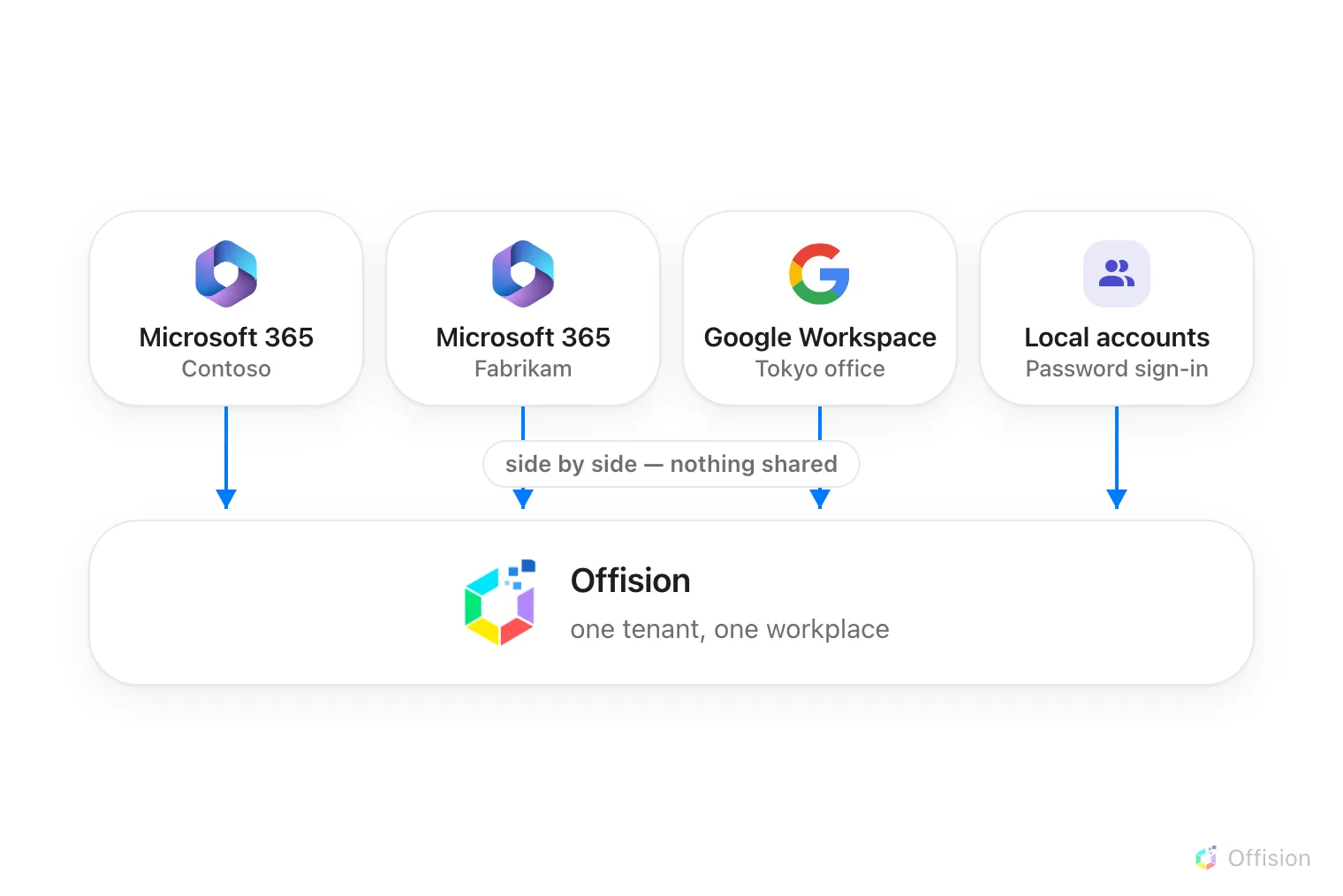
Directories and local accounts sit side by side in one Offision tenant — nothing is shared between them.
Every connection stands alone
Each card carries its own settings, end to end: its own connection mode, its own connected rooms, its own user synchronisation, its own sign-in button and its own booking agent account. Nothing is shared between cards, which is why two organisations never have to agree on anything — one can be in application mode while the other signs in a delegated account.
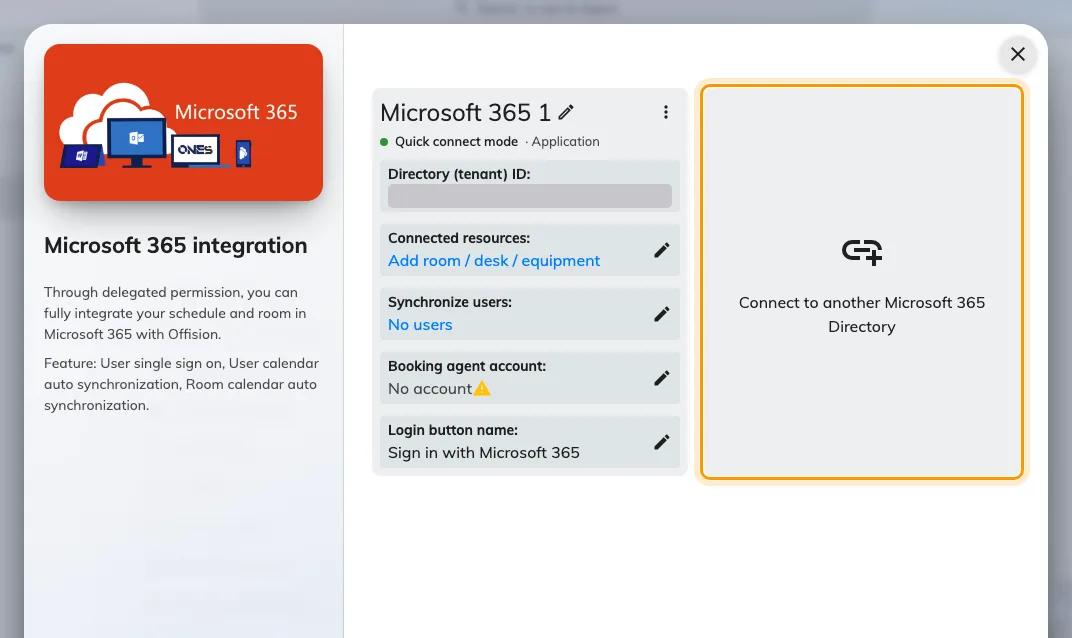
The Microsoft 365 connection list — Connect to another Microsoft 365 Directory adds a second organisation beside the first.
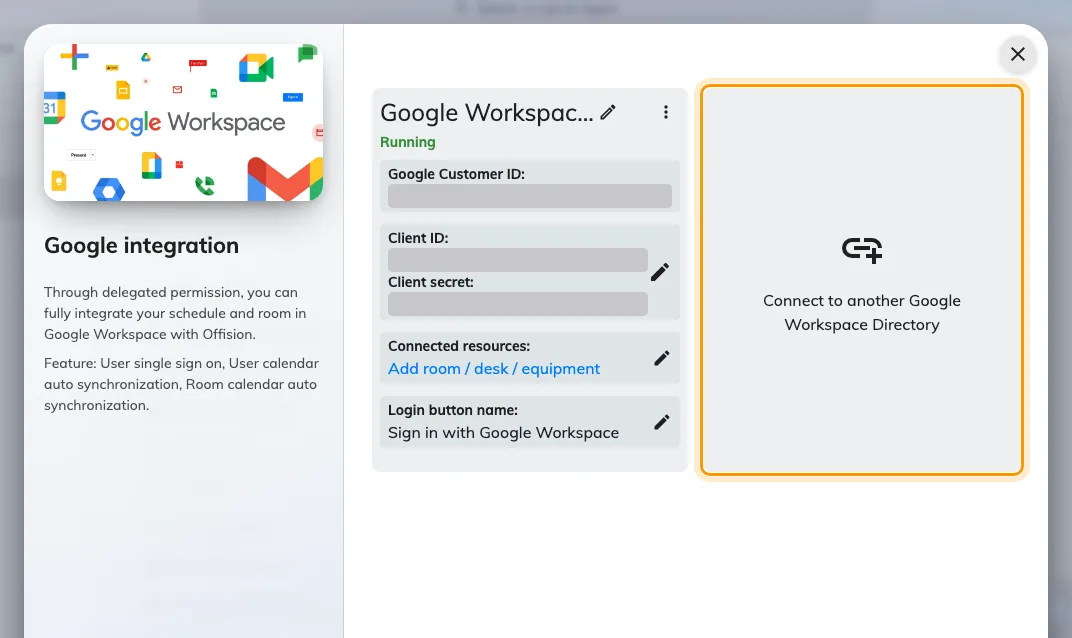
Google Workspace keeps its own list — Connect to another Google Workspace Directory works the same way.
Signing in
Each connection puts its own button on the sign-in page. With two Microsoft 365 organisations that means two Microsoft buttons, identical until you name them — so name each one on its card, under User login: “Contoso staff”, “Fabrikam staff”. People who already signed in once are recognised by their address and sent to the right directory on their own.
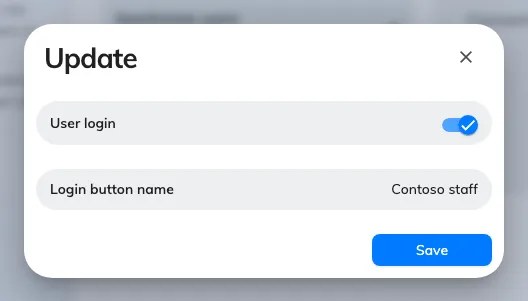
Each connection names its own sign-in button — the only thing that tells two directories' people apart on the login page.
The details are in Let people sign in with Microsoft 365 and Let people sign in with Google Workspace.
People belong to one directory each
User synchronisation runs for every connection that has it turned on, and each connection’s sync only ever touches its own people — directory A’s sync never deletes directory B’s users.
Local accounts live alongside all of them: people created directly in Offision sign in with a password and belong to no directory at all, so a contractor or a front-desk account never needs a Microsoft or Google licence.
The one rule: a person belongs to exactly one connection, so the same email address must not exist in two connected directories. If it does, each sync re-points the account at whichever directory synced last, and signing in from the other one fails with user with the same email address already exists. Keep the two address sets disjoint, or leave the overlapping people out of one side’s sync scope.
Rooms belong to one directory each
A room’s calendar syncs with exactly one connection — but different rooms can belong to different directories, even different vendors: Contoso’s meeting rooms in Microsoft 365, the Tokyo office’s in Google Workspace. Two limits follow, both per booking:
- one booking cannot combine rooms from two different connections, and
- one booking cannot combine a synced room with an Offision-only room.
Book them as two bookings instead.
Booking across directories
What makes several directories work as one workplace is each connection’s Booking agent account. Microsoft 365 and Google Workspace refuse bookings from accounts outside their own organisation — so when someone from directory A (or an Offision-only account) books a room that lives in directory B, Offision makes the booking on behalf of directory B’s agent account. The booker is added as an attendee, and the calendar invitation arrives from the agent’s mailbox.
Without an agent account the connection blocks instead: only its own directory’s people can book its rooms, and everyone else silently cannot. So in a multi-directory tenant, set one on every connection that has rooms — a new account created for the purpose, not a real person’s — as part of Sync rooms from Microsoft 365 or Connect rooms from Google Workspace.
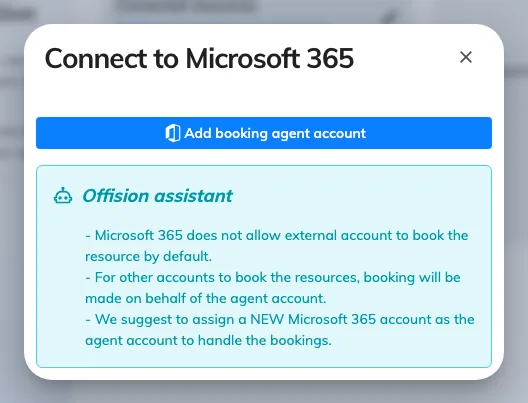
The Booking agent account — the account a connection books on behalf of, for everyone outside its own directory.
Where to start
Open IntegrationsConnect the second directory exactly the way you connected the first — Microsoft 365 or Google Workspace — then walk the same rooms, people and sign-in setup on its card.
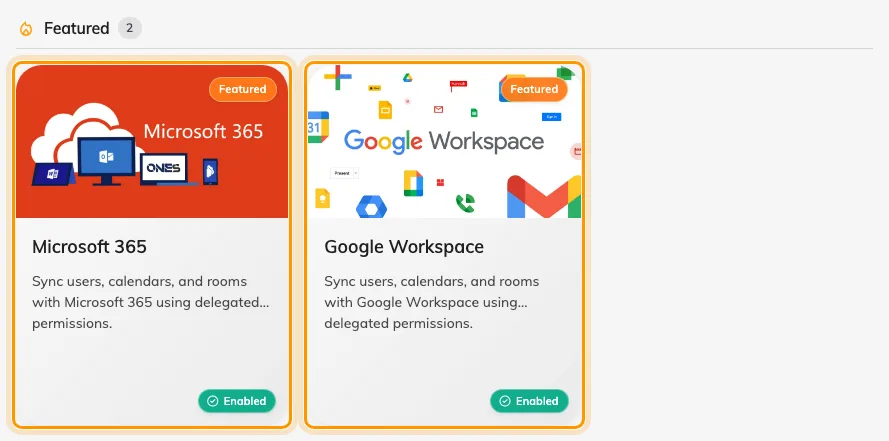
Microsoft 365 and Google Workspace side by side in the marketplace — connect both, and each holds its own list of directories.