

Connect your own systems: API, authentication and automation
How your own software reaches Offision, and how data reaches your software — an API credential with scopes, the REST reference and OpenAPI document, the calls that read bookings, usage and occupancy figures out for a report or a BI tool, the system URLs to redirect into, and the Workflow module for automation.
Everything your own software can do with Offision starts on one page: API authentication, under Marketplace. Each row there is one integration client — one credential your system presents, scoped to what it may touch. There is no shared master key: the HR sync and the signage feed each get their own.
Open API authentication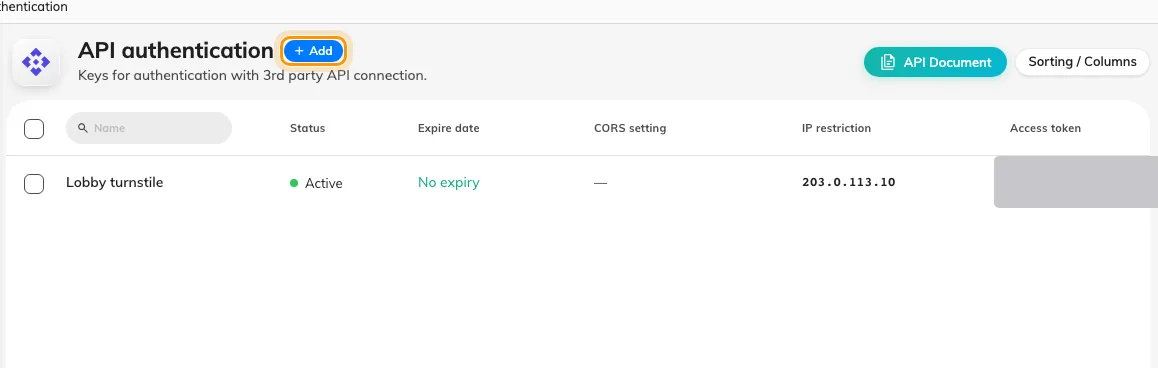
API authentication, one row per integration client.
A credential and its scopes
A client is created as one of two types, chosen once and fixed afterwards. An OAuth2 client gets a Client ID and a Client secret; the secret is exchanged at the token endpoint, using the client-credentials grant, for a bearer token that lasts a day. An Access token is a long-lived opaque token sent as-is — simpler, and right for a script running from one trusted place.
What the credential may do is its API scopes: one row per module — Bookings, Bookable resources, Users, Visitors, Sensors, Buildings and so on, or All modules — each marked Read only or Read & write. A token can ask for less than its client was granted, never more. Three further guards sit on the same form: an IP restriction, a CORS setting for browser callers, and an Expire date.
Revocation is immediate. Deleting a client, narrowing its scopes or regenerating its secret stops every call using it at once, before any issued token expires.
What the API covers
The REST API reaches the same things the admin console does: bookings and bookable resources, including their panel content and access keys; users and user groups; buildings; visiting appointments and visitor management; service items; lockers; e-paper controllers; environment, occupancy and IoT-space sensors, plus a Milesight gateway; analytics and dashboard figures; emergency state; and the workflow webhook described below. There is no generic “devices” area — device access is per kind.
The full reference is the External API page of this site, with every endpoint, its request and response shapes, and an OpenAPI document to download into your own tooling. Reading bookings, room usage and occupancy figures back out — for a report, a warehouse or a BI tool — has a page of its own: Get booking and usage data into your BI tool.
The URLs your systems redirect into
System URLs, also under Marketplace, lists the five addresses another
system needs to send people to Offision: User portal URL, Admin Console
URL, Visitor App URL, Login Page URL and an Auto Login Page
Reference — a pattern where you replace {userEmailAddress} with the user’s
address to land them signed in. Below them, each integration client that offers
one has its own auto-login URL.
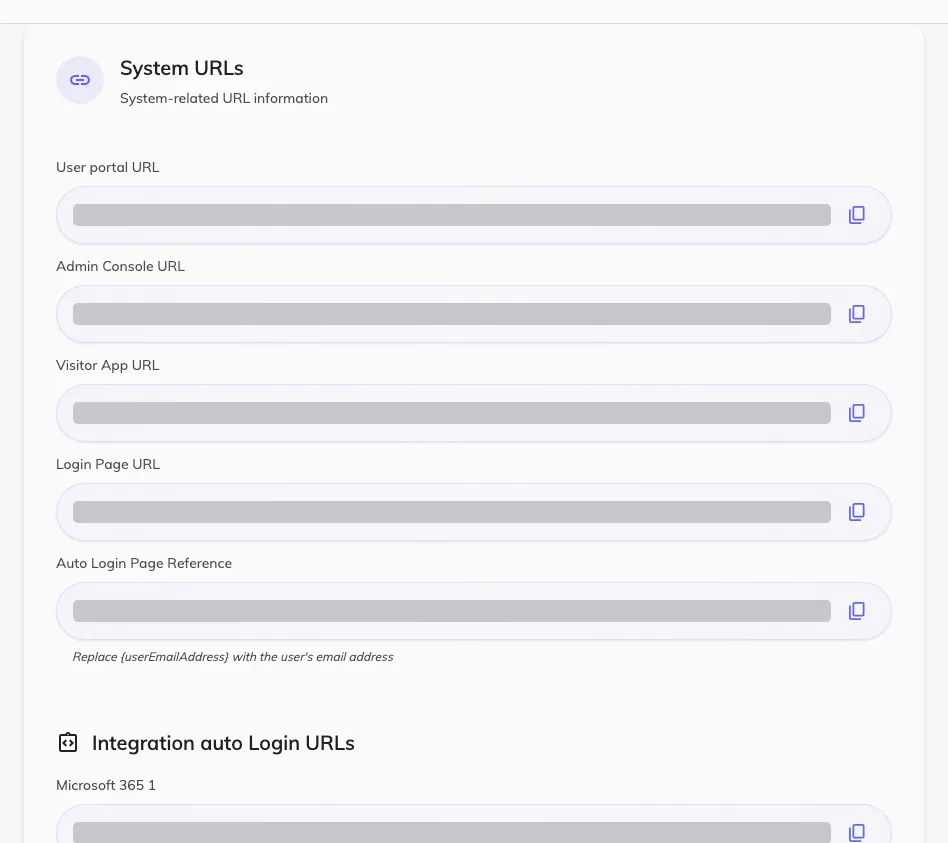
System URLs, with the addresses another system sends people to.
Automation: the Workflow module
Where a plain API call is not enough, Workflow — a preview module — lets you build the logic inside Offision. A workflow is a canvas: exactly one trigger starts it — Domain event, Schedule, Webhook, MQTT message, Manual trigger or Workflow call — and action nodes do the work: HTTP request to any URL, Send notification, Send email, Send SMS, Control hardware, Update visitor badge and more.
Open Workflow listTwo pieces matter for integration. Endpoint configs store an address and its credentials once — HTTP, HTTPS, MQTT or gRPC — so every workflow reuses them. And the Webhook trigger gives a workflow its own inbound Webhook URL: your system posts to it and the workflow runs. The trigger’s own note says “Requires Offision external API authentication header:” — so the caller needs a credential from the page above, and you choose whether the call returns at once or waits for the workflow to finish.
What this does not do
- No general event feed. Offision will not push every change in the tenant to a URL you register. What it does have is narrower: a client may subscribe a callback URL to named bookable resources — their bookings, their access keys or their player content — and Offision posts to it when one of those changes. The call says which resource changed and whether it was created, updated or deleted; it never carries the record, so the receiver reads it back. It is sent once, with no retry and no signature, expires after an hour to a day and cannot be renewed or cancelled, and appears nowhere in the console. There is no visitor or sensor equivalent. For anything else, build a workflow on a Domain event trigger with an HTTP request action.
- No Zapier or Power Automate connector. Those tools can call the REST API or post to a Webhook trigger, but there is no ready-made app to install.
- No audit-log endpoint. The audit trail and each module’s own log are readable in the console and downloadable as files, but none of them is on the API and there is no log stream to subscribe to — so there is nothing to point a SIEM at. See The audit trail.
- The old OAuth Application page is not this. It makes Offision the sign-in provider for its own login page and visitor WiFi portals — now reached from Visiting › Visitor WiFi — and does not sign your users into other systems.