

4.6.5
Guests can edit or cancel bookings from their manage link, 32:9 video walls split by monitor, visitors book 3D parking, and header search finds people.
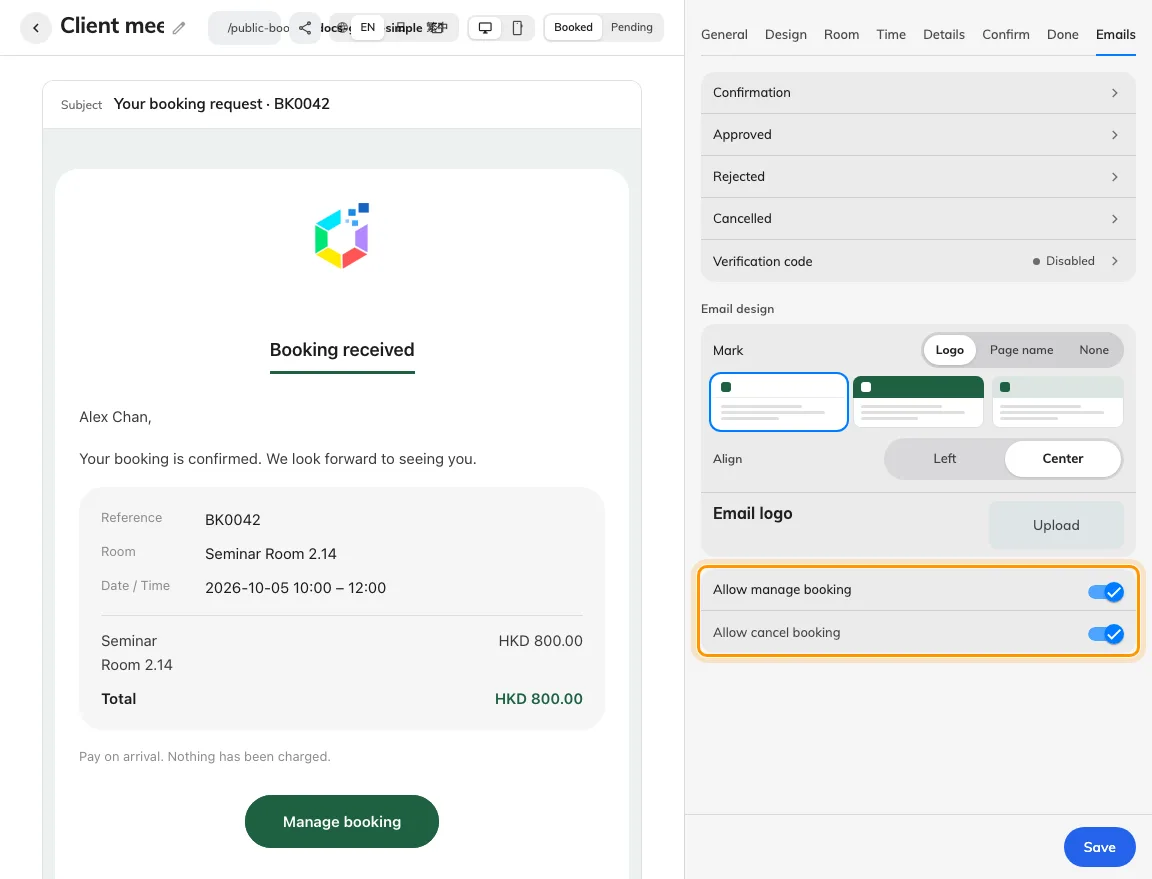
Let guests edit or cancel bookings from their manage link
In Guest booking › Overview, edit a page, open the Emails tab, and keep Allow manage booking turned on to configure Edit booking and Cancel booking separately (Off, Awaiting approval only, or Awaiting approval and approved) along with Stop before start cutoffs. Guests open the same Manage booking link from their email or .ics calendar invite to update rooms, times, or details, compare previous and revised totals under Review changes, or cancel remaining sessions.
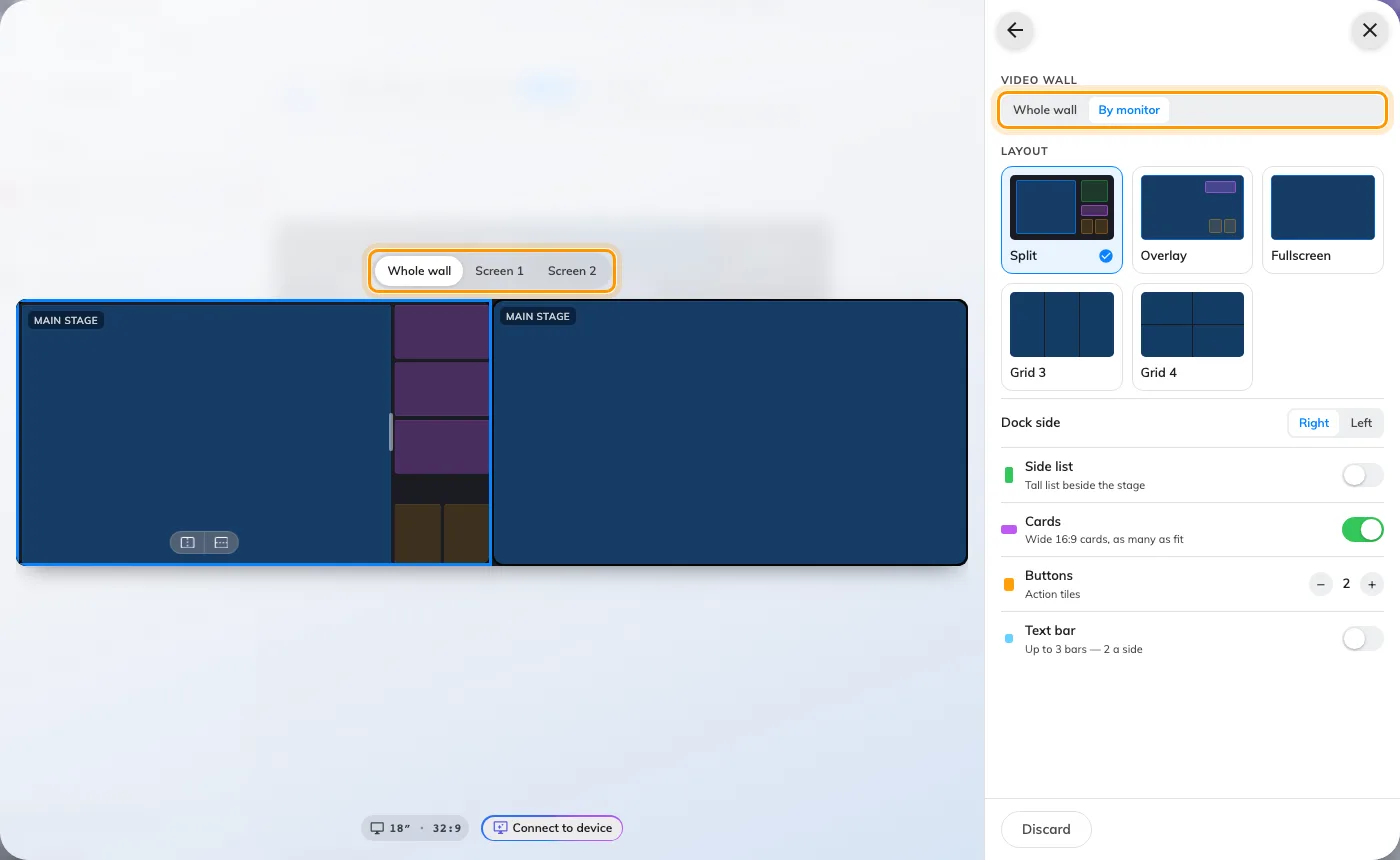
Split 32:9 video walls by monitor or span the whole wall
On landscape 32:9 signage boards, open Layout › Video wall and switch between Whole wall and By monitor to design Screen 1 and Screen 2 independently with dedicated preview tabs and preserved per-monitor backgrounds. Choosing Grid 4 gives you three draggable vertical seams (from 20% to 80%) so you can size four columns to match your physical bezels and content.
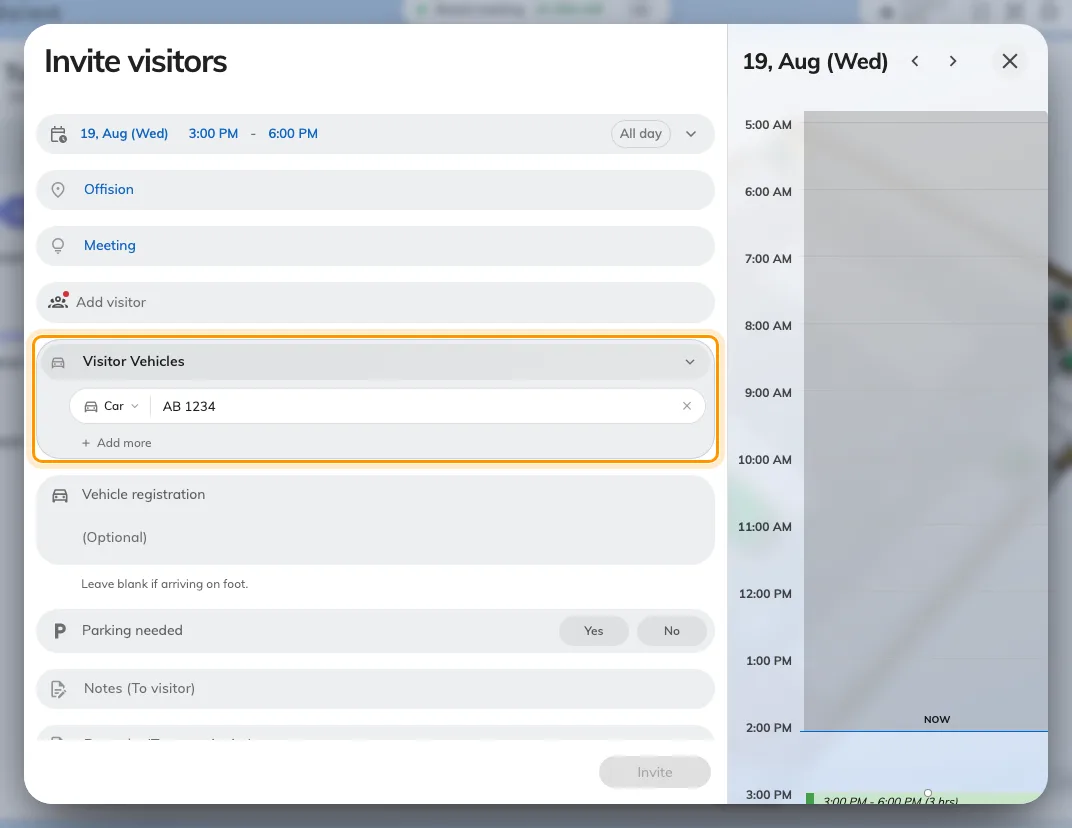
Reserve 3D map parking spots on scheduled visitor invitations
When visitor vehicle registration and bookable parking spaces are enabled for the building, open Vehicles on a scheduled visit invitation, enter the licence plate, and select P to pick an available spot on the 3D floor map. Recurring visits reserve the spot per occurrence, cancellations or early departures release unused time automatically, and the assigned spot appears in visitor emails and on Reception cards.
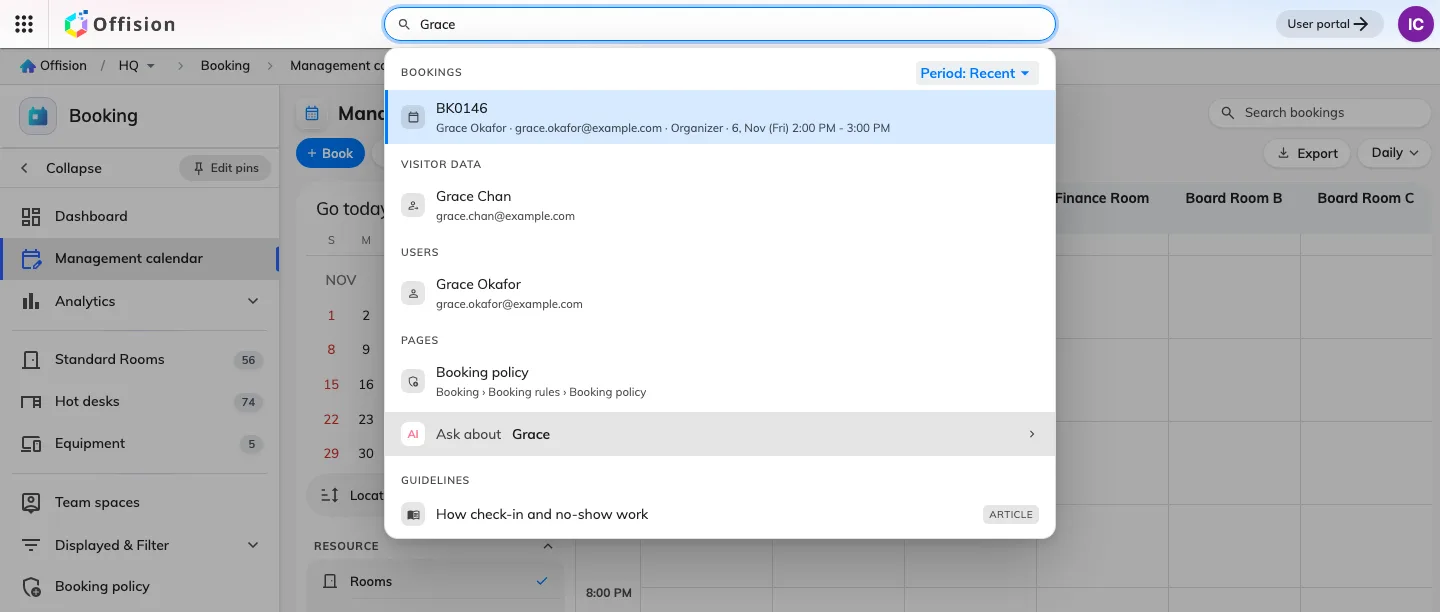
Search bookings, visitors, and users from the admin header
On a desktop browser, type two or more characters of a name, username, or email address into the search bar at the top of any admin console screen. Matching reservations appear under Bookings with a period filter (Recent, Next 30 days, or Past 30 days) alongside permitted Visitor data and Users results, or click View all to open the filtered calendar or directory list.
Export guest payment columns from the management calendar
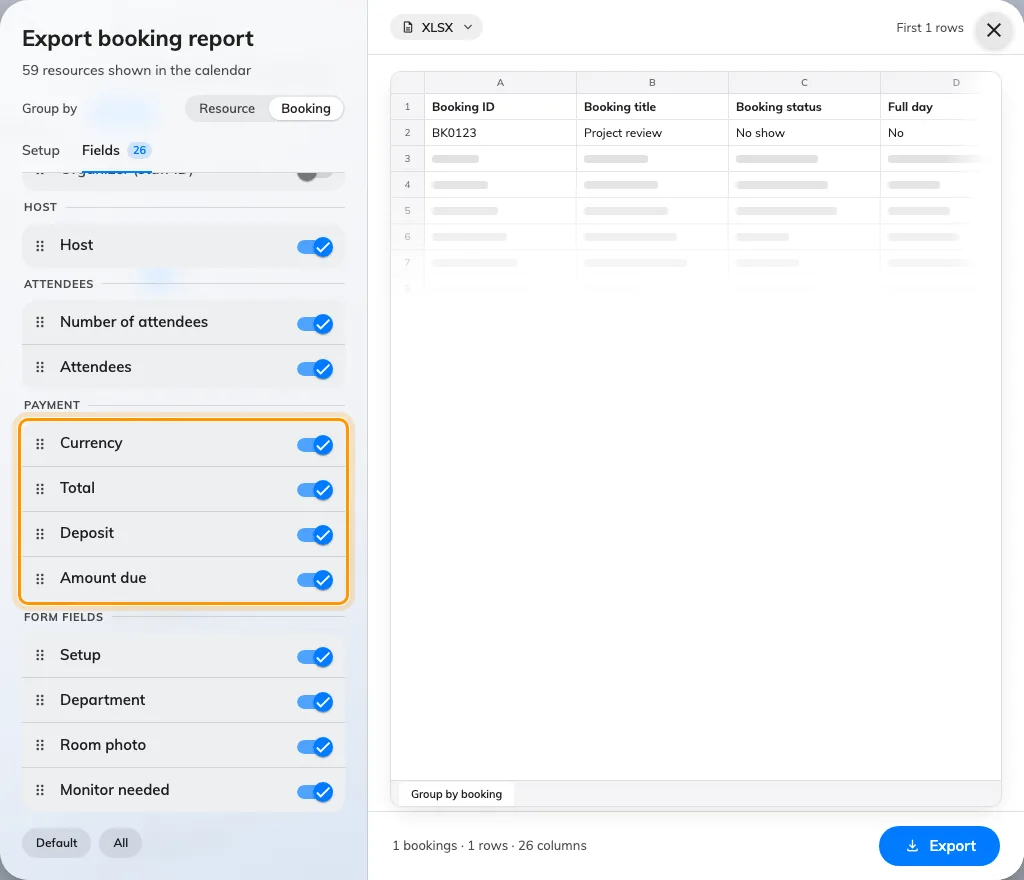
In Booking › Management calendar, select Export, set Group by to Booking, and open Fields to include Currency, Total, Deposit, and Amount due in your XLSX, XLS, or CSV report. Multi-room guest bookings report their booking-level amounts once without duplicating totals per room, while internal staff bookings leave those four columns blank.
Add lounge furniture, round columns, and free-point devices in the 3D designer
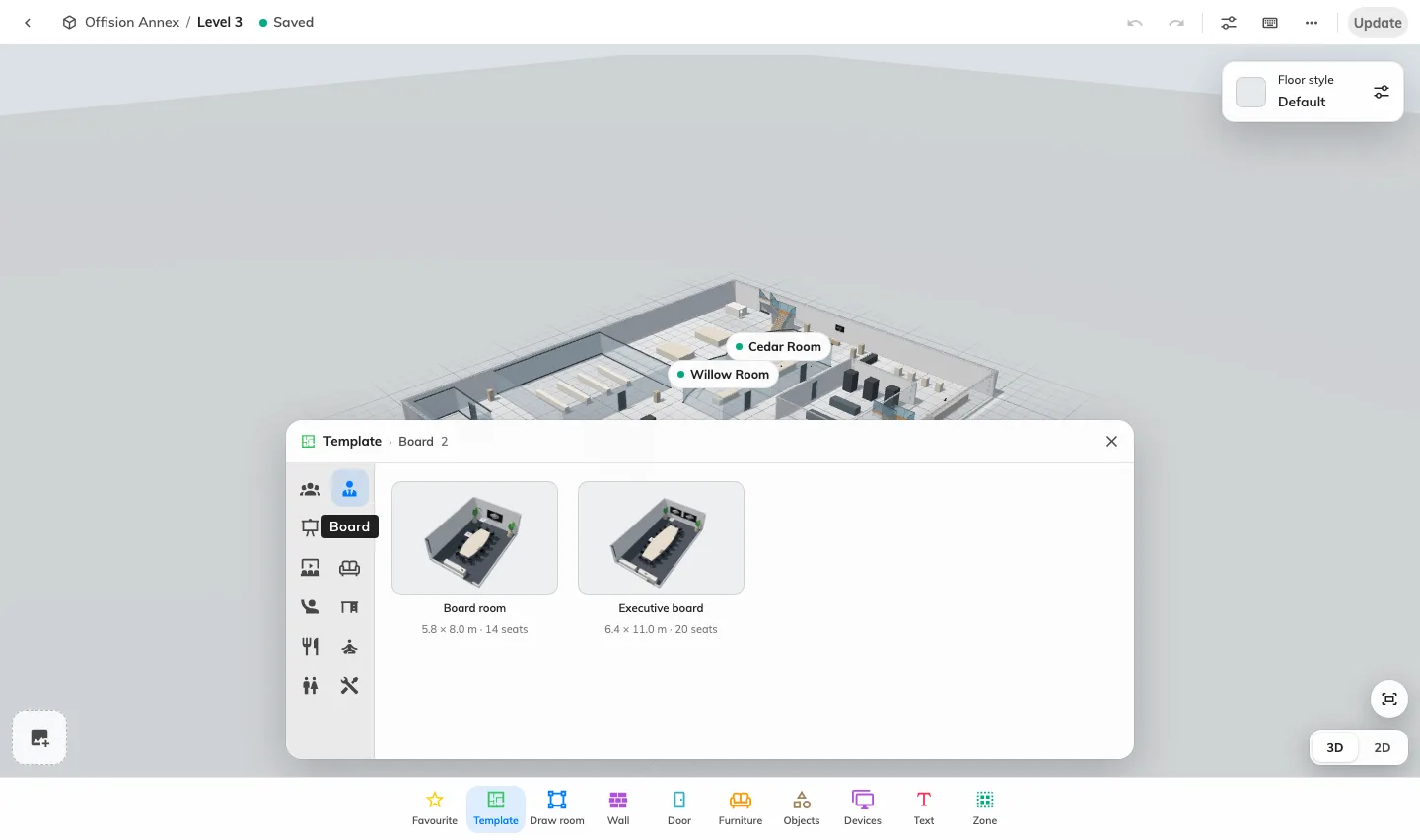
Open Map › Map to place the new Sculpted tub chair, Six-sided and Eight-sided ottomans, Drum coffee table, diameter-locked Round column, and Semicircular counter presets, or select any signage player or location-bound IoT device and use Edit › Location (Position) to place it at an exact floor point outside a room.
What changed
Guest booking
- Guests can now reschedule, change rooms, edit details, or cancel reservations from their private Manage booking link (included in emails and calendar invites) when Allow manage booking and Edit booking or Cancel booking are enabled on a page's Emails tab, with Awaiting approval only or Awaiting approval and approved scopes and Stop before start cutoffs.
- Review changes compares previous and revised quote totals before guests save an edit, warns when moving an approved booking to an approval-gated room or slot releases the original time immediately, and retains earlier quote history and payment proof for staff reconciliation.
- Cancelled notifications on a Guest Booking page's Emails tab now have their own Send this email switch.
- Opening a guest booking on Management calendar now displays read-only Guest contact details below Organizer, Booking approval can be searched by displayed BK booking reference, and Booking-grouped calendar exports include guest Currency, Total, Deposit, and Amount due columns.
- Fixed resources and resources with booking turned off are now excluded from the Guest Booking room picker and published guest pages while eligible combined rooms remain available, and Include weekends & public holidays uses a page-themed checkbox when set to Let guest choose.
Signage
- Landscape 32:9 boards in Signage can now be edited By monitor (Screen 1 and Screen 2) as well as Whole wall under Layout › Video wall, preserving each monitor's background design and adding three draggable Grid 4 seams (20% to 80%) per screen.
- Image, Video, YouTube, Playlist, HLS, and Website (iframe) widgets can now be placed in side-list slots alongside stages.
Visiting
- Scheduled visitor invitations in the admin console and user app now include a Vehicles subpage to select a parking spot per vehicle on a 3D map (including recurring visits), release spots automatically on cancellation or early departure, and show reserved parking in visiting emails and Reception cards when visitor vehicle registration and parking spaces are configured.
- Staff granted the Visitor guard permission where visitor management is enabled can now verify visitor pass QR codes (or manual codes via Enter code) in the user app with Admit, Check required, Do not admit, and Try again decisions, continuous desktop scanning, and Mute scan sounds or Pause camera controls.
Booking
- Desktop admin console header search now looks up permitted Bookings by organizer or guest contact (with Recent, Next 30 days, and Past 30 days windows and View all) or across all dates by exact BK reference, alongside exact Visitor badges, Visitor data profiles, and Directory › Users.
Map
- The 3D designer adds Sculpted tub chair, Six-sided ottoman, Eight-sided ottoman, Drum coffee table, Round column with diameter-locked width and depth and independent height, and Semicircular counter size presets, plus AI floor-plan drawing progress stages, reconnection recovery, and draft preview retry without re-reading the plan.
- Signage players and location-bound IoT devices can now be placed at any open floor point on a 3D map via Edit › Location (Position).
System
- Workflow designer now opens as a dedicated page with separate Test and Save actions and confirmation before locking or unlocking, Microsoft 365 application-permission room sync imports room capacity when adding rooms, and Email history searches recorded subjects (including BK references) and recipient addresses.
Fixes
- Duplicating a signage board could drop its configuration, display languages, variables, and user identification method.
- Multi-line text defaults in signage board and player variable mappings could be lost when saving.
- Booking status map widgets on 3D map floors could ignore camera presets or saved camera poses.
- Multi-region player pairing handoff could be lost across shell switches and page reloads.
- Opening a user in Directory › Users could fail when linked records had been deleted.
- Shared management-calendar search links could lose their active filters on initial load.
- Booking policy navigation panes could render narrower than full width.
- Calendar exports could omit resource, floor, or building names when the current locale was empty.
- Long resource names could clip instead of wrapping cleanly on user and management calendars.
- Projector input-switch acknowledgements on control processors could be recorded as an active input value.