

Support staff guide
Fixing what people report as broken: the tickets waiting on you in the Offision app, and the shared queue on the panel your team works from.
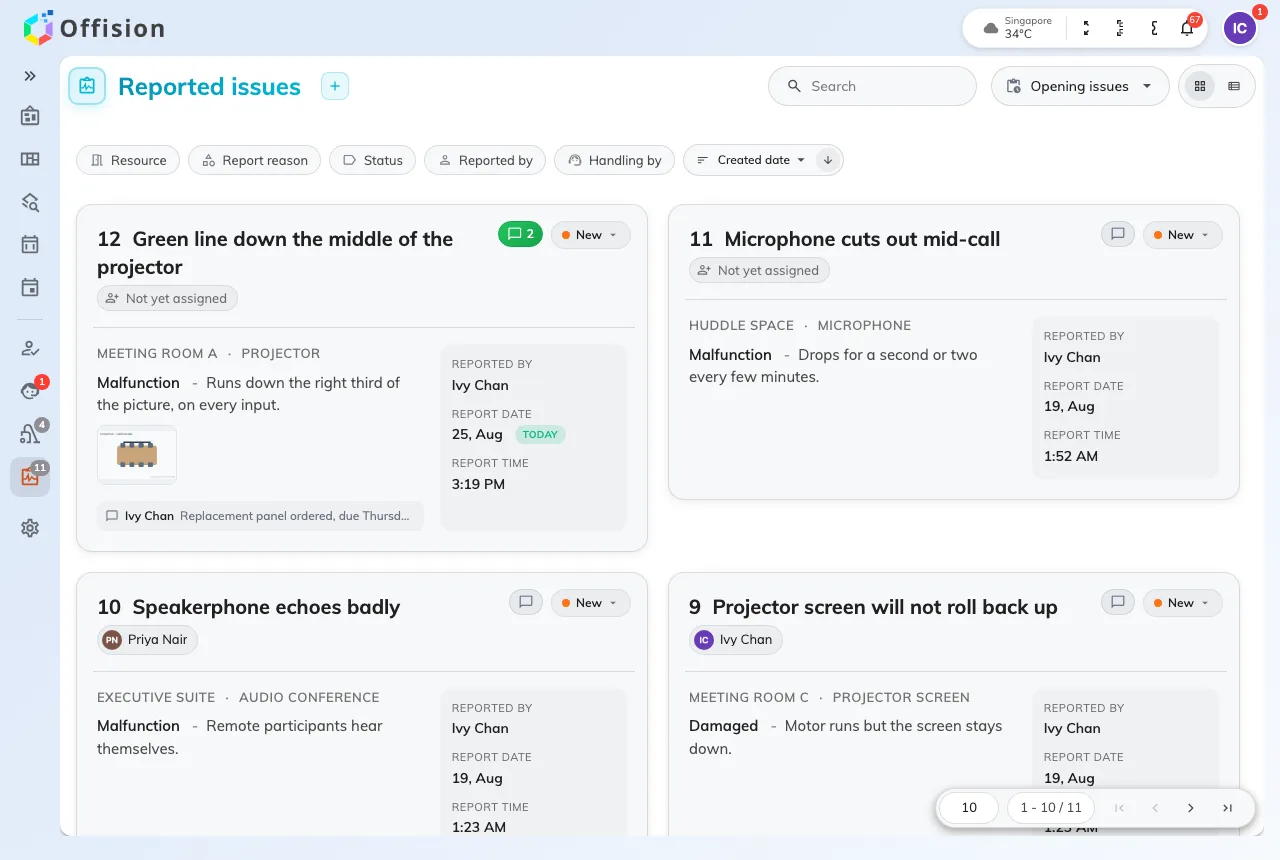
This guide is written for the person who fixes what somebody reported as broken — the chair with a wheel off, the panel down to its last percent of battery, the projector that will not wake up. Like a receptionist, support staff are ordinary Offision users with one extra permission: hold Support staff and the app grows a Support page, and that page is your queue.
Two screens, and they are not the same
The app carries the whole queue. It filters, searches and sorts, it shows the photographs the reporter attached, and it is the only place you can write a line back to the person who reported the fault and have them told about it.
The panel on the wall is the team’s shared screen: every open ticket, grouped by floor, with a timer running since somebody reported it. Three buttons and a ticket is done. It notifies nobody and records no name — that is the trade for speed, and knowing it saves an argument later.
A ticket has four states
New, In progress, Resolved, Closed. Nothing here is one-way: a closed ticket can go back to New, which is what happens when a fault comes back. Both screens move a ticket, and both see the change at once.
Every ticket, everywhere
There is no such thing as your rooms. Everybody on Support staff sees every ticket in the estate, and an unassigned report is announced to all of them. Who gets emailed about which rooms is narrowed by a ticket policy, not by your queue.
What this guide does not cover
Anything set up rather than done. Who is on Support staff, which roles are emailed about which rooms, and what the screen on the wall shows are all admin settings, documented under Ticketing and Signage. Reporting a fault in the first place is the employee’s task, in the user guide.