

4.5.14
New this release: a flat 2D map for signage, a weekly look back at your bookings, the day your week starts on, and cancelling a meeting you checked into.
Let people cancel a meeting they checked into
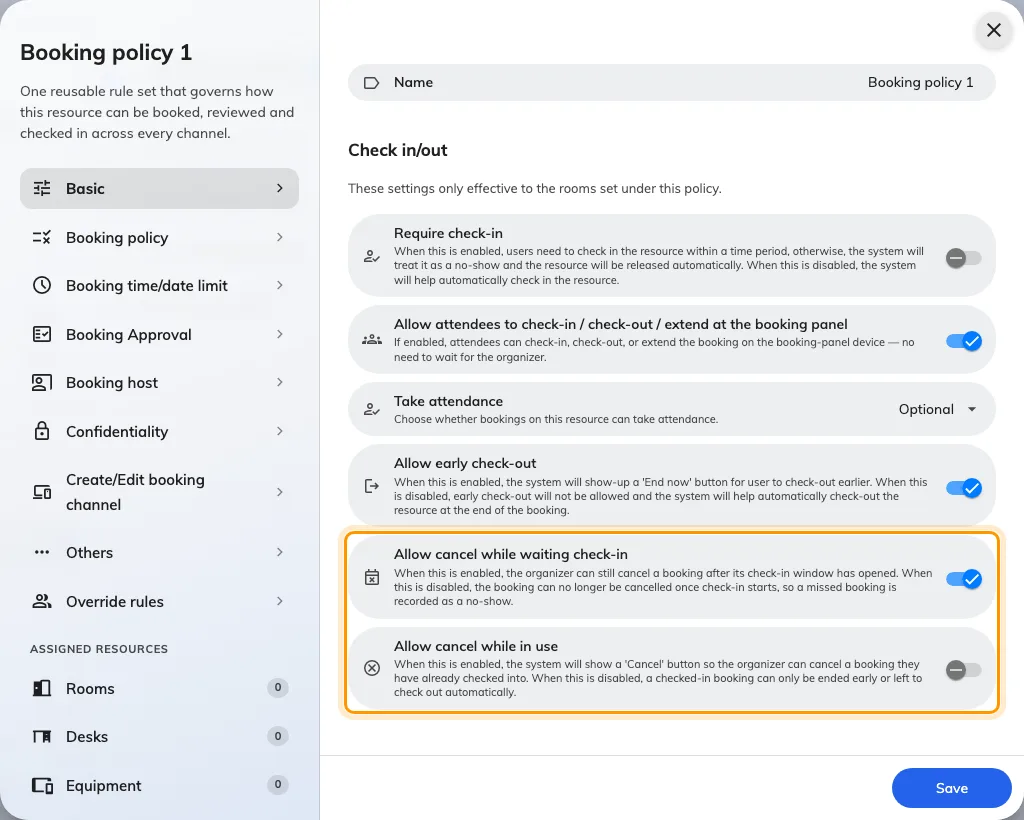
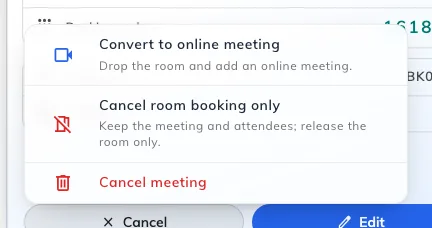
Whether a booking could still be cancelled after check-in opened was fixed for everybody: one waiting for check-in always could, one already in use never could. Now the room decides. Its booking policy carries two switches: Allow cancel while waiting check-in, which is already on, and Allow cancel while in use, which is off until you turn it on. Cancel then joins Extend and End on the card of a meeting in progress.
Auto-complete lists, in the languages you use
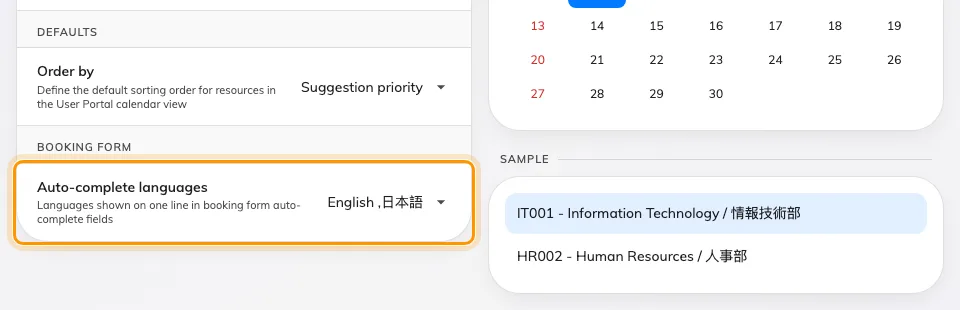
An auto-complete field on the console's booking form offered its options in one language, while the same field in the user app showed every language you had listed. Now both read the same setting. Auto-complete languages, at the foot of UI customization › Others, decides which languages ride on one option row, and the sample beside it shows what a row will look like. The list starts empty, which means the reader's own language only.
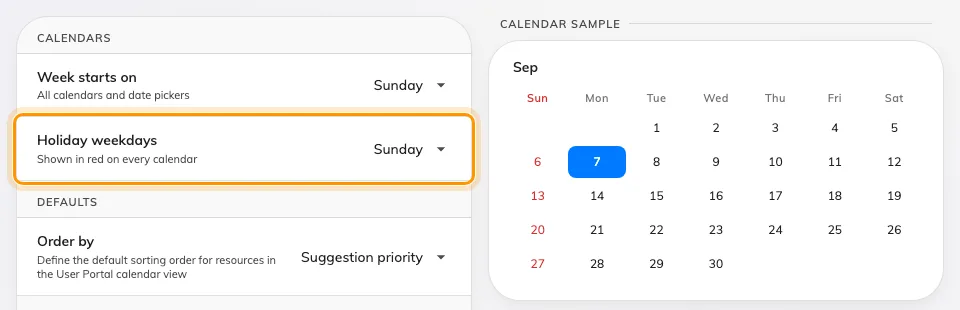
Pick the day your week starts on
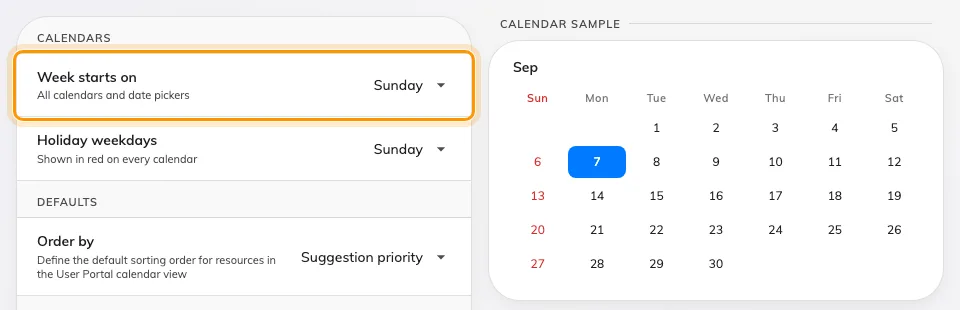
Every calendar in Offision started its week on Sunday, whatever your office does. Week starts on — Sunday, Monday or Saturday — now sits in UI customization › Others, and the management, resource, schedule, visiting and service grids follow it, along with the date pickers beside them. The preview on the right redraws this month before you save.
Mark the days you do not work
The red day on a calendar was simply the first column, so moving the week start to Monday reddened every Monday instead. Holiday weekdays is now a setting of its own on the same page: pick any number of days, or none at all, and the preview reddens them as you go. Sunday is what an existing account already has.
A weekly look back at the bookings that stood
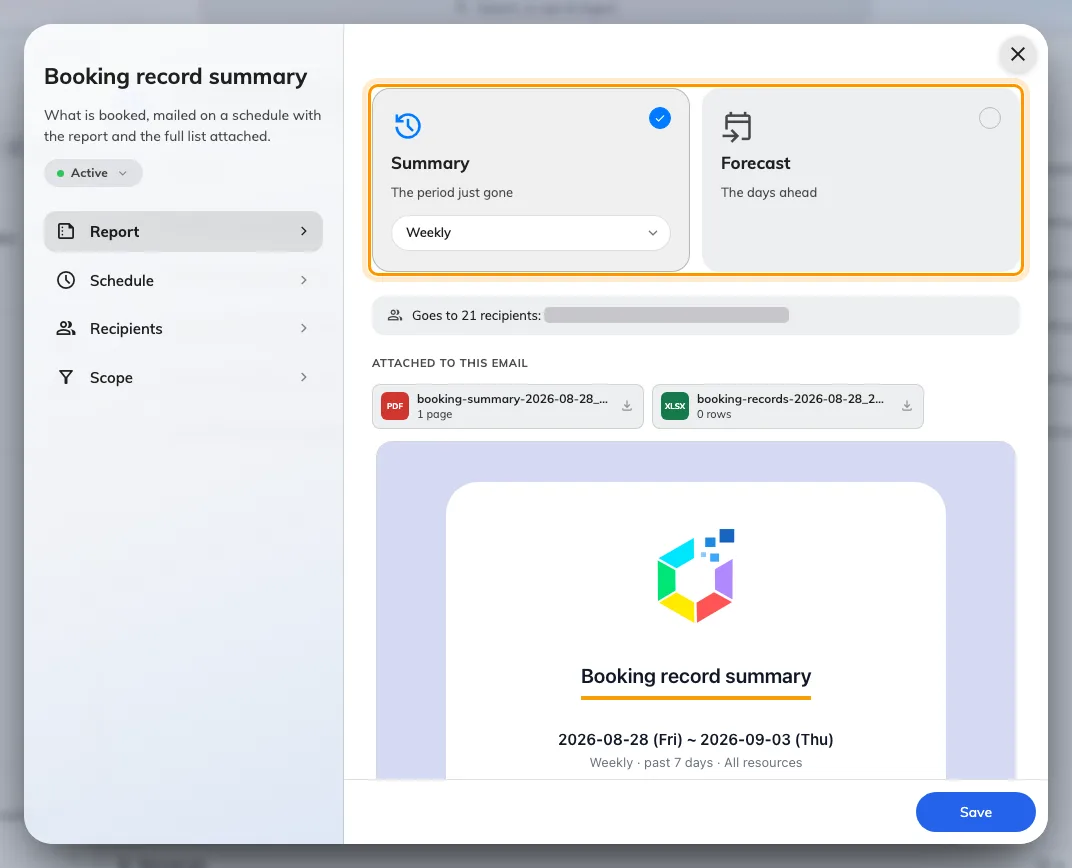
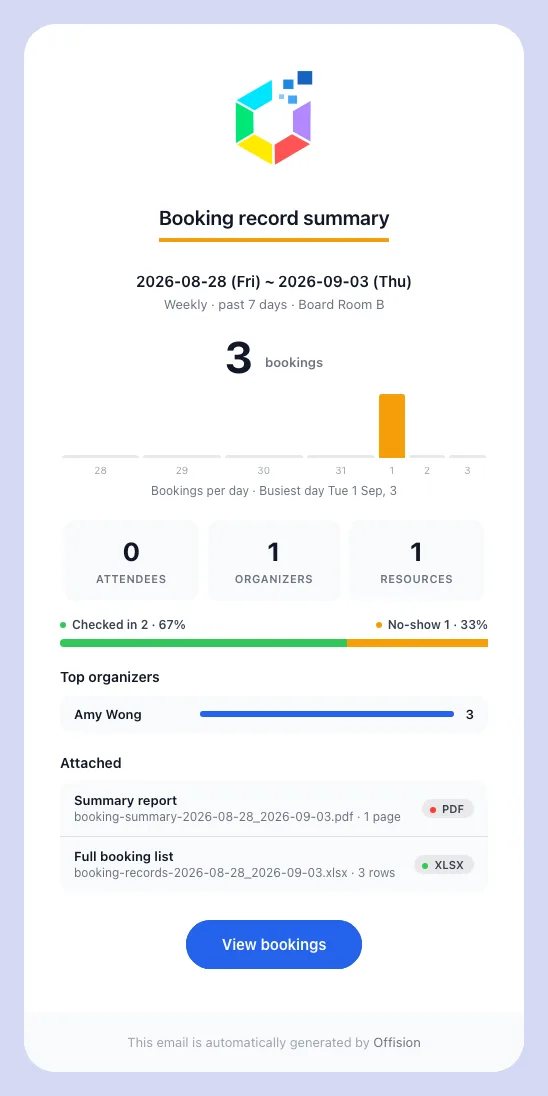
The booking report told you what was coming and nothing about what had happened. Booking › Email report now offers a Booking record summary, looking back a day, a week, a fortnight or a month, and it arrives with a one-page PDF and a spreadsheet of the rows behind it. The form previews the mail as you fill it in, so you can see what lands before you subscribe anyone. Only bookings that stood are counted — cancelled, rejected and pending ones stay out of the figures.
Bring notes across from the import sheet
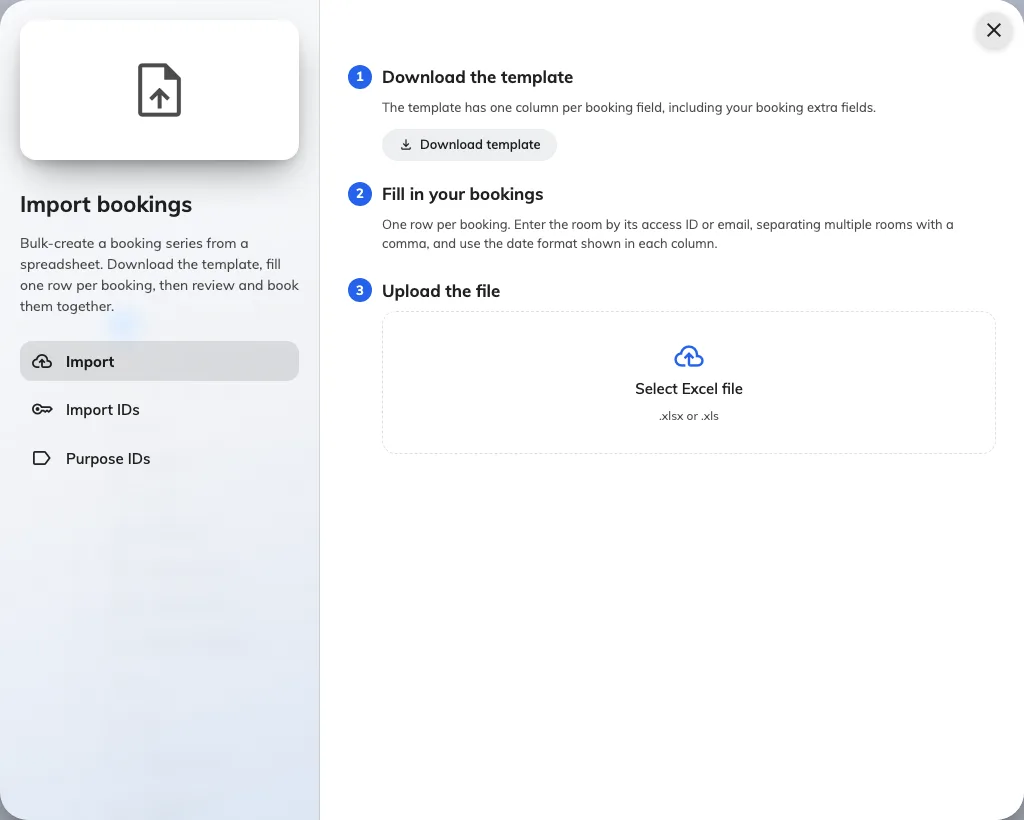
Importing a schedule from a spreadsheet dropped whatever the meeting's notes said, and the column people looked for was not there. The template now carries a Meeting notes column, and its heading takes whatever you have renamed Notes to on the booking form. It is the last column before Series ID, so a template downloaded before this release no longer lines up — download it again from the import dialog.
The booking list takes its own order and title
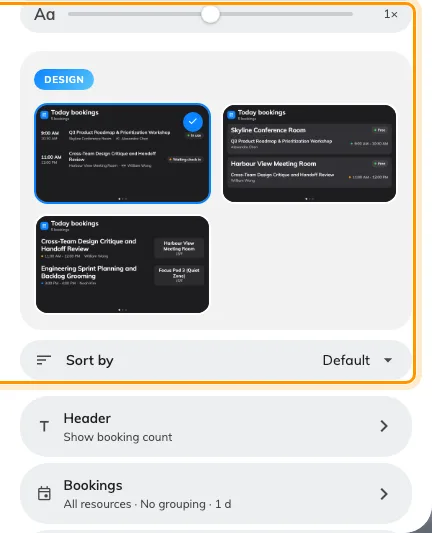
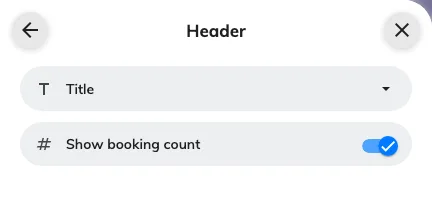
A booking list on a signage screen showed its rooms in the order the design implied, and wore the bound room's name as a header. Sort by now offers Default, Room name, Subject or Time — Default names the order the design resolves to, so a saved board renders exactly as it did — and a Header group gives the widget a title of your own, in each language. Signage Content V2 boards.
Turn the room status off
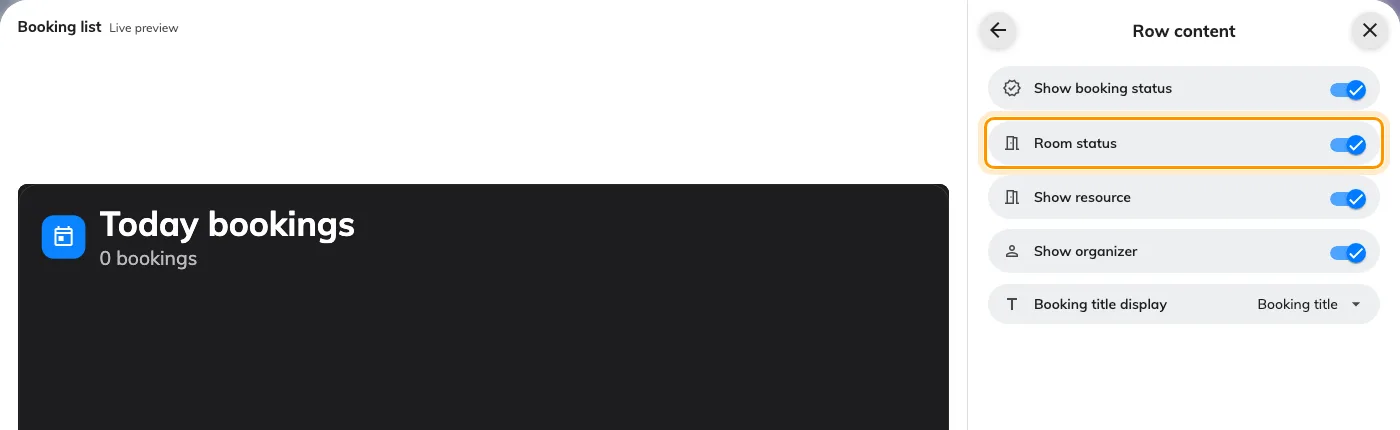
The room's free-or-occupied badge went on being drawn whatever you did with the row switches, because it is a room's state rather than a booking's and nothing owned it. Room status, under Row content, owns it now. It stays on until you turn it off, so a board you have already saved looks the same as it did.
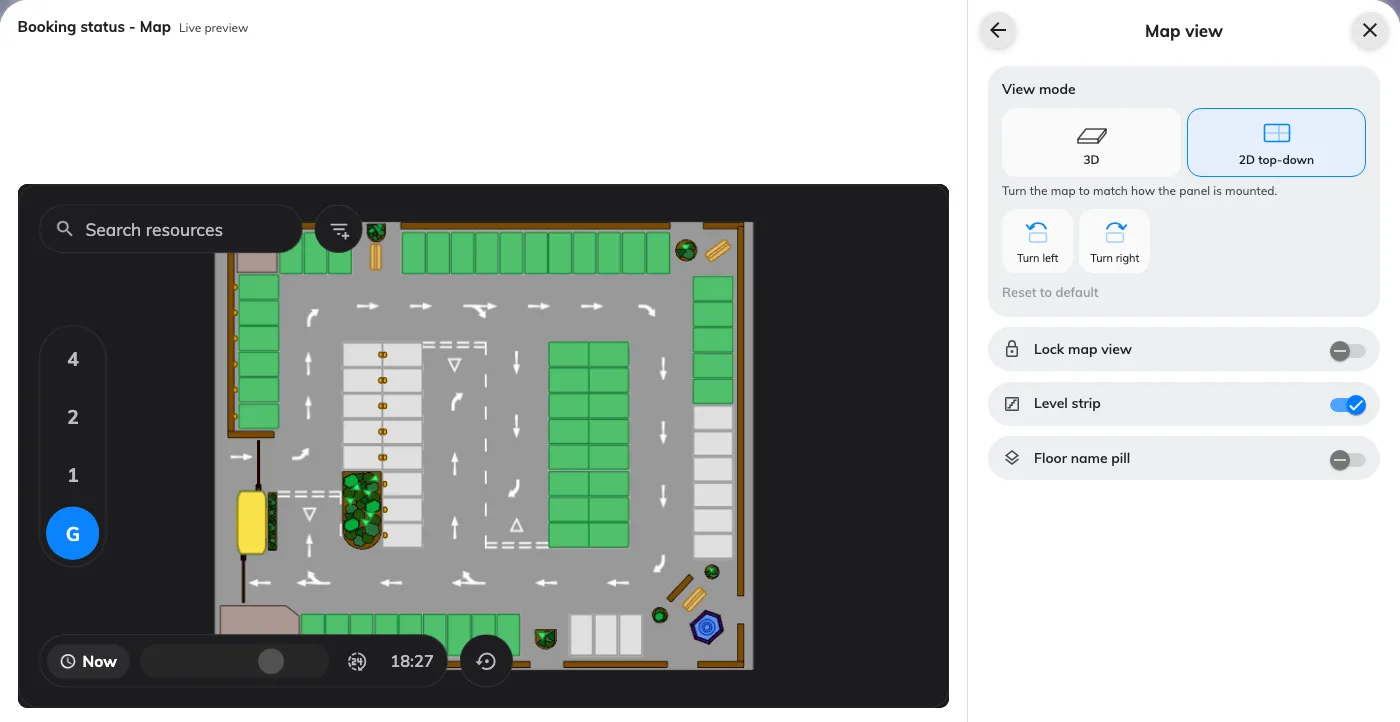
A flat 2D map, turned to the wall
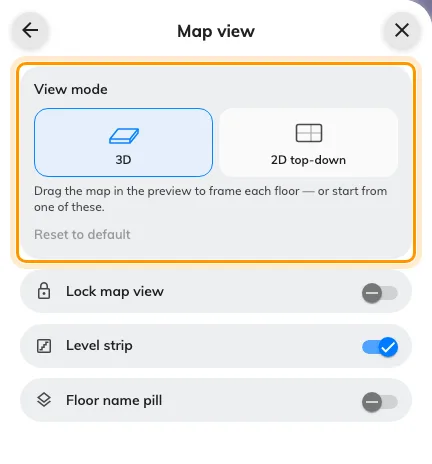
A floor plan on a screen was drawn in perspective, which is more work than a signage device has to spare. The map widget now picks its projection: 3D as before, or a flat 2D map that is lighter to draw, with quarter turns so the plan squares up with a panel mounted sideways. A board made before this release stays 3D until you pick, and a screen whose graphics cannot run WebGL 2 now says Map unavailable instead of showing nothing. Needs a floor plan drawn.
The usage report names the person, in the file too
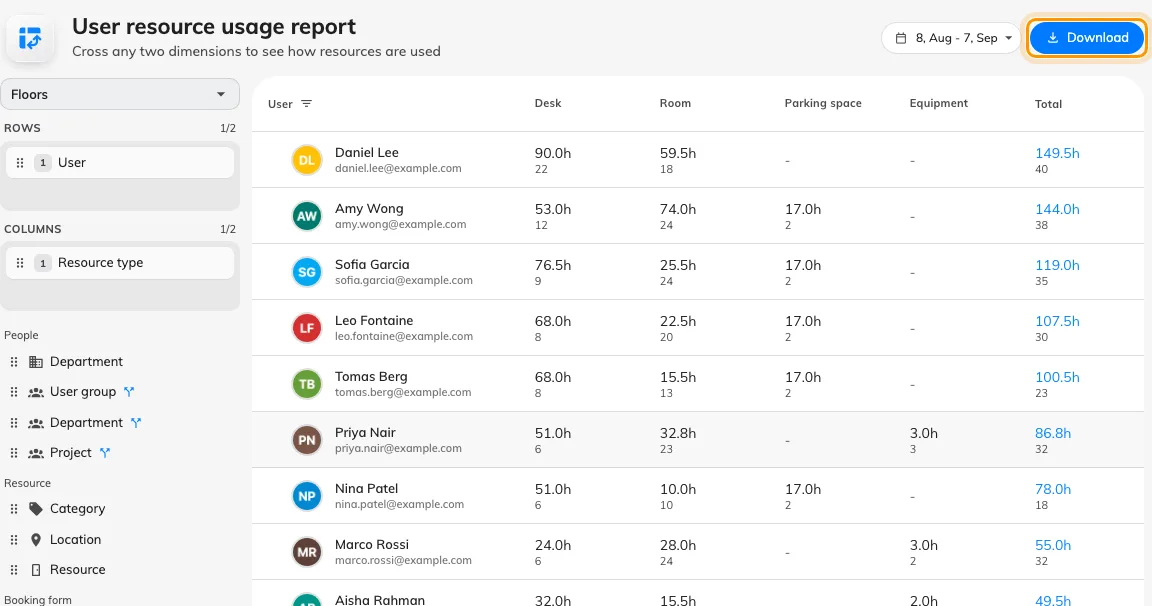
The user resource usage report read correctly on screen and then exported a User column full of ids, with the Email column beside it empty. The export now names whoever the user level holds, whatever depth that level sits at, and fills in the address next to it. Put User anywhere on Rows and download — what you read is what the file says. Needs the analytics licence.
What changed
Booking
- Once check-in opened, whether a booking could still be cancelled was fixed for everybody. Now each room decides: its booking policy carries Allow cancel while waiting check-in, which is on already, and Allow cancel while in use, which is off until you turn it on.
- An auto-complete field on the console booking form offered its options in one language while the user app showed several. Now both read Auto-complete languages in UI customization › Others; the list starts empty, meaning the reader's own language only.
- The booking report told you what was coming and nothing about what had happened. Now Booking › Email report offers a Booking record summary over a day, a week, a fortnight or a month, with a one-page PDF and a spreadsheet, and the form previews the mail as you fill it in.
- Importing a schedule from a spreadsheet dropped the meeting's notes. Now the template carries a Meeting notes column under whatever you have renamed Notes to — last before Series ID, so a template downloaded before this release no longer lines up.
- Approving a booking whose time had already passed went through without a word. Now we ask you to confirm it.
Visitor management
- Visiting had the forecast mail and nothing that looked back. Now Visiting › Email report offers a visiting record summary on the same daily, weekly, fortnightly or monthly cadence, with its own PDF and spreadsheet.
Signage
- A floor plan on a screen was always drawn in perspective, which is more work than a signage device has to spare. Now the map widget picks 3D or a flat 2D map, with quarter turns to square the plan with a panel mounted sideways. Signage Content V2 boards; one made before this release stays 3D until you pick.
- A booking list showed rooms in the order its design implied and wore the bound room's name as its header. Now Sort by offers Default, Room name, Subject or Time, and a Header group gives the widget a title of your own.
- The room's free-or-occupied badge was drawn whatever the row switches said, because it is a room's state rather than a booking's. Now Room status, under Row content, turns it off.
- A screen whose graphics cannot run WebGL 2 showed a dead widget where the map should be. Now it says Map unavailable.
- Administrators walked past Set location and left the screen off the floor plan. Now Location is a step of the add-signage wizard — Brand, Connect, Location, Done — and Set later asks once before skipping. Needs a floor plan drawn.
UI customization
- Every calendar started its week on Sunday, whatever your office does. Now Week starts on — Sunday, Monday or Saturday — sits in UI customization › Others, and the grids, the date pickers and the week arithmetic all follow it.
- The red day on a calendar was whatever sat in the first column, so a Monday-start account reddened every Monday. Now Holiday weekdays is its own setting on the same page: any number of days, or none. Sunday is what you already have.
General
- An account that lived on another region's server sent you to a page that was not there. Now we take you to the right server and remember it, and the desktop and mobile apps open there next time. Your server operator turns cross-region search on.
Fixes
- The number of lines a booking-card field was allowed had no effect on the calendar itself.
- A short booking's card was too short to show its title.
- A field set to unlimited lines left the fields under it with none.
- A long warning on the Management Console home page was cut off.
- The user resource usage export named a user by id instead of by name.
- The Email column in that export was always empty.