

4.5.19
A visitor who scans your lobby code is now walked to the room one step at a time, and an export is bounded by the rows it holds rather than by two months.
Export a series, edit it, and import it back
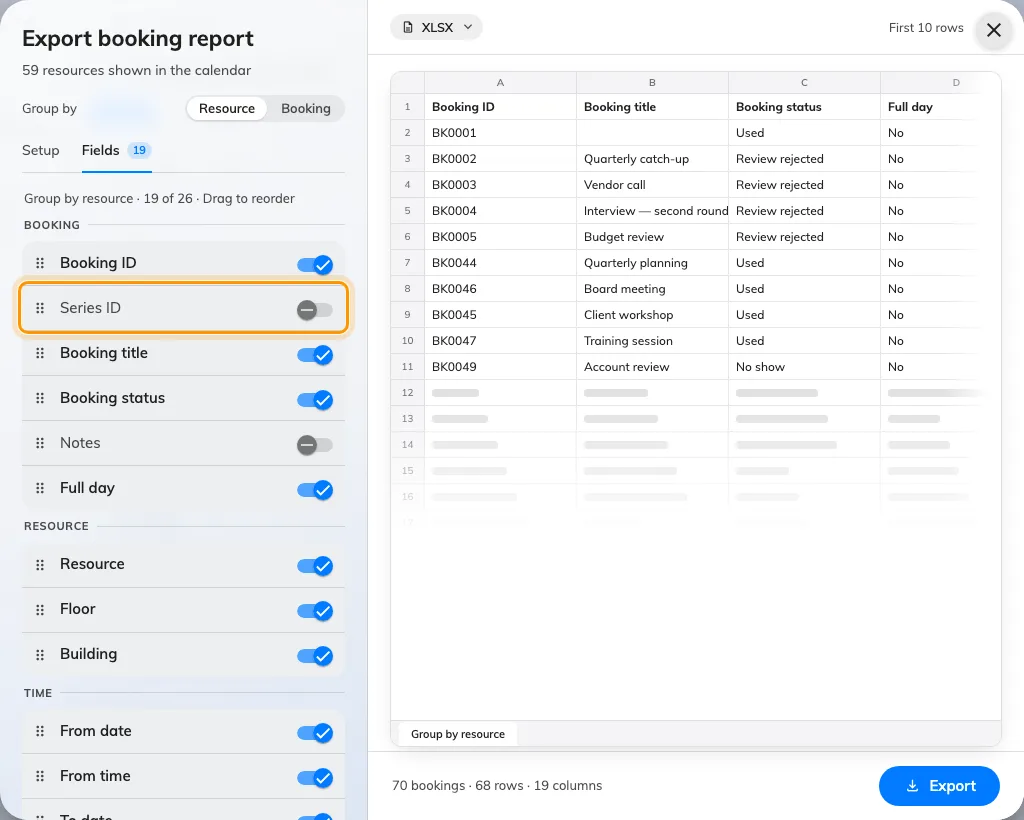
The export has always been a report rather than a template, so a sheet you pulled out could not be fed back in — to repeat a series somewhere else you kept the file you imported, or rebuilt it by hand. Series ID changes that for one column: it carries the import template's own header, so an exported series can be edited in the sheet and imported again as the same series. Switch it on in the export's Fields step, where it sits with the rest of the booking columns under Booking ID. It starts off, and it is blank on any booking that belongs to no series.
The limit is rows, not months
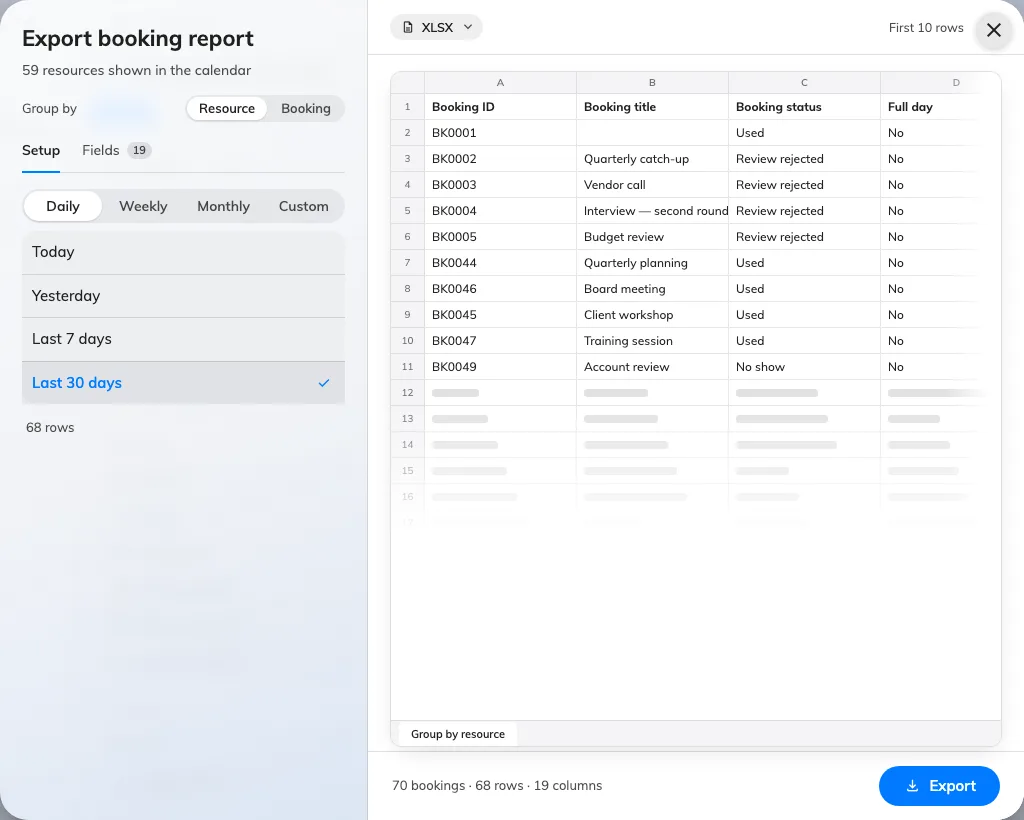
A report used to stop at two months, which was really a guess at file size and a poor one — a week of 300 rooms weighs more than a quarter of ten. The period is no longer capped. Instead the dialog counts the rows your sheet would hold and says so under the range, recounting every time you change the grouping: past 50,000 it calls the file large and downloads it anyway, and past 200,000 it stops, replaces the preview with a note and asks you to shorten the period or turn fields off. The server refuses the same file, so the number is not a suggestion, and the visiting export works exactly the same way.
Book other room moves in with the booking buttons
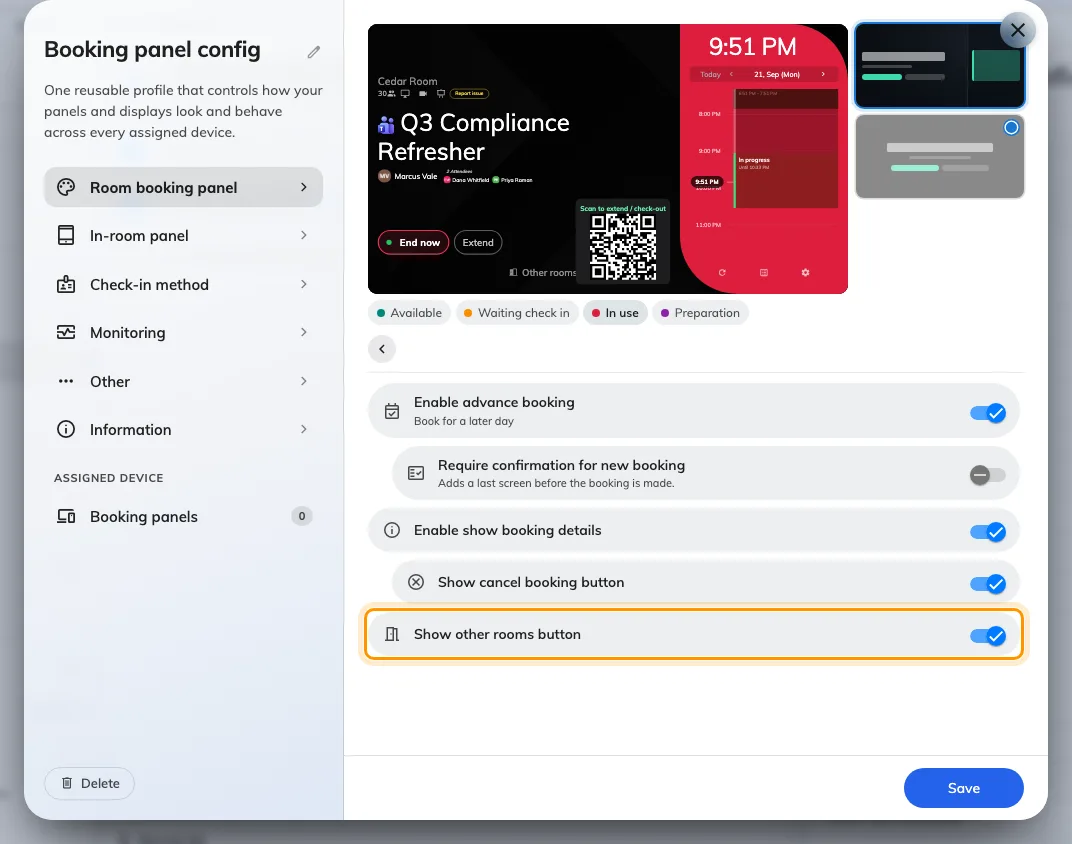
Show other rooms button lived under Door & extras, beside Open door and Report issue, which is where you looked last for something that books a room. It now sits with the other booking switches — Book from the panel on the Room booking panel, and Use a booking on the In-room panel. Turning it off also means what it says now: the in-room panel's Move to Other Room and Find other available in the time picker used to offer another room regardless, and both honour the switch. The group is behind Touch screen mode, and the setting belongs to the configuration, so it lands on every panel that shares it.
See what is see-through while you crop
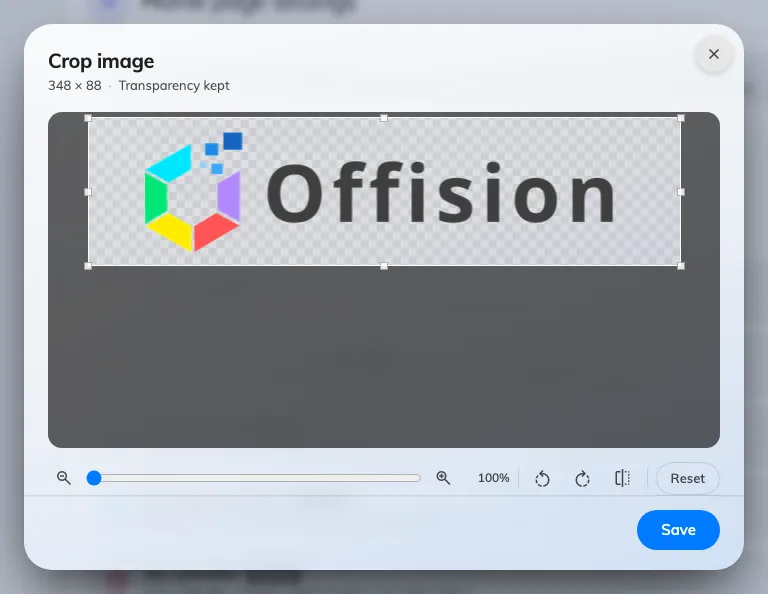
Logos arrive as transparent cut-outs, and the crop window gave you no way to tell one from a mark with a white box baked into it — both sat on the same flat ground, and you found out later, on a dark panel. The picture now sits on a chequerboard captioned Transparency kept, and the window opens on the largest box the picture allows instead of a small square in one corner. Along the bottom are Zoom in and Zoom out with a slider between them, Rotate left, Rotate right, Flip horizontal and Reset, so a picture that came off a phone sideways is straightened here rather than in another application. Every image upload in Offision opens this same window — a home or sign-in logo, a panel's mark, a room photo, somebody's profile picture.
Give Home the full width
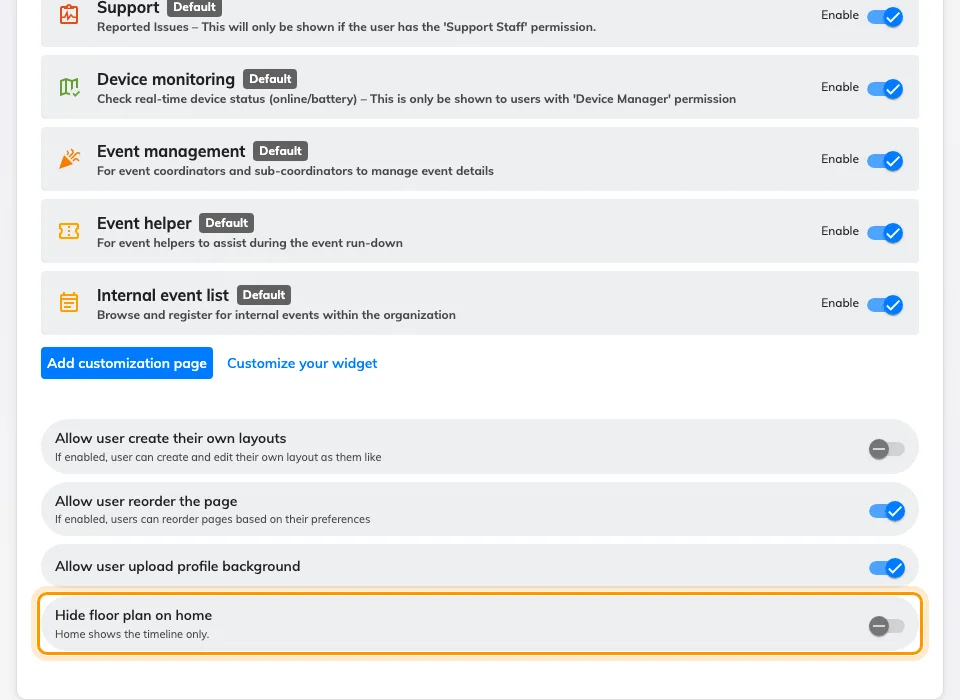
Home puts the timeline on the left and a floor plan on the right, which is the right shape for a building whose plans are drawn and a waste of half the page for one whose plans are not. Until now the only way to be rid of that panel was to take the floor-plan licence away, and that took the Indoor map widget and the map page with it. Hide floor plan on home, the last switch on UI customization › Home page, drops the panel and the chevron that showed and hid it, and gives the timeline the whole width. It is tenant-wide, it starts off, and the Indoor map widget and page carry on as before.
What changed
Booking
- An exported sheet could not be fed back in, so a repeating booking had to be rebuilt by hand. Series ID is now one of the columns you can switch on in the export's Fields step, and it deliberately carries the import template's own header, so a series can go out, be edited and come back. It starts switched off, and it is blank on a booking that belongs to no series.
- A report covered at most two months, which said nothing about how large the file would be — a week of 300 rooms is heavier than a quarter of ten. There is no cap on the period now. The dialog counts the rows the sheet would hold instead, recounting whenever you change the grouping: past 50,000 it calls the file large and still downloads it, and past 200,000 it refuses and asks you to shorten the period or turn fields off. The server enforces the same limit, the visiting export shares it, and XLS is refused above 65,535 rows with a nudge towards XLSX.
- Adding Series ID changes the set of export columns, so an export layout you had reordered or hidden yourself returns to its defaults once. Set it up again and it sticks.
Device
- Show other rooms button sat under Door & extras, away from the other booking buttons. It now sits in Book from the panel on the Room booking panel, and under Use a booking on the In-room panel. Turning it off also closes the two ways through that used to ignore it — Move to Other Room on the in-room panel, and Find other available in the booking time picker. The group needs Touch screen mode on.
- Walking into a group of panel settings put the way back at the top of the pane, where a long group scrolled it out of sight. The round chevron is now pinned above the list and stays put however far down you scroll. The preview's chip row also lost two chips that were never room states: Short available, and the screen saver, which now previews itself while its own group is open and only when it is switched on.
- A logo cut out on a transparent background looked exactly like one with a white box baked in, because the well painted the panel's own ground behind it. A transparent mark now sits on a chequerboard captioned Transparency kept, the three grounds — Transparent, White and Black — are one segmented control beside the preview rather than three cards stacked under it, and a wide wordmark is no longer cropped to fit the well. It is part of Background & logo on the Scheduling panel design, once Show company logo is on.
- A panel waiting to be paired went on showing its registration code after the server had dropped it, so the number you wrote down was already dead. The code lives on an open connection, so the panel now clears it when that connection goes and shows the network message instead; a panel that reconnects shows a fresh code.
Map
- A visitor who scanned your code got a map and a search field, and then had to read the route off the floor plan. Now choosing a room offers Take me there, and the walk arrives one step at a time — Start here, a step for each lift or staircase on the way, then the room's name under You have arrived — with the floor changing itself as they pass a lift, so nobody has to find the level rail. Wayfinding needs the floor licensed for it and a route network drawn on it in Map › Floor plan; a floor with no network still gives no directions.
UI Customization
- Home gave the floor plan half its width whether or not you had drawn one, and the only way to be rid of it was to take the floor-plan licence away, which cost the Indoor map widget too. Hide floor plan on home, on UI customization › Home page, now gives the timeline the full width for everyone in the tenant. It starts switched off, and the Indoor map widget and page are untouched by it.
General
- The crop window opened on a small box in the corner of a large picture and offered nothing but dragging it out again. It now opens on the largest box the picture allows, and carries Zoom in and Zoom out with a slider between them, Rotate left, Rotate right, Flip horizontal and Reset. A picture with a transparent background sits on a chequerboard so you can see what is see-through while you crop it, and backing out of the window no longer clears the image you already had.
Fixes
- Opening the booking import dialog raised an error for every fixed column in the template — eleven of them on a plain account — on the console and in the user app.
- A room panel's clock stopped moving when it lost the server.
- The QR code could push Other rooms out of the panel's End now row.
- An early check-in that moved nothing was still written to a Microsoft 365 calendar.
- A room booking panel showed no announcements aimed at its room's floor or building.
- A Google Calendar meeting that booked several rooms appeared on only one of them in Offision.