

4.5.20
Import bookings straight from the app, and a sheet with a bad cell now stops before it books. Panels get a new console, announcements a simpler form.
Import bookings from the app
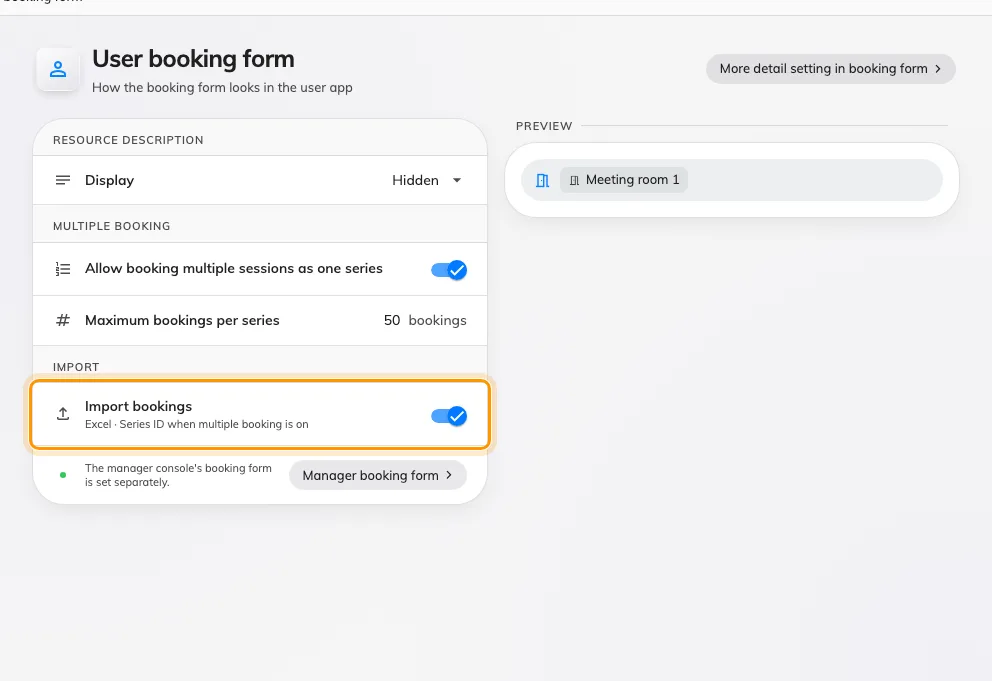
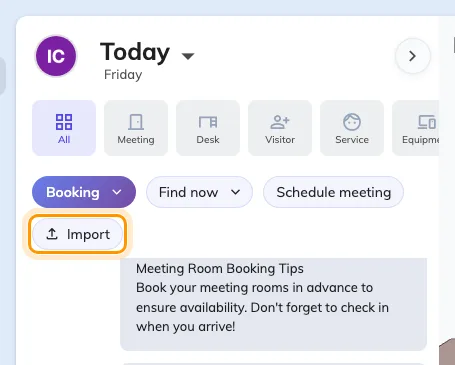
Only administrators could import a sheet of bookings, so everybody else sent their spreadsheet to one. The Offision app now has its own Import — on the Schedule header, in Home's quick actions and under Room in the footer — with the same template and the same checks, minus the Organizer column, because you are the organizer. It appears once Import bookings is on in UI customization › User booking form, and only for people who can book a room.
A cell that does not fit stops at the import
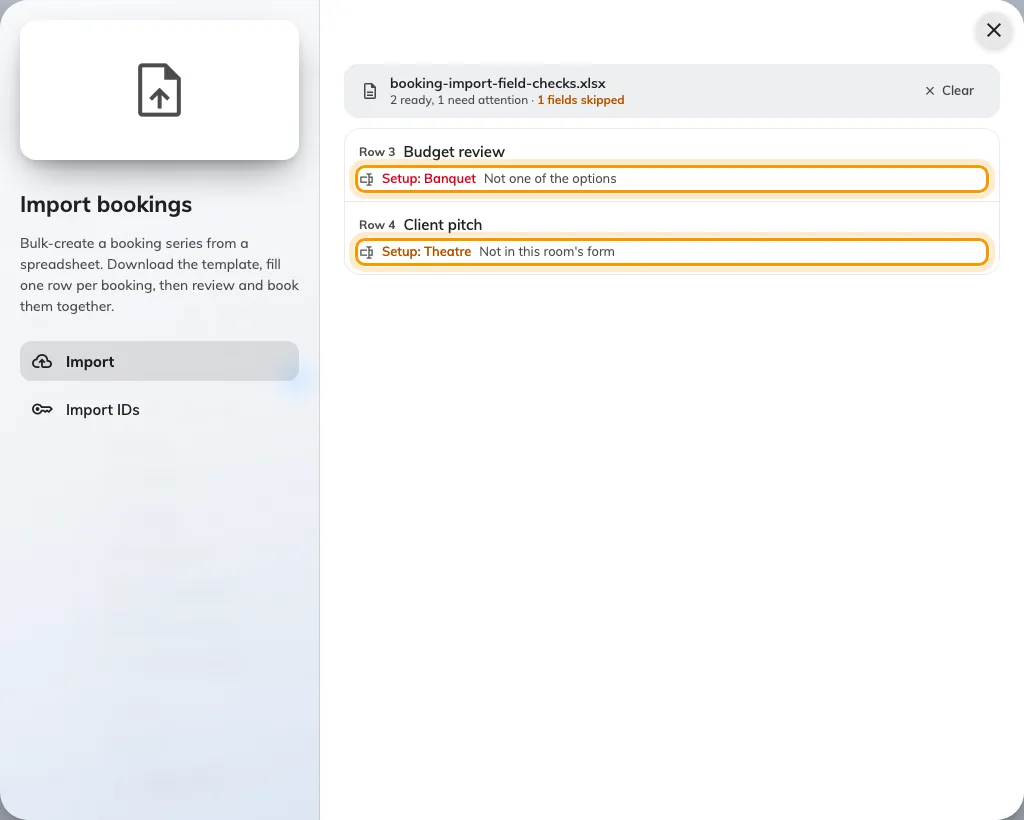
An import used to book whatever the sheet said, so an answer that was not one of a Select's options — or one for a field the room's form does not even have — ended up on the booking. Now each of the form's own columns is checked against the form of the room the row books. A cell that does not fit turns the row red and it cannot be booked; a field the room's form lacks is listed in amber as Not in this room's form and dropped. Fix the sheet and upload it again — a sheet with only amber lines waits on Continue.
Clear a list in one go
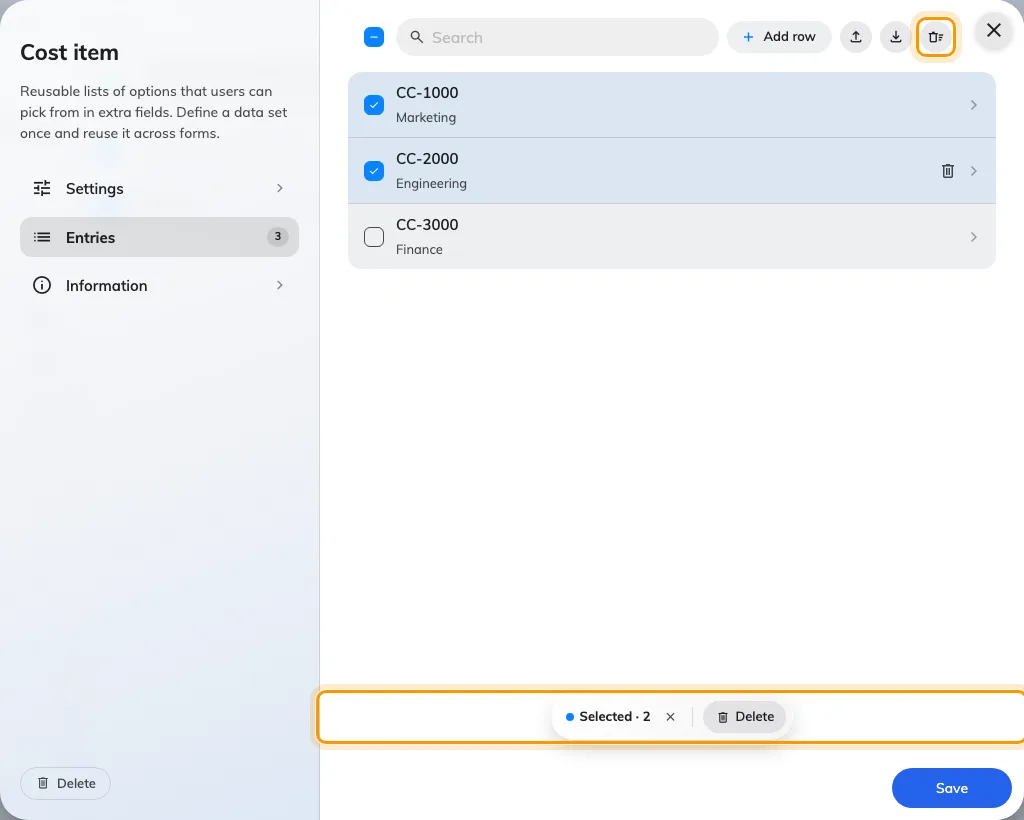
A data set, or a booking policy's time sectors, could only be emptied one row at a time. Every row now has a tick — Shift-click ticks a range, and the box at the top ticks every row the search shows — and Delete removes what you ticked, while Delete all empties the list after asking. Nothing is removed until you save. The same controls are on Booking › Data set, Visiting › Visiting data set and the time sectors of a booking policy.
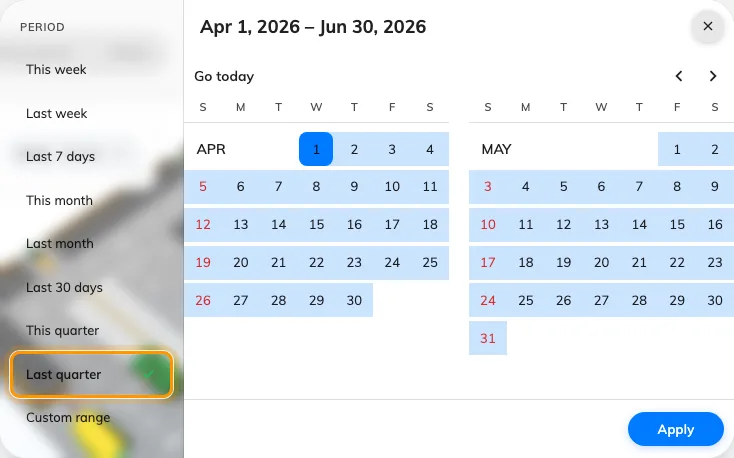
Last quarter in one click
A quarter-end report meant typing the quarter's dates into the period picker. Last quarter and This quarter now sit under Last 30 days in every analytics period picker — calendar quarters, so on 23 September Last quarter is 1 April to 30 June. For a report of every room, pick Last quarter on Resource usage analytics and use Export on Resource ranking; to have it arrive by itself, set the booking record summary in Email report to Quarterly.
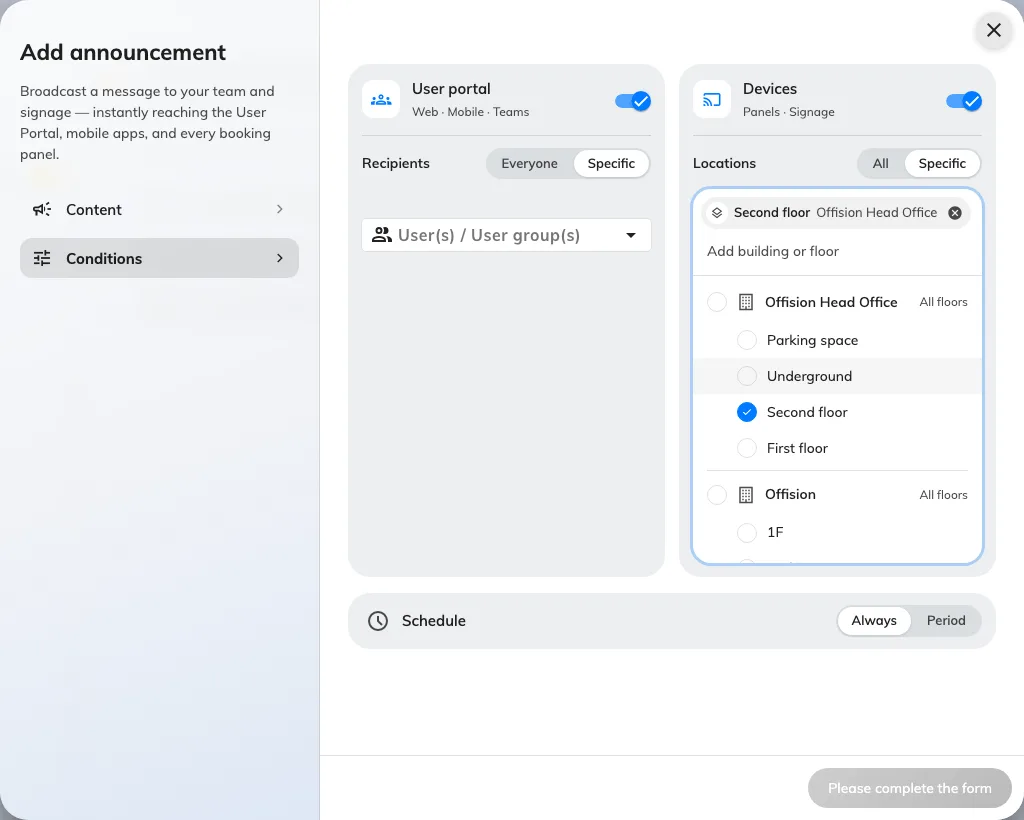
Choose who sees an announcement
Who saw an announcement was four switches, and a switch left off with nobody named meant everybody. Conditions is now two lanes side by side — User portal, with Everyone or Specific recipients, and Devices, with All or Specific locations picked as building and floor chips — over a Schedule that is Always or a Period. Specific with nobody picked cannot be saved, so a narrowed notice always names somebody.
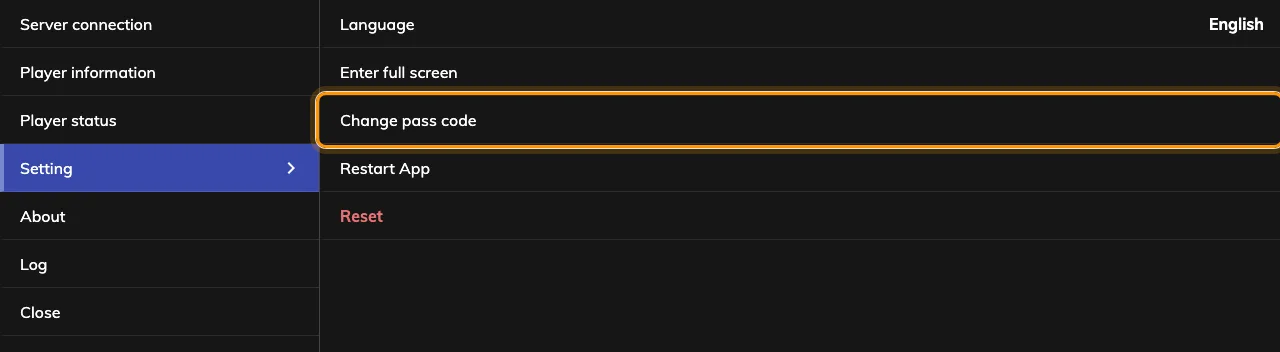
A console that opens over the room
The device console used to replace whatever the panel was showing, and closing it restarted the app. It now opens over the room — the panel keeps running underneath, so a remote session carries on — and × simply closes it. The rail reads Overview, Status, Device, Card test, Setting and Log; Reset is now Unpair device, and Leave Offision is Back to Android or Back to iPad. It still opens with the device pass code.
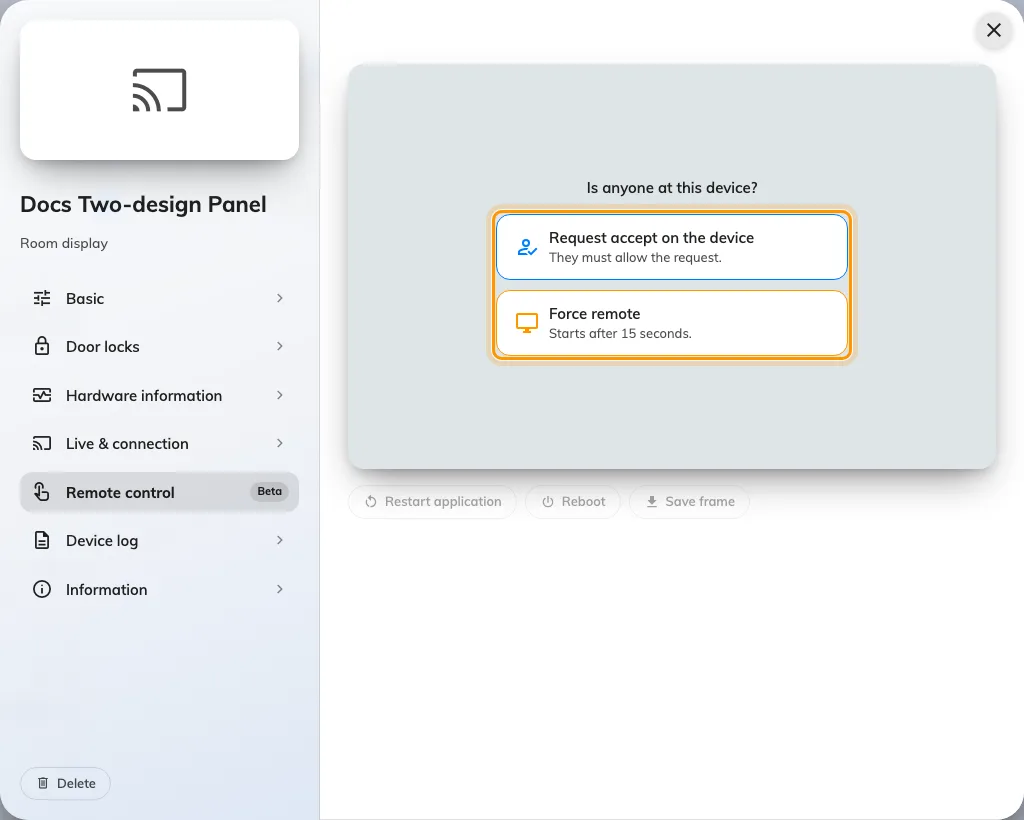
Live view, whoever is at the panel
Force remote used to get you a screenshot a second, because a panel could not stream without somebody there to allow it. Devices on the 4.5.20 app — Android and iPad panels and the Windows app — now send a live view in both modes. Remote control asks Is anyone at this device?: Request accept on the device waits for somebody there to allow it, and Force remote starts after a 15-second countdown unless somebody taps Reject. It is on each device's page in the console, marked Beta.
A note under the room name
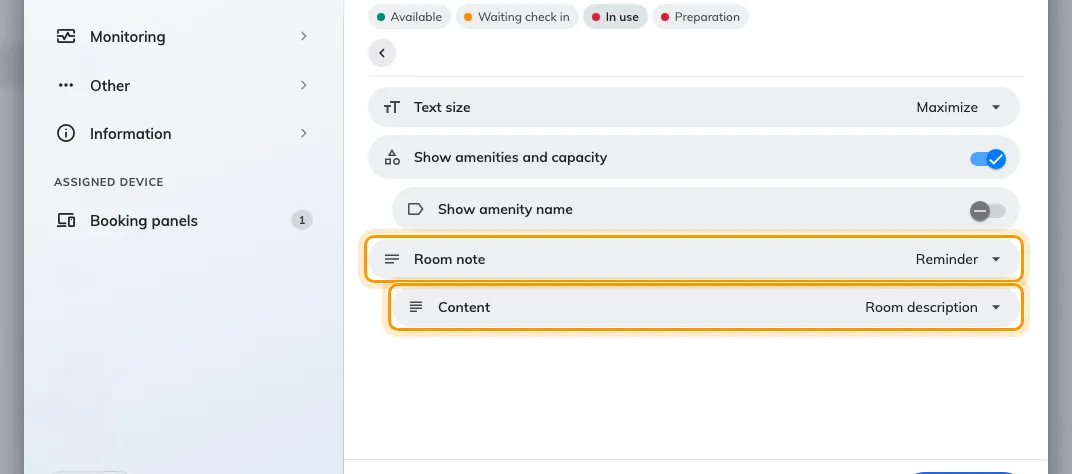
A panel had nowhere to say the one thing about a room people need before they walk in. Room note, in a panel configuration's Room details, puts a card under the room name with an Info, Reminder or Warning badge, showing the room's own description or text you write per language. It starts Off, and a room with no description shows nothing.

What changed
Booking
- Only administrators could import a sheet of bookings. Now the Offision app imports too — from the Schedule header, Home's quick actions and the Room sheet in the footer — once Import bookings is on in UI customization › User booking form.
- An import booked whatever the sheet said, even an answer the room's form could not hold. Now a cell that does not fit its field — Required, Not in the data set, Not one of the options, Invalid value — blocks its row, and a field the room's form lacks is dropped with Not in this room's form.
- Data sets and a booking policy's time sectors could only be emptied a row at a time. Tick rows and Delete them, or use Delete all — in Booking › Data set, Visiting › Visiting data set and the time sectors of a booking policy.
- A quarter-end report meant typing the quarter's dates by hand. Last quarter and This quarter now sit in every analytics period picker, the calendar export offers a Quarterly grain, and Email report can send the booking and visiting record summaries every quarter.
Device
- The device console replaced whatever the panel was showing, and closing it restarted the app. It now opens over the room and closes with ×, laid out as Overview, Status, Device, Card test, Setting and Log; Reset is now Unpair device, and Leave Offision is Back to Android or Back to iPad.
- Force remote got you a screenshot a second. Devices on the 4.5.20 app — Android and iPad panels and the Windows app — now stream a live view whether you choose Request accept on the device or Force remote, and both wait 15 seconds for the person at the screen.
- A screenshot sat in a fixed frame with black bars round it. Screen monitoring and the device page now draw each screen in its own shape.
- A panel had nowhere to say what people should know before they walk in. Room note, in a panel configuration's Room details, shows the room's description or your own text as an Info, Reminder or Warning card under the room name. It starts Off.
- Hiding Android's navigation bar meant a trip into the device's own settings. The console's Setting › Display now has Hide navigation bar, on by default in Panel mode, and on a Qbic it sets the device's Fullscreen too. It needs the Android app from 4.5.20.
- Neat devices arrived without their network details. Sync and Resync now bring each Neat device's IP and MAC address, and a Neat panel running Offision reports its serial number, IP and MAC.
Broadcast
- Choosing who saw an announcement was a stack of switches, and one left off with nobody named meant everybody. Conditions is now two lanes — User portal with Everyone or Specific recipients, Devices with All or Specific locations picked as building and floor chips — over a Schedule of Always or Period.
Fixes
- Viewing a colleague's booking series in the app loaded forever.
- Extra fields on imported bookings were not linked to their data set until the booking was edited.
- The Data set and Time sector lists could not be scrolled to the end.
- A booking kept answers to extra fields its form did not have.
- The remote-control mode cards were unreadable in the dark theme.
- Long recipient names overflowed the announcement's recipient picker.