

4.6.7
Request in-use services without a booking, export bookings from the user app, crop signage websites, and preview upcoming meetings early on room panels.
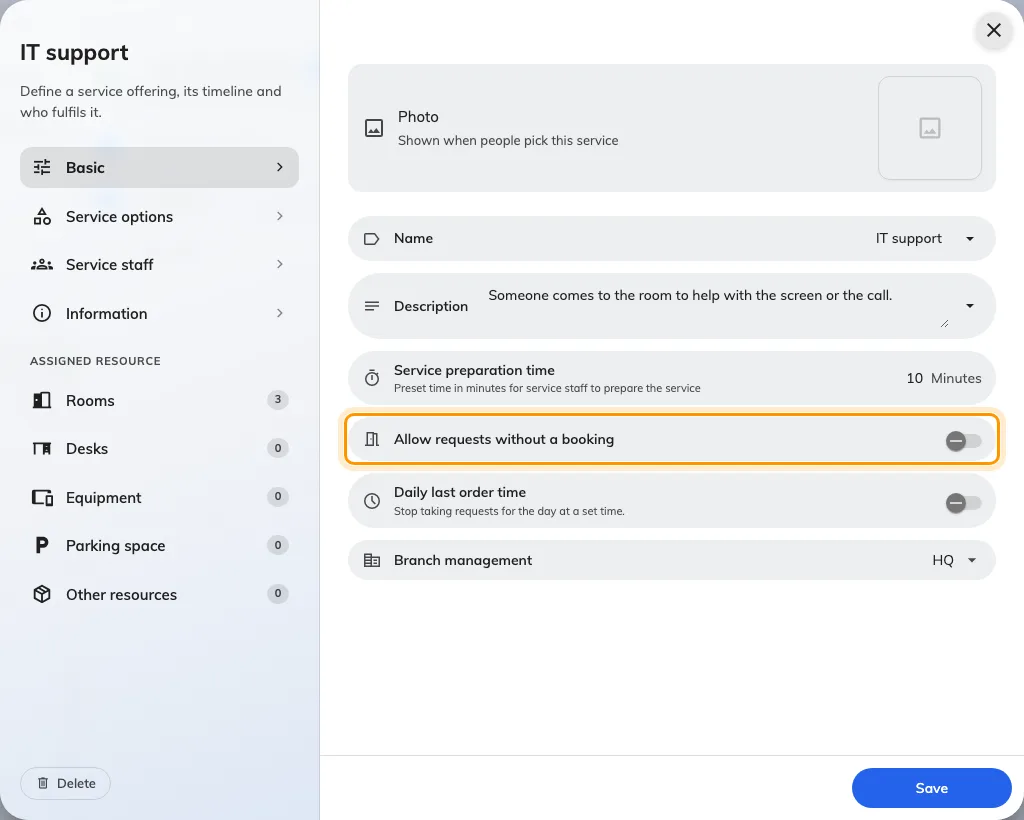
Request in-use services without a booking
Open Service › In-use service, edit an item, and turn on Allow requests without a booking on the Basic tab where service management is licensed and enabled. Staff and visitors can then request that service from the mobile app, an In-room control panel, or a printed resource QR sticker even when the room or desk has no active booking.
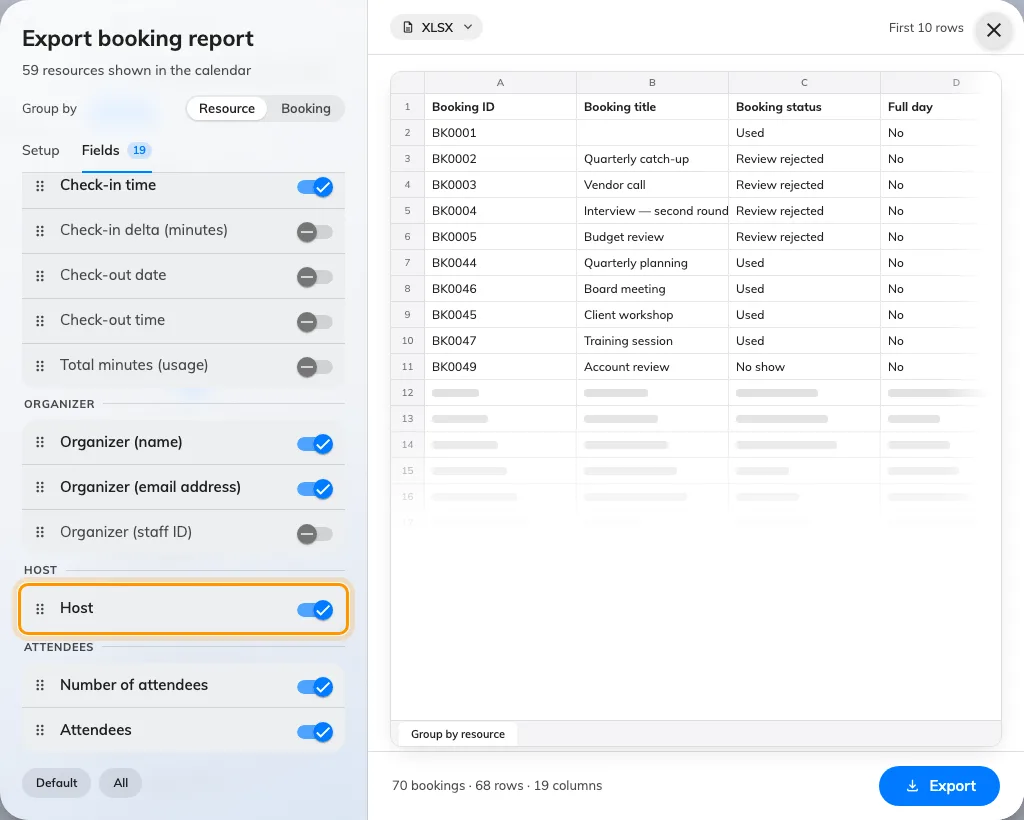
Export bookings with flat field ordering, custom labels, and user-app access
In Booking › Management calendar, click Export to start in compact Basic mode or switch to Advanced for grouping, live row previews, and a single flat Fields list. Drag any row by its handle (or reorder with Space/Enter and arrow keys) to place any column first, include Number of room users, and export paired Autocomplete (Key)/(Value) columns with your form's custom field labels.
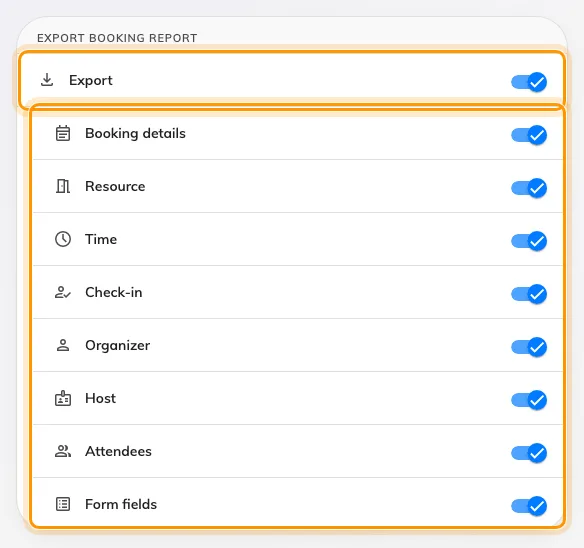
Control user-app Resource calendar exports
Go to UI customization › Resource calendar to choose whether regular users can export bookings from the user-app Resource calendar. Keep Export on to let users download XLSX, XLS, or CSV reports, and toggle any of the eight information groups below it to restrict which columns appear.
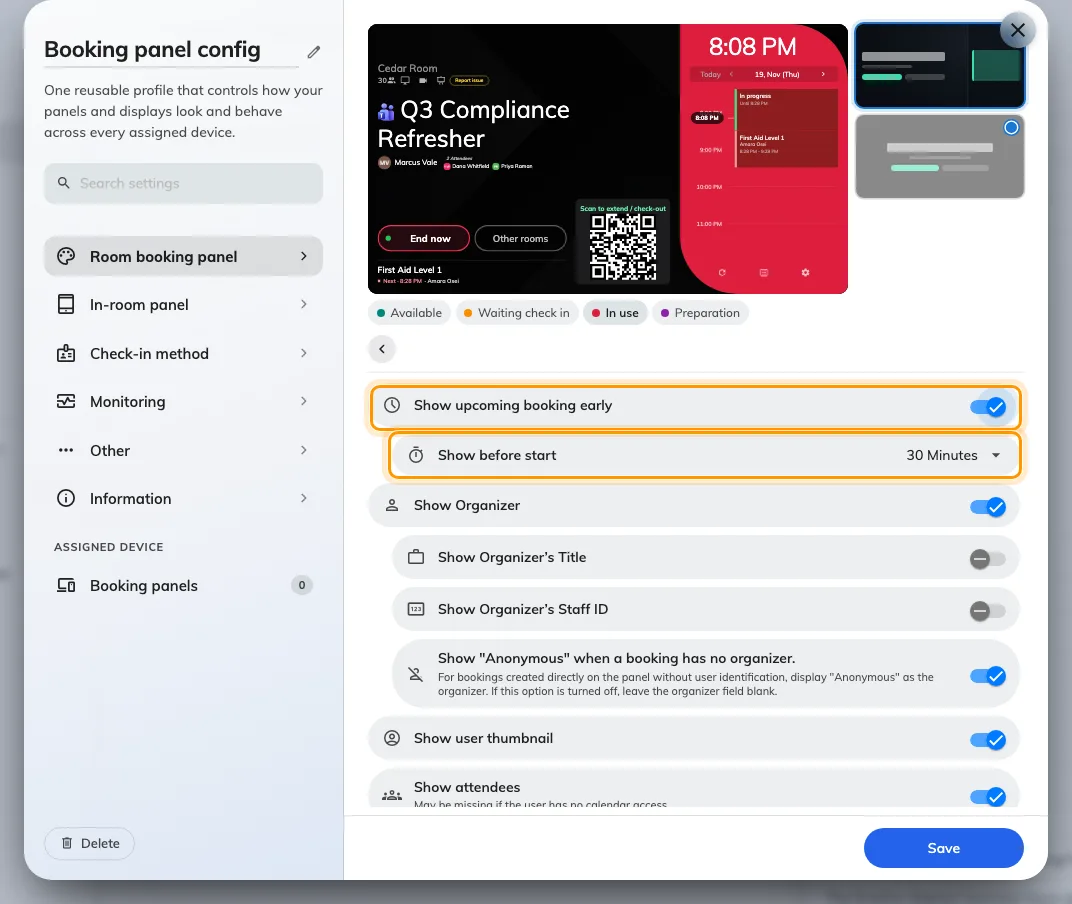
Show upcoming bookings early on room panels
Open Devices › Panel configurations, edit a profile, and enter Booking details to turn on Show upcoming booking early. Set Show before start (5 to 60 minutes; default 15 minutes) so vacant panels preview the next meeting before it begins and busy panels display a two-line upcoming summary along the footer.
Crop embedded websites on signage screens
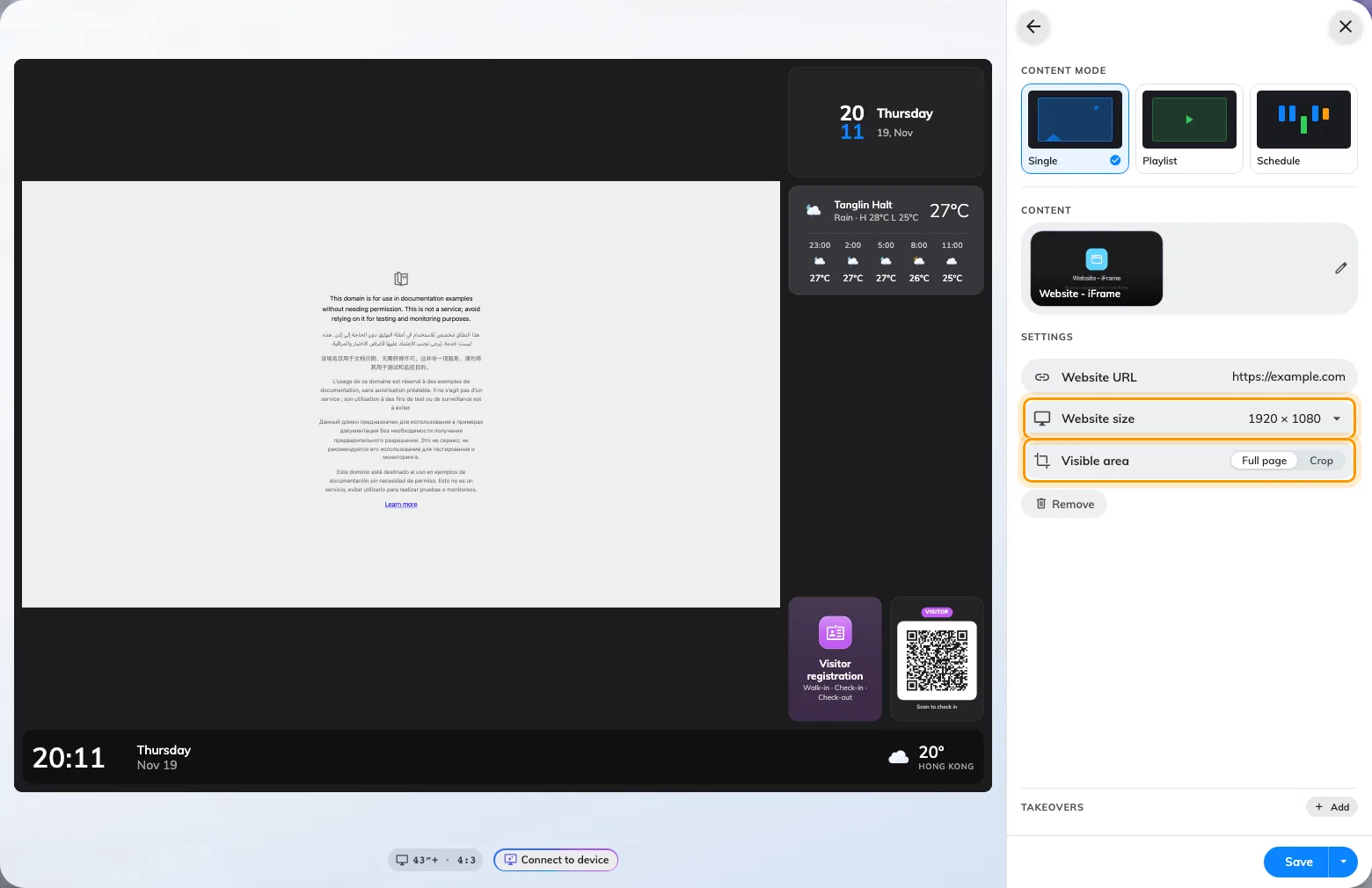
In Signage › Signage content, click any Main stage, Side widgets, or Info cards slot and choose Website - iFrame. Pick a virtual Website size such as 1920 × 1080 and switch Visible area to Crop to drag an aspect-locked frame over the part of a dashboard or webpage you want shown on screen.
Run Take attendance on the signage main stage with multiple schedules
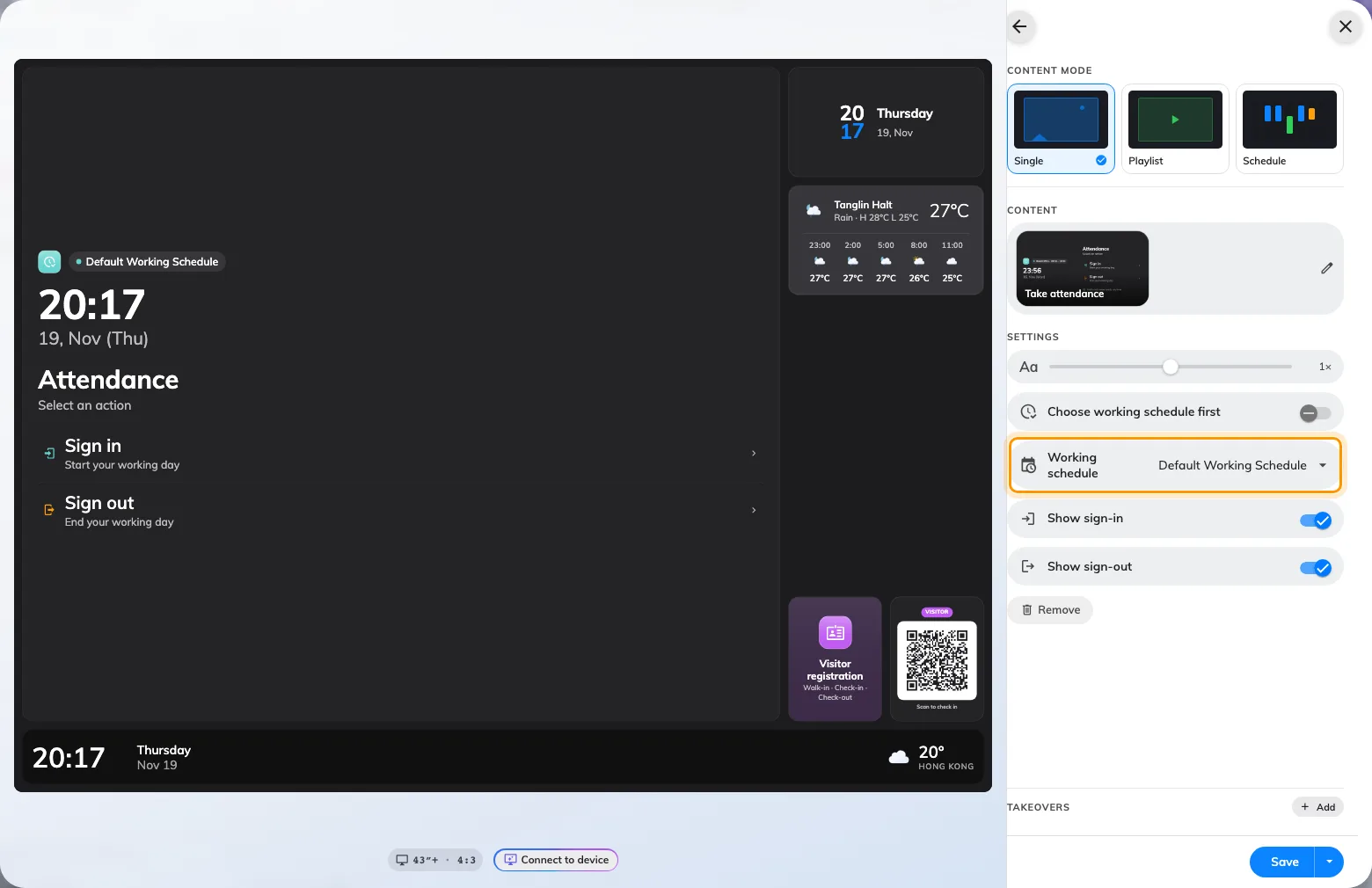
In Signage › Signage content where attendance and signage are licensed, click a Main stage or Action buttons slot and pick Take attendance. Turn on Choose working schedule first when multiple teams share the screen so staff pick their Working schedules before signing in or out with card, QR, or PIN.
What changed
Service
- In-use services previously required an active booking. You can now turn on **Allow requests without a booking** on the **Basic** tab of an in-use service (enabled by default for new services, off for existing ones until enabled, where service management is licensed and enabled) so staff and visitors can send requests from the mobile app (`+` → **Request service** or resource cards), **In-room control** panels, or printed resource QR stickers without signing in (up to 6 per minute per location and 12 per minute per network address).
- **Requested by** on service request cards now records **Mobile app**, **In-room panel**, or **Visitor QR** so service staff can tell where each request came from.
Booking
- Regular users can now export visible **Resource calendar** bookings (**Export**) and their own reservations from **My calendar** (**Export my bookings**) in **Basic** (**Today**, **This week**, **This month**, **Custom**, **Only my bookings**, **XLSX** or **CSV**) or **Advanced** mode, controlled by the **Export** toggle and eight information-group switches under **UI customization › Resource calendar** (all enabled by default for existing accounts).
- **Management calendar** and user-app booking exports now open in compact **Basic** mode with an **Advanced** toggle and live row count, combine **Fields** into one flat drag-and-drop and keyboard-reorderable list, add **Number of room users**, split **Autocomplete** fields into `<Field> (Key)` and `<Field> (Value)`, apply your booking forms' custom field labels (joining distinct labels with ` / `), warn before exceeding the 256-column **XLS** limit, and export date columns without midnight timestamps.
- You can now convert a saved local **Single** booking to **Recurring** (keeping the original booking reference) or **Series** (adding sessions when series booking is enabled) from **Edit Booking** in the admin console and user app.
- **Resource calendar** booking details now show **Number of room users** below **Attendees** when a positive count was recorded and permitted by your booking form, privacy settings, and **Show full details for others' bookings**.
Signage
- **Take attendance** can now be placed on the **Main stage** as a live time-clock card in addition to action button tiles where attendance and signage are licensed, supports selecting multiple **Working schedules** with **Choose working schedule first**, removes the separate department step, asks for **Sign in** or **Sign out** after verification on dual-action tiles, and checks staff card, personal QR, and PIN search eligibility against the selected schedule.
- **Website - iFrame** widgets on the main stage, side list, or info cards now offer **Website size** (**Match widget (default)**, `1280 × 720`, `1920 × 1080`, `720 × 1280`) and **Visible area** (**Full page** or **Crop**) with a **Crop website** dialog, draggable aspect-locked selection frame, and live **On the board** preview.
Attendance
- **Attendance › Attendance Records** and **Attendance › Attendance log** now display the **Working schedule** name in the table, row details, and Excel exports, showing a dash where unavailable.
Devices
- Booking panel configurations add **Show upcoming booking early** with a **Show before start** window (`5` to `60` minutes; default `15` minutes) under **Booking details**—promoting the next meeting onto the main area while vacant or a two-line upcoming footer merged with **Check in** while occupied—and align extra-field-only headlines flush with normal titles.
- **Devices › Device monitoring** now lists each **Qbic e-paper controller** with **Online**, **Offline** (after three minutes without a heartbeat, retaining **Last known IP**), or **Unknown** status, **Last seen**, hardware details, and **Bluetooth dongles** count.
- Added **AXIS D3110 Mk II** to the **Supported devices** catalog, control processor LAN discovery, and the AXIS door-lock Event rules setup guide (`Port 9` alongside `RELAY` for the A9210).
- **Face identification** settings, room-panel check-in tiles, and user-profile verification entries have been hidden across the admin console, room panels, and user app.
System
- Changing your display language in the admin console or user app now updates the open page as soon as translations load, without reloading the browser.
Fixes
- The booking panel screensaver availability bar could appear as a narrow box at the top left instead of spanning the footer.
- Booking panels could stop refreshing after a failed booking query and queue repeated offline dialogs.
- Minew e-paper room tags could keep displaying a previous booking state after check-in or check-out.
- Selecting **Cancel all in serial** on a booking in the user app **Resource calendar** could close the menu without confirmation.
- Admin booking exports could leave saved custom form answers (such as Contact Person & No.) blank when the field was no longer on the resource's current booking form, and deleted booking form fields could still appear as selectable columns.
- **Directory › Users** could stop rendering rows or details when a user had a missing linked group or record.
- Long staff names or email addresses in the signage attendance search dialog could push the search field and on-screen keyboard out of view.
- Long resource lists in the Microsoft 365 application-account dialog could scroll the resource count and **Add resource** or **Resync** controls out of view.
- Saving a free-point position for a device on a 3D map from the device detail menu could drop the selected floor point.
- Unchanged field labels in the **Guest booking** editor could mark a draft as modified, and some **Guest booking** admin labels could appear untranslated.