

How sign-in security works
Two screens decide how people get into the management console and the user portal — the password policy, and the security profile that sets which IP addresses and which platforms a person may sign in from. Which rules bind an Offision password, and which bind everyone including Microsoft 365 and Google sign-ins.
Two screens under Security decide how people get into Offision. Global password policy sets the rules for Offision passwords and what happens when someone gets one wrong. User security profiles set where a person may sign in from — which IP addresses, which platforms — and whether they need a second factor.
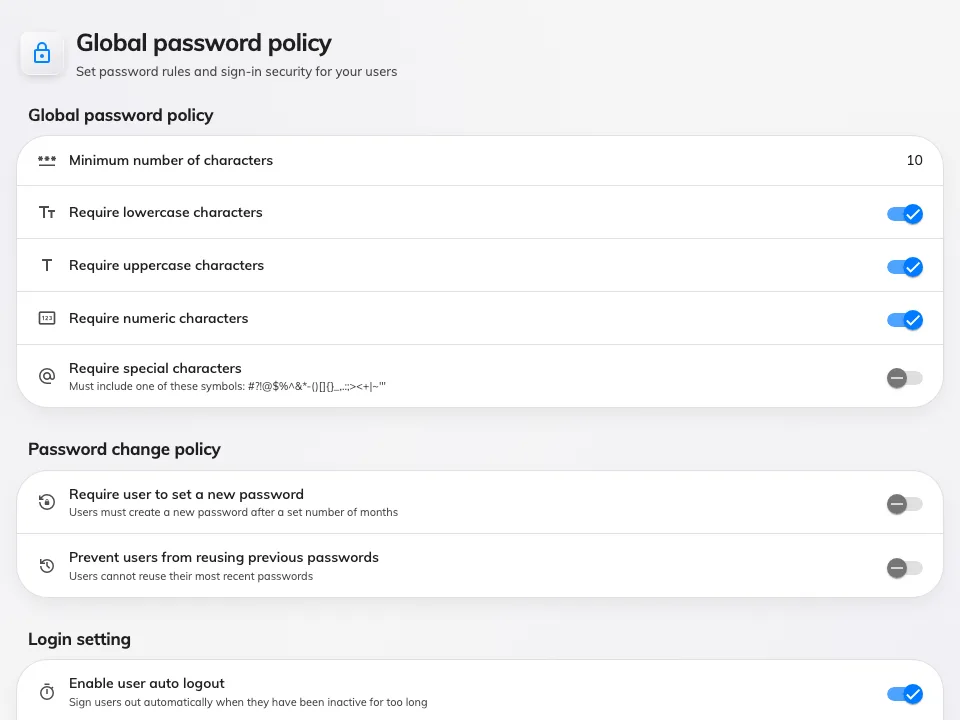
Global password policy — the rules for Offision passwords.
Where people may sign in from
A profile carries three controls, and they are not enforced in the same place.
IP restriction is checked by the server, on every request, once the person is
signed in. Enter the addresses your people arrive from — a single 192.168.0.1,
a range 192.168.0.1-100, a comma-separated list, or 192.168.0.0/24 — and a
request from anywhere else is refused with your current IP address is not allowed
to access this resource. It covers the management console and the user portal
alike.
What that looks like to the person is worth knowing, because it is not what most administrators expect: the sign-in itself still succeeds. The password is checked before the profile is read, so someone outside the range signs in as normal and then every screen they open comes back empty. A report of “I can sign in but nothing loads” from somebody working at home is this, not a fault.
The restriction is set per profile, so head office, contractors and people in the field can each have their own — or none.
The platform toggles — desktop browser, mobile browser, the mobile app, the Outlook and Teams add-in — are checked by the app itself when it opens, not by the server. Someone on a blocked platform is told why and signed out.
Auto logout ends a session after that many minutes without touching the keyboard or screen. It runs in the app, so it applies wherever the person came from.
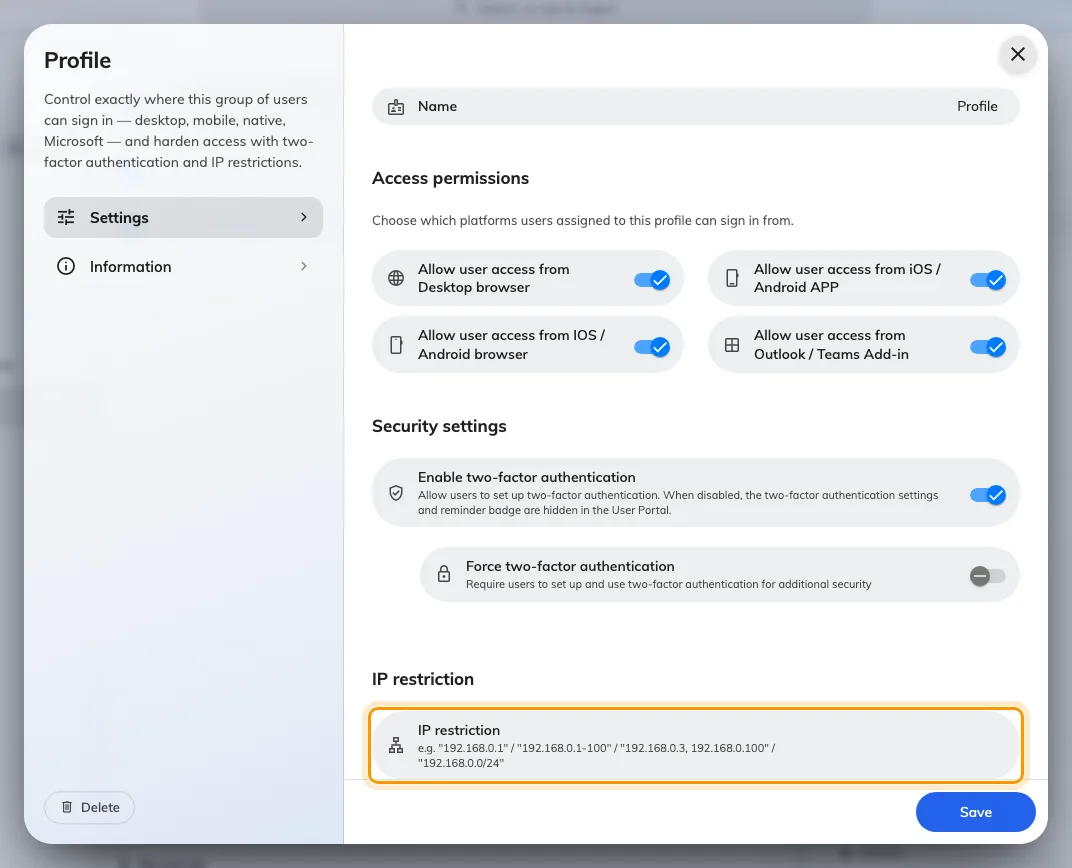
A security profile: the platforms these people may sign in from, two-factor, and the IP restriction at the foot.
Security profiles are assigned per person, and one profile is the default that new people get.
The part that surprises people
Signing in with Microsoft 365 or Google skips the password policy entirely. No lockout after failed attempts, no expiry, no reuse check, no two-factor prompt. The same is true of an LDAP or Active Directory sign-in.
That is not an oversight. There is no Offision password in those sign-ins to hold to a rule — the identity provider checked the credentials before Offision ever saw the person, and it is the one enforcing lockout and multi-factor. Setting Maximum failed login attempts to 3 does nothing for a company that signs in entirely through Microsoft 365, and the place to set that rule is Microsoft’s console, not this one.
So the password policy is worth setting when some or all of your people sign in with an Offision password. Where everyone uses single sign-on, it is inert.
The IP restriction is the exception on this page: it is checked by Offision on every request, whoever signed the person in, so it binds a Microsoft 365 account exactly as it binds an Offision one.
What it does not control
Changing the password policy or turning a platform off does not end a session that is already running. Both govern the next sign-in, and a person already signed in stays signed in until their device is signed out. That is Login devices, and it is a separate job. An IP restriction is the exception, because it is tested on every request rather than at sign-in — it takes hold on the next screen they open.
Who may see or do what is permissions, not security. A profile decides where someone signs in from, never what they can reach once inside.
The Windows app follows the Desktop browser toggle from 4.5.9. Before that it was not covered by any of them, so a profile that blocked desktop browsers still let the Windows app in.
If the question behind all of this is whether Offision can be closed to your own network, that one has an answer of its own.
Open Global password policy