

Where your company's name, address and logo are set
The company name, each building's address and the five logos live on different pages. Which page owns which, where each one is shown to people, and why the address on a staff name card is not one of them.
There is no “company profile” page. Name, address and logo are three settings on three pages, because each is shown somewhere different — and the page called System interface holds only the first.
The company name
System config › System interface has one section, Account settings, with three fields: Account name, Language and the time zone. The account name is your company’s name. It is the headline of your tenant on the login page, the browser tab title, the name across the top of the admin console and in the user app’s profile popper, the company line on printed visitor badges, and the company name on every staff digital name card.
Open System interface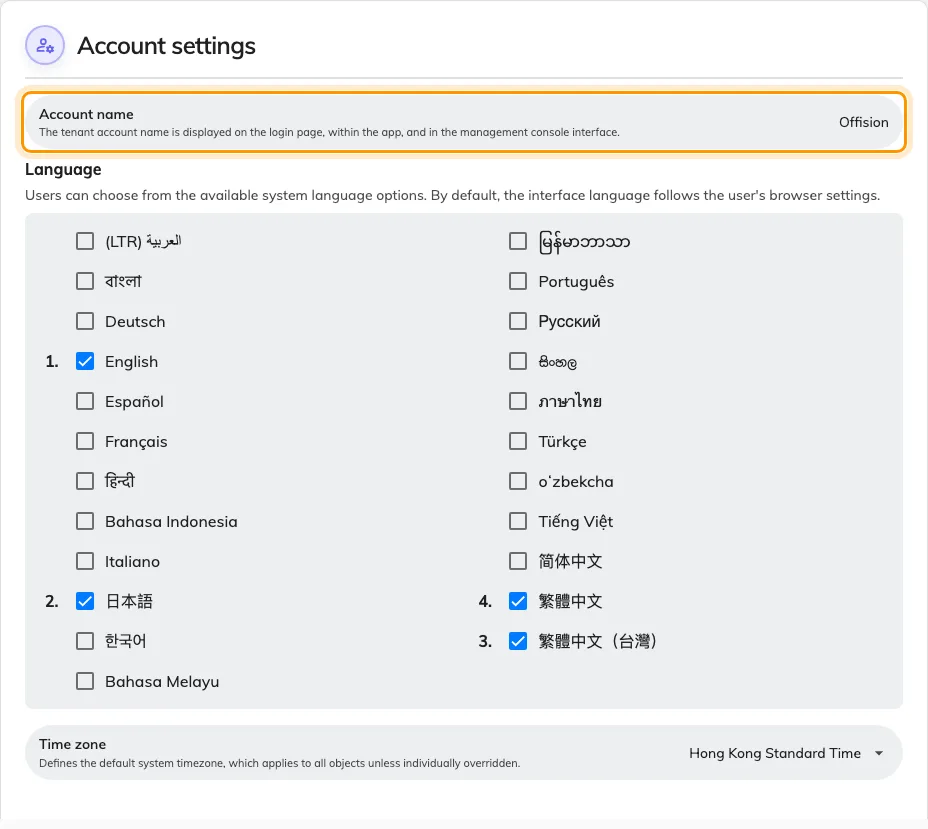
Account settings on System interface — the account name is your company's name.
There is no address and no logo on this page.
The company address
There is no company-wide address field. An address belongs to a building, and a company with three offices has three of them.
Each one is on that building: Directory › Locations, the Basic tab, field Address. The Google map block below it also reports a Location address, but that one is only a fallback — it is used when Address is left blank, and the map pin supplies the link. This is the address a visiting email prints, as a link to the map. Badges print the company name and logo, not an address.
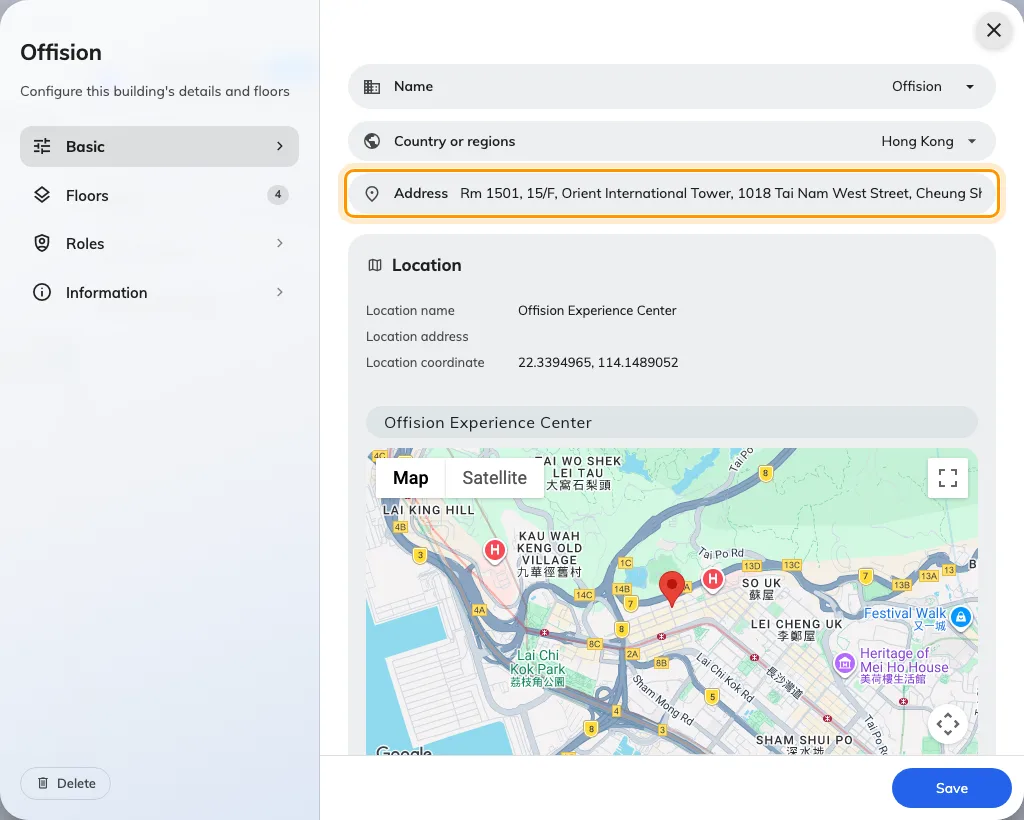
A building's form, Basic tab, with the Address field.
The Office name and Address asked for during onboarding are written to your first building, and are edited there afterwards.
One other address exists, and it is easy to mistake for this one: the staff name card carries its own company line, set inside that plugin and printed on cards only. It is not read here or anywhere else — see What the staff name card is.
The logos
Each surface has its own logo, so a change on one page changes one surface.
| Surface | Page | Field |
|---|---|---|
| Login page | UI customization › Login page | Login page logo — see Brand the login and home pages |
| Home page after sign-in | UI customization › Home page | Home page logo — same article |
| Emails | System config › Email setting | Email logo — see Put your logo on Offision emails |
| Room and desk panels | Devices › Panel configurations | Show company logo — see Show your logo on a room panel |
| Printed visitor badges | Visitor management › Settings | Visitor label logo — see Change the visitor badge design |
What this does not control
- Renaming the account renames nothing else. Buildings, rooms and the tenant’s domain keep their names.
- The name card’s company line reaches name cards and nothing else. Emails print the building’s address; badges print none.
- A visitor’s company name comes from the invitation, not from any page here.