

Read a card number at the panel
How to find out what number a card actually sends, on any panel that reads one. The Card test page of the panel's own console shows the number of every card tapped on it — which is the number to store, and rarely the one printed on the card.
The number you need is usually not the number printed on the card, so the reliable way to find it is to ask the panel that will be reading it. Every panel has a Card test page in its own console that shows the number of each card tapped on it, and that value is exactly what goes into Access cards.
1. Unlock the panel’s console
Tap the panel to bring up its control bar and choose the settings button. The panel asks to be unlocked before it will open its console.
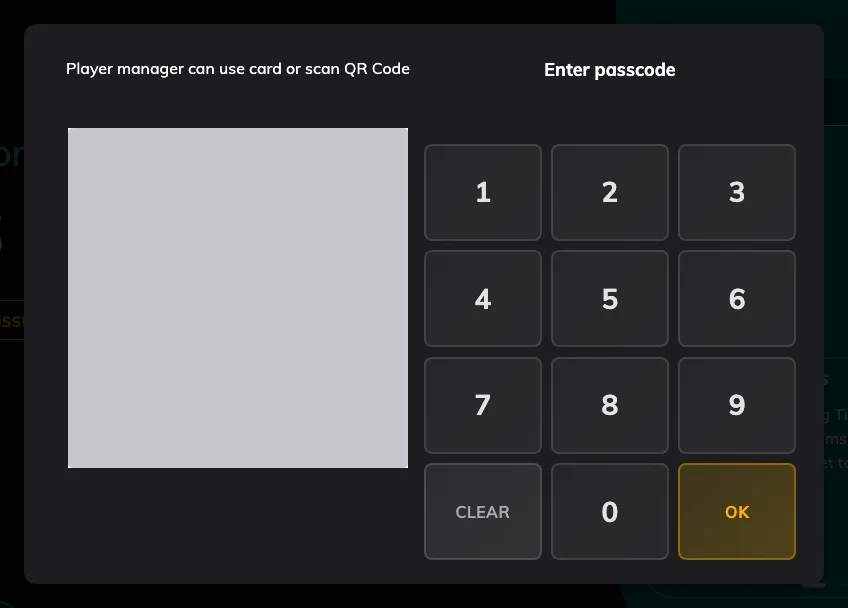
The gate in front of the console: the keypad, or the QR code beside it.
The keypad is not the only way through. Somebody who is a player manager can tap their own staff card here instead, and an administrator can scan the QR code shown beside it.
2. Open Card test and tap the card
The console opens over the room, on Overview. Card test is the fourth item in its left-hand list, under Overview, Status and Device. It replaces the Card scanning result row that used to sit at the foot of Player status.
It shows Ready to Scan until a card is read. Hold the card against the panel’s reader and its number fills the top of the page, with the time it was read. Each tap after that takes its place, and Recent underneath lists every card read since the console opened, newest first, so you can work through a stack of cards without leaving the page. Closing the console clears the list.
A card tapped here is only read, never checked in: while the console is open, the room screen underneath ignores cards.
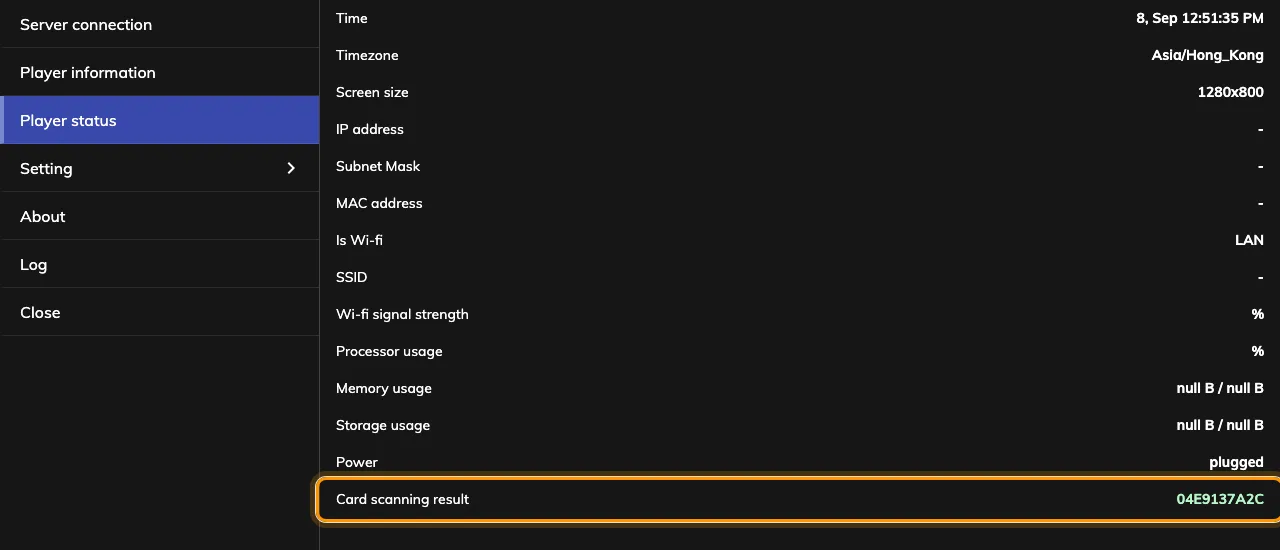
Card test, holding the number of the card just tapped, with every read listed under Recent.
That string is the whole answer. Write it down exactly as shown — upper and lower case do not matter, so you never have to worry about which you copied.
What the number will look like
On an ordinary MIFARE, NTAG or DESFire card it is the chip’s UID in hexadecimal, and nothing on the face of the card matches it. Only an HID Global card read by an iAdea panel gives back its own encoded number, which is the one printed on the front.
This is worth doing once per batch rather than once per card: enrol one, tap it, see what the panel accepted, and check the other five hundred against that shape before importing them.
Which panels can do this
Any panel that can read a card can show you what it read: Card test listens to the panel’s reader, whatever that reader is, and no brand has a version of the console without it. What differs is only whether the panel has a reader of its own or needs one plugged in, which is Which booking panel hardware Offision supports, model by model.
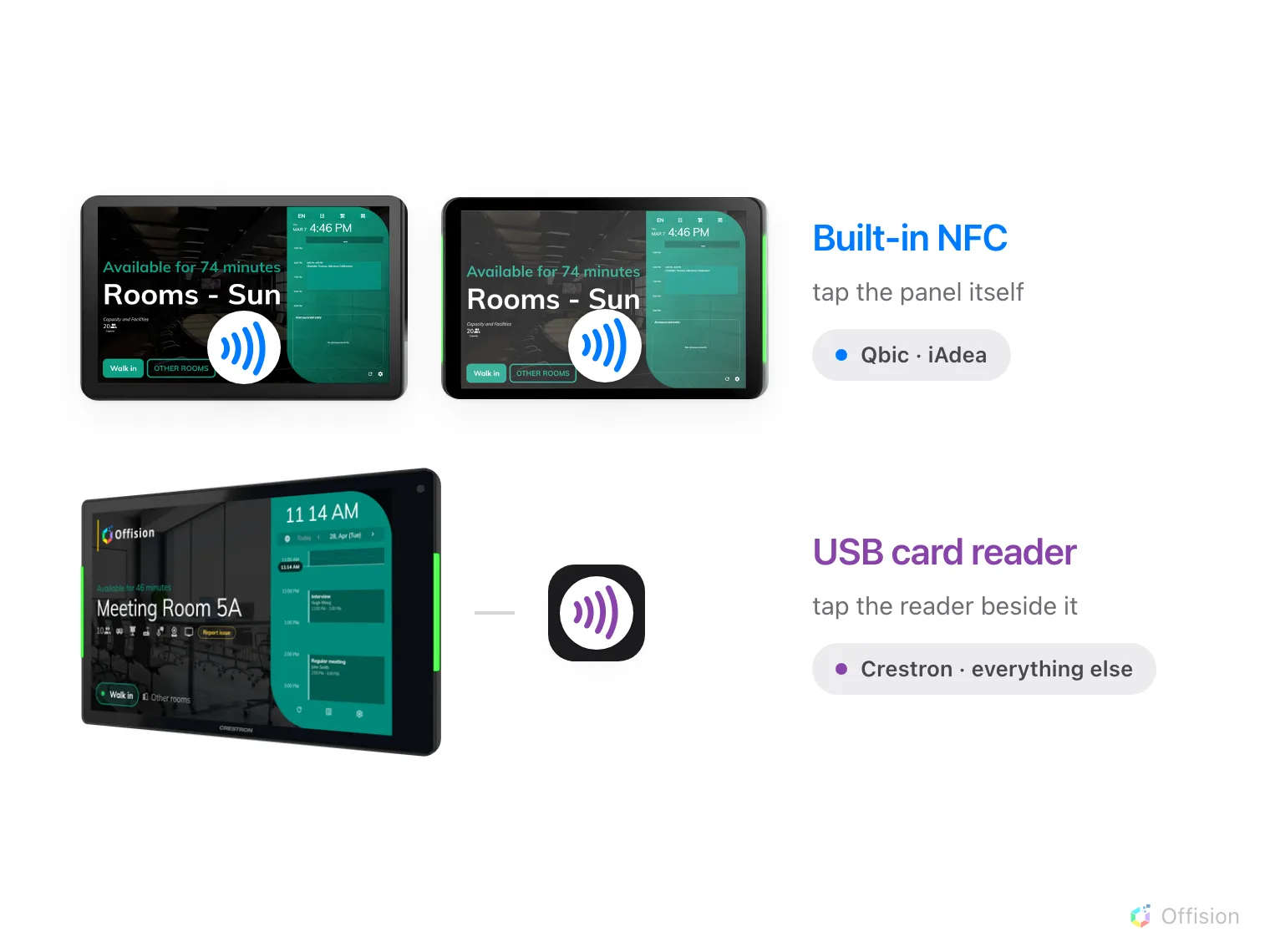
Qbic and iAdea read the card themselves. Everything else needs a reader.
A panel running in its browser rather than the installed app cannot reach a built-in reader at all, so Card test stays on Ready to Scan there until a USB reader is plugged in.
3. Store the number against a person
Take the number to Access cards and add it there, or type it into the person’s own record — both write the same card. The whole flow, including taking a card back, is Issue an access card to someone.
Open Access cards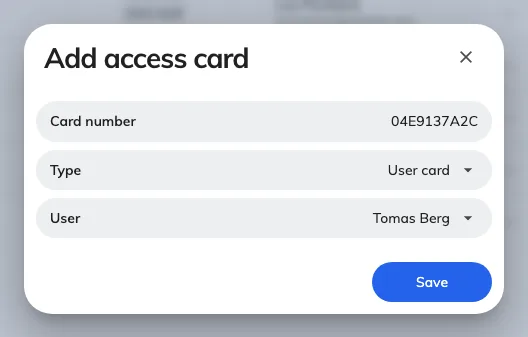
Three fields: the number, the slot it fills, and who holds it.
Then tap the card at the panel again. This time it should find somebody.
When you are not standing at the panel
The console is a screen on the panel, so somebody has to be in front of it to tap a card. What you can do from your desk is drive the panel there: open the device, choose Remote control, and work its console on the mirrored screen while a colleague at the room does the tapping.
Open Booking panelWhen no number appears
| What is happening | Usual cause |
|---|---|
| Nothing appears, on any card | The panel is running in its browser rather than the installed app, so the built-in reader is not reachable |
| Nothing appears, on one card only | The card is a technology this reader does not read — most often an HID card on a panel that is not the HID model |
| Nothing appears, and this panel has no reader | Some models ship without one and take a USB reader instead |
| The number appears here but a tap does nothing on the room screen | The number is not stored against anybody yet, which is what this page is for. If it is stored, work through Tapping a staff card does nothing |